00196772-04_VersionDescription_SR705.04SP2_LPCD_DE_EN.pdf - 第21页
Software Version Description Language Pack 705.04 SP2 08/2012 Edition Remove Select the radio button Remov e, actuate the button OK to start the uninstal lation. CONFIRM UNINSTALL Actuate the OK button to confirm the…
Software Version Description Language Pack 705.04 SP2 08/2012 Edition
20
5.1.3.2 Uninstallation
Proceed as follows to uninstall the language pack:
• Switch the station computer on.
• Log in as the administrator.
• Switch to the Windows XP operating system.
• Start the uninstallation:
Start -> Programs -> SIPLACE -> SIPLACE Language Pack Uninstall
Software Version Description Language Pack 705.04 SP2 08/2012 Edition
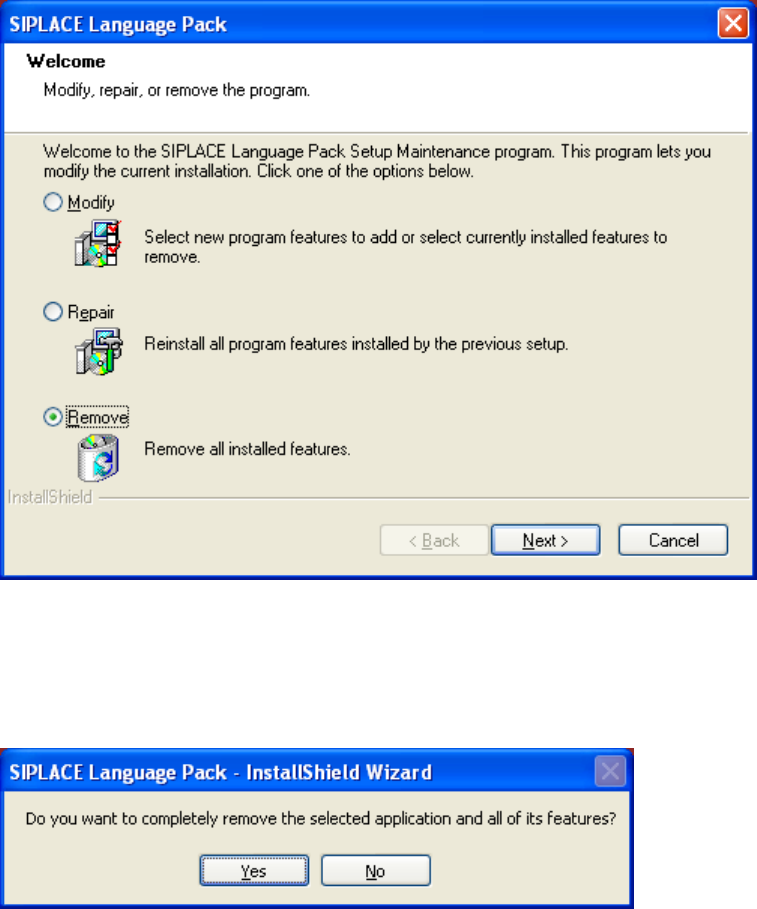
Remove
Select the radio button Remove, actuate the button OK to start the uninstallation.
CONFIRM UNINSTALL
Actuate the OK button to confirm the uninstallation.
21
Software Version Description Language Pack 705.04 SP2 08/2012 Edition
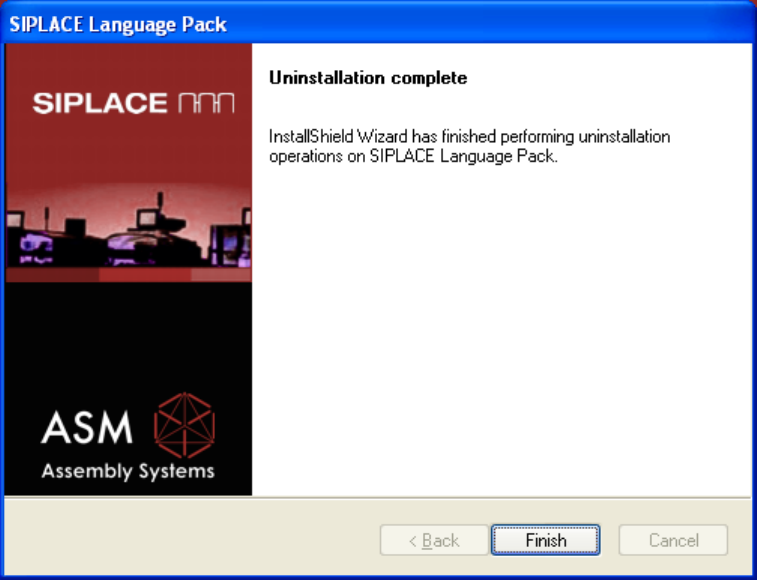
Completion Screen
Actuate the Finish button to complete the uninstallation.
22