TM1792_Block skip of the Board Data after Block Offset Distribution.pdf - 第4页
SMT Software Engineeri ng Group IMOperationsYAMAHAMOTORCO. ,LTD. MD OC-SOFT50052 4/7 3.2. Enabling the function to use The [Setup] – [Bloc k Skip] button bec omes av ailable w hen the d…
SMT Software Engineering Group
IMOperationsYAMAHAMOTORCO.,LTD.
MDOC-SOFT50052
3/7
3. Basic operations
3.1. Block offset distribution
The skip function of the block unit can be used by doing the Block offset distribution.
There are the following restrictions when the skip function of the block unit is used.
When the board data is created by the application before the object version is used, it is
necessary to do the Block offset distribution over again. (※)
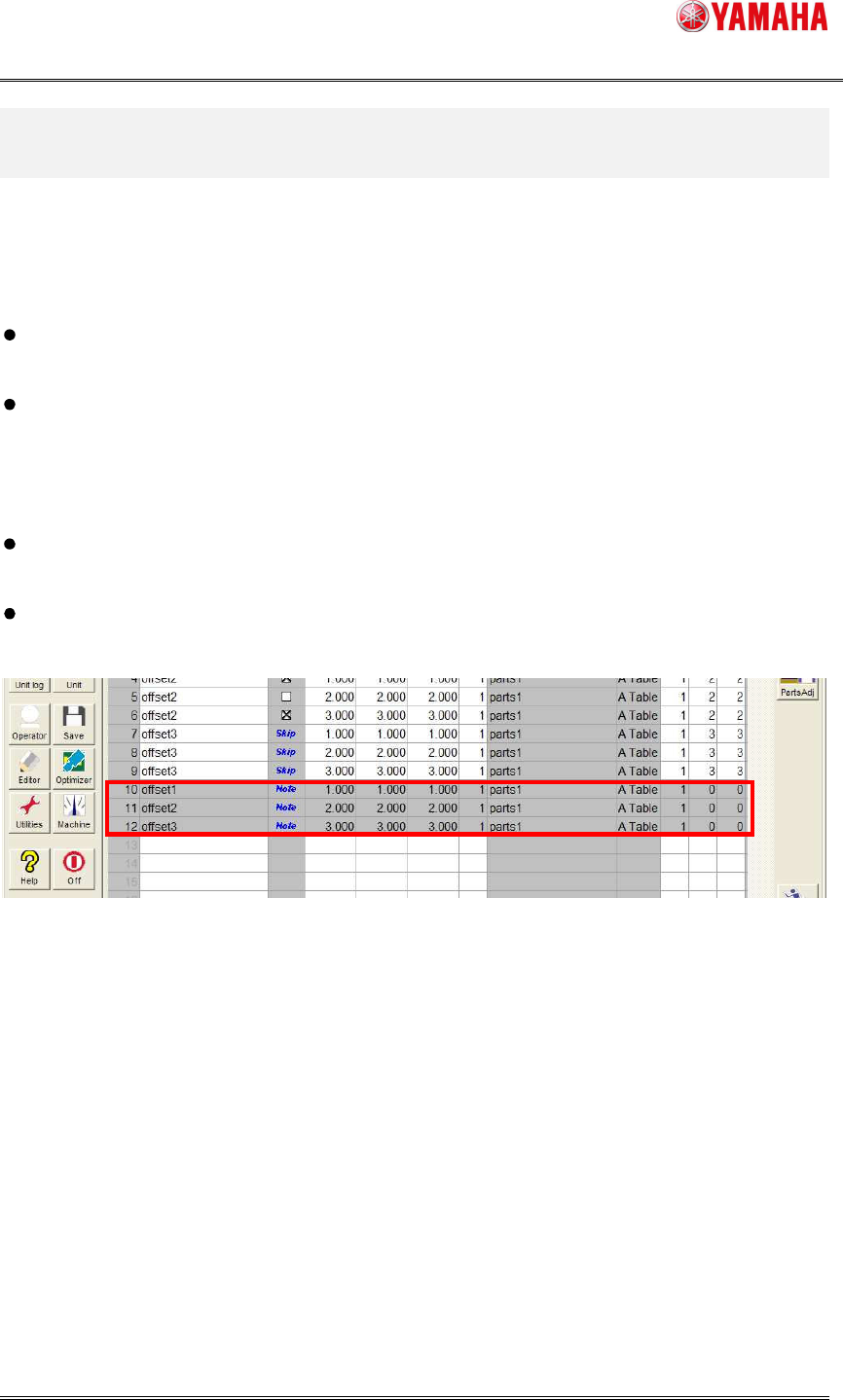
When the Block offset distribution is done without Note Data, this function cannot be used.
The existence of the Note data can be distinguished from the existence of the row where
column [Board] - [Mount] - [Skip] is “Note” (Refer to Fig 3.1). The row [Skip] is set when the
block offset distribution is done with Note Data.
When the number of the block offsets before block offset distribution is 512 or more, this
function cannot be used.
The Board Data File must be YGX file format to use this function. When you save it by
Board Data File other than YGX file format, this function cannot be used.
Fig 3.1 Row of Note Data
※For details of the Block offset distribution, please refer to Programming Manual (Chapter 5 3.3
Block offset distribution and return) which is supplied with machine.
SMT Software Engineering Group
IMOperationsYAMAHAMOTORCO.,LTD.
MDOC-SOFT50052
4/7
3.2. Enabling the function
to use
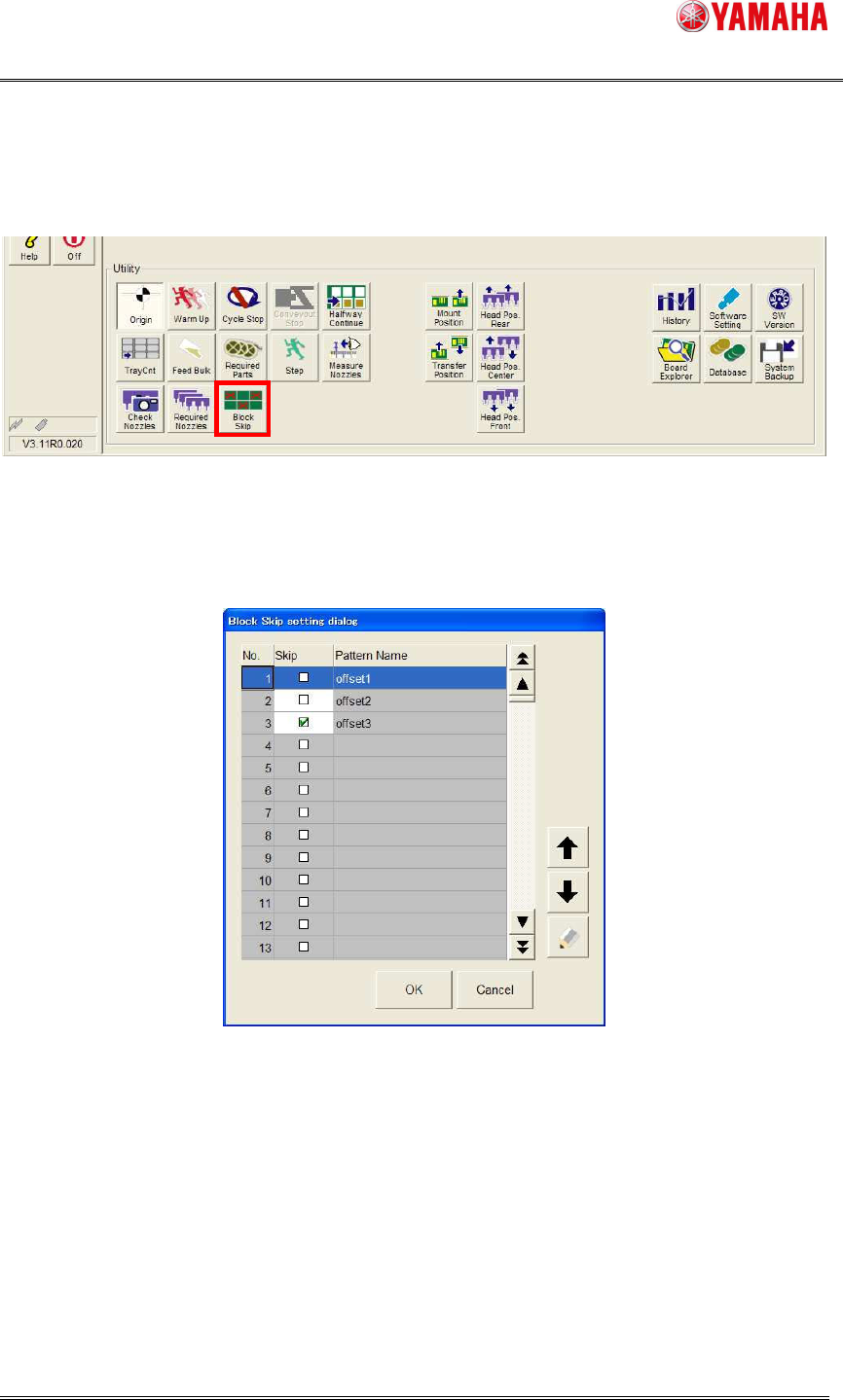
The [Setup] – [Block Skip] button becomes available when thedistributed board data of the block
isloaded. (Refer to Fig 3.2)
Fig 3.2 Block Skip setting button
The [Block Skip setting dialog] window opens when this button is clicked. (Refer to Fig 3.3)
Fig 3.3 Block Skip setting dialog
Set "Checked state” to the check box where you want to skip, tap [OK] button, the skip is done
with the block unit.
At this time, [Setup] – [Block Skip] button is changed tostate of “ON”.
SMT Software Engineering Group
IMOperationsYAMAHAMOTORCO.,LTD.
MDOC-SOFT50052
5/7
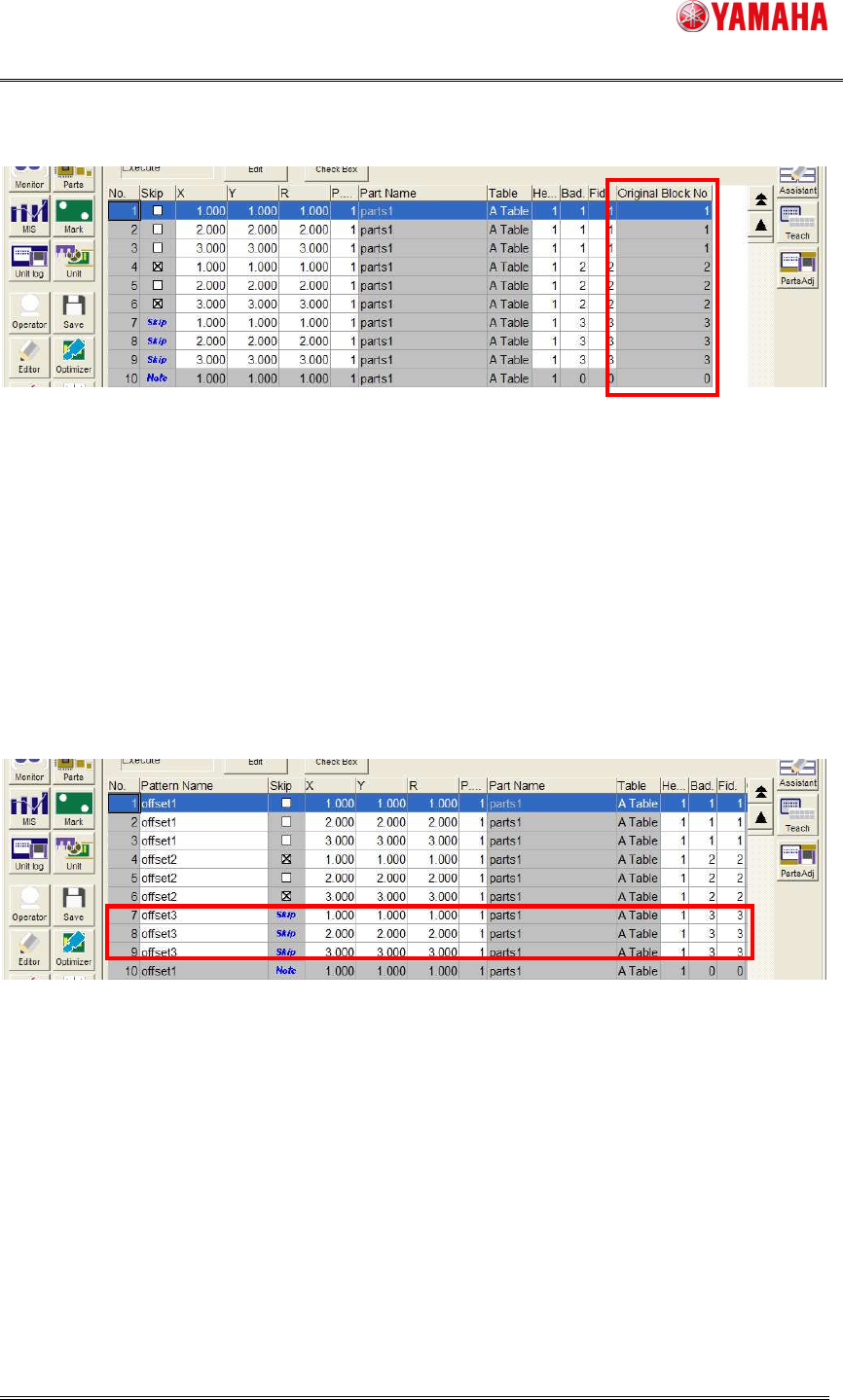
Please refer to column [Board] – [Mount] – [Original Block No] when you want to check the
mount data which are belonging tothe blocks. (Refer to Fig 3.4)
Fig 3.4 Original Block No
3.3. Operation of enabling the function
3.3.1. Confirming the state of the skip
To confirm the state of the skip, please confirm [Board] – [Mount] – [Skip] column.
The row which is skipped with the block unit is displayed as “Skip”, you cannot edit it on this
screen. (Refer to Fig 3.5)
Fig 3.5 State of skip