TM1792_Block skip of the Board Data after Block Offset Distribution.pdf - 第5页
SMT Software Engineeri ng Group IMOperationsYAMAHAMOTORCO. ,LTD. MD OC-SOFT50052 5/7 Please refer to column [Board] – [Mount] – [Orig inal Block No] when you want to check the mount data which ar…
SMT Software Engineering Group
IMOperationsYAMAHAMOTORCO.,LTD.
MDOC-SOFT50052
4/7
3.2. Enabling the function
to use
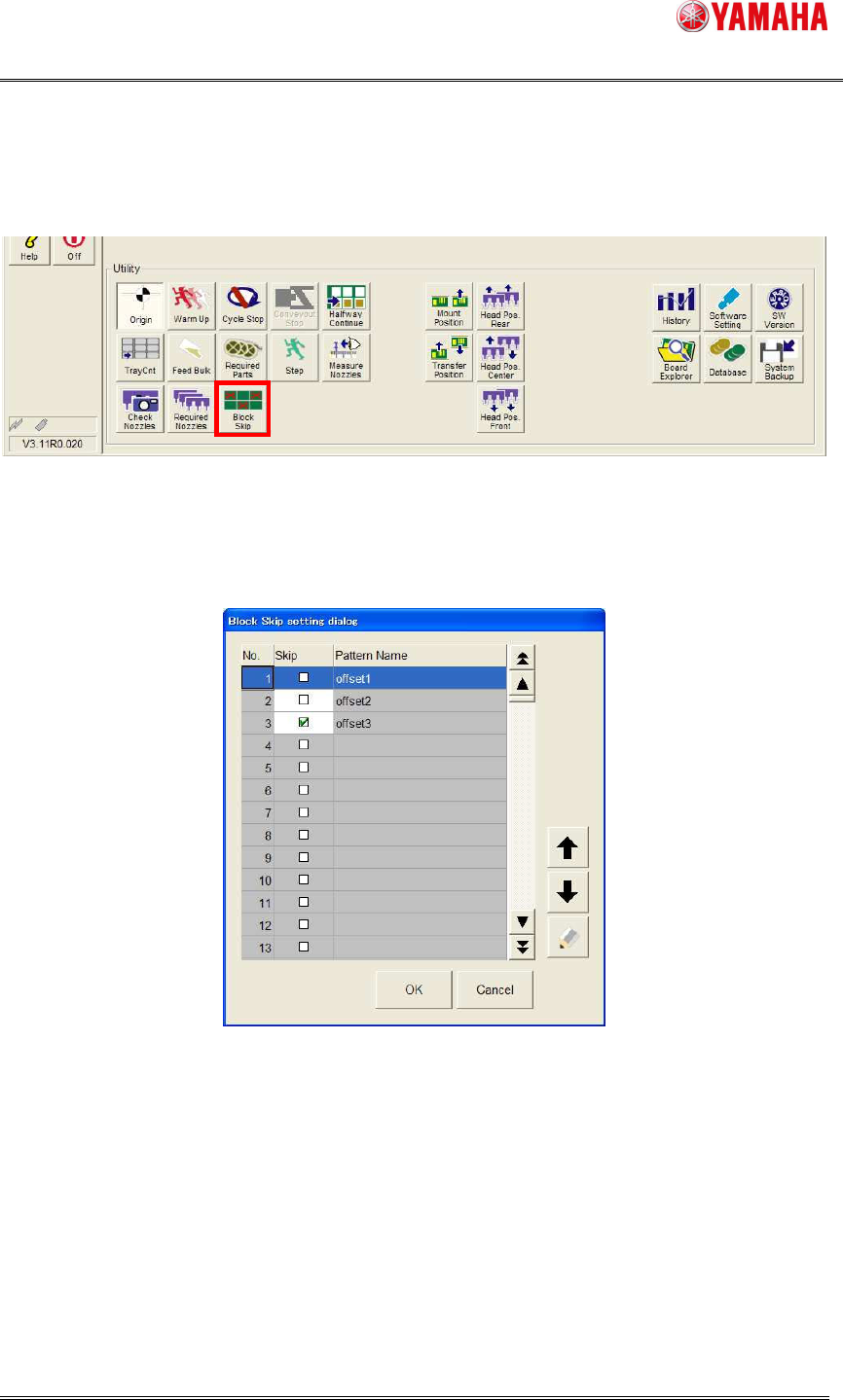
The [Setup] – [Block Skip] button becomes available when thedistributed board data of the block
isloaded. (Refer to Fig 3.2)
Fig 3.2 Block Skip setting button
The [Block Skip setting dialog] window opens when this button is clicked. (Refer to Fig 3.3)
Fig 3.3 Block Skip setting dialog
Set "Checked state” to the check box where you want to skip, tap [OK] button, the skip is done
with the block unit.
At this time, [Setup] – [Block Skip] button is changed tostate of “ON”.
SMT Software Engineering Group
IMOperationsYAMAHAMOTORCO.,LTD.
MDOC-SOFT50052
5/7
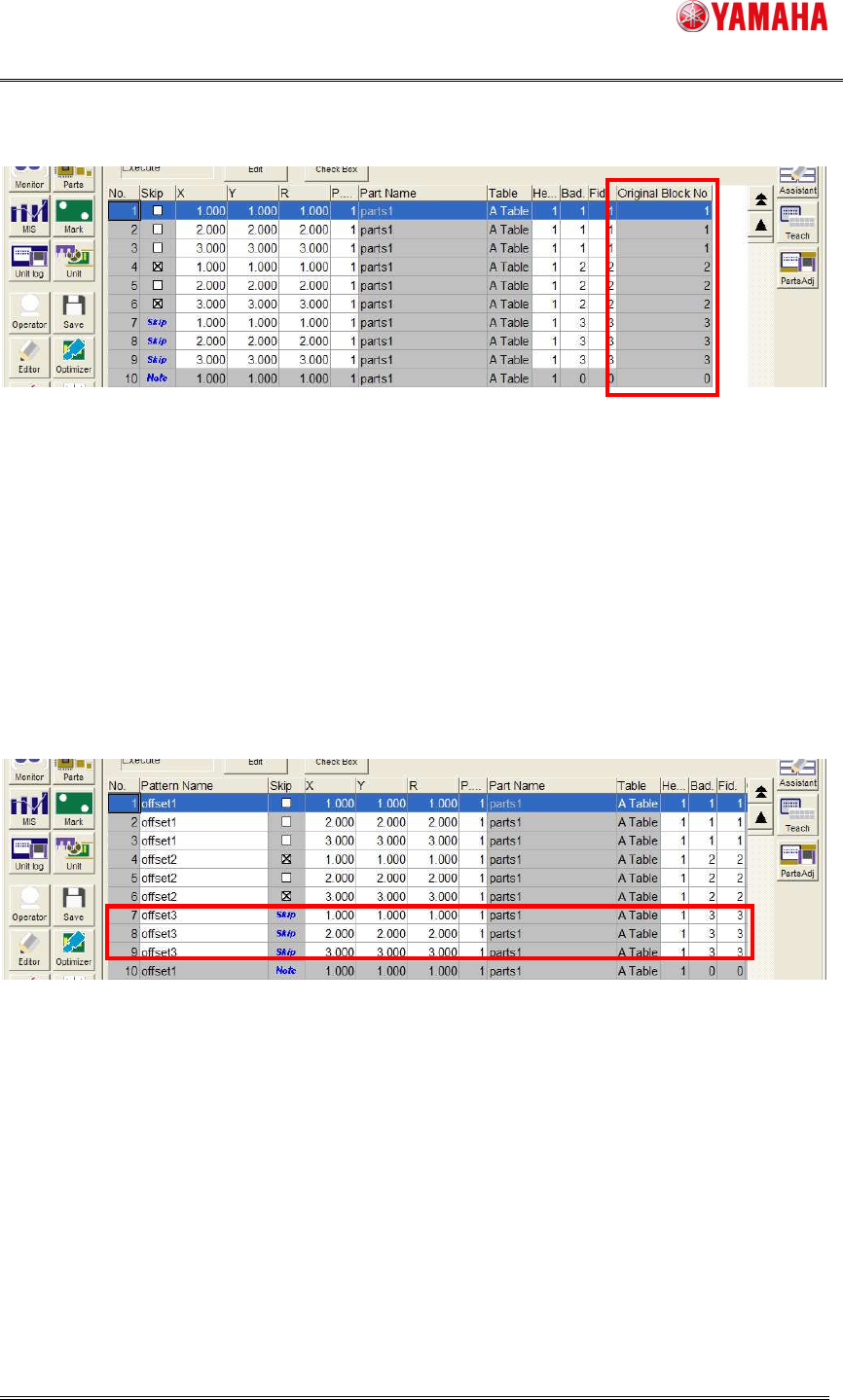
Please refer to column [Board] – [Mount] – [Original Block No] when you want to check the
mount data which are belonging tothe blocks. (Refer to Fig 3.4)
Fig 3.4 Original Block No
3.3. Operation of enabling the function
3.3.1. Confirming the state of the skip
To confirm the state of the skip, please confirm [Board] – [Mount] – [Skip] column.
The row which is skipped with the block unit is displayed as “Skip”, you cannot edit it on this
screen. (Refer to Fig 3.5)
Fig 3.5 State of skip
SMT Software Engineering Group
IMOperationsYAMAHAMOTORCO.,LTD.
MDOC-SOFT50052
6/7
3.3.2. Starting auto-running
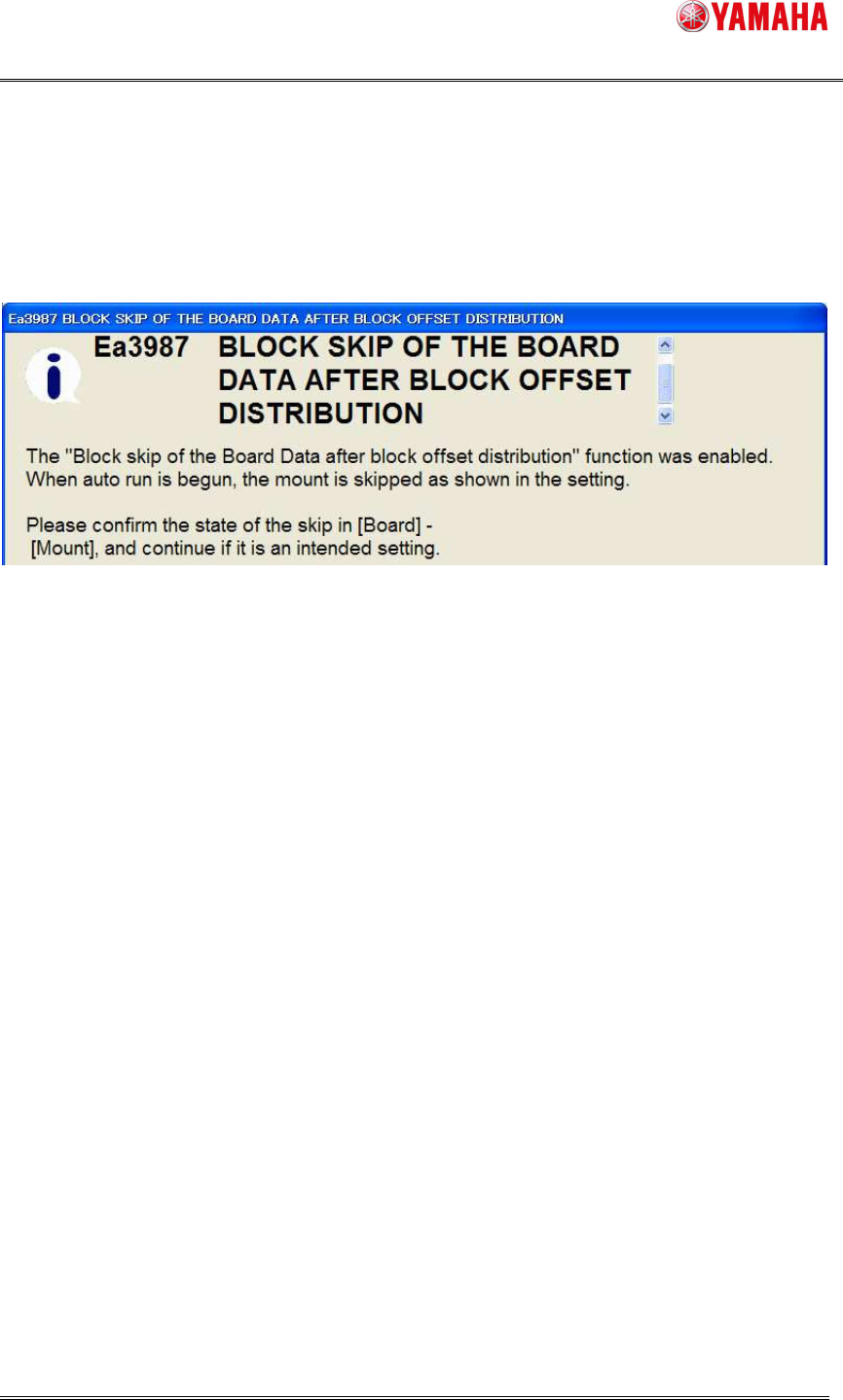
When the [START] button is pressed after [Setup] – [Block Skip] button is changed to “ON”, the
confirming message is displayed only once. (Refer to Fig 3.6)
Please confirm the state of the skip on [Board] – [Mount] screen. (Refer to 3.3.1 Confirm the state
of skip) And continue if it is an intended setting.
Fig 3.6 Confirming message
3.3.3. Other operations
The mount data skipped by this function are not mounted as well as checking on [Board] -
[Mount] - [Skip].