2026 Ersa-Selective-Soldering-Product-Overview-en.pdf - 第22页
Cont rol a nd document a t ion ER SA S OF T 5 Simple. Clear . Efficient . Er sa s elec ti ve so lderi ng sy stem s are equ ippe d wit h the s tate -of -t he-ar t E RS A- SO F T 5 oper ator so ft war e. The l atest v er -…
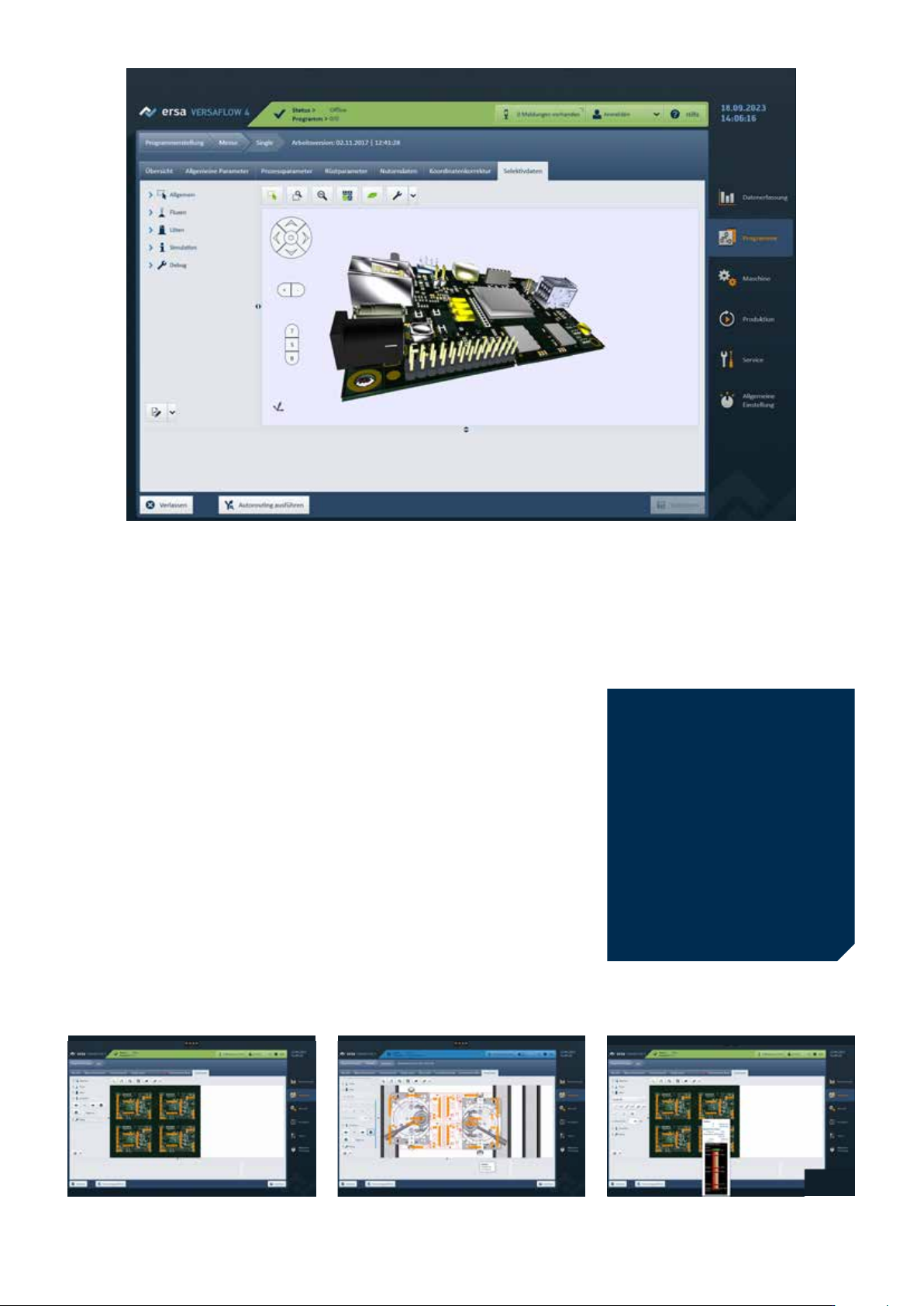
Editor for soldering program creation
CAD Assistant 4
Fast. Intuitive. Comfortable.
Ersa CAD Assistant 4 enables the effi-
cient offline creation of complex soldering
programs while the machine is in opera-
tion, maximizing machine availability. Data
sets for CNC axis systems can be edited
and adjusted using drag and drop. You
can use CAD data or scanned images of
printed circuit boards to create programs.
The movements of the fluxer or soldering
axis system can be entered graphically
and provided with process data. Program
data can be checked by simulation and
used immediately. Autorouting simplifies
the creation of complex programs by
automatically defining efficient travel
paths.
CAD Assistant 4‘s Expert Mode offers an
enhanced display of modules, aggregates,
and their setup status. It is an extension
of autorouting. Users gain full control
over the manual assignment of process
objects to modules and their process-
ing sequence, enabling precise imple-
mentation of individual CNC processing
requirements.
Highlights of CAD Assistant:
Intuitive programming due to
graphic user interface
Optimized cycle times by means
of auto-routing
Automatic and optimized assign-
ment of fluxing and soldering jobs
to the available modules
Prevention of crashes by the
definition of exclution areas
Verification of program data
Component informationSimulationAutorouting on a PCB panel
21
Control and documentation
ERSASOFT 5
Simple. Clear. Efficient.
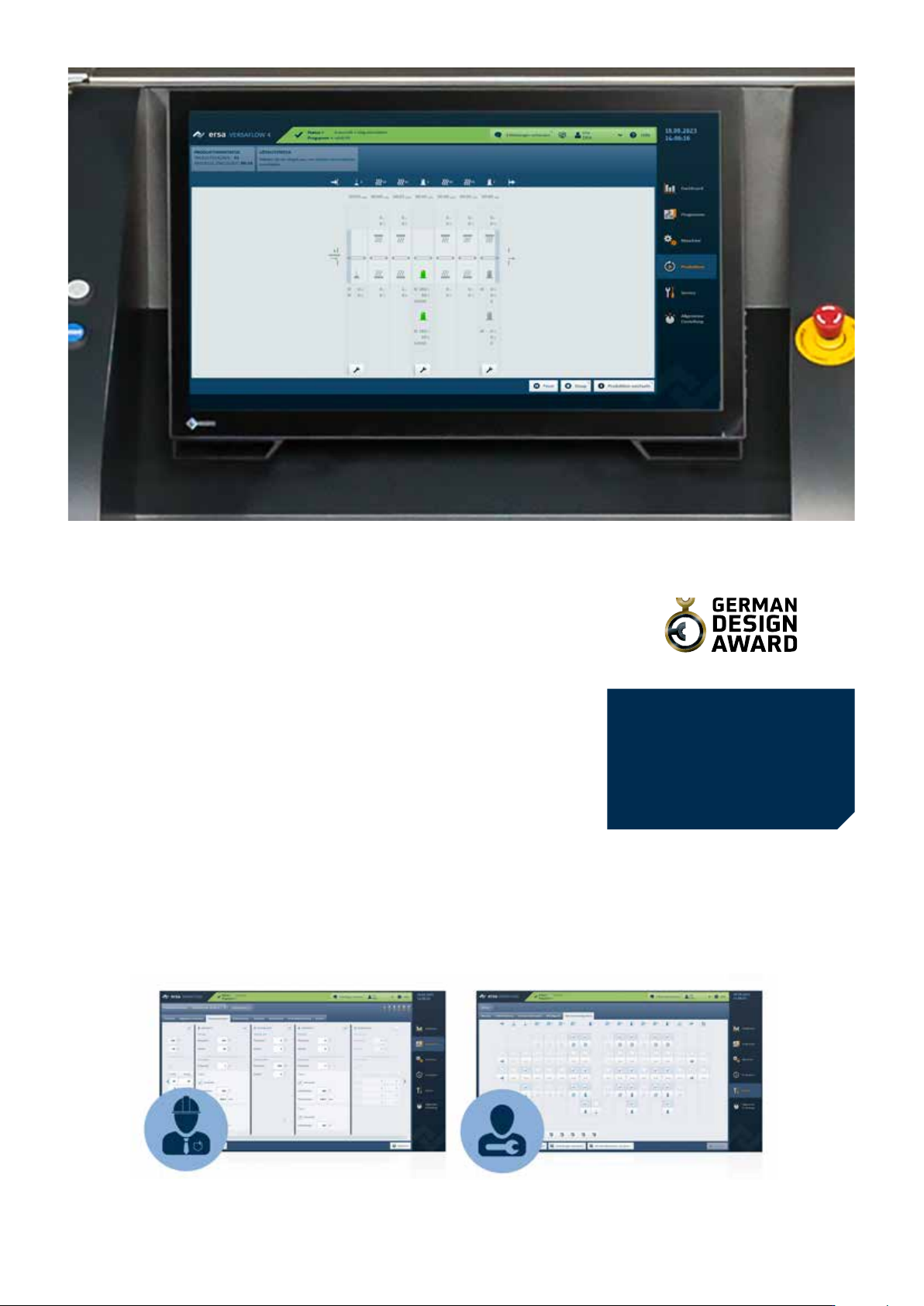
Ersa selective soldering systems are
equipped with the state-of-the-art ERSA-
SOFT 5 operator software. The latest ver-
sion of the machine software impresses
with its modern visualization and user-ori-
ented structure. Individual user interfaces
provide each operator group with the data
and information they need at a glance.
The interface is also convenient in terms
of process monitoring: Thanks to modern
PiP (picture-in-picture) technology,
soldering parameters and a live process
image are available at a glance for optimal
control during the soldering process.
With an additional screen, up to six single
soldering nozzles can be permanently
displayed for process monitoring. With a
click of the mouse, the individual nozzle
can be enlarged to full screen to precisely
monitor the soldering process.
Highlights of ERSASOFT 5:
Intuitive user guidance
Modern design
PiP function/process monitoring
Individual user interfaces
22
further
information
online:
We are always there,
wherever you need us.
Premium services from
the world market leader
Discover New Horizons.
Start your training and further education for
electronics production!
Certified Kurtz Ersa eLearning.
Unique training system for
machine soldering & stencil printing
Certified and individual personnel
qualification
Process and machine training –
24/7, worldwide, device-independent
further
information and
registration
online:
Smart measuring systems for process recording,
-analysis and optimization
Guarantor for safe
thermal processes
further information online:
Real time data transfer
via WIFI
Accesspoint – No installation
or admin rights required
Professional Temperature Profiling & Monitoring
23