TM3033.Document for Warning Disable.pdf - 第3页
SMT Software Engineering G roup IM Operations Y AMAHA MOTOR CO., L TD. MDOC-SOFT50135 3/9 2 Outline This docum ent describes about "Warning Disable”(her eafter “this f unction”), add ed to "Par ts Remain Counte…
SMT Software Engineering Group
IM Operations YAMAHA MOTOR CO., LTD.
MDOC-SOFT50135
2/9
1 The target model and the target version
The target model and the target version of this function are as follows.
Table1 Target Machine and Software
Machine, Software Version Remarks
IT-System Server Utility V1.27STD R1.000 or later
VGOSV3 Mounter Application Software V1.27STD R1.000 or later
SMT Software Engineering Group
IM Operations YAMAHA MOTOR CO., LTD.
MDOC-SOFT50135
3/9
2 Outline
This document describes about "Warning Disable”(hereafter “this function”), added to "Parts
Remain Counter" of the IT option.
When the quantity of remaining parts is less than the warning value, this function doesn’t allow
the “Parts Remain Counter” function to display the “Parts Remain Warning” dialog, as long as it’s
enough to complete the current lot.
However, this function allows “Feeder Viewer” and “Grid” on the [Monitor] - [Production] screen
to become a warning condition (yellow).
3 Detail
3.1 About “Warning Disable”
This function judges whether or not the parts are enough, comparing “the number of boards
left to be produced” with “the expected number of boards in accordance with the number of
remaining parts”.
※
1
※
1
This function does not correspond to alternative parts.
SMT Software Engineering Group
IM Operations YAMAHA MOTOR CO., LTD.
MDOC-SOFT50135
4/9
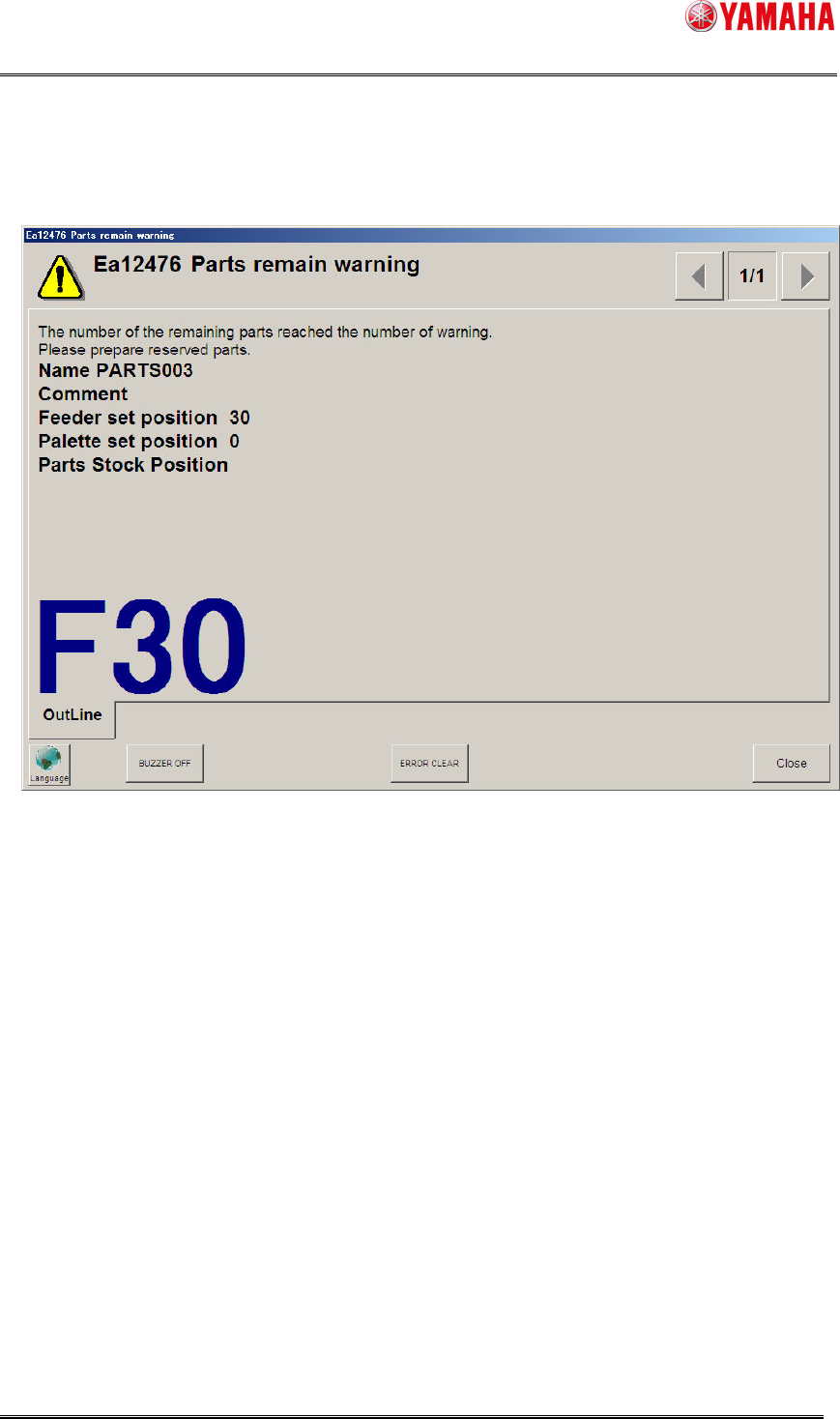
3.1.1 Parts remain warning
If remaining parts are enough to complete a production, the warning dialog like below is not
displayed, even if its quantity is less than the warning value.
※
2
If remaining parts are not enough to complete a production, the warning dialog is displayed.
The timing is as follows.
When the quantity of remaining parts becomes less than the warning value during
auto-running.
When you restart auto-running after changing the value of [Setup] - [Total Board Counter]
or [Produced Board Counter].