TM3033.Document for Warning Disable.pdf - 第9页
SMT Software Engineering G roup IM Operations Y AMAHA MOTOR CO., L TD. MDOC-SOFT50135 9/9 3. Press the " Save" b utton after changing t he setting. * The setting of "SystemCo nfig" is com pleted. Re…
SMT Software Engineering Group
IM Operations YAMAHA MOTOR CO., LTD.
MDOC-SOFT50135
7/9
4 Setting
4.1
Setting of “Warning Disable”
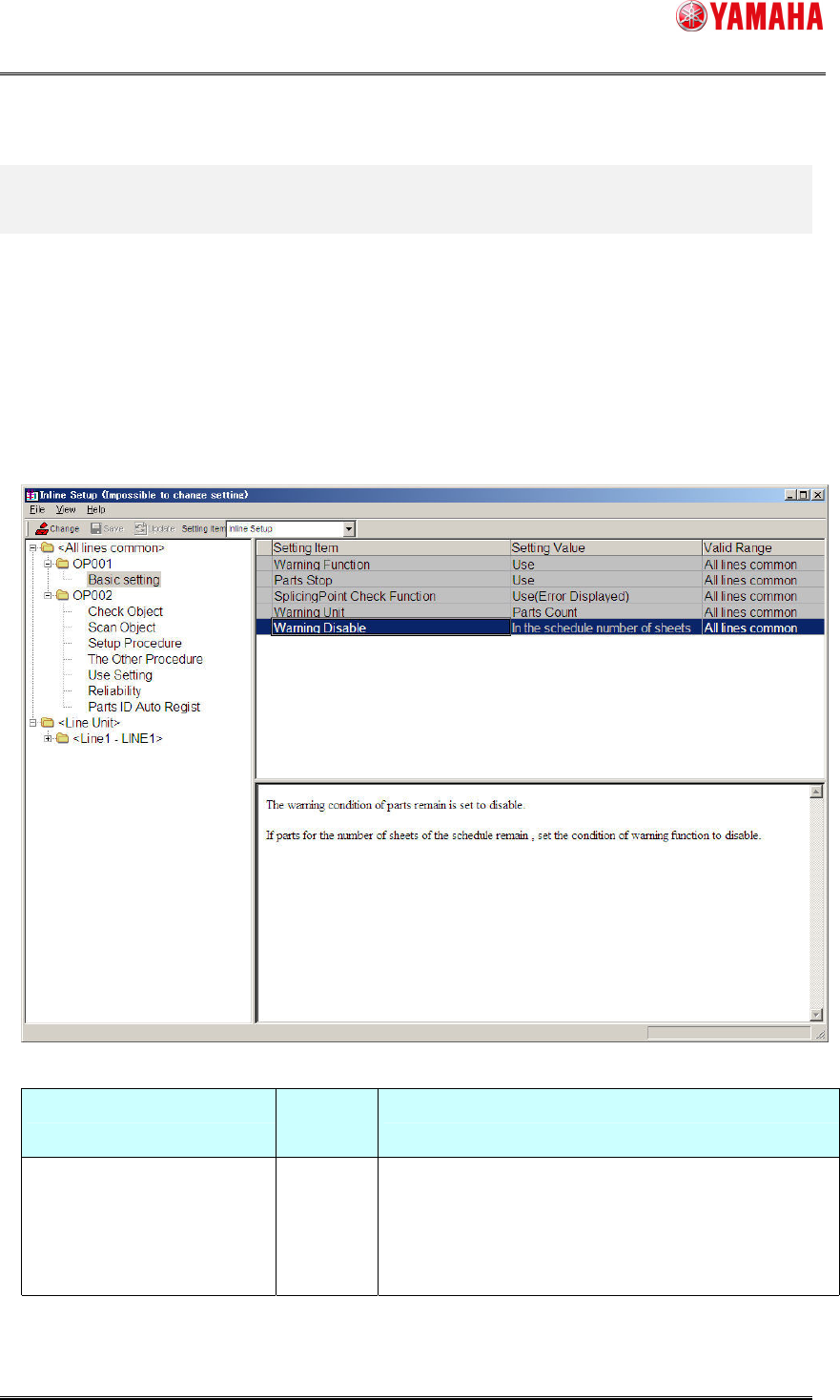
Set [Warning Disable] to “In the schedule number of boards” on System Config of IT-System
Server.
4.1.1 Setting window
Make a setting on [Inline Setup] – [OP001] – [Basic setting] of “SystemConfig”.
[Item of setting]
Item of setting Default
Value
Remarks
Warning Disable Not Use When "In the schedule number of boards" is selected
This Function becomes effective.
When "Not Use" is selected
This Function becomes invalid.
* Reload the board data on the machine after above setting is changed.
SMT Software Engineering Group
IM Operations YAMAHA MOTOR CO., LTD.
MDOC-SOFT50135
8/9
4.1.2 Setting method
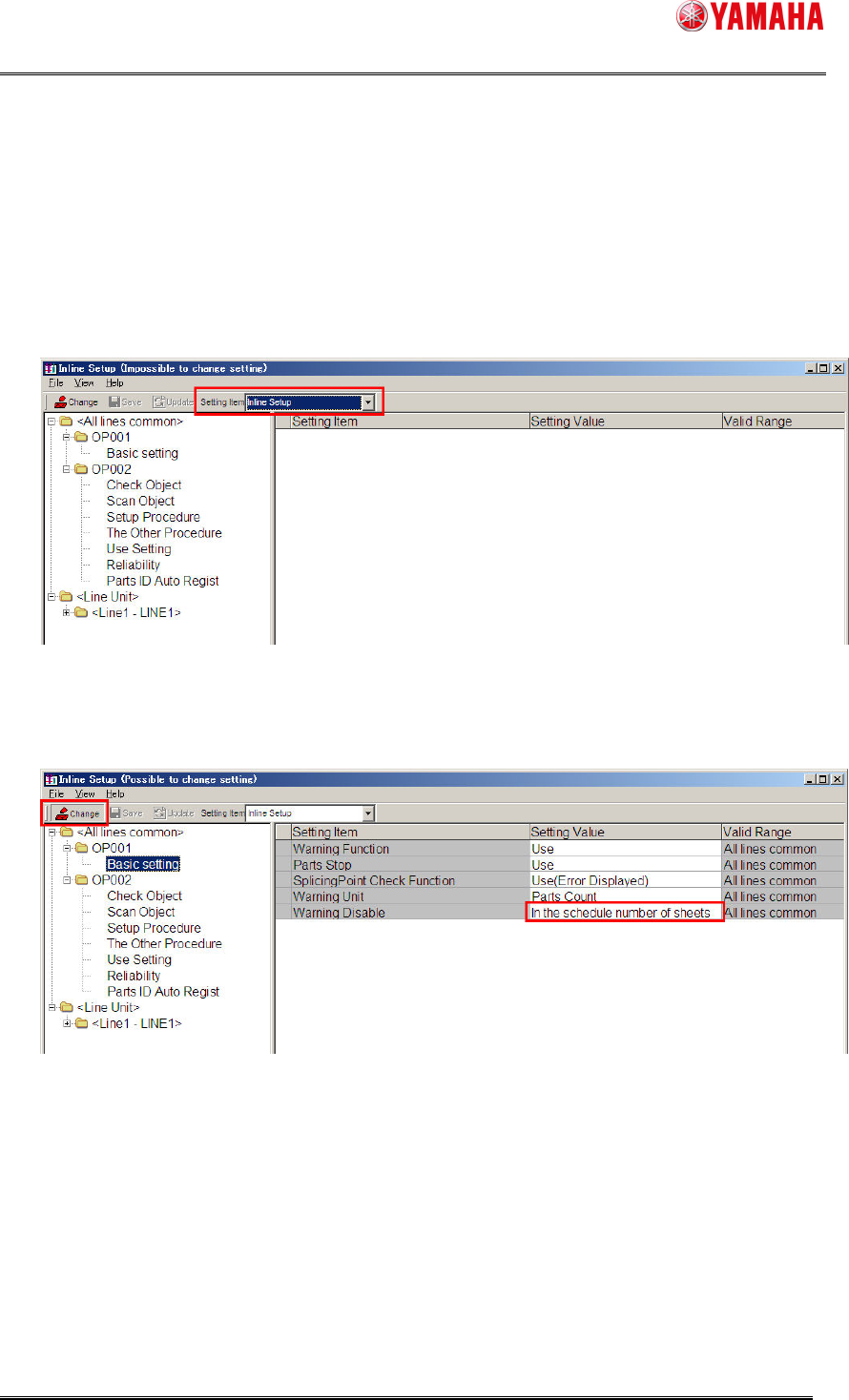
Make the setting with “SystemConfig” of PC in which YAMAHA IT-System is installed.
1. Start the [SystemConfig] window from [Start] - [Program] - [YAMAHA IT-System] -
[SystemConfig], and select “Inline Setup” from the [Setting Item] combo box.
2. Select [Alllines common] – [OP001] – [Basic setting] – [Warning Disable] of the tree view.
Click on the "Change" button before setting.
* Refer to "4.1.1Setting window" for setting detail.
SMT Software Engineering Group
IM Operations YAMAHA MOTOR CO., LTD.
MDOC-SOFT50135
9/9
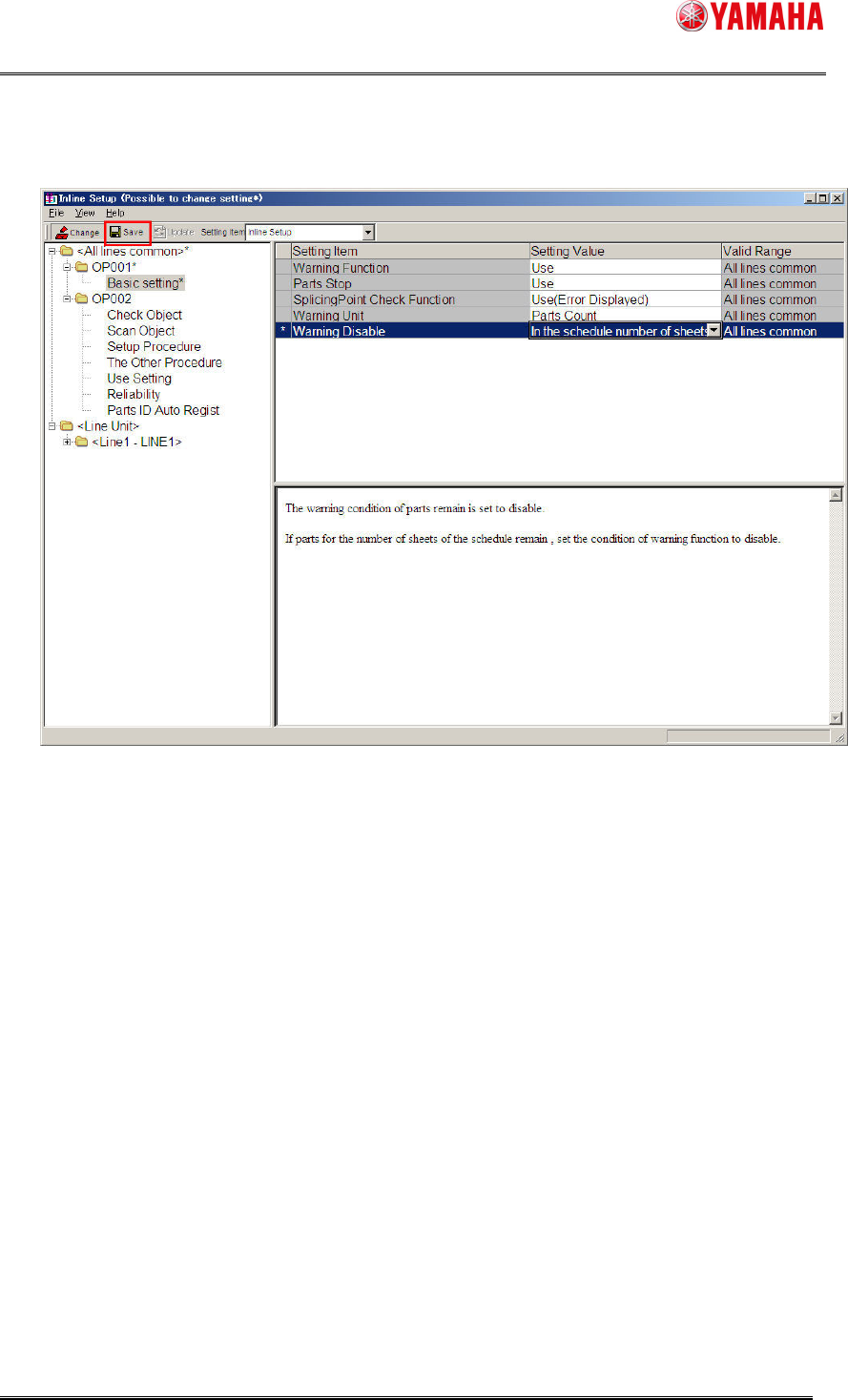
3. Press the "Save" button after changing the setting.
* The setting of "SystemConfig" is completed.
Reload the board data on the machine.