TM3033.Document for Warning Disable.pdf - 第6页
SMT Software Engineering G roup IM Operations Y AMAHA MOTOR CO., L TD. MDOC-SOFT50135 6/9 3.1.3 Remain Edit W hen the value of “Rem ain Count” o n t he [Mo nitor] – [ Plan] – [Rem ainder Edi t] scr een is editied, “the e…
SMT Software Engineering Group
IM Operations YAMAHA MOTOR CO., LTD.
MDOC-SOFT50135
5/9
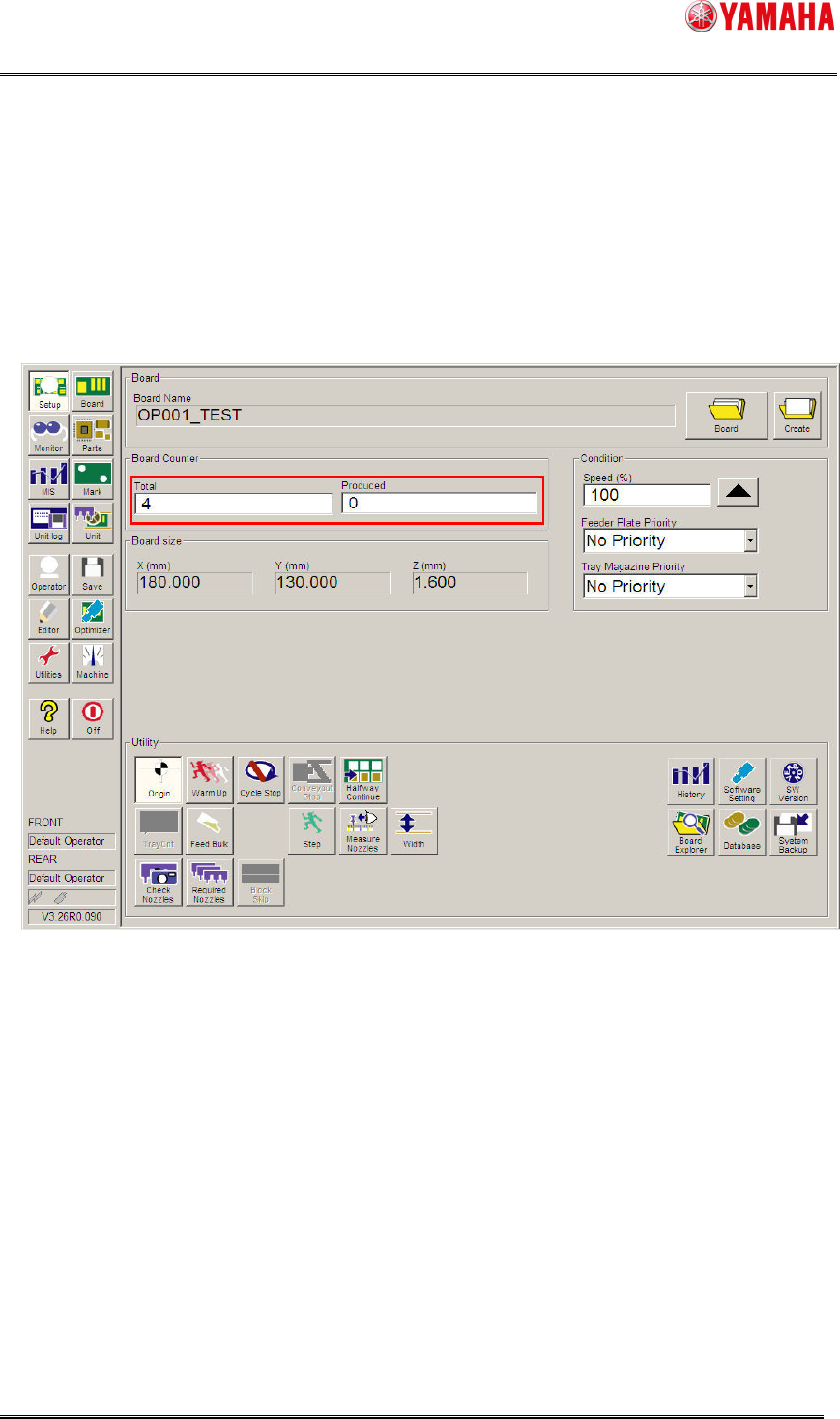
3.1.2 Total Board Counter, Produced Board Counter
The number of boards left to be produced is calculated by the value of [Setup]-[Total Board
Counter] and [Produced Board Counter].
“The number of boards left to be produced ” =
“Total Board Counter” – “Produced Board Counter”
If the value of [Setup] - [Total Board Counter] or [Produced Board Counter] is changed, it
judges again whether or not the remaining parts are acutually enough when restarting
auto-running. If not enough, displays the Parts Remain Warning dialog.
※
3
Please make sure to stop auto-running when you edit [Setup]-[Total Board Counter] or
[Produced Board Counter].
SMT Software Engineering Group
IM Operations YAMAHA MOTOR CO., LTD.
MDOC-SOFT50135
6/9
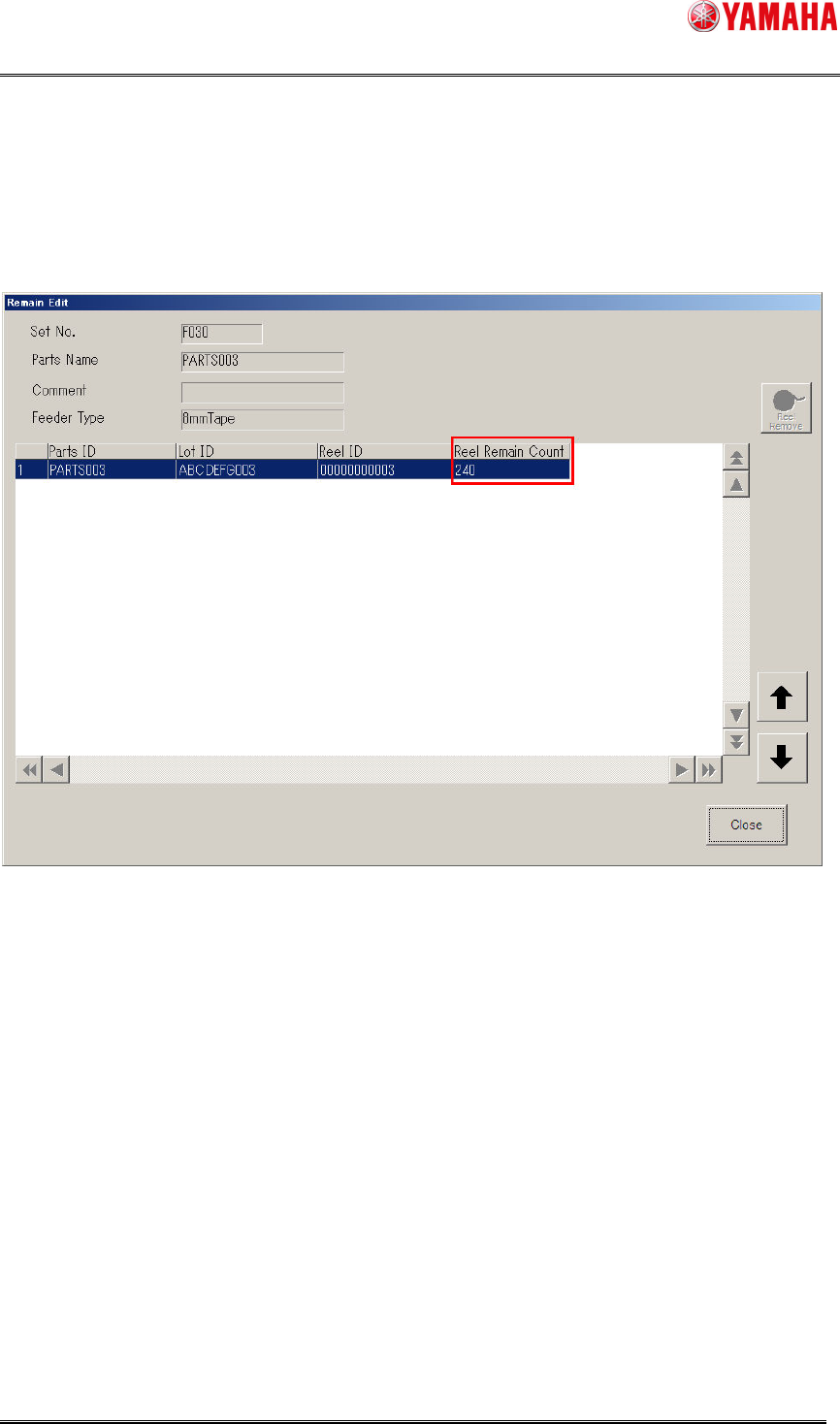
3.1.3 Remain Edit
When the value of “Remain Count” on the [Monitor] – [Plan] – [Remainder Edit] screen is
editied, “the expected number of boards to be produced with the parts” is calculated.
SMT Software Engineering Group
IM Operations YAMAHA MOTOR CO., LTD.
MDOC-SOFT50135
7/9
4 Setting
4.1
Setting of “Warning Disable”
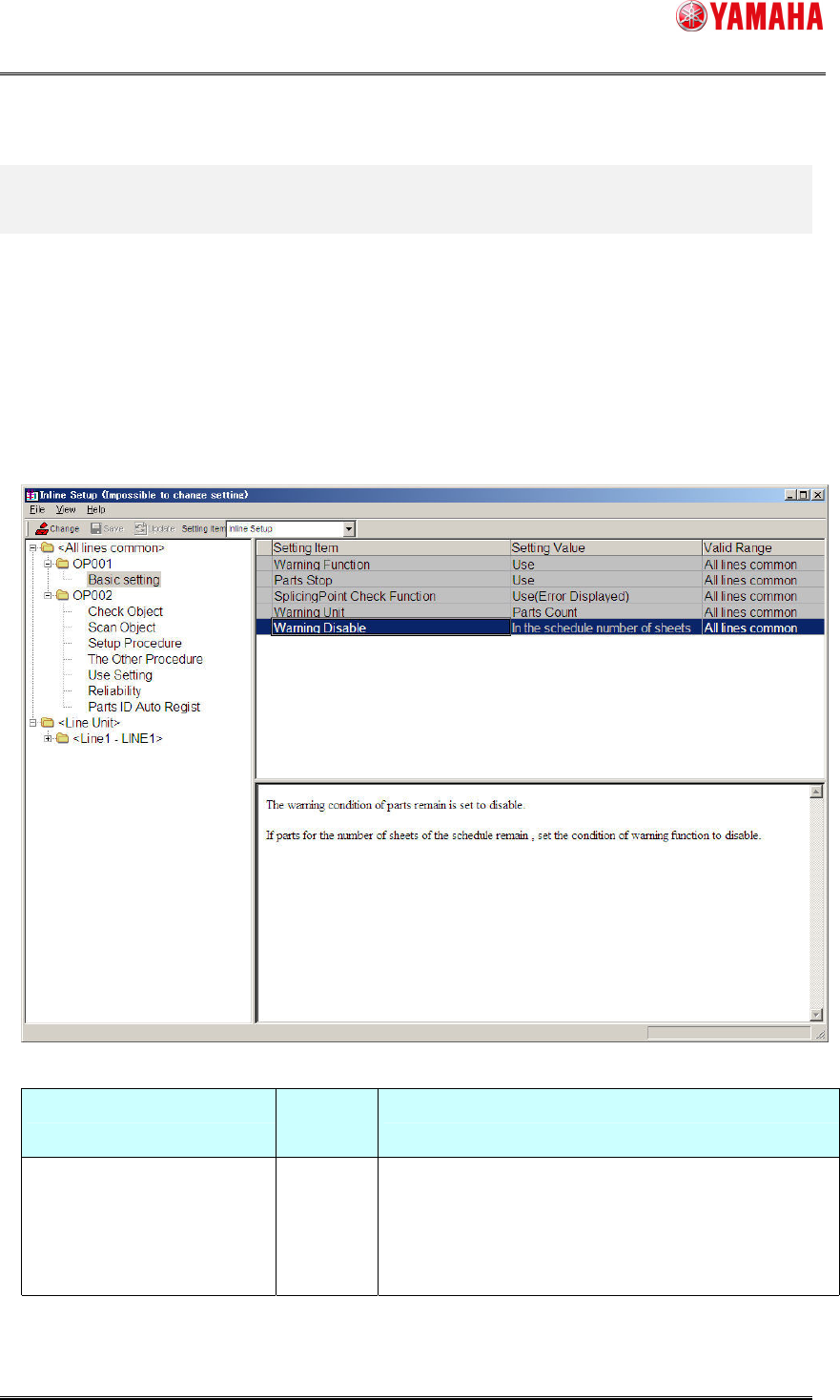
Set [Warning Disable] to “In the schedule number of boards” on System Config of IT-System
Server.
4.1.1 Setting window
Make a setting on [Inline Setup] – [OP001] – [Basic setting] of “SystemConfig”.
[Item of setting]
Item of setting Default
Value
Remarks
Warning Disable Not Use When "In the schedule number of boards" is selected
This Function becomes effective.
When "Not Use" is selected
This Function becomes invalid.
* Reload the board data on the machine after above setting is changed.