TM3033.Document for Warning Disable.pdf - 第4页
SMT Software Engineering G roup IM Operations Y AMAHA MOTOR CO., L TD. MDOC-SOFT50135 4/9 3.1.1 Parts remain warning If remaining parts ar e enou gh to complete a product ion, the w arning dialog l ike b elow is not disp…
SMT Software Engineering Group
IM Operations YAMAHA MOTOR CO., LTD.
MDOC-SOFT50135
3/9
2 Outline
This document describes about "Warning Disable”(hereafter “this function”), added to "Parts
Remain Counter" of the IT option.
When the quantity of remaining parts is less than the warning value, this function doesn’t allow
the “Parts Remain Counter” function to display the “Parts Remain Warning” dialog, as long as it’s
enough to complete the current lot.
However, this function allows “Feeder Viewer” and “Grid” on the [Monitor] - [Production] screen
to become a warning condition (yellow).
3 Detail
3.1 About “Warning Disable”
This function judges whether or not the parts are enough, comparing “the number of boards
left to be produced” with “the expected number of boards in accordance with the number of
remaining parts”.
※
1
※
1
This function does not correspond to alternative parts.
SMT Software Engineering Group
IM Operations YAMAHA MOTOR CO., LTD.
MDOC-SOFT50135
4/9
3.1.1 Parts remain warning
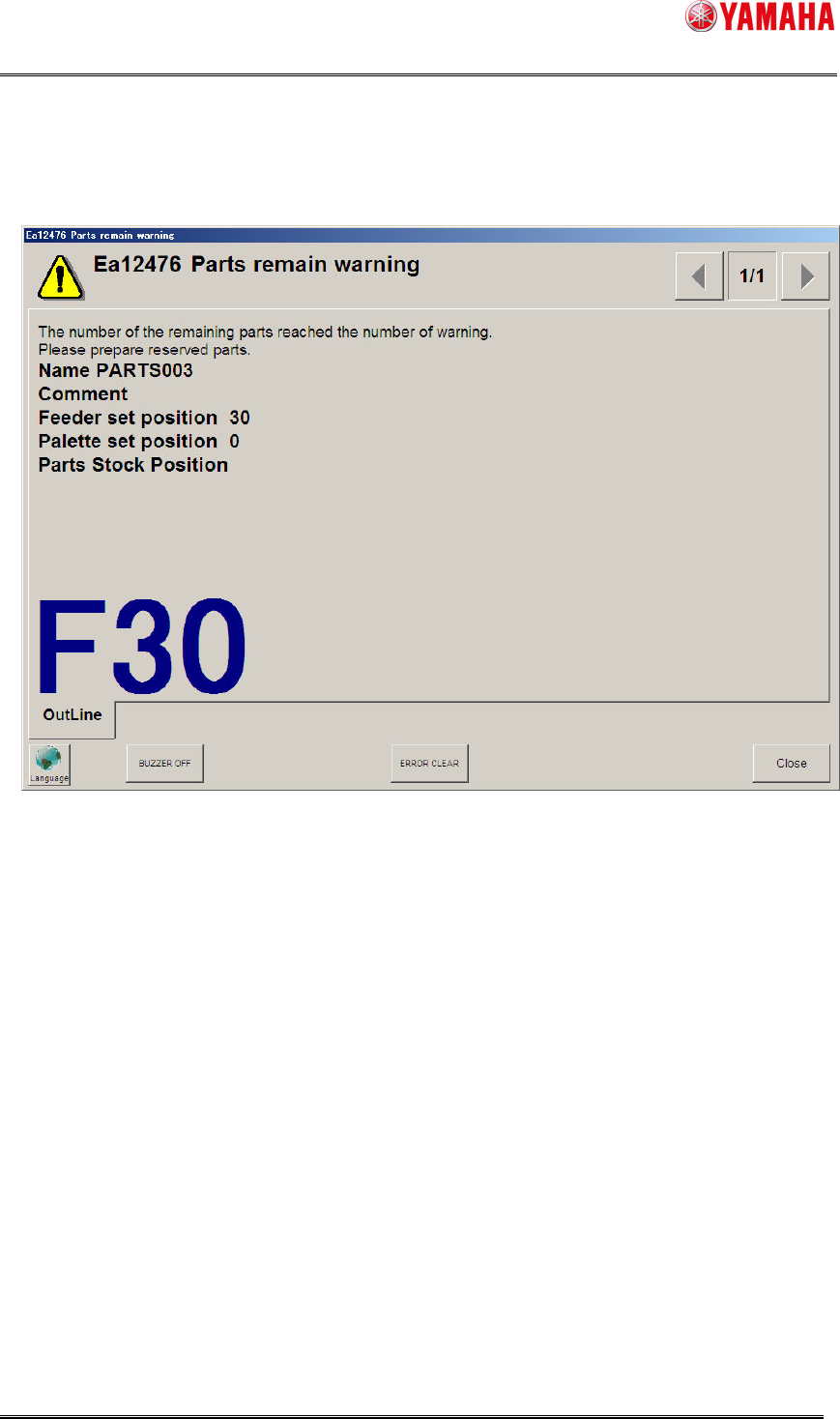
If remaining parts are enough to complete a production, the warning dialog like below is not
displayed, even if its quantity is less than the warning value.
※
2
If remaining parts are not enough to complete a production, the warning dialog is displayed.
The timing is as follows.
When the quantity of remaining parts becomes less than the warning value during
auto-running.
When you restart auto-running after changing the value of [Setup] - [Total Board Counter]
or [Produced Board Counter].
SMT Software Engineering Group
IM Operations YAMAHA MOTOR CO., LTD.
MDOC-SOFT50135
5/9
3.1.2 Total Board Counter, Produced Board Counter
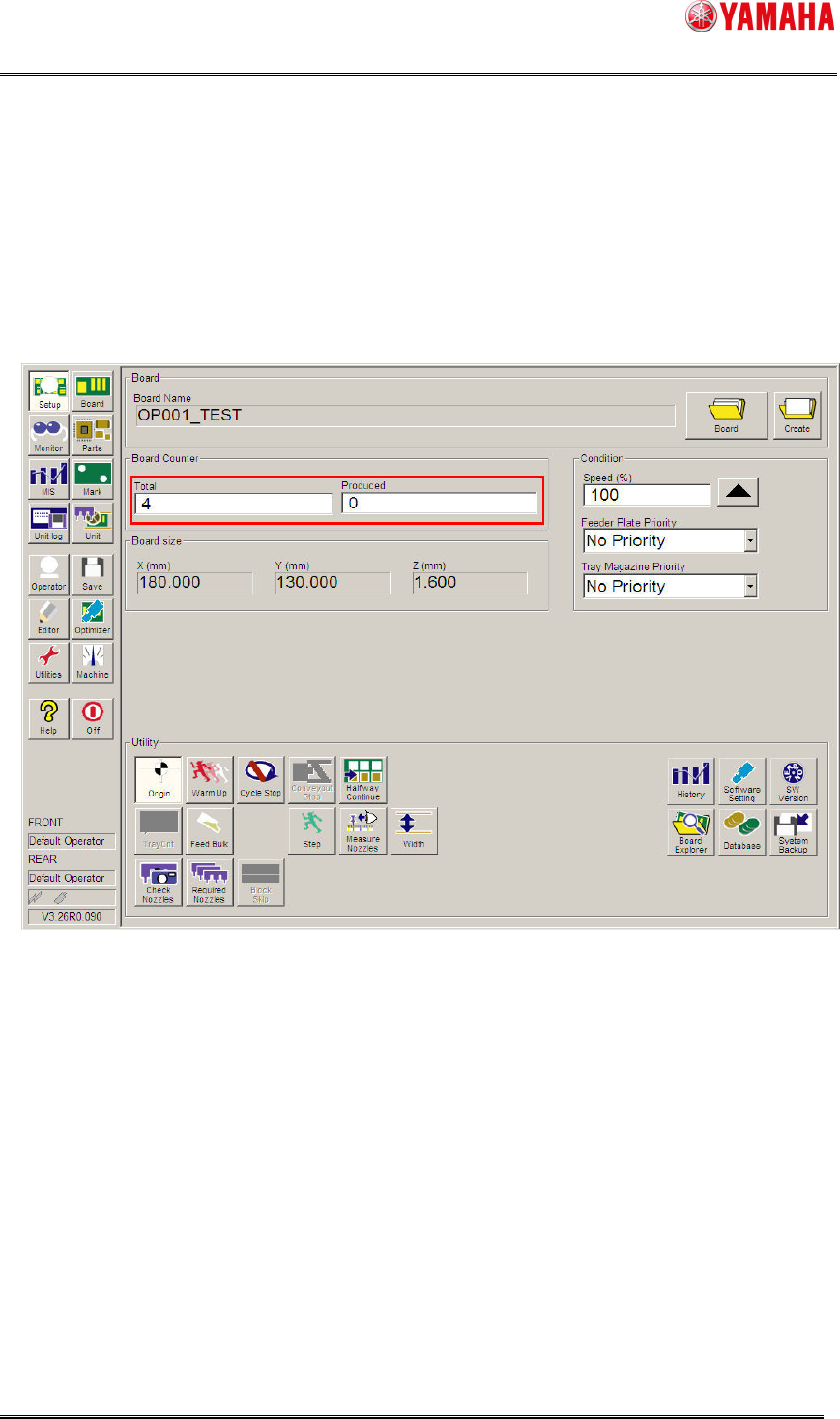
The number of boards left to be produced is calculated by the value of [Setup]-[Total Board
Counter] and [Produced Board Counter].
“The number of boards left to be produced ” =
“Total Board Counter” – “Produced Board Counter”
If the value of [Setup] - [Total Board Counter] or [Produced Board Counter] is changed, it
judges again whether or not the remaining parts are acutually enough when restarting
auto-running. If not enough, displays the Parts Remain Warning dialog.
※
3
Please make sure to stop auto-running when you edit [Setup]-[Total Board Counter] or
[Produced Board Counter].