RD0001-01_01_EN.pdf
䄀 甀 最 甀 猀 琀 ㈀ ㈀ ㈀
䄀甀最甀猀琀 ㈀ ㈀㈀

Wrenboard
User Manual
Copyright © 2022 Richtek Technology Corporation. All rights reserved.
is a registered trademark of Richtek Technology Corporation
RD0001-01_01 August 2022 www.richtek.com
2
your power partner.
Table of Contents
1. Introduction .......................................................................................................................................................... 3
2. Getting Started ..................................................................................................................................................... 3
3. Hardware Description ........................................................................................................................................... 5
4. Firmware Update .................................................................................................................................................. 7
More Information ......................................................................................................................................................... 10
Important Notice for Richtek Reference Design ......................................................................................................... 10
Wrenboard
User Manual
Copyright © 2022 Richtek Technology Corporation. All rights reserved.
is a registered trademark of Richtek Technology Corporation
RD0001-01_01 August 2022 www.richtek.com
3
your power partner.
1. Introduction
Nowadays, most of ICs contain digital interface in order to control increasingly complex ICs easily. Richtek
Technology developed a bridge board to control the device with digital interface. The bridge board, Wrenboard,
provides I
2
C and GPIO, which can be utilized as 1-wire/PWM. In addition, we also provide the PC-based software
(Richtek Bridgeboard Utilities). Users can control the devices by graphical user interface (GUI). This user manual
describes the hardware setting and how to update the firmware on the Wrenboard. For the information about software
operation, please refer to “Bridgeboard Control Panel User Manual”.
2. Getting Started
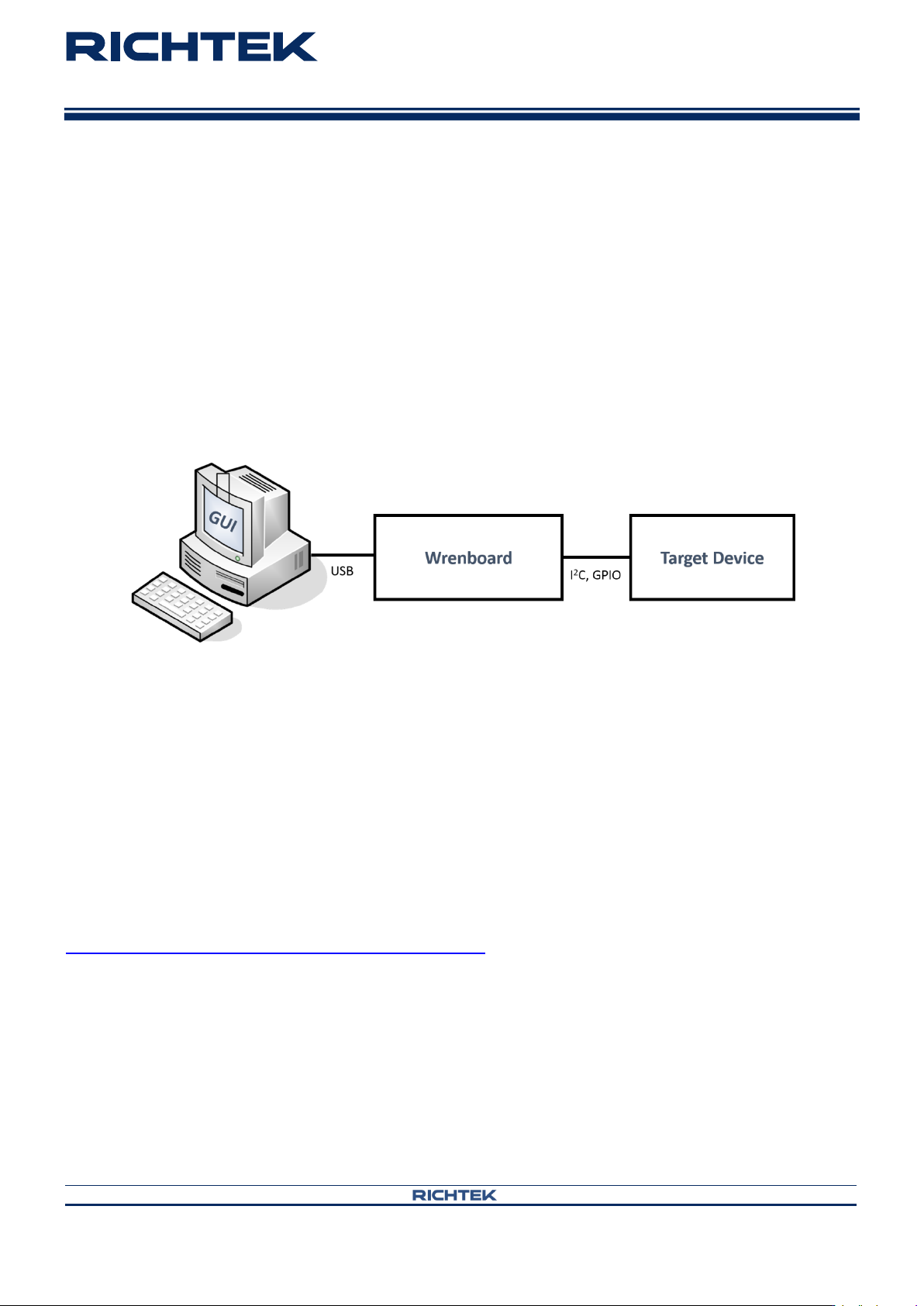
Figure 1. The Connection of Wrenboard
Figure 1. Summarizes the purpose of Wrenboard. This section describes how to install the required components.
2.1 System requirements
Operating system: Windows 7, or Windows 10.
2.2 Software installation
Install Richtek Bridgeboard Utilities downloaded from
http://www.richtek.com/shareEVB/RTBridgeboardUtilities.exe
2.3 Hardware installation
1. Connect Wrenboard and target device via connect cable.
2. Insert Wrenboard into a USB port.