RD0001-01_01_EN.pdf - 第8页
W renboard User Manual Copyright © 2022 Richtek T echnology Corporatio n. All rights reserve d. is a registered trad emark of Richt ek T echnolog y Corporatio n RD0001-01_01 August 2022 www .ric htek.com 8 y o u r p o w …
Wrenboard
User Manual
Copyright © 2022 Richtek Technology Corporation. All rights reserved.
is a registered trademark of Richtek Technology Corporation
RD0001-01_01 August 2022 www.richtek.com
7
your power partner.
4. Firmware Update
Step 1. Connect Wrenboard to PC
To avoid impacting the other device, please disconnect all available pins on the Wrenboaord.
Step 2. Run Richtek Wrenboard Flasher
(Start > Richtek Technology Corporation > Richtek Bridgeboard Utilities > Firmware Update Tool >
Richtek Wrenboard Flasher)
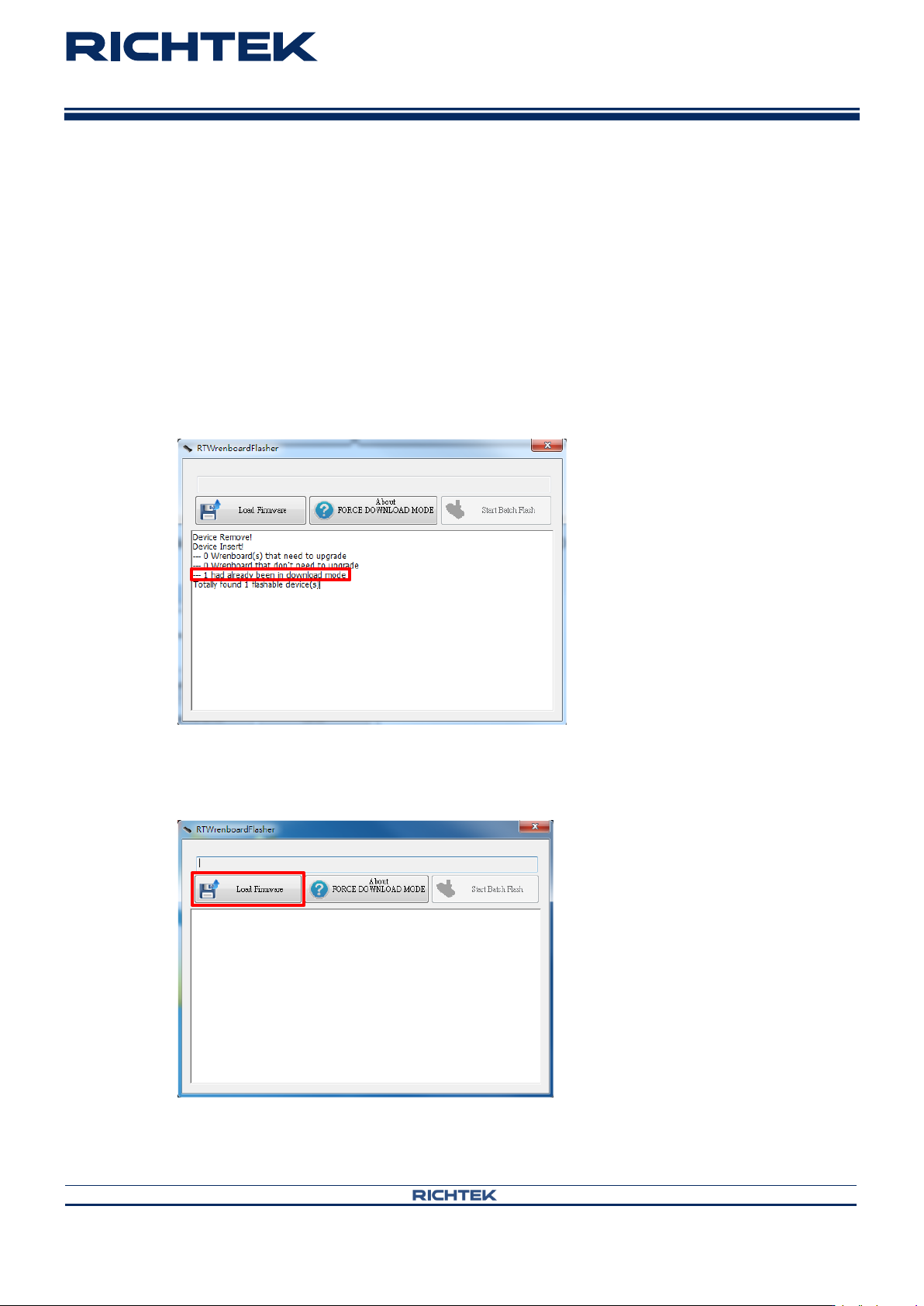
Step 3. Use force download mode if the firmware cannot operate normally. Otherwise go to Step 4.
Press FN button until the red and blue LEDs are blinking alternatively.
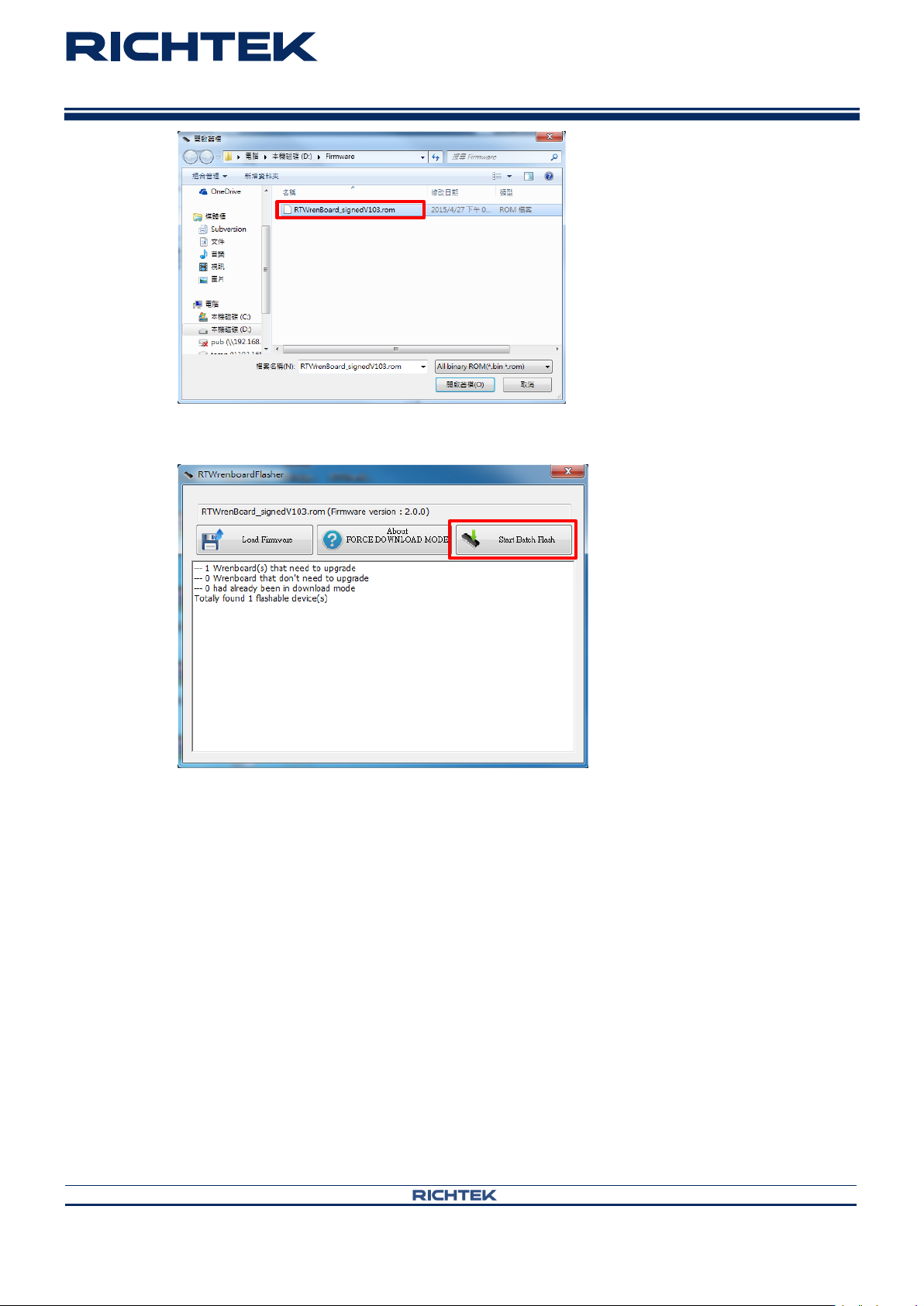
Step 4. Load firmware
Click “Load Firmware” and select the file you want to install on the Wrenboard.
Wrenboard
User Manual
Copyright © 2022 Richtek Technology Corporation. All rights reserved.
is a registered trademark of Richtek Technology Corporation
RD0001-01_01 August 2022 www.richtek.com
8
your power partner.
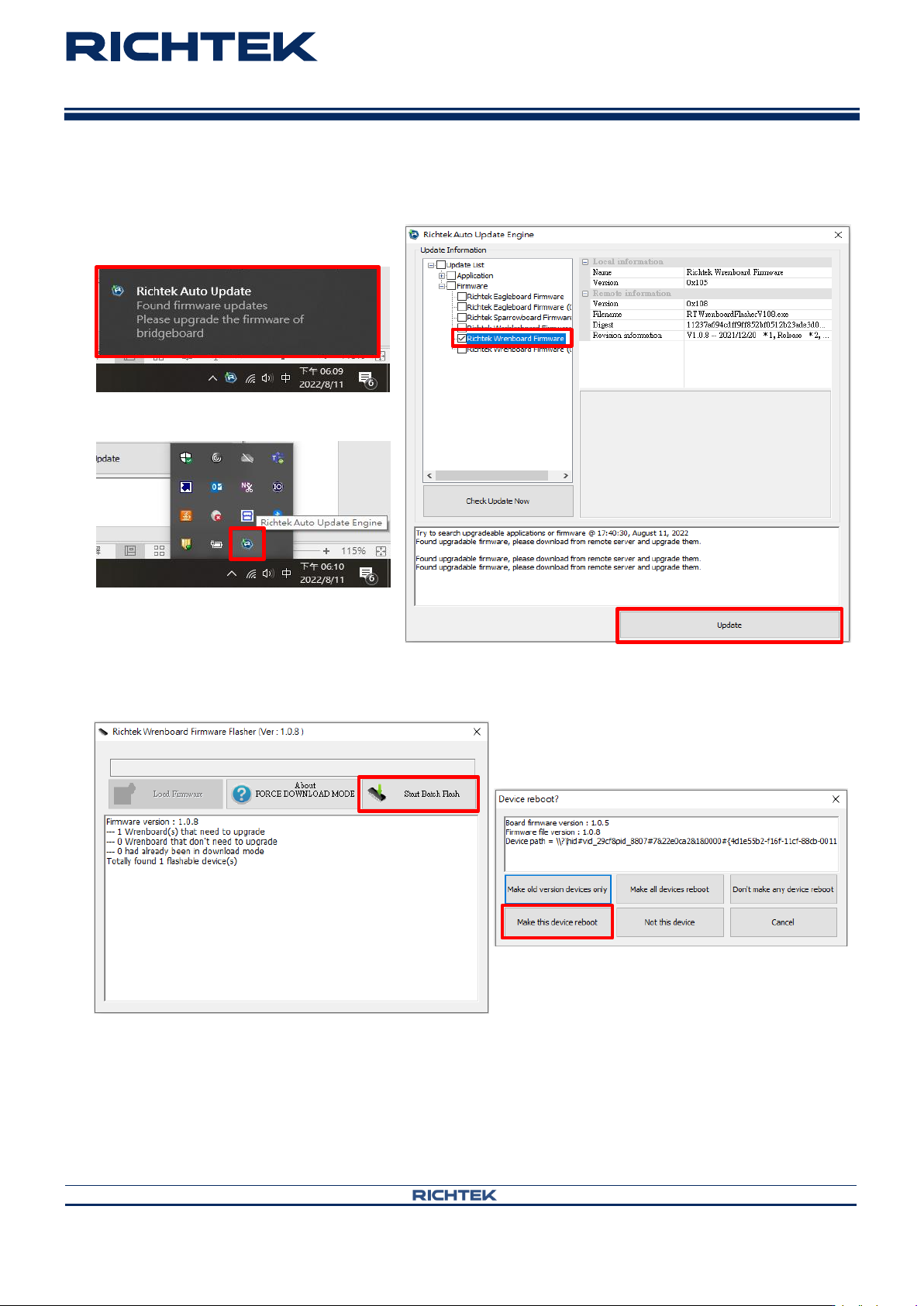
Step 5. Install firmware
Wrenboard
User Manual
Copyright © 2022 Richtek Technology Corporation. All rights reserved.
is a registered trademark of Richtek Technology Corporation
RD0001-01_01 August 2022 www.richtek.com
9
your power partner.
Notes :
When popup following message. It is suggested to update newest firmware.
Click Richtek Auto Update Engine icon in lower right corner.
Click “Start Batch Flash” and “Make this device reboot”.