RD0001-01_01_EN.pdf - 第10页
W renboard User Manual Copyright © 2022 Richtek T echnology Corporatio n. All rights reserve d. is a registered trad emark of Richt ek T echnolog y Corporatio n RD0001-01_01 August 2022 www .ric htek.com 10 y o u r p o w…
Wrenboard
User Manual
Copyright © 2022 Richtek Technology Corporation. All rights reserved.
is a registered trademark of Richtek Technology Corporation
RD0001-01_01 August 2022 www.richtek.com
8
your power partner.
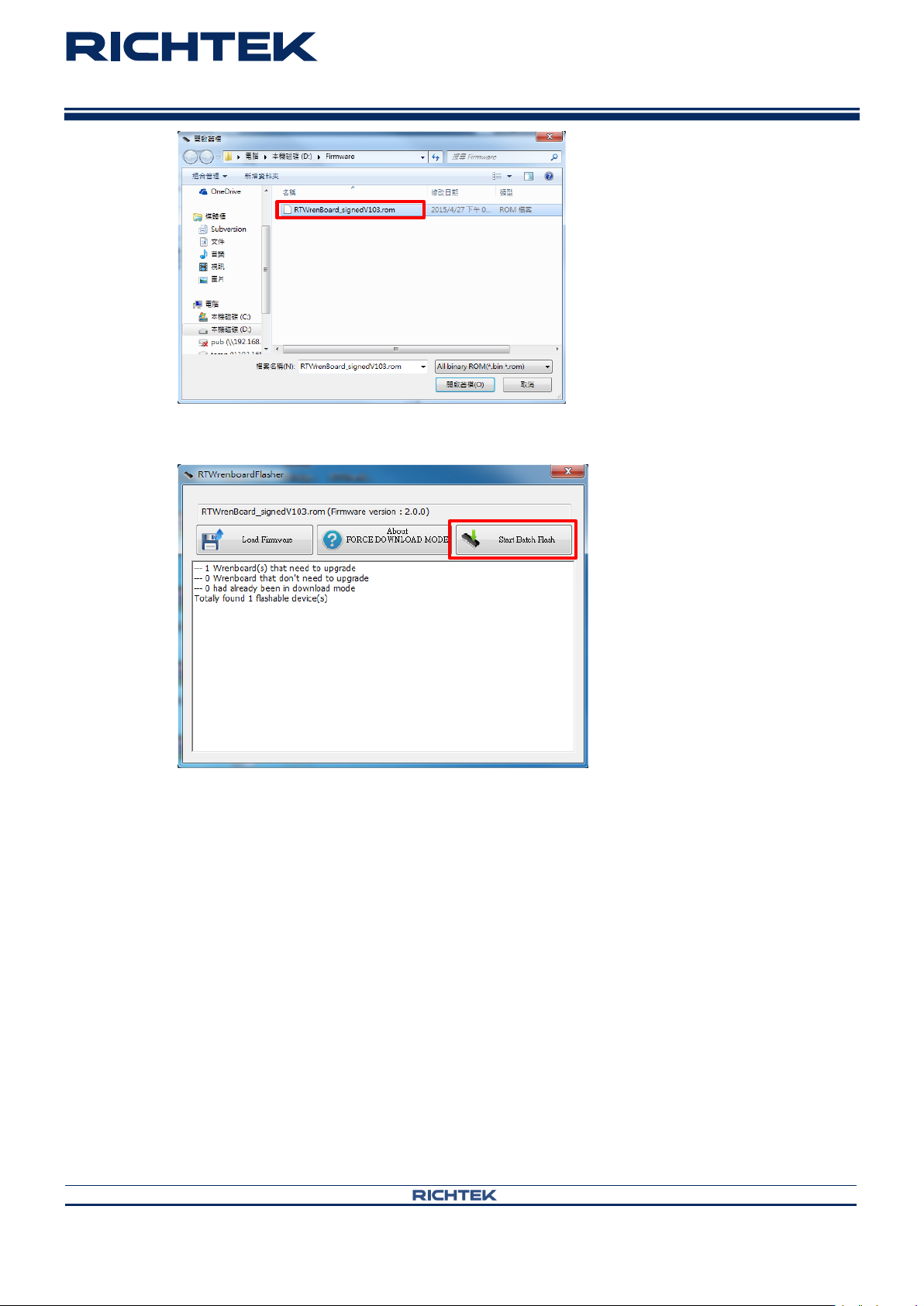
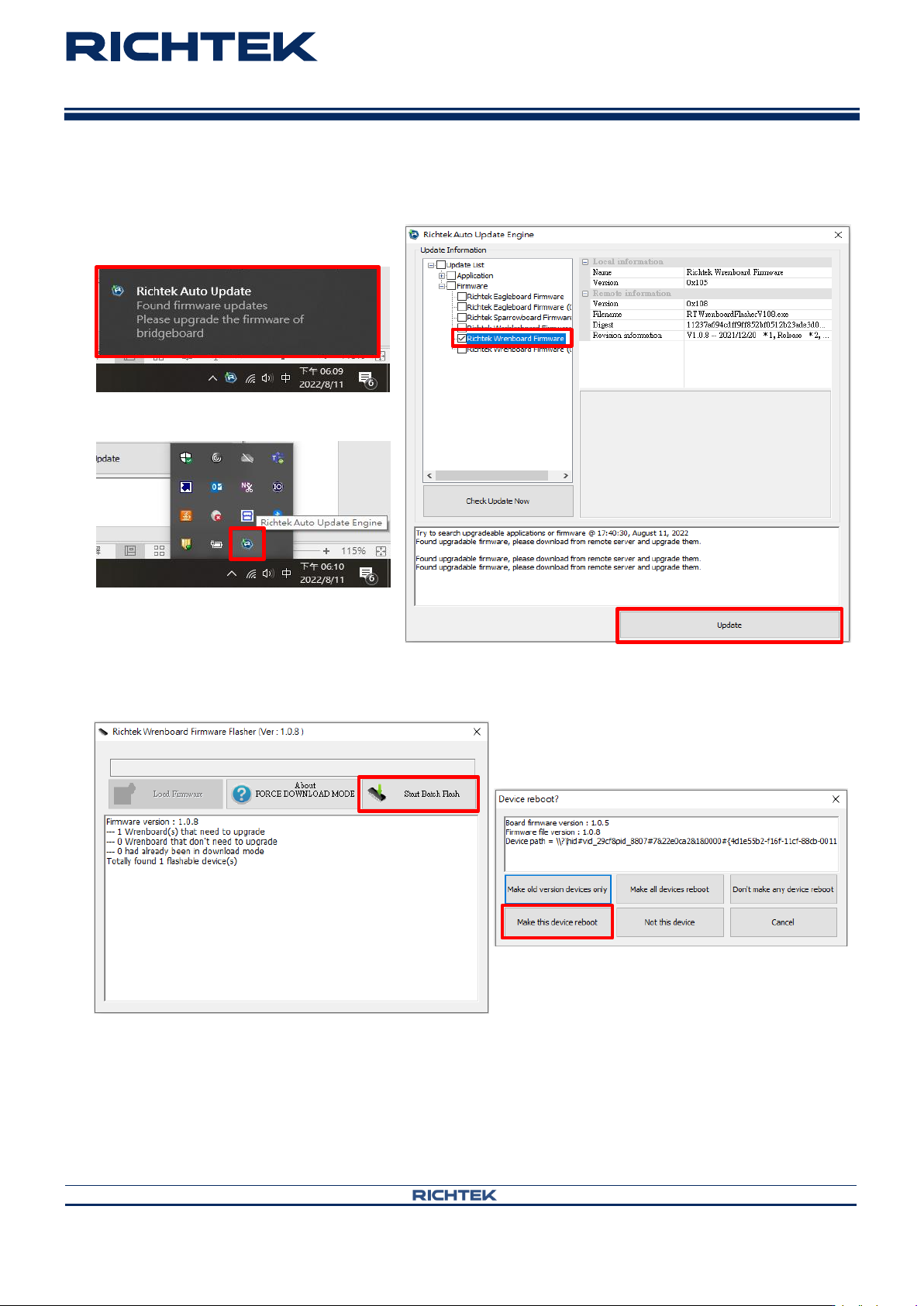
Step 5. Install firmware
Wrenboard
User Manual
Copyright © 2022 Richtek Technology Corporation. All rights reserved.
is a registered trademark of Richtek Technology Corporation
RD0001-01_01 August 2022 www.richtek.com
9
your power partner.
Notes :
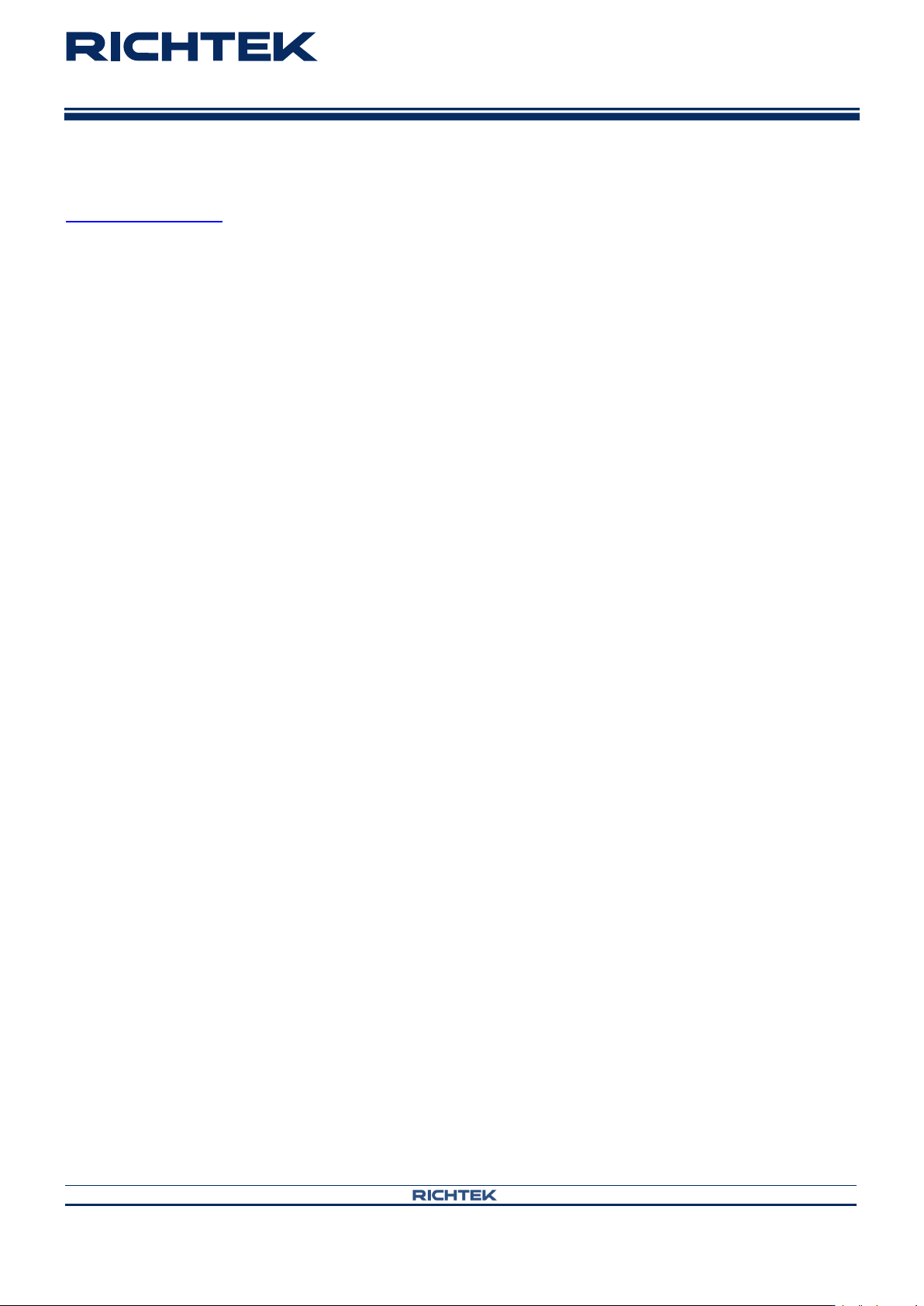
When popup following message. It is suggested to update newest firmware.
Click Richtek Auto Update Engine icon in lower right corner.
Click “Start Batch Flash” and “Make this device reboot”.
Wrenboard
User Manual
Copyright © 2022 Richtek Technology Corporation. All rights reserved.
is a registered trademark of Richtek Technology Corporation
RD0001-01_01 August 2022 www.richtek.com
10
your power partner.
More Information
For more information, please find the related datasheet or application notes from Richtek website
http://www.richtek.com.
Important Notice for Richtek Reference Design
THIS DOCUMENT IS FOR REFERENCE ONLY, NOTHING CONTAINED IN THIS DOCUMENT SHALL BE CONSTRUED AS RICHTEK’S WARRANTY, EXPRESS
OR IMPLIED, UNDER CONTRACT, TORT OR STATUTORY, WITH RESPECT TO THE PRESENTATION HEREIN. IN NO EVENT SHALL RICHTEK BE LIABLE TO
BUYER OR USER FOR ANY AND ALL DAMAGES INCLUDING WITHOUT LIMITATION TO DIRECT, INDIRECT, SPECIAL, PUNITIVE OR CONSEQUENTIAL
DAMAGES.
Richtek Technology Corporation
14F, No. 8, Tai Yuen 1
st
Street, Chupei City
Hsinchu, Taiwan, R.O.C.
Tel: (8863)5526789
Window : RDC / SRD