manual-jtse-control-unit-hot-air--0027698_ID-218375_EN.pdf - 第6页
USB fl ash drive is connected. Station is controlled by a PC. Station is controlled by a r obot. System Notifications Sta tio n sof t wa re up da te. Pre ss IN FO to sta r t th e pro ce s s. Warning . Pre ss IN FO fo r fa…
19:29
20
ºC
Power
45%
120ºC Selected
TC
Temp.
4m 38s
400
ºC
80
%
400ºC Selected
Protection
Hot Air Temp. Air Flow Selec.
Hot Air Temp
240
ºC ºC %
Ext. TC Temp
20
Air Flow
80
3m 18s
19:29
Point
2/5
Temp
250
ºC
Flow
60
%
Time
2m 30s
3m 18s
19:29
Ext. temp
450
400
350
300
250
150
100
50
200
Power Temp
19:29
19:29
20
ºC
Power
45%
120ºC Selected
TC
Temp.
4m 38s
400
ºC
80
%
400ºC Selected
Protection
Hot Air Temp. Air Flow Selec.
Hot Air Temp
240
ºC ºC %
Ext. TC Temp
20
Air Flow
80
3m 18s
19:29
Point
2/5
Temp
250
ºC
Flow
60
%
Time
2m 30s
3m 18s
19:29
Ext. temp
450
400
350
300
250
150
100
50
200
Power Temp
19:29
19:29
20
ºC
Power
45%
120ºC Selected
TC
Temp.
4m 38s
400
ºC
80
%
400ºC Selected
Protection
Hot Air Temp. Air Flow Selec.
Hot Air Temp
240
ºC ºC %
Ext. TC Temp
20
Air Flow
80
3m 18s
19:29
Point
2/5
Temp
250
ºC
Flow
60
%
Time
2m 30s
3m 18s
19:29
Ext. temp
450
400
350
300
250
150
100
50
200
Power Temp
19:29
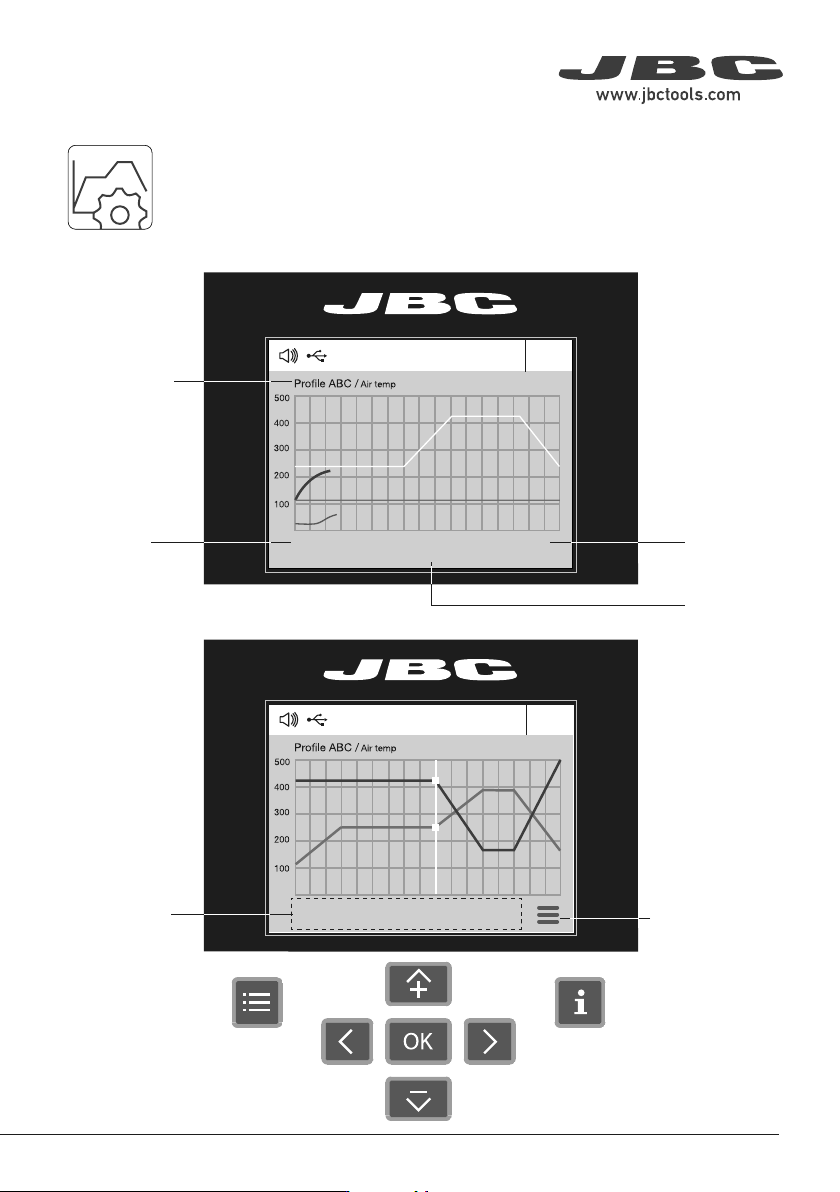
· Add point
· Delete point
· Load profile
· Save profile
· Exit
Current
Air
Temp.
Data for
These Points
Profile
Name
Current
Air flow
Current
External
TC Temp.
In this mode you can set up or edit as many as 25 air flow and temperature profiles.
Edit Mode
Menu
Options
Profiles
Advanced Functionalities
To work with profiles it is essential to use RWB / RWS / RWT rework arms. The
Rework Arms supports the Hot Air Heater maintaining the distance and position to
the component.
55
40 mm
50 mm
60 mm
80 mm
100 mm
130 mm
130 mm
para manuales - color gris
200 mm
300 mm
USB fl ash drive is connected.
Station is controlled by a PC.
Station is controlled by a robot.
System Notifications
Station software update.
Press INFO to start the process.
Warning.
Press INFO for failure description.
Error.
Press INFO for failure description,
the type of error and how to proceed.
The following icons will be displayed on the screen’s status bar.
19:29
20
ºC
Power
45%
120ºC Selected
TC
Temp.
4m 38s
400
ºC
80
%
400ºC Selected
Protection
Hot Air Temp. Air Flow Selec.
Hot Air Temp
240
ºC ºC %
Ext. TC Temp
20
Air Flow
80
3m 18s
19:29
Point
2/5
Temp
250
ºC
Flow
60
%
Time
2m 30s
3m 18s
19:29
Ext. temp
450
400
350
300
250
150
100
50
200
Power Temp
19:29
JT-A
TC
Suction
OK
17:14
20
ºC
Power
45%
120ºC Selected
TC
Temp.
4m 38s
400
ºC
80
%
400ºC Selected
Protection
Hot Air Temp. Air Flow Selec.
TC
Suction
OK
17:14
20
ºC
Power
45%
120ºC Selected
TC
Temp.
4m 38s
400
ºC
80
%
400ºC Selected
Protection
Hot Air Temp. Air Flow Selec.
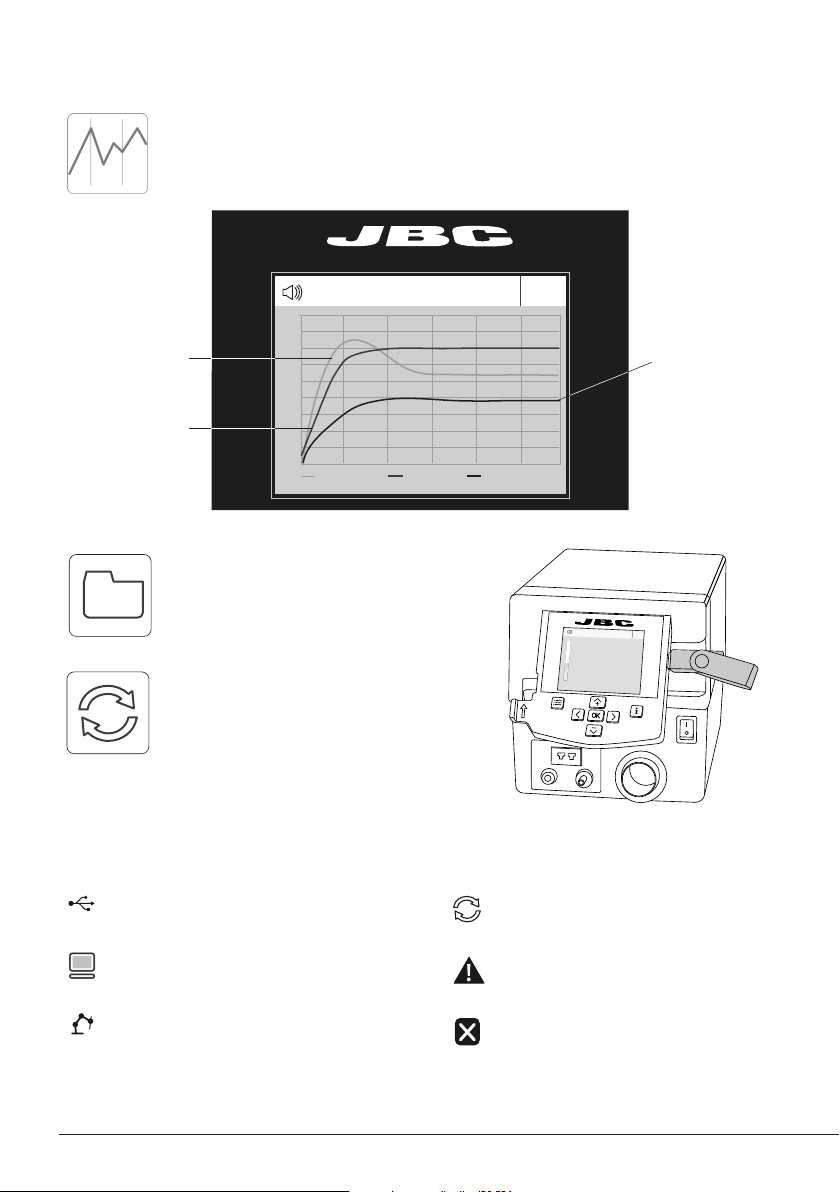
By pressing Graphics in the main MENU, temperature and power fi gures in real time
are displayed. This helps you decide which nozzle to use to obtain the best quality
solder joints.
Graphics
Temperature
Power (%)
External
Temp.
Export Graphics
Insert a USB flash drive into the USB-A
connector to save your soldering process
in csv format.
Station Update
Download the JBC Update File from
www.jbctools.com/software.html
Insert the USB flash drive with the file
downloaded to the station.
Files
Update
66
TC
Suction
OK
17:14
20
ºC
Power
45%
120ºC Selected
TC
Temp.
4m 38s
400
ºC
80
%
400ºC Selected
Protection
Hot Air Temp. Air Flow Selec.
TC
Suction
OK
JTT
TET
JT
TE
Use only with a 250V fuse
Employer uniquement avec
un fusible de 250V
TC
Suction
OK
TC
Suction
OK
17:14
20
ºC
Power
45%
120ºC Selected
TC
Temp.
4m 38s
400
ºC
80
%
400ºC Selected
Protection
Hot Air Temp. Air Flow Selec.
TC
Suction
OK
JTT
TET
JT
TE
Use only with a 250V fuse
Employer uniquement avec
un fusible de 250V
TC
Suction
OK
NH
NH
NH
NHS (NH)
JTS
TES
JTT
JTT
JTT
NH
NH
NH
NHS (NH)
JTS
TES
JTT
JTT
JTT
77
40 mm
50 mm
60 mm
80 mm
100 mm
130 mm
130 mm
para manuales - color gris
200 mm
300 mm
Adjustable Tool Holder
Operation Modes
Press
Press
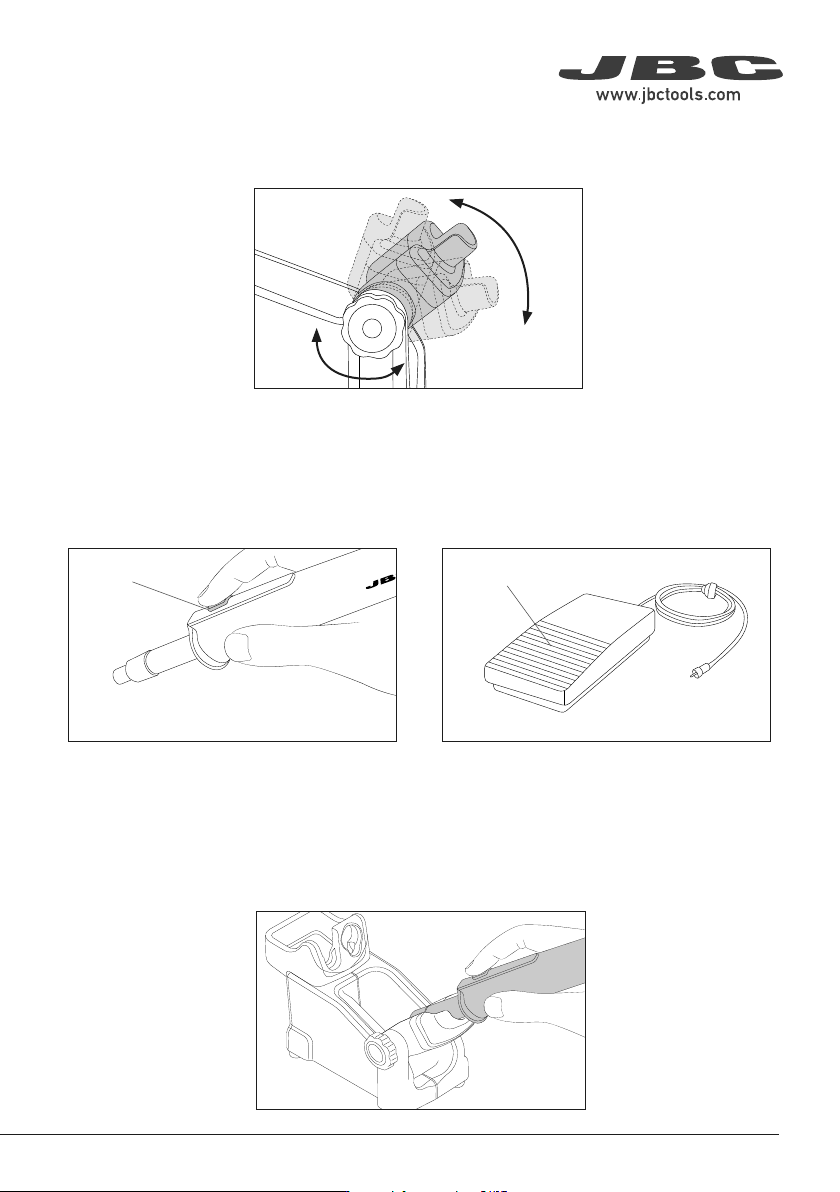
1. From the Tool Settings Menu, select the mode to activate the tool depending on the task.
2. The tool stops blowing when pressing the start/stop button.
If the stand is connected to the station and for safety reasons, it will also stop when returned to the
stand.
Tool button
Pedal (not included)
Adjust the tool holder angle to suit your work position.
Press the start/stop button to blow hot air.
Press the Pedal P405 to blow hot air and release
it to stop.