00194678_Install_Win2003_unattended.pdf - 第10页
Installation Manual for Windows 2003 Server SP2 (unattended setup) Edition 07/2007 US + DE 5.1.4 System partition During the setup your hard disk will be partitioned. Before the system starts to partition automatically, …
Installation Manual for Windows 2003 Server SP2 (unattended setup) Edition 07/2007 US + DE
5.1.3 Preparation for the unattended setup Windows 2003 Server SP2
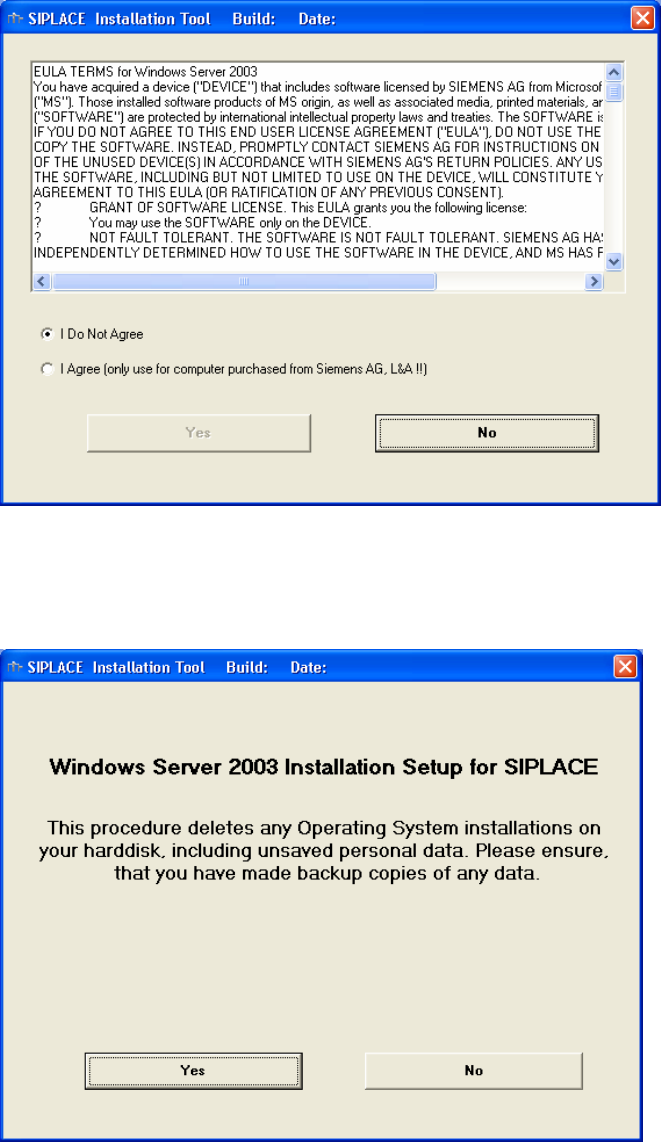
In this dialog box you must accept the license agreement of Siemens AG. For example, it contains that
you are only allowed to install this Windows 2003 version on systems which you obtained by EA 1.
Fig. 5-1: License Agreement
Here, you can cancel the installation procedure, if you must save data of the system hard disk first or if
you want to install the product later.
Fig. 5-2: Start Screen
9 / 40
Installation Manual for Windows 2003 Server SP2 (unattended setup) Edition 07/2007 US + DE
5.1.4 System partition
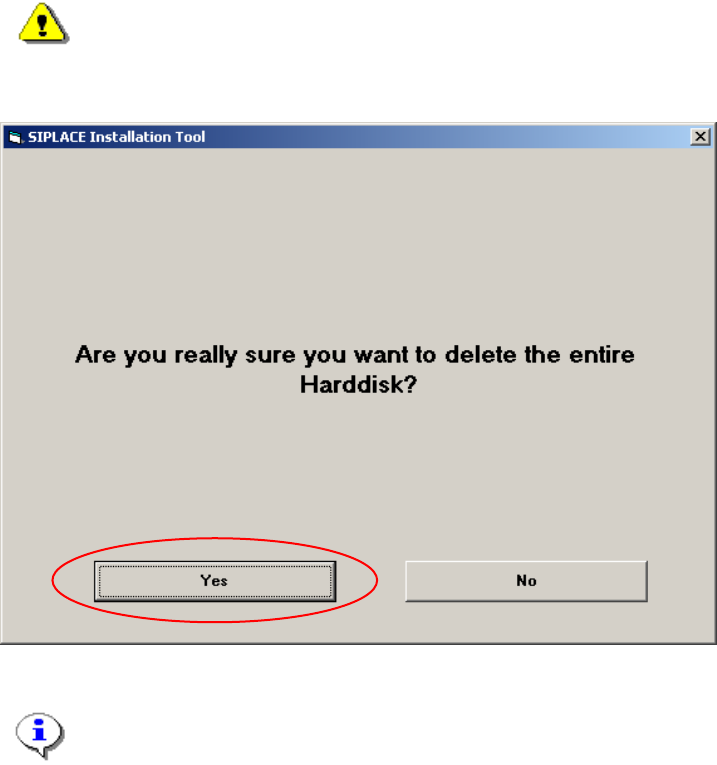
During the setup your hard disk will be partitioned.
Before the system starts to partition automatically, you must accept explicit this process to make sure
that the hard disk will not be partitioned unintended.
Warning:
All data on your hard disk will be destroyed.
→ Please accept the partition:
Fig. 5-3: Warning
Note:
By clicking the „No“ button the complete setup procedure will be cancelled.
10 / 40
Installation Manual for Windows 2003 Server SP2 (unattended setup) Edition 07/2007 US + DE
5.1.5 Investigation of the SIPLACE installation types
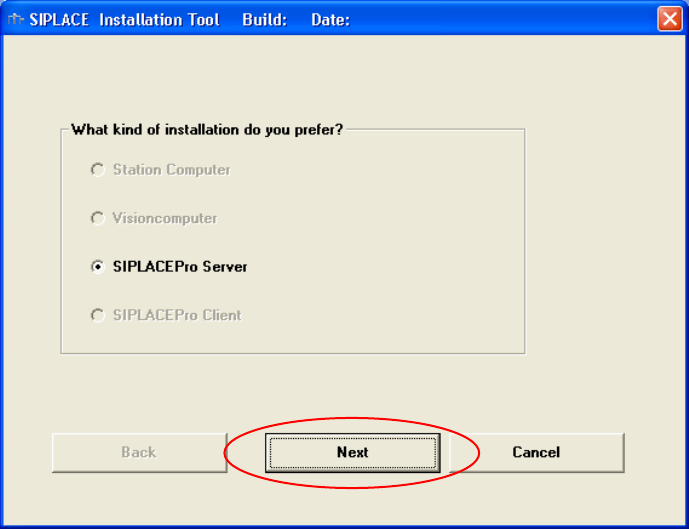
With this information, setup is able to lead you through the correct Windows 2003 Server installation
for your SIPLACE product.
Fig. 5-4: Kind of installation
→ Select the correct option.
→ Click the Next button.
11 / 40