00194678_Install_Win2003_unattended.pdf - 第8页
Installation Manual for Windows 2003 Server SP2 (unattended setup) Edition 07/2007 US + DE 5 Inst allation 5.1 Inst allation Step s 5.1.1 Notes Note: In the general part of the set up, you have to answer with “ Yes “ or …

Installation Manual for Windows 2003 Server SP2 (unattended setup) Edition 07/2007 US + DE
7 / 40
3.2 Required configuration parameters
For the installation procedure, please note the following information:
No. Information
1 User Name
2 Company Name
3 IP address of the SIPLACE software system (Default: 172.22.100.100)
4 IP address of the default gateways (Optional, if no Remote Support was installedÆ no entry.
Default: no entry).
5 Subnet mask of the local IP network
Table 1: Required configuration parameters
→ Please contact your SIPLACE administrator or your network administrator if the information are
not available.
4 Bugfixing for Windows 2003 Server SP2
The hotfixes for Windows Server 2003 Service Pack 2 have been removed from the installation DVD-ROM.
You have to install the latest delivered Windows Server 2003 SP2 Hotfix-CD as soon as it is available.

Installation Manual for Windows 2003 Server SP2 (unattended setup) Edition 07/2007 US + DE
5 Installation
5.1 Installation Steps
5.1.1 Notes
Note:
In the general part of the setup, you have to answer with “Yes“ or “No“. In the second
part you can switch between the wizard dialogs with “Next“ or “Back“ buttons.
With “Cancel“ you can abort the whole installation procedure.
5.1.2 Installation Procedure
→ Insert the BOOT DVD-ROM (Boot DVD ROM for Windows 2003 Server SP2) to start the
unattended setup into the drive.
→ Reboot the computer.
→ Please change the boot devices in your BIOS if the system doesn’t accept the DVD ROM drive as
the boot medium.
8 / 40
Installation Manual for Windows 2003 Server SP2 (unattended setup) Edition 07/2007 US + DE
5.1.3 Preparation for the unattended setup Windows 2003 Server SP2
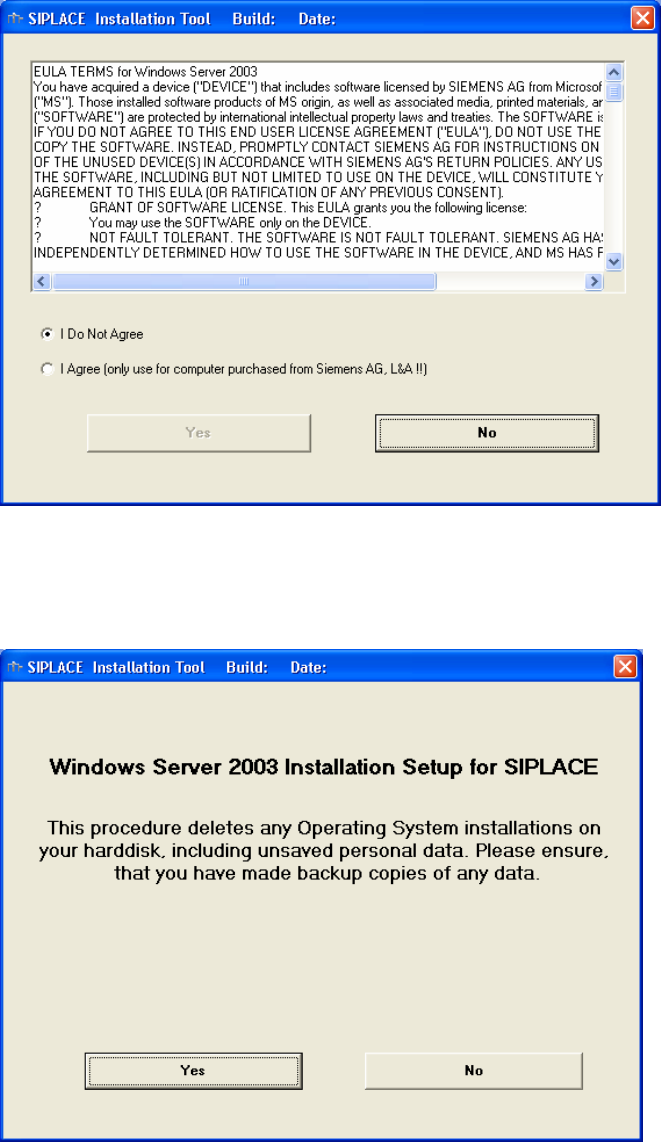
In this dialog box you must accept the license agreement of Siemens AG. For example, it contains that
you are only allowed to install this Windows 2003 version on systems which you obtained by EA 1.
Fig. 5-1: License Agreement
Here, you can cancel the installation procedure, if you must save data of the system hard disk first or if
you want to install the product later.
Fig. 5-2: Start Screen
9 / 40