00194678_Install_Win2003_unattended.pdf - 第13页
Installation Manual for Windows 2003 Server SP2 (unattended setup) Edition 07/2007 US + DE 5.1.7 Windows 2003 Server Licensing In the following setup steps you have to enter a ll necessary parame ters for the installatio…
Installation Manual for Windows 2003 Server SP2 (unattended setup) Edition 07/2007 US + DE
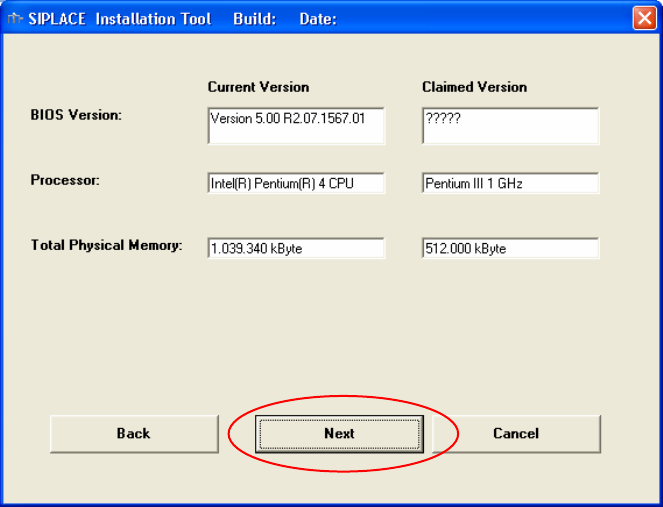
5.1.6 Checking the hardware requirements
With the information from the previous dialog, a hardware check will start. If there is something wrong,
an error message will appear, but the installation will not stop!
Fig. 5-5: Display of the hardware information (example)
→ Click the Next button.
12 / 40
Installation Manual for Windows 2003 Server SP2 (unattended setup) Edition 07/2007 US + DE
5.1.7 Windows 2003 Server Licensing
In the following setup steps you have to enter all necessary parameters for the installation and
configuration of Windows 2003 Server.
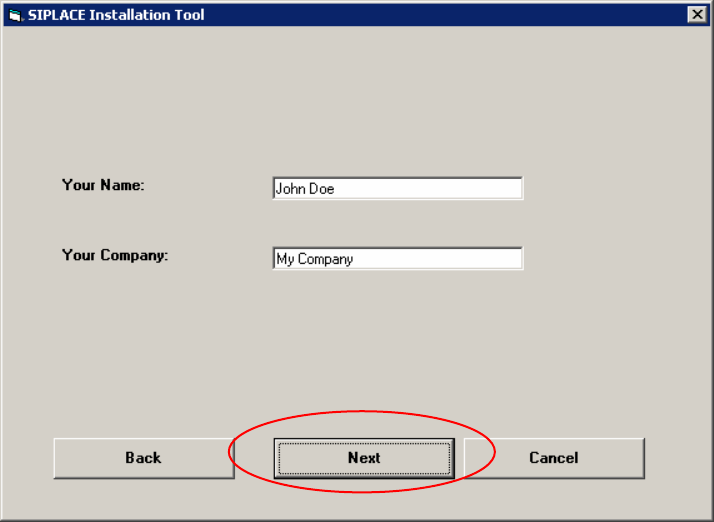
Enter a username (it is not the same as the administrator name) and enter the name of your company.
You can enter any name, but the fields must not be empty.
Fig. 5-6: Licensing
→ Please enter the user name (not the administrator name).
→ Please enter the name of your Company.
→ Click the Next button.
13 / 40
Installation Manual for Windows 2003 Server SP2 (unattended setup) Edition 07/2007 US + DE
5.1.8 Windows 2003 network settings
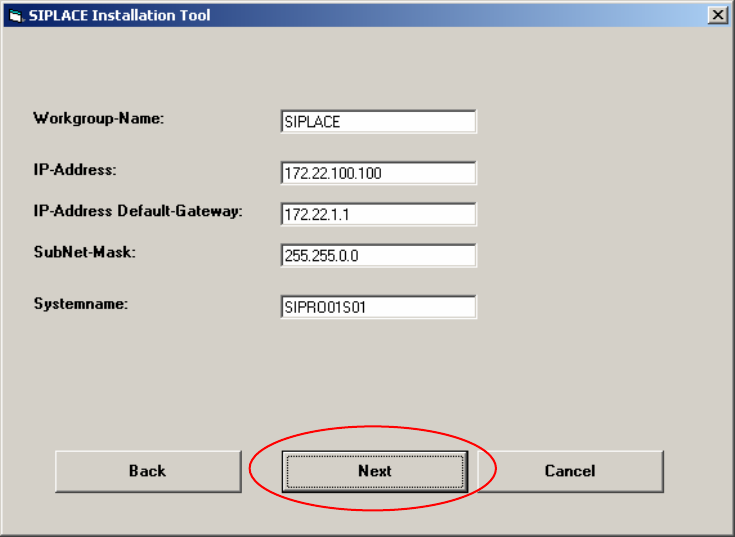
Within this dialog, general network parameters of the computer will be configured. The following data
are required:
Workgroup Name: SIPLACE
You can enter any name you want. (Default: SIPLACE)
IP address: not fixed
For the computers use a unique station IP address number (172.x.x.x).
IP address Gateway: not fixed
Sub net mask: not fixed
Please use the default data for the station computer.
System name: should be well defined in the network.
Fig. 5-7: Network settings
→ Please enter the data.
→ Click the Next button.
14 / 40