00194678_Install_Win2003_unattended.pdf - 第19页
Installation Manual for Windows 2003 Server SP2 (unattended setup) Edition 07/2007 US + DE 6.2 Activate Windows The following dialog appears: Fig. 6-2: Activating Windows → Select the option, how do you want to activate …
Installation Manual for Windows 2003 Server SP2 (unattended setup) Edition 07/2007 US + DE
6 Windows activation
6.1 Start the activation
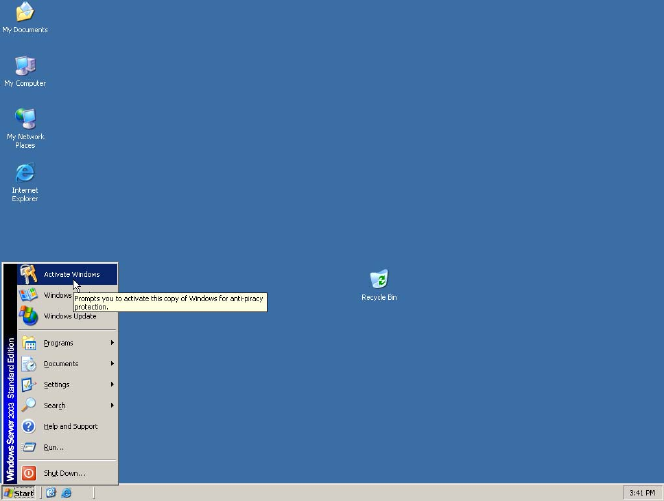
After the installation you must activate Windows within 30 days.
Fig. 6-1: Starting Windows activation
→ Therefore click Start and then click Activate Windows.
18 / 40
Installation Manual for Windows 2003 Server SP2 (unattended setup) Edition 07/2007 US + DE
6.2 Activate Windows
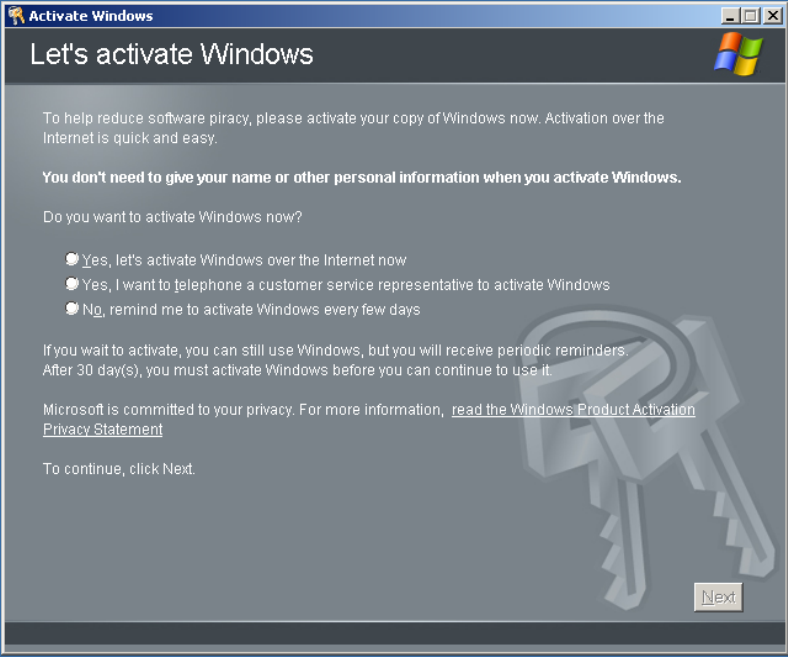
The following dialog appears:
Fig. 6-2: Activating Windows
→ Select the option, how do you want to activate Windows
→ Select the first option if you want to activate online via the internet. It is only possible if the
internet connection is enabled.
→ Select the second option if you want to activate via telephone.
6.2.1 Activation via the internet
Follow the steps and finish the Windows activation.
19 / 40
Installation Manual for Windows 2003 Server SP2 (unattended setup) Edition 07/2007 US + DE
6.2.2 Activation via the telephone
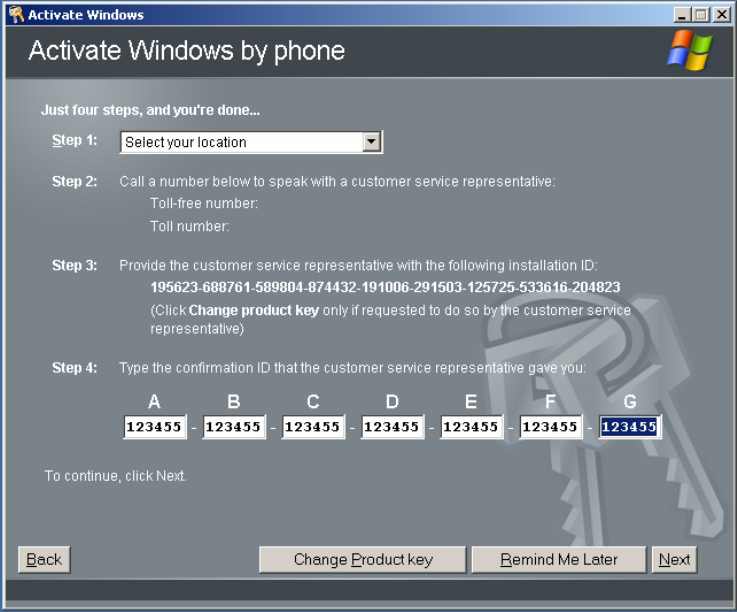
The following dialog appears:
Fig. 6-3: Activating Windows via the telephone
→ Select your location.
→ Call the specified number.
→ Provide the customer service with the specified installation ID.
→ Enter the confirmation ID that the customer service gave you.
→ Click Next.
20 / 40