00198622-01_IM_WES7_WIN10_DE_EN.pdf - 第10页
WES7 / Win10 - Installation Manual 11/2018 Edition 10 Name SIMATIC BoxPC 627D/827D CPU / clock frequency Intel ® Core( TM ) i3 / 2,40 GHz Exchange PC for 60x : Intel® Celeron® G18 20TE / 2,20 GHz RAM 4 GB Harddisk SSD Se…

WES7 / Win10 - Installation Manual 11/2018 Edition
9
Name SIMATIC BoxPC 627B
CPU / clock frequency Core 2 Duo T7400 / 2.16 GHz
RAM 2 GB
Harddisk HDD
Serial interfaces 1
USB interfaces Yes
Network 2x 100 MBit
Table 3-3: SIMATIC BoxPC 627B
Name SIMATIC BoxPC 827B
CPU / clock frequency Core 2 Duo T7400 / 2.16 GHz
RAM 2 GB
Harddisk HDD
Internal DVD drive Yes
Serial interfaces 1
USB interfaces Yes
Network 2x 100 MBit
Table 3-4: SIMATIC BoxPC 827B
Name SIMATIC BoxPC 627C
CPU / clock frequency Intel® Celeron® P4505 / 1,87 GHz
RAM 2 GB
Harddisk HDD
Serial interfaces 1
USB interfaces Yes
Network 2x 100 MBit
Table 3-5: SIMATIC BoxPC 627C
Name SIMATIC BoxPC 827C
CPU / clock frequency Intel® Core(
TM
) i3 / 2.13 GHz
RAM 2 GB
Harddisk HDD
Serial interfaces 1
USB interfaces Yes
Network 2x 100 MBit
Table 3-6: SIMATIC BoxPC 827C

WES7 / Win10 - Installation Manual 11/2018 Edition
10
Name SIMATIC BoxPC 627D/827D
CPU / clock frequency Intel® Core(TM) i3 / 2,40 GHz
Exchange PC for 60x:
Intel® Celeron® G1820TE / 2,20 GHz
RAM 4 GB
Harddisk SSD
Serial interfaces 1
USB interfaces Yes
Network 2x 1000 MBit
Table 3-7: SIMATIC BoxPC 627D/827D
Name SIMATIC MicroBox 427D
CPU / clock frequency Intel® Core
(TM)
/ 1,6 GHz
RAM 4 GB
Harddisk SSD
Serielle Schnittstellen 1
USB interfaces Yes
Network 2x 1000 MBit
Table 3-8: SIMATIC MicroBox 427D
Name iBASE ABP 102-A
CPU / clock frequency Celeron® Dual Core T3100 / 1.9 GHz
RAM 2 GB
Harddisk HDD
Serial interfaces 1
USB interfaces Yes
Network 2x 1000 MBit
Table 3-9: iBASE ABP 102-A
Name iBASE ABP 402-A
CPU / clock frequency Intel® Celeron® CPU 1020E/ 2.2 GHz
RAM 4 GB
Harddisk SSD (SX), HDD (E by SIPLACE)
Serial interfaces 2
USB interfaces Yes
Network 2x 1000 MBit
Table 3-10: iBASE ABP 402-A
WES7 / Win10 - Installation Manual 11/2018 Edition
11
4 Installation
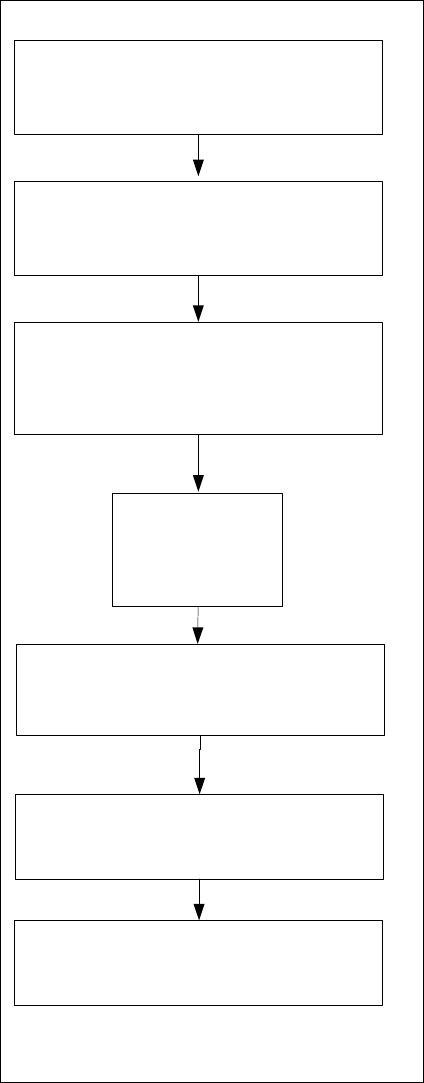
4.1 Overview
Choose computer configuration
SIPLACE WES7
Configurator
SIPLACE Win
10 Configurator
Install and calibrate Touchscreen
BIOS settings on the
Station
/
Coplan
/
BulkFeeder X computer
Perform BIOS settings
Back up the machine data
BIOS update
on the
Station /
Coplan
/
BulkFeeder X computer
Perform
BIOS
update
Install WES
7/
Win
10
(
DVD or USB stick
suitable for the
computer)
Restore the initial configuration
See section 4.2.
See section 4.2.
Installing the operating system, see section 4.3.
See section 4.3.3.
See chapter 5.
Figure 4-1: Installation