09_SM481_Service_Manual Feeder_Base.pdf - 第10页
Advance d High Speed Flex i ble Mounter 9-6 3. Disconnec t t he conne ctors connec t e d to the Feede r C ontr ol B oard and Feede r I nput EXT Bo a r d. 4. Unscr ew the fixing screw s (M8- 3 se ts) to r emove the Fron t…
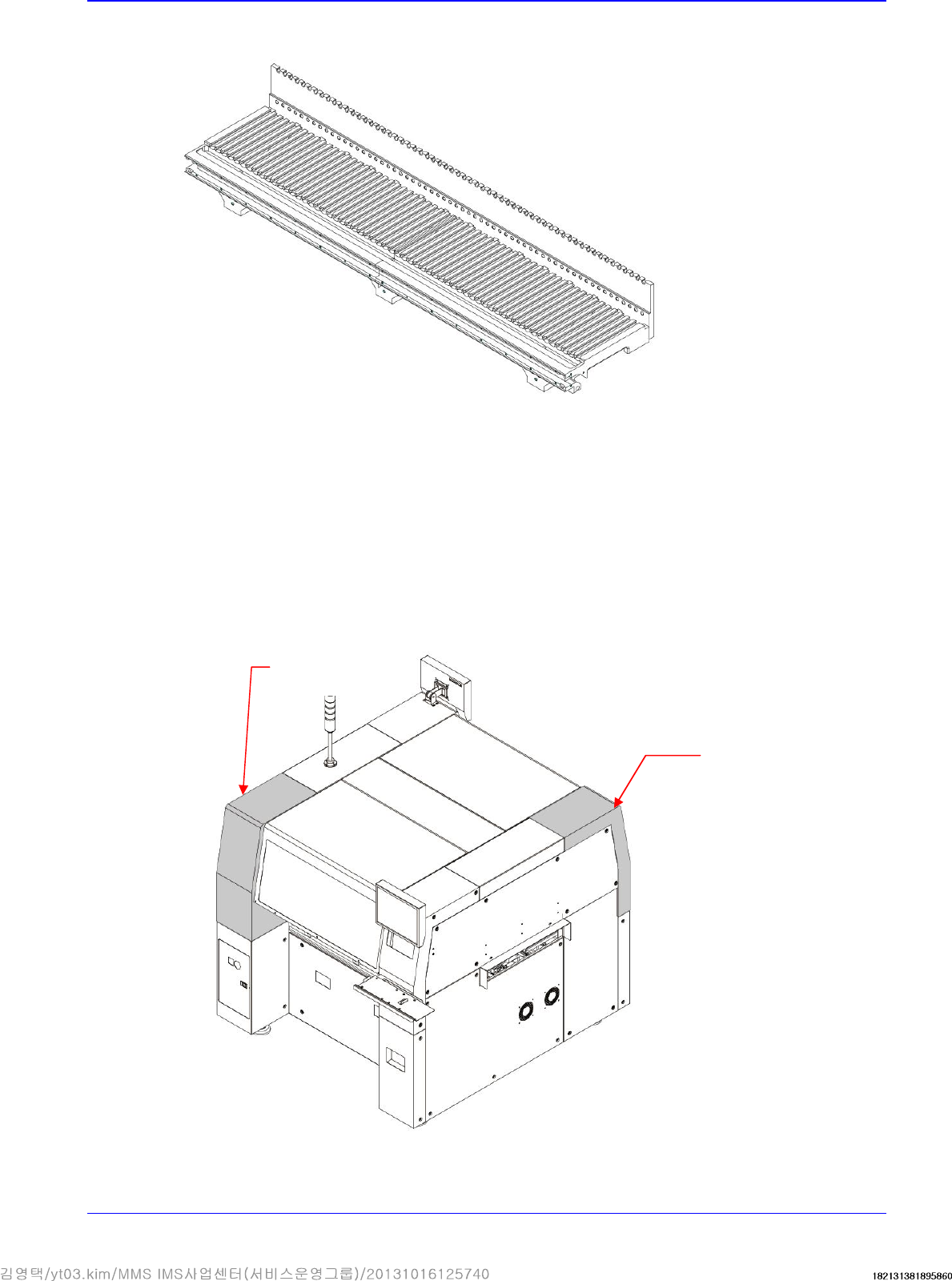
Feeder Base
9-5
9.2. Feeder Base Module
9.2.1. Required Tools
Wrench
T wrench (other tools supplied) or hex wrench
Screw driver with “+” shaped tip
9.2.2. Feeder base module Replacement Procedure
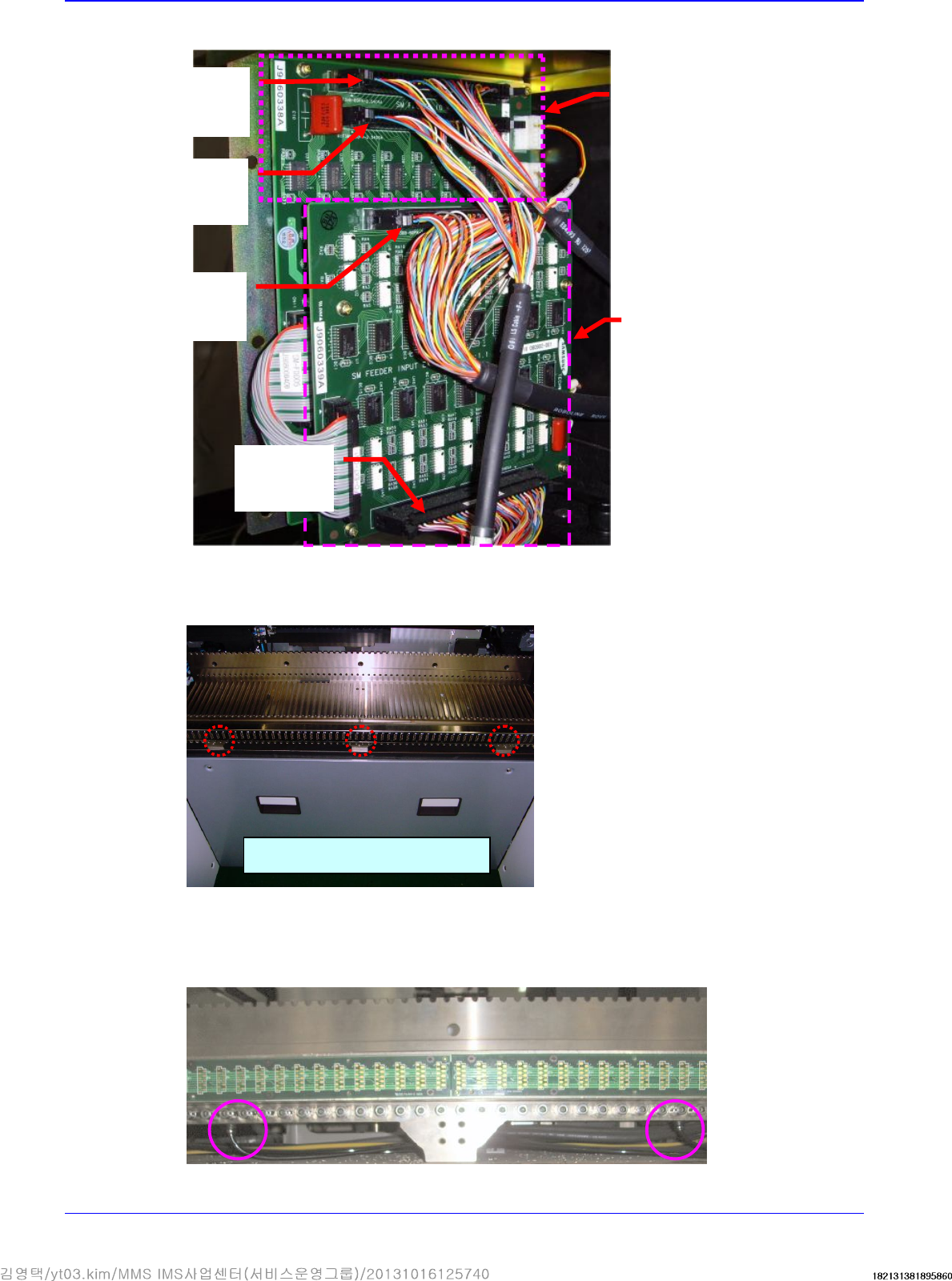
1. Turn Off the PC in normal way. Then turn off the main switch on the front side of the machine.
2. Unscrew the fixing screws securing the cover and remove it using a crosshead (Phillips)
screwdriver.
Upper RL Cover
Upper FL Cover
Advanced High Speed Flexible Mounter
9-6
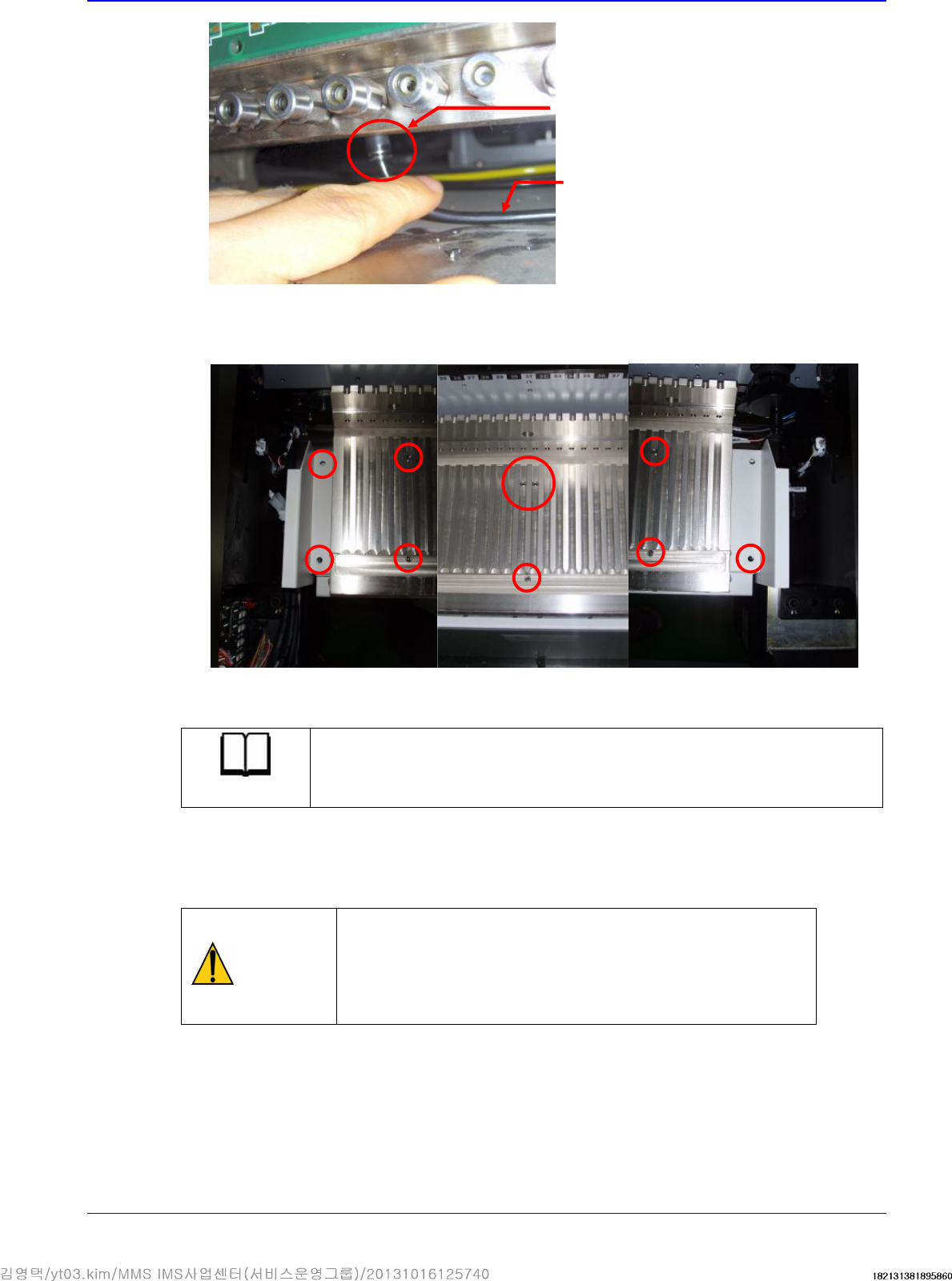
3. Disconnect the connectors connected to the Feeder Control Board and Feeder Input EXT Board.
4. Unscrew the fixing screws (M8- 3 sets) to remove the Front Cover-Feeder Station Con-Panel
Front.
5. In order to facilitate the removal of the air tube connected to the feeder base module, turn the
fitting to which the air tube is connected downward manually as shown in the following figure
to remove the air tube.
Left Feeder
Base Board
Output
Right Fee
der
Base Board
Output
Left Feeder
Base Board
Input
Right Feeder
Base Board
Input
Rear Feeder
IO Board
Feeder Extension
Board
Remove fixing screws (3 sets)
Feeder Base
9-7
6. Remove the set screws (M8- 7sets) and the chip cover. Unscrew the set screws (M8- 4 sets) and
remove the chip cover (on both side of the feeder base).
7. Replace the feeder base module with a new one.
Reference
The part number of the feeder base module is J90571018A
8. The assembling is performed in the reverse order of disassembling.
9. Assemble and secure the feeder base module so that the parallelism of the feeder base module
may become less than 0.1mm.
Caution
Install the feeder origin setting jig on each of the #13, #30
and #47 slot of the feeder stations and obtain the Y-axis
coordinates. Ensure that the difference between the
maximum and minimum Y-axis coordinates may become
less than 0.1mm.
10. Turn on the main switch on the front side of the machine and open the air valve. And
thenboot the PC once the assembling is completed.
Fitting
Air Tube