Vista Networking.pdf - 第8页
NETWORKING CONNECTION TO A NETWORK SERVICE 22.8 Chapter Issue 1 Sep 02 8 W ay RJ45 Connector Internal ly the LAN RJ45 connect ion is routed to 3SK02 car d slot X13 of th e PC enclosure rea r panel. The connections (t o c…
NETWORKING
CONNECTION TO A NETWORK SERVICE
Chapter Issue 1 Sep 02 22.7
Hardware
Installation
An LAN RJ45 connector is available at the external services rear panel, this
connector provides the interface to the customer’s network. Connecting a cable
to the network is the only hardware installation requirement, however for some
applications it may be necessary to connect other devices eg, a barcode reader.
The network connection uses a Ethernet 10BaseT type the ‘T’ stands for twisted
pair, this arrangement enables transmission speed to 10Mb/s at a maximum
cable length of 100m.
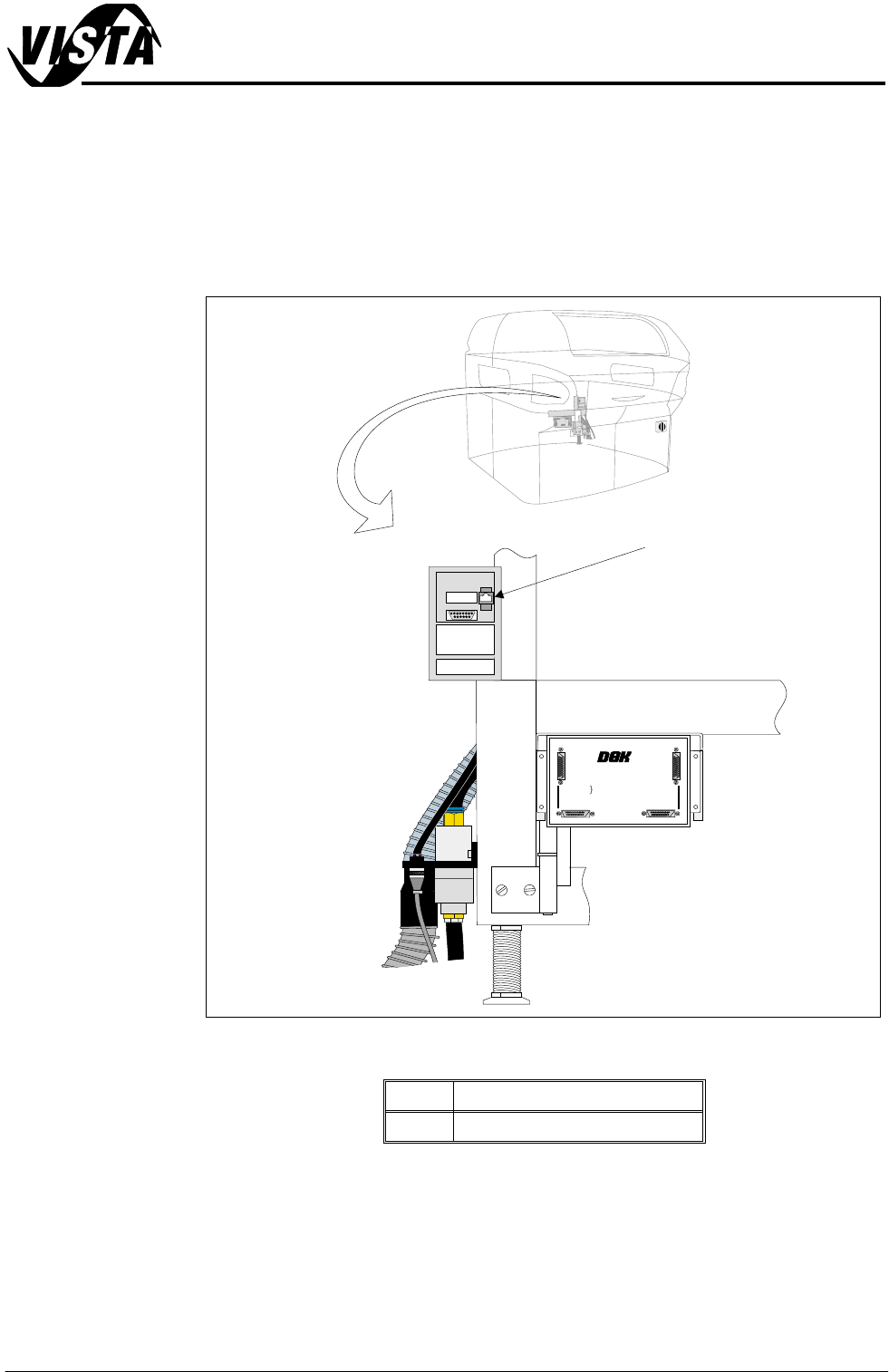
Figure 22-4 External Services (Rear Panel Removed)
Item Description
1 6SK13 LAN RJ45
+
2
4
V
+24V
+
2
4
V
(
E
-
S
T
O
P
)
+
24
V
(E-
ST
O
P
)
+
1
2
V
+
12V
+
5
V
+5
V
D
O
W
N
L
I
N
E
R
E
A
D
Y
D
OWN
L
INE
READ
Y
R
S
2
3
2
R
S
23
2
D
O
W
N
L
I
N
E
DOW
N
LINE
U
P
L
I
N
E
UPL
IN
E
D
E
K
M
A
C
H
I
N
E
DEK
MACHINE
U
P
L
IN
E
R
E
A
D
Y
U
P
LIN
E
R
EADY
D
O
W
N
L
I
N
E
A
VA
I
L
A
B
L
E
D
O
W
NLINEA
VAI
LA
B
LE
S
E
N
D
D
O
W
N
L
I
N
E
SE
N
D
D
O
W
NL
IN
E
S
E
N
D
U
P
L
I
N
E
S
END
U
P
LI
NE
D
E
K
M
/
C
N
AV
A
I
L
A
B
L
E
D
E
K
M/CNAV
A
ILAB
L
E
M
U
L
T
I
-
I
N
T
E
R
F
A
C
E
U
N
I
T
M
ULTI
-
I
N
T
E
R
F
ACE
UN
I
T
F
R
O
M
D
E
K
M
A
C
H
I
N
E
FROM
D
EK
MA
C
HINE
+24V
+24V (E-STOP)
+12V
+5V
DOWNLINE READY
RS 232
DOWNLINE
UPLINE
DEK MACHINE
UPLINE READY
DOWNLINE AVAILABLE
SEND DOWNLINE
SEND UPLINE
DEK M/CN AVAILABLE
MULTI-INTERFACE UNIT
FROM
DEK
MACHINE
6SK13 Host Comms
LAN RJ45
NETWORKING
CONNECTION TO A NETWORK SERVICE
22.8 Chapter Issue 1 Sep 02
8 Way RJ45
Connector
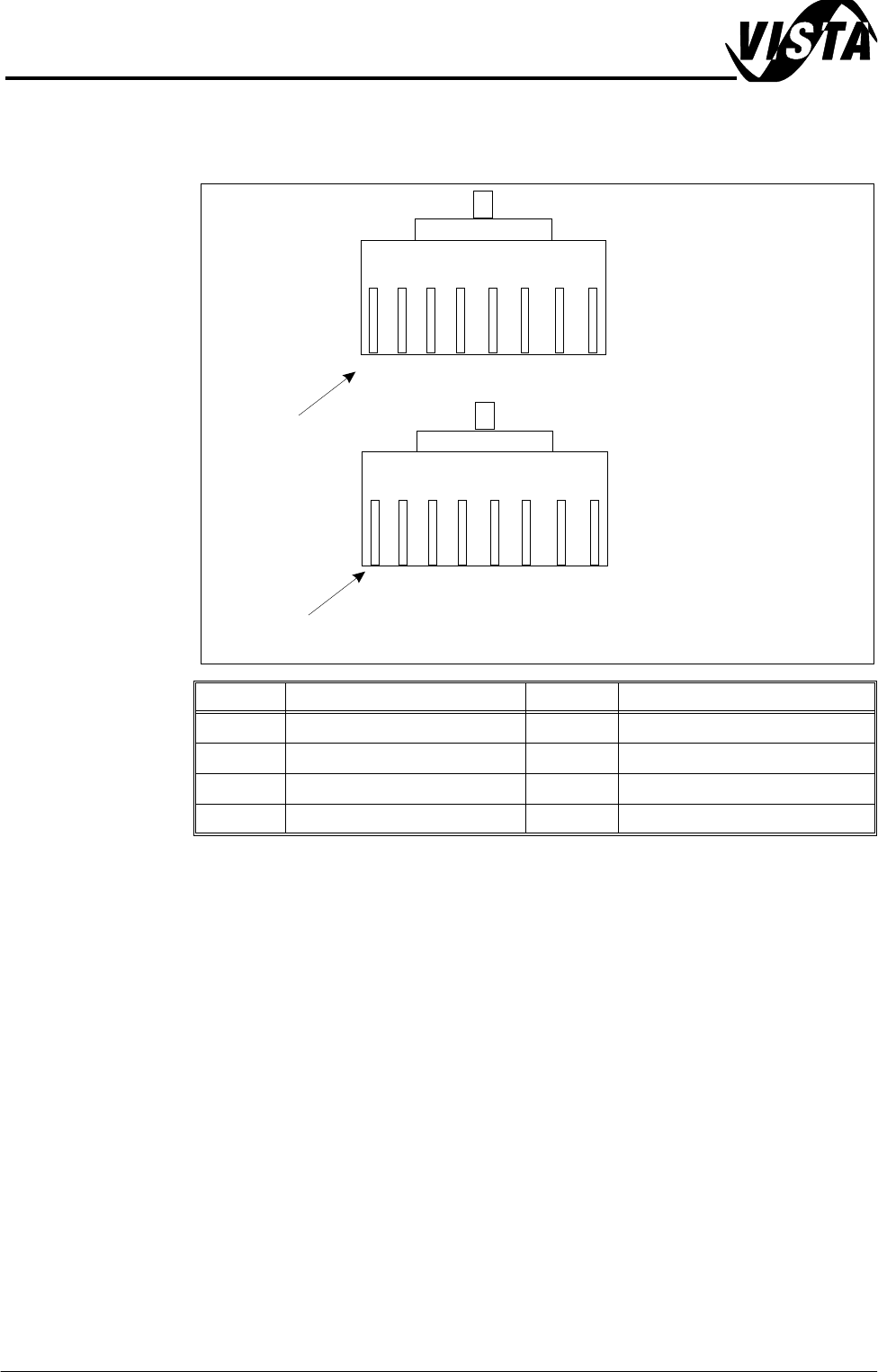
Internally the LAN RJ45 connection is routed to 3SK02 card slot X13 of the PC
enclosure rear panel. The connections (to connector A) are shown below:
NOTE
The connection above is wired as DEK would recommend. It is possible that a
customer network connection may differ from the one shown, if a problem exists
in installation the connection at the customer network end of the cable may need
to be configured accordingly.
Pin No. Signal Pin No. Signal
1 +ve Transmit 5 Not Used
2 -ve Transmit 6 -ve Receive
3 +ve Receive 7 Not Used
4 Not Used 8 Not Used
BN
BN
W/
BN
W/
BN
O
O
W/
O
W/
O
G
G
W/
G
W/
G
BL
BL
W/
BL
Pin 1
Connector A (Pin View)
Connector B (Pin View)
Connection Diagram for Reverse RJ - 45 Cable
Pin 1
W/
BL
NETWORKING
CONNECTION TO A NETWORK SERVICE
Chapter Issue 1 Sep 02 22.9
Selecting Comms
Protocol Options
The Comms Protocol Set Preference GEM, and NET_FILE options each dis-
play additional menu parameters if they are selected in the Set Preferences
window.
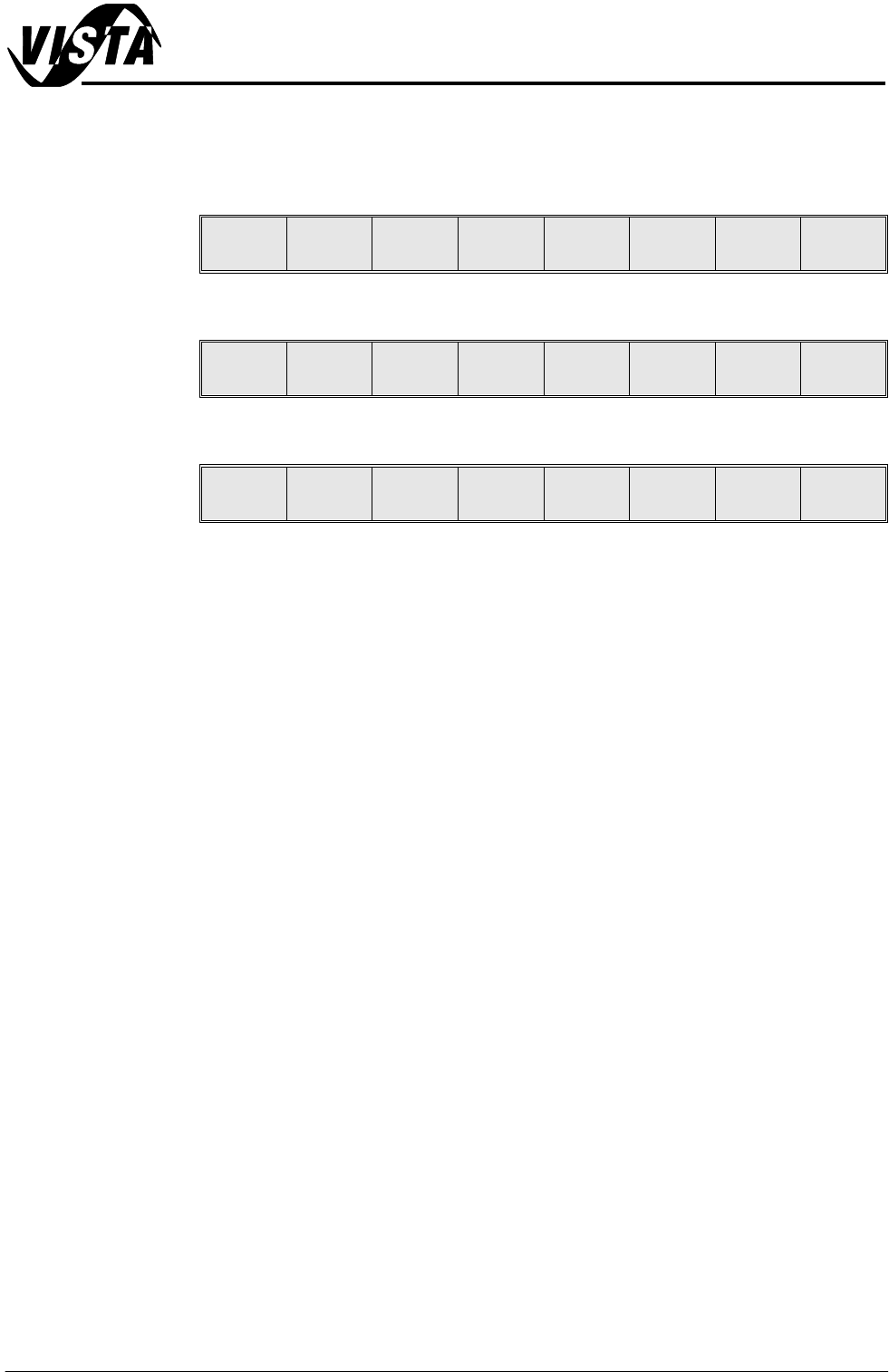
On selecting GEM the following menu bar is displayed:
On selecting NET_FILE the following menu bar is displayed:
If the Enable Comms key is pressed the following menu bar is displayed:
The user is given the option to Confirm or Exit their selection.
The NET_FILE option may display a further window requesting the Network
Password.
Enable
Comms
Next Previous Incr. Decr. Exit
Enable
Comms
Edit
Comms
Next Previous Incr. Decr. Exit
Confirm Exit