TM2965.Functional Specification of Board Data Change without Stop.pdf - 第5页
SMT Software En gineering Group IMOperations YAMAHAMOTORCO.,LTD. MD OC-SOFT50119 5/8 W henonesidelaneisauto running,t herear etwores t rictionsasfol lows. A) When board d ata …
SMT Software Engineering Group
IMOperationsYAMAHAMOTORCO.,LTD.
MDOC-SOFT50119
4/8
5. Operation Method of Changing Board Data
5.1 Change in the whole lane state is RESET
Thereisnochangeintheboarddatachangingmethodinthestateofwholelanereset.
5.2 Change in the one side lane state is RUNNING
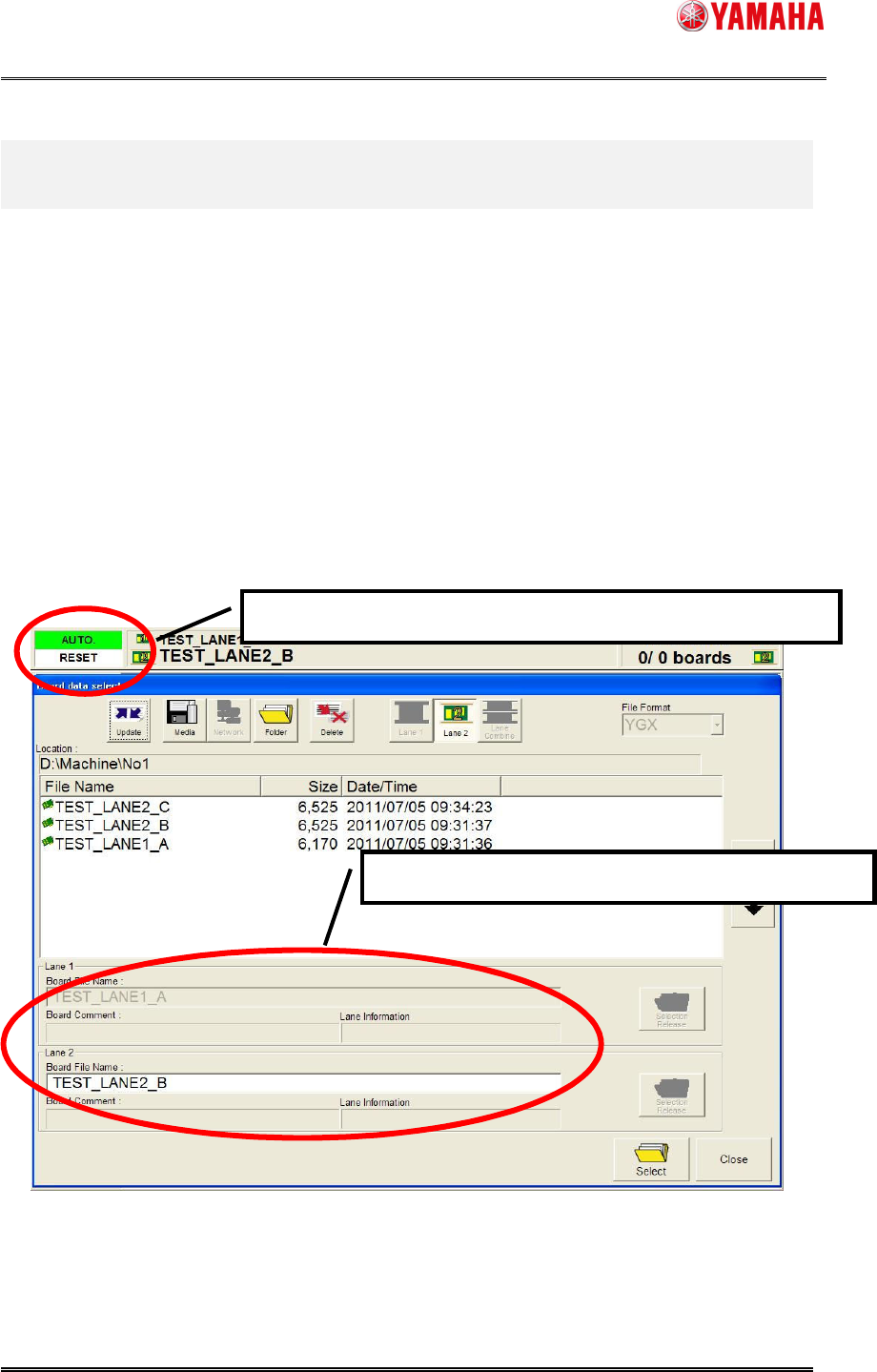
Resetalanewhichyouwanttochangeitsboarddata,andselectthenewonefromtheBoard
data select screen. You can select the board data even while the other lane is running (see
Fig.5.1).
Fig5.1[Boarddataselect]screen
Boarddataselectisavailableevenwhentheotherlaneisrunning.
Boarddataisselectableonlyonthelaneinaresetstate.
SMT Software Engineering Group
IMOperationsYAMAHAMOTORCO.,LTD.
MDOC-SOFT50119
5/8
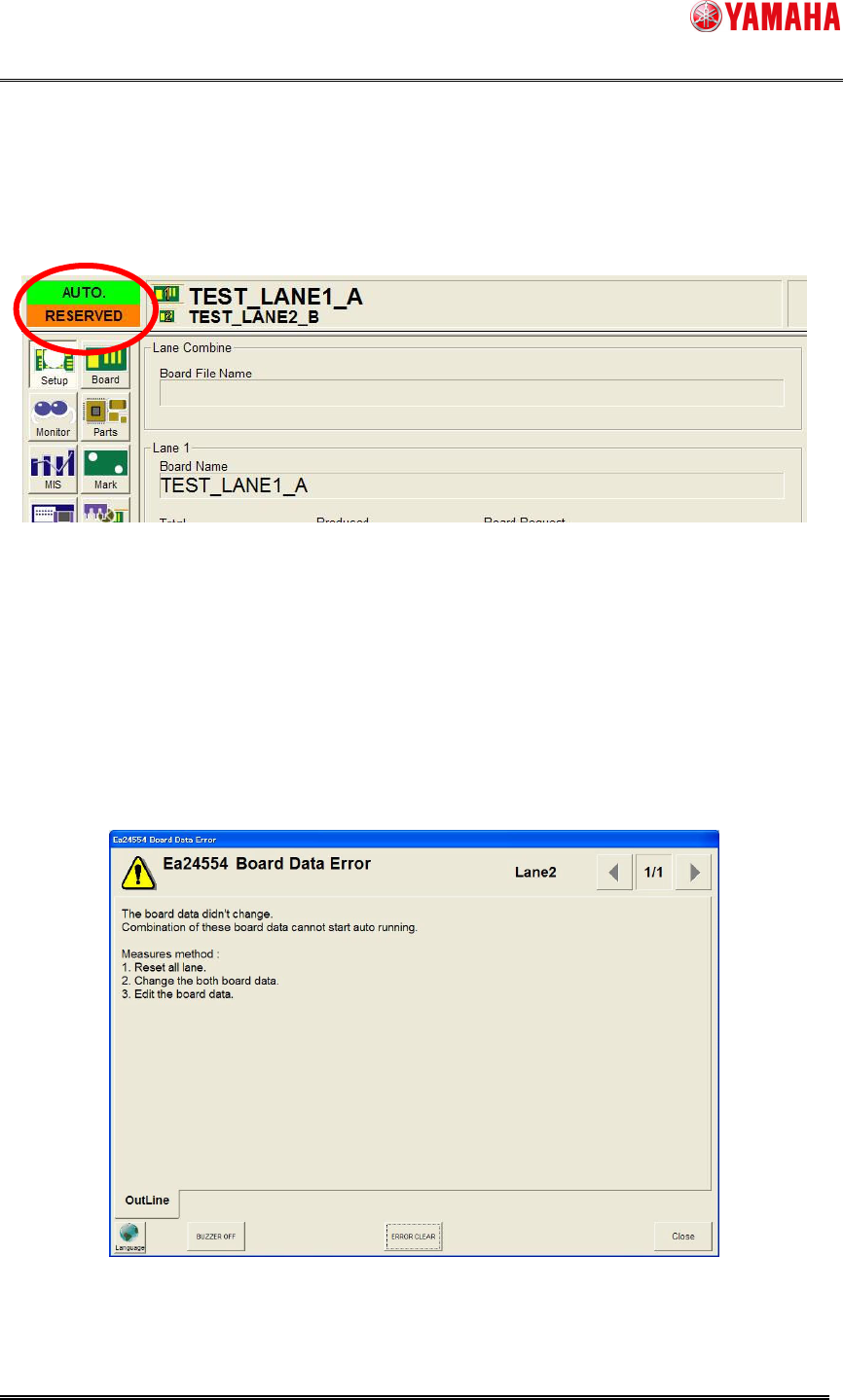
Whenonesidelaneisautorunning,therearetworestrictionsasfollows.
A) Whenboarddatachangeisexecutedwhiletheothersidelaneismounting,thelanestate
becomes “RESERVED” (See Fig5.2). After finishing mounting on the one side lane, the
boarddatachangeisexecuted.
Fig5.2Thestateof[RESERVED]
B) Iftheboarddatatochangehasanerror,thefollowingerrormessageisdisplayed,andthe
board data change process is canceled (See Fig5.3). To check the error detail, please
executeeitherofthefollowingprocedures.
Resetalllanes,andchangetheboarddataagain.
OpentheBoardEditor,andexecutedatacheckat[Tool]–[DataCheck].
Fig5.3Anerrormessage“Ea24553:BoardDataError”
SMT Software Engineering Group
IMOperationsYAMAHAMOTORCO.,LTD.
MDOC-SOFT50119
6/8
6. Operation Method of Lane Select Switch
6.1 Lane Select Switch
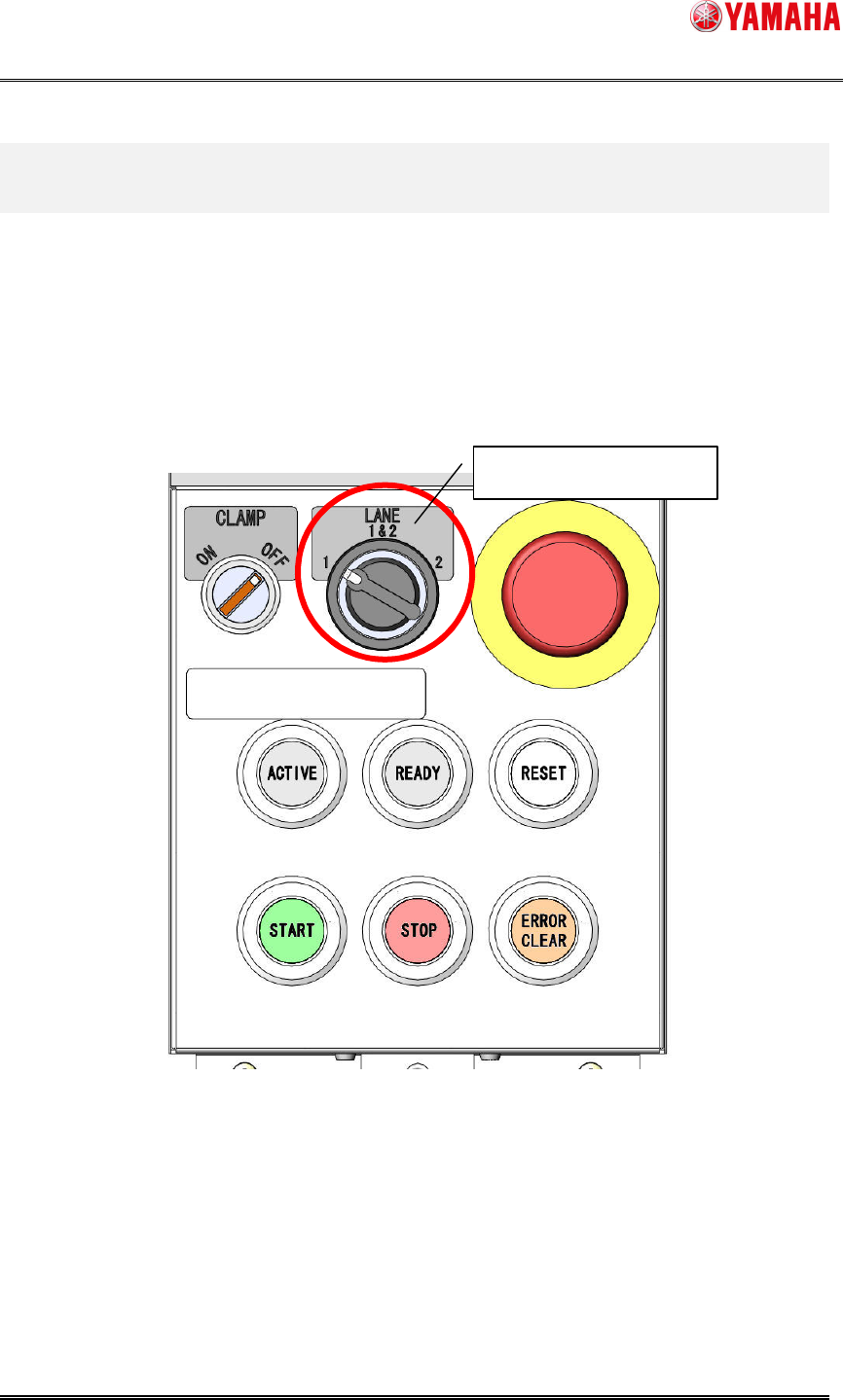
Lane Select Switch is added, which switches the operating range of [START] and [STOP],
[RESET]buttons.
Forexample,whenthebothlanesareinautorunningstate,press“RESET”buttonwithLane
SelectSwitchturnedto“Lane2”,andresetisexecutedon“Lane2”only.
Fig6.1Theappearanceoftheoperationpanel
LaneSelectSwitch