00194547-02.pdf - 第34页
Installation Manual Station Software Version 601.02 Edition 07/2005 Removing the program Fig. 4-17: Removing the program → Click the Next button. The installation program now uninstalls the SIPLACE software including SIP…
Installation Manual Station Software Version 601.02 Edition 07/2005
Or:
→ Open the Start menu and select Settings Æ Control panel.
→ Double-click Software.
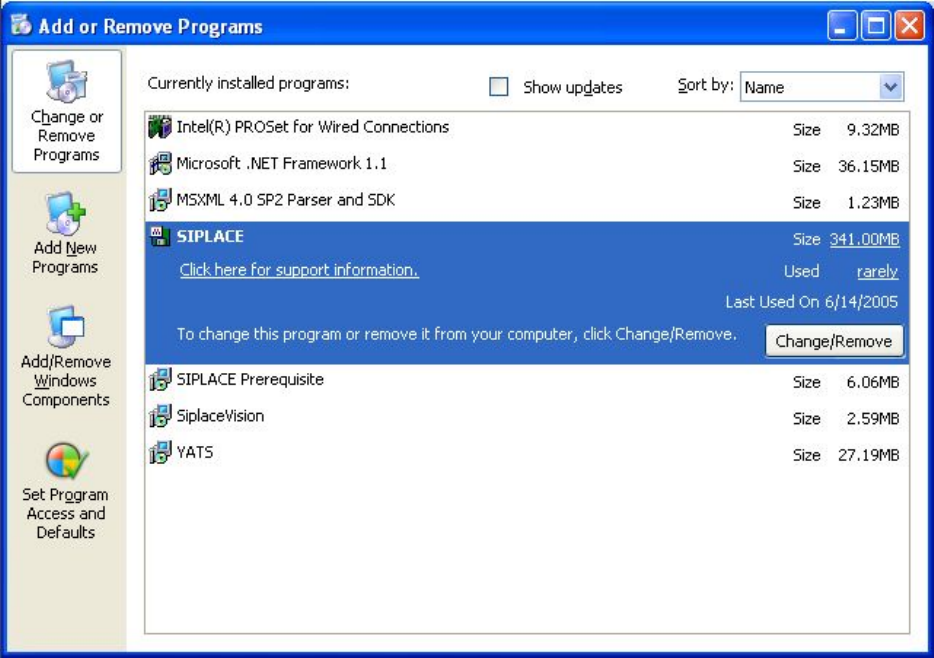
Fig. 4-16: Starting uninstallation (alternative 2)
→ Select Siplace from the list of installed programs.
→ Click the Change/Remove button.
33 of 82
Installation Manual Station Software Version 601.02 Edition 07/2005
Removing the program
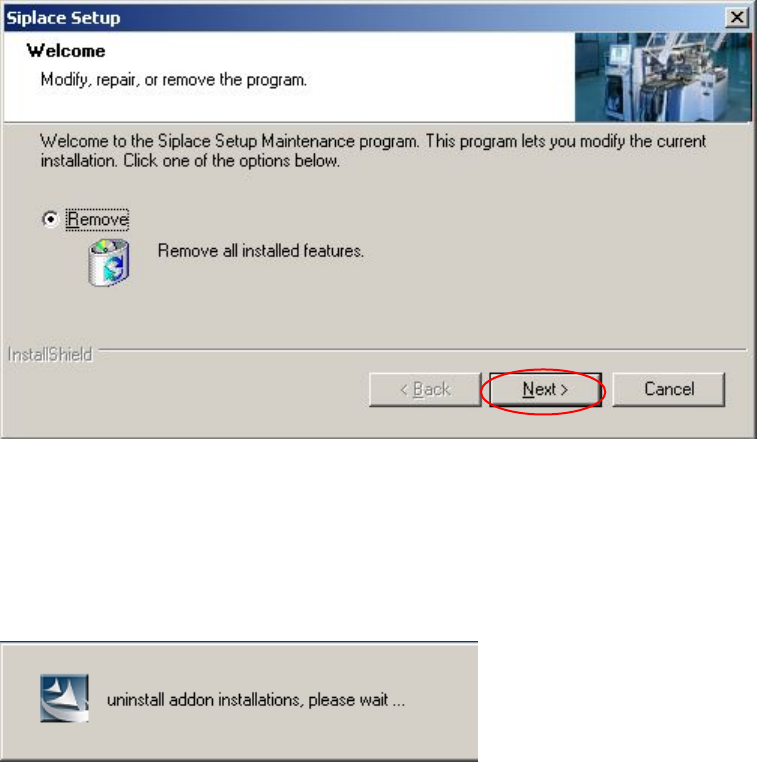
Fig. 4-17: Removing the program
→ Click the Next button.
The installation program now uninstalls the SIPLACE software including SIPLACE Vision.
34 of 82
Installation Manual Station Software Version 601.02 Edition 07/2005
Finalizing uninstallation
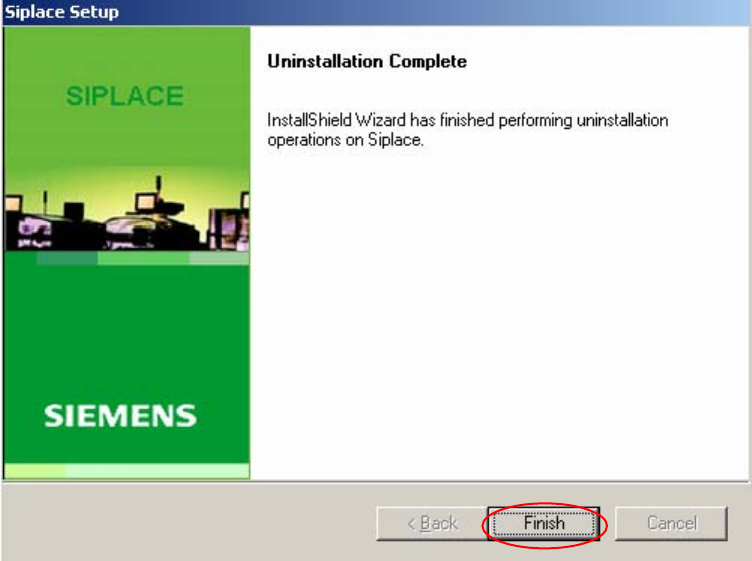
Fig. 4-18: Finalizing uninstallation
→ Click the Finish button.
The SIPLACE software and SIPLACE Vision have now been uninstalled correctly.
35 of 82