Infinity EX Screens and Screen Images.pdf - 第3页
INFINITY EX SCREE NS AND SC REE N IMAGE S SCREEN FRA ME ADAPT ORS Chapter Issu e 1 Mar 01 Technical Reference Manual 26.3 Adaptor Assembly T o assemble the frame adaptor and position the screen in the adaptor proce ed as…
INFINITY
EX
SCREENS AND SCREEN IMAGES
SCREEN FRAME ADAPTORS
26.2 Technical Reference Manual Chapter Issue 1 Mar 01
SCREEN FRAME ADAPTORS
Screens types other than those accommodated by pre-set widths are fitted into
screen frame adaptors to ensure that the screen image is accurately positioned in
the machine for consistent printing. The types of adaptors available include
dedicated frame adaptors and universal frame adaptors.
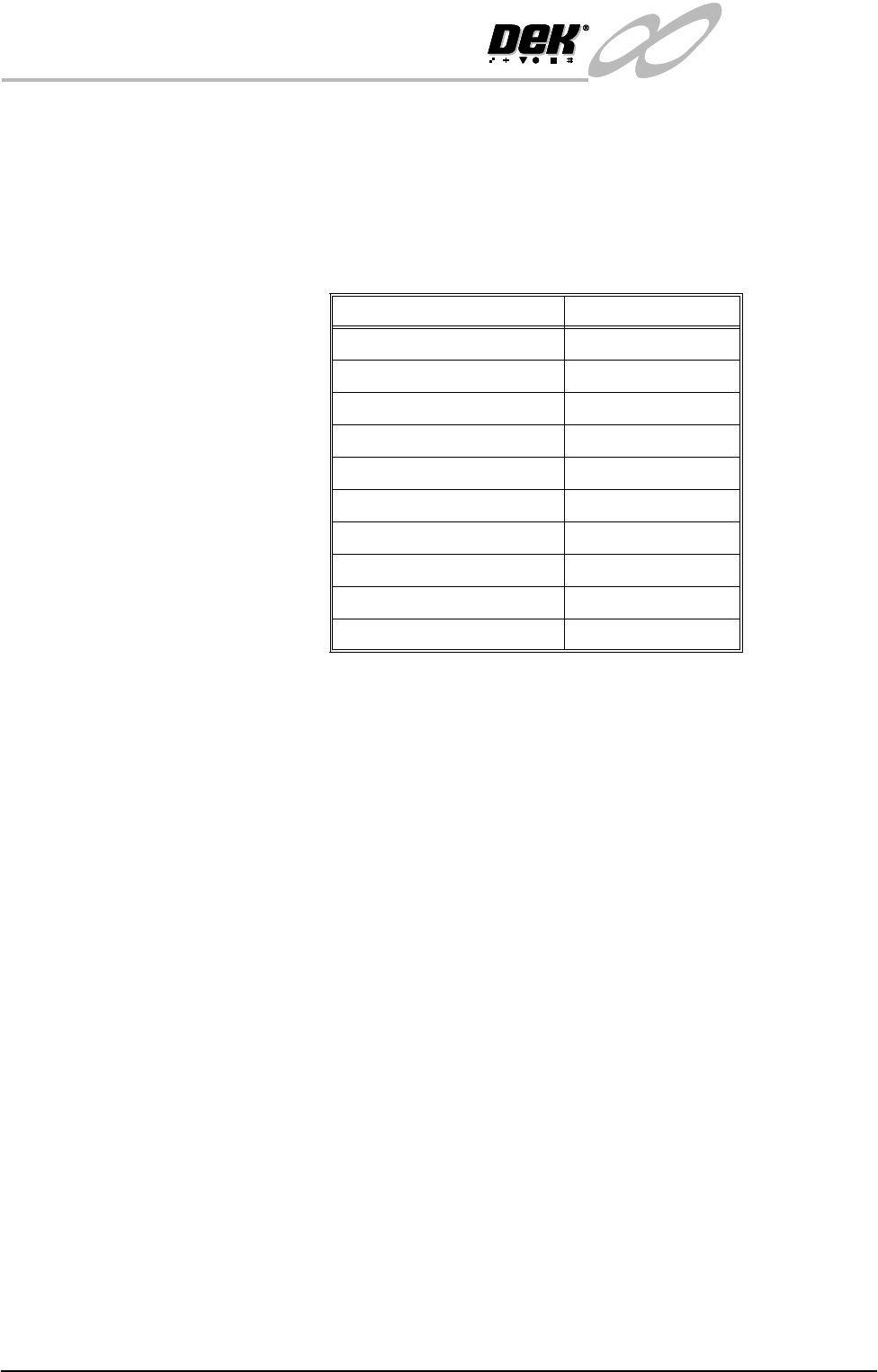
An adaptor is available for the following screen frames:
Dedicated Screen
Frame Adaptor
Certain screen frame types (see table above) require dedicated adaptors. These
adaptors have a fixed shape, made specifically for the screen frame type.
Universal Screen
Adaptor
The screens requiring the universal screen adaptor listed in the previous table are
located in the adaptor using one of the four width positions available.
When fitting a centre justified image into a universal frame adaptor, the screen
frame must be positioned exactly centrally inside the adaptor.
NOTE
The universal adaptor only accommodates frames up to one inch thick.
Screen Adaptor Type
12" x 12" (12" x 17") Universal
15" x 15" Universal
17" x 17" (17" x 12") Universal
20" X 20" Universal
DEK249\260 Universal
Haraeras Dedicated
Sanyo Dedicated
DEK 255 Dedicated
Panasonic Dedicated
Fuji Dedicated
INFINITY
EX
SCREENS AND SCREEN IMAGES
SCREEN FRAME ADAPTORS
Chapter Issue 1 Mar 01 Technical Reference Manual 26.3
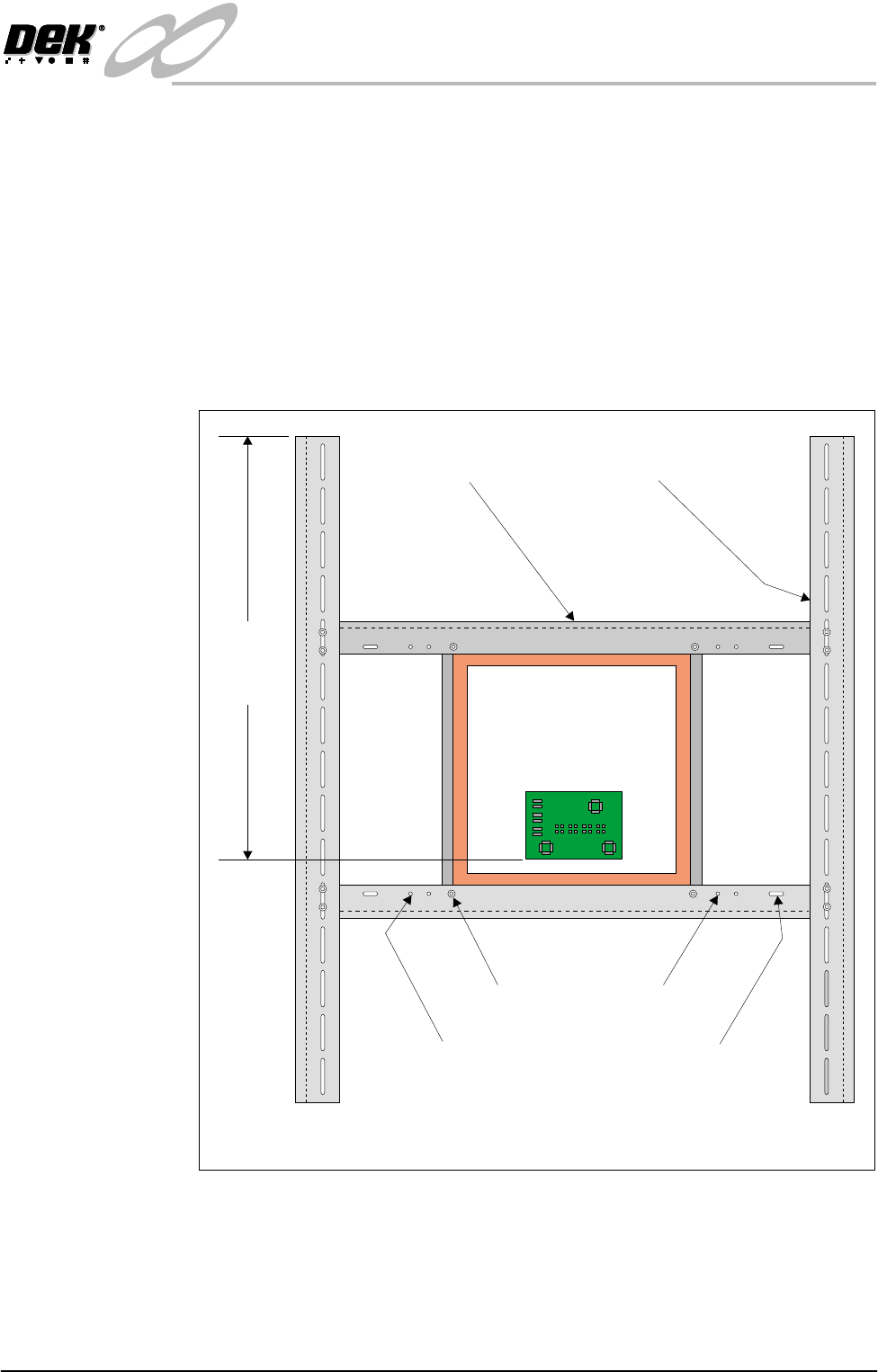
Adaptor Assembly To assemble the frame adaptor and position the screen in the adaptor proceed as
follows:
1. Position the screen on the centre rails locating the correct fixing holes. The
screen fits under the centre rails.
2. Secure the screen to the rails using the 4 cap screws.
3. Position the screen and centre rails on the side rails, adjust to achieve the
dimension of 622mm. The centre rails fit under the side rails.
4. Secure the centre rails to the side rails using the 8 cap screws.
5. Check the dimension of 622mm, adjust if necessary.
Figure 26-1 Universal Screen Adaptor
12x12(12x17)
Centre Rail
17x17(17x12) 20x20
DEK 240\260
15x15
Side Rail
Plan View on Adaptor Showing Frame Fixing Positions
622.0mm
+/- 1.0mm
(See Note)
INFINITY
EX
SCREENS AND SCREEN IMAGES
IMAGE POSITIONING
26.4 Technical Reference Manual Chapter Issue 1 Mar 01
IMAGE POSITIONING
To allow the screen printer to be set up consistently, it is important that the image
in the screen frame is accurately positioned.
The screen image can be either centre or front justified.
The Figures on the following pages, show the required dimensions.
It is imperative that the image is placed squarely in the screen frame within the
given dimensions.
At the end of this section an example is given for artwork positioning of a front
justified image on a DEK 265 screen frame.
Image Positioning
Data
The position of the image on the screen is accessed using information from the
product file created by the operator and from data stored during machine
configuration.
The information required to set the correct position is as follows:
Image Justification
Centre Justified The image is positioned on the screen such that the centre of the board coincides
with the centre of the screen as indicated in the figure DEK Screen - Centre
Justified.
Front Edge Justified The image is positioned on the screen such that the front edge of the board is as
indicated in the figure DEK Screen - Front Edge Justified.
Y Axis Positioning The important dimension to adhere to is the position of the artwork in the Y
direction. This dimension shows the position of the inner edge of the front rail
relative to the outer edge of the screen frame when the screen parameters are set.
On most artwork there are usually corner alignment marks showing the board
outline. These can be used to specify the positioning of the artwork relative to
the outer edge of the screen frame.
All dimensions are specified to ±1mm.
It is usual practice to measure from the nearest pad to the edge of the board and
to specify which pad the dimension has been measured.
X Axis Positioning The artwork is positioned centrally on the board therefore positioning of the
artwork in the X direction is achieved by placing the centre of the image about
the centre of the screen frame. This position should be specified to ±1mm.
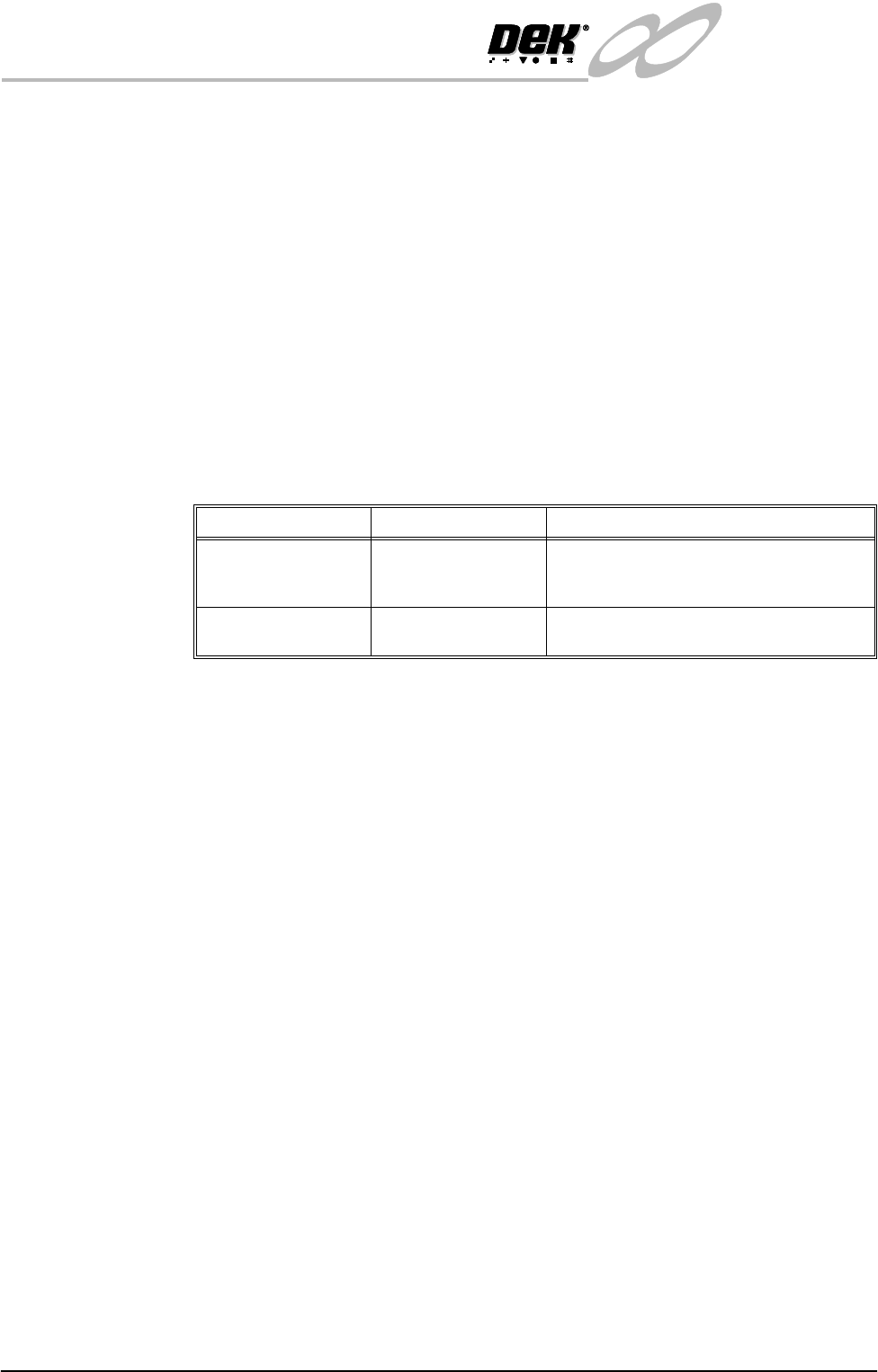
Parameter Options Accessed
Screen Type DEK 265 - 29
″x 29″
DEK 249/UIC Fuji
4000 Sanyo
Entered in the Set Preferences option of the
Maint. function.
Image Justification Centre Justified or
Edge Justified
This parameter is programmed into each
particular board file for each product.