Infinity EX Screens and Screen Images.pdf - 第8页
INFINITY EX SCRE ENS AN D SCRE EN IM AGES SCREEN FI DUCIAL MA INTEN ANCE 26.8 Technical Reference Manu al Chapter Issue 1 Mar 01 SCRE EN FIDUCIAL MAINTE N ANCE General As the vision syst em relies on good contrast betwee…
INFINITY
EX
SCREENS AND SCREEN IMAGES
IMAGE POSITIONING
Chapter Issue 1 Mar 01 Technical Reference Manual 26.7
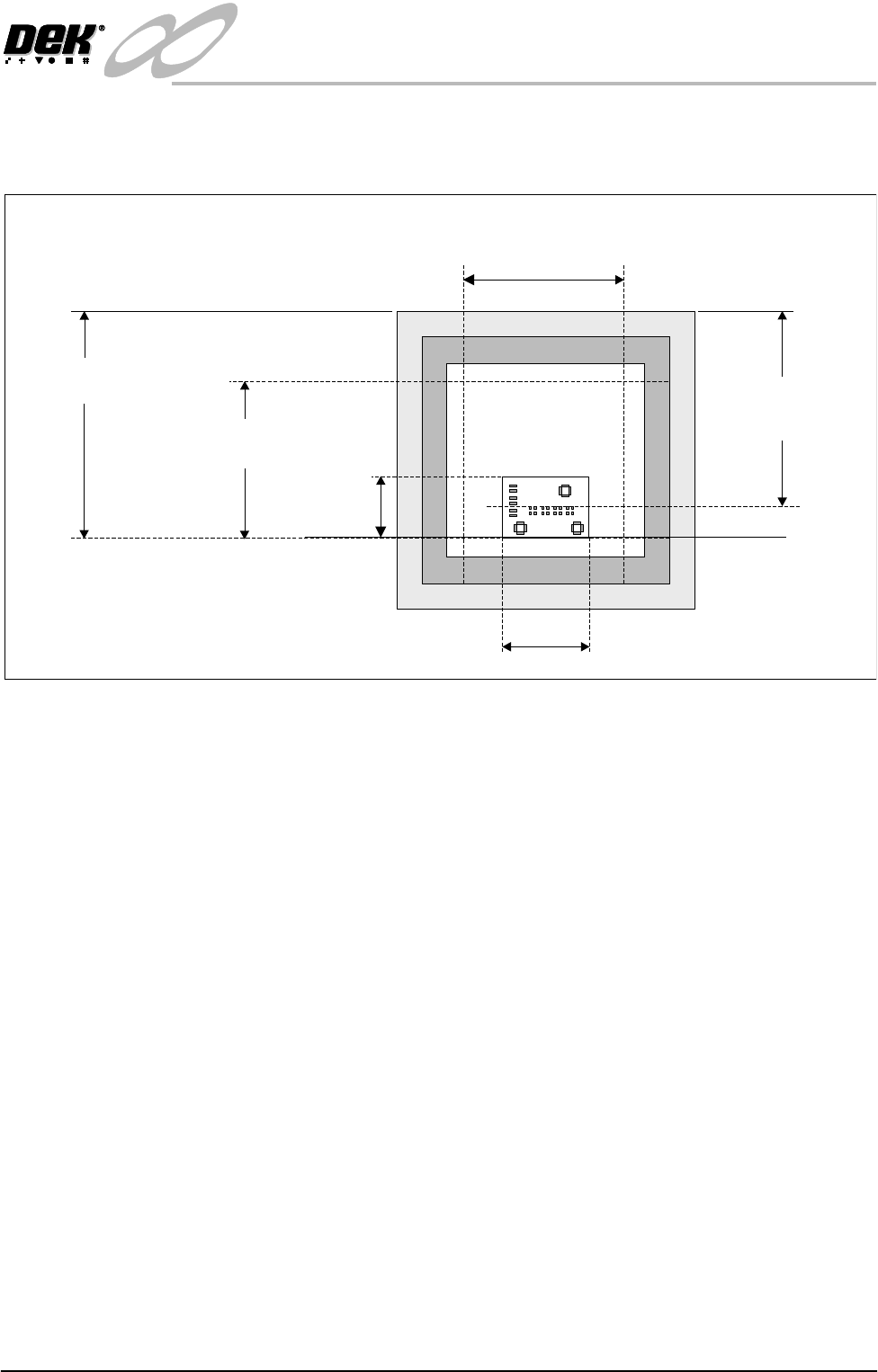
The following figure shows the Custom Screen parameters relative to a screen
frame.
Figure 26-4 Custom Screen Parameters
Board Length
Print Area Width
(maximum board length)
Distance To Image
(When centre justified)
Distance To Image
(When front justified)
Board
Width
Front Rail
Print Area Length
(maximum board width)
INFINITY
EX
SCREENS AND SCREEN IMAGES
SCREEN FIDUCIAL MAINTENANCE
26.8 Technical Reference Manual Chapter Issue 1 Mar 01
SCREEN FIDUCIAL MAINTENANCE
General As the vision system relies on good contrast between the fiducial and the screen
material (brass or stainless etc) it is required to maintain this contrast so as to
enable consistent fiducial location. The contrast deteriorates each time the
screen is cleaned depending on the type of solvent used and the type of screen
used. To reduce the deterioration periodic burnishing is required.
If the fiducial has eroded over a period of time, a fiducial fill and screen
burnishing are required.
To determine the maintenance period and or fiducial erosion, the contrast has to
be evaluated. The main objective is to establish a contrast deterioration to
screenwash cycle rate.
CAUTION
AQUEOUS WASHING SYSTEMS. If using an aqueous washing system
with a suponifyer the PH level must not rise above 11 or the fiducials
deteriorate rapidly due to corrosive action.
Fiducial Filling 1. Remove carefully any existing filler from the fiducials. This can be done
using a pin and a magnifying glass.
CAUTION
EXCESSIVE FORCE. As the screens are extremely delicate and the
fiducial is half etched, any excessive force causes damage to the screen by
creating a pip on the top side. Also ensure that no damage to the fiducial
perimeter occurs.
2. Remove any debris from the fiducial recess using a clean moisture free air
supply. Do not use any type of solvent to clean this area as a residue may be
left inside causing poor adhesion of the filler.
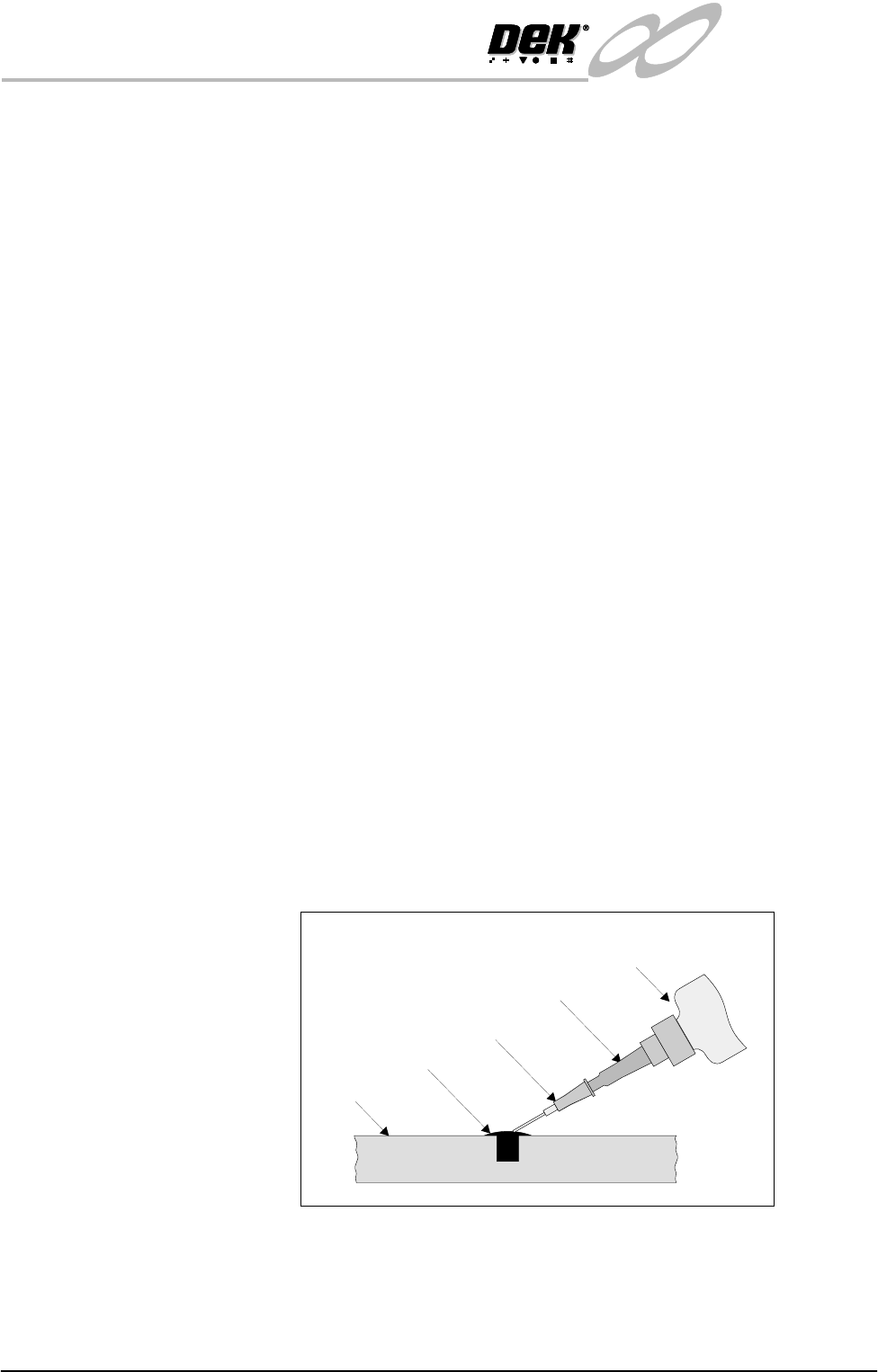
3. Fill the Fiducial recess with the filler using the applicator as shown below.
Due to the nature of the filler, complete all filling as the filler compound may
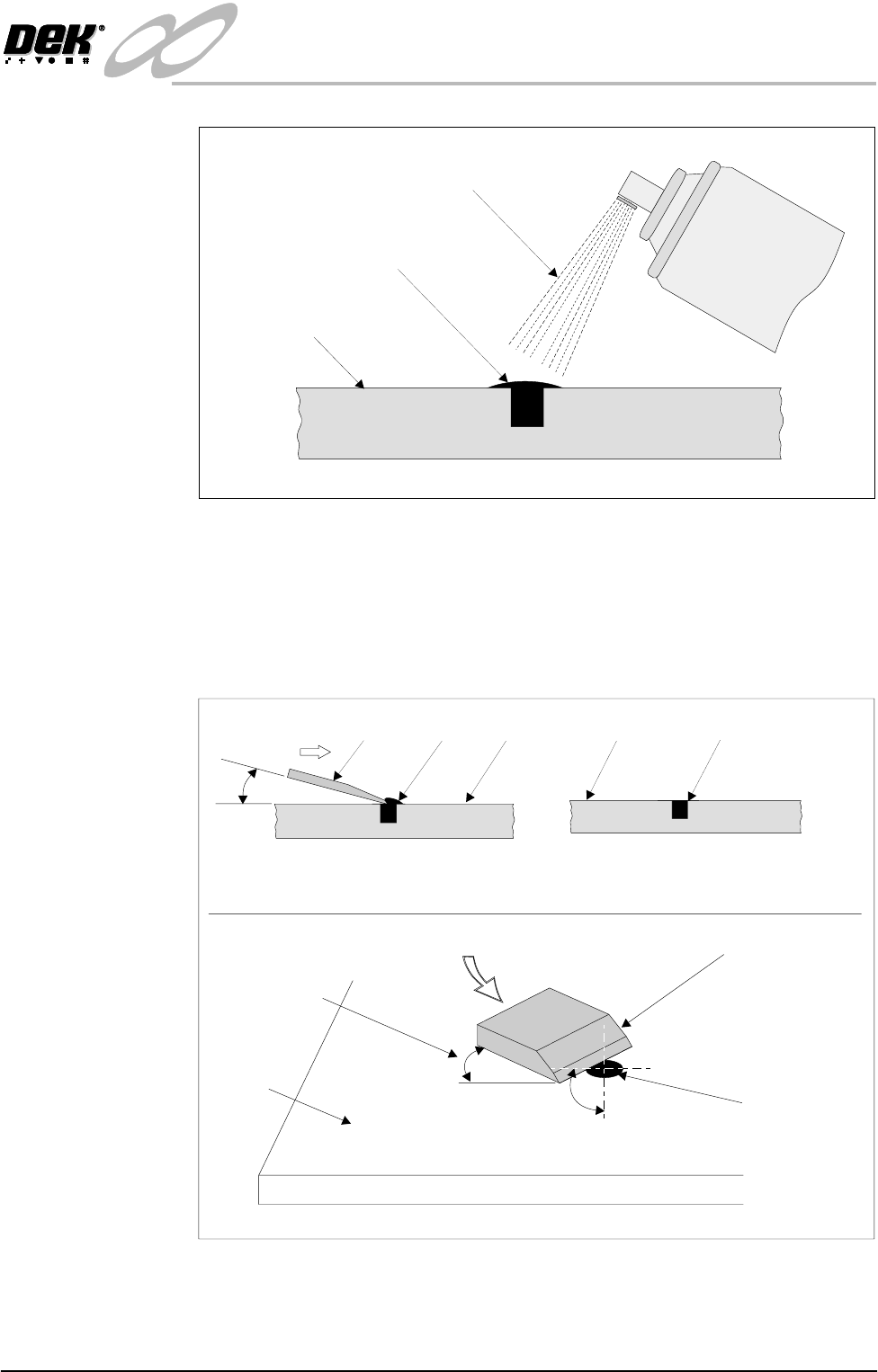
set in the applicator. Spray on the activator and allow to cure for 2-3 minutes.
4. Dispose of applicator with care and recap filler bottle immediately after use.
Figure 26-5 Fiducial Filler Application
Applicator
Stencil
Filler
Filler Nozzle
Black Tak
Filler Container
INFINITY
EX
SCREENS AND SCREEN IMAGES
SCREEN FIDUCIAL MAINTENANCE
Chapter Issue 1 Mar 01 Technical Reference Manual 26.9
Figure 26-6 Fiducial Activator Application
5. Using a sharp blade remove the excess filler so that it is flush with the screen
surface, as shown in the Figure called Pairing the Filler.
CAUTION
SCORING SCREEN. Care must be taken not to score the screen surface
Figure 26-7 Pairing the Filler
Stencil
Filler
Spray
ACTIVATOR
StencilBlade Filler
Removal of Excess Filler
(see View Below)
Stencil Filler Flush with
Stencil Surface
Excess Filler Removed
20 Deg
Removing Excess Filler
45 Deg
20 Deg
Slicing Action of Blade Across Filler
Angle of Blade
from Stencil
Stencil
Filler
Scalpel Blade