TM3895.Nonstop Teach and Trace on Pickup Position.pdf - 第3页
Y AMAHA M otor Co. Ltd ., IM Company SMT Software Engineering Grou p MDOC-SOFT50 146 3/7 3. Det a il 3.1 Condition for executing the function This function enables T eac h and Trace of pick up position on a lane stopping…
YAMAHA Motor Co. Ltd.,
IM Company
SMT Software Engineering Group
MDOC-SOFT50146
2/7
1. Introduction
Target models and target versions are as follows.
Target model Target version Remarks
YS24 Dual-Lane mounter
YS24X Dual-Lane mounter
Since VGOS V3.28 R0.200
Table 1.1 Target model and target version
2. Outline
This function enables Teach and Trace of pickup position on a lane stopping or resetting, even
while the other lane is running.
You can use this function on YS24 Dual-Lane mounter and YS24X Dual-Lane mounter with the
following optional functions activated.
*Optional function
- Dual Lane TYPE-1 (Module Stop)
- Dual Lane TYPE-2 (Module Stop)
- Dual Lane TYPE-N (Board Data Change without Stop)
YAMAHA Motor Co. Ltd.,
IM Company
SMT Software Engineering Group
MDOC-SOFT50146
3/7
3. Detail
3.1 Condition for executing the function
This function enables Teach and Trace of pickup position on a lane stopping or resetting, even
while the other lane is running.
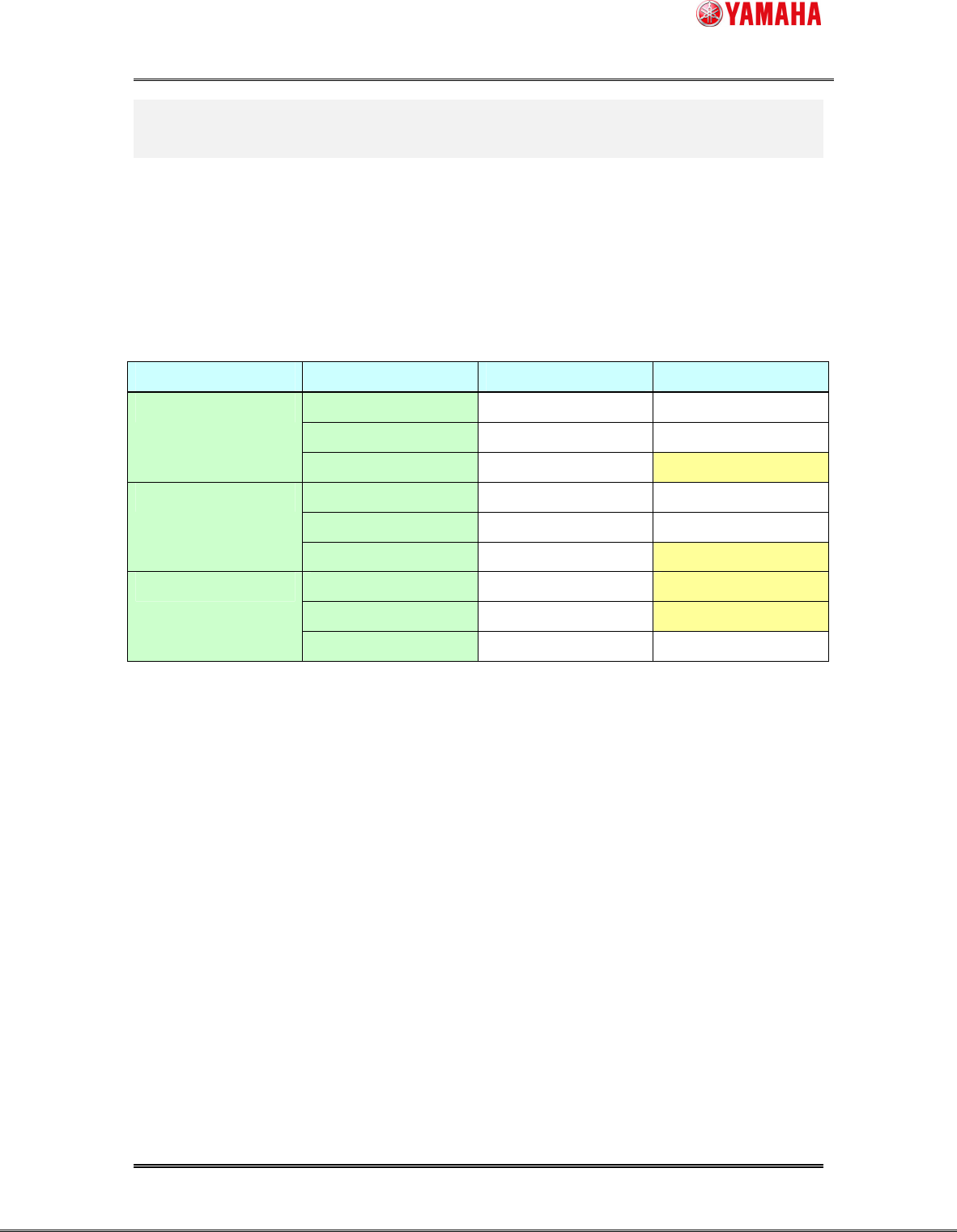
The following “Table 3.1.1” shows availabilities of Teach and Trace with or without this function.
It is a comparison with an existing function.
State of Lane-1 State of Lane-2 Existing function This function
RESET O (both lanes) O (both lanes)
STOP O (both lanes) O (both lanes)
RESET
AUTO. X O (only lane 1)
RESET O (both lanes) O (both lanes)
STOP O (both lanes) O (both lanes)
STOP
AUTO. X O (only lane 1)
RESET X O (only lane 2)
STOP X O (only lane 2)
AUTO.
AUTO. X X
Table 3.1.1 Condition for executing the function
YAMAHA Motor Co. Ltd.,
IM Company
SMT Software Engineering Group
MDOC-SOFT50146
4/7
3.2 Operation procedure
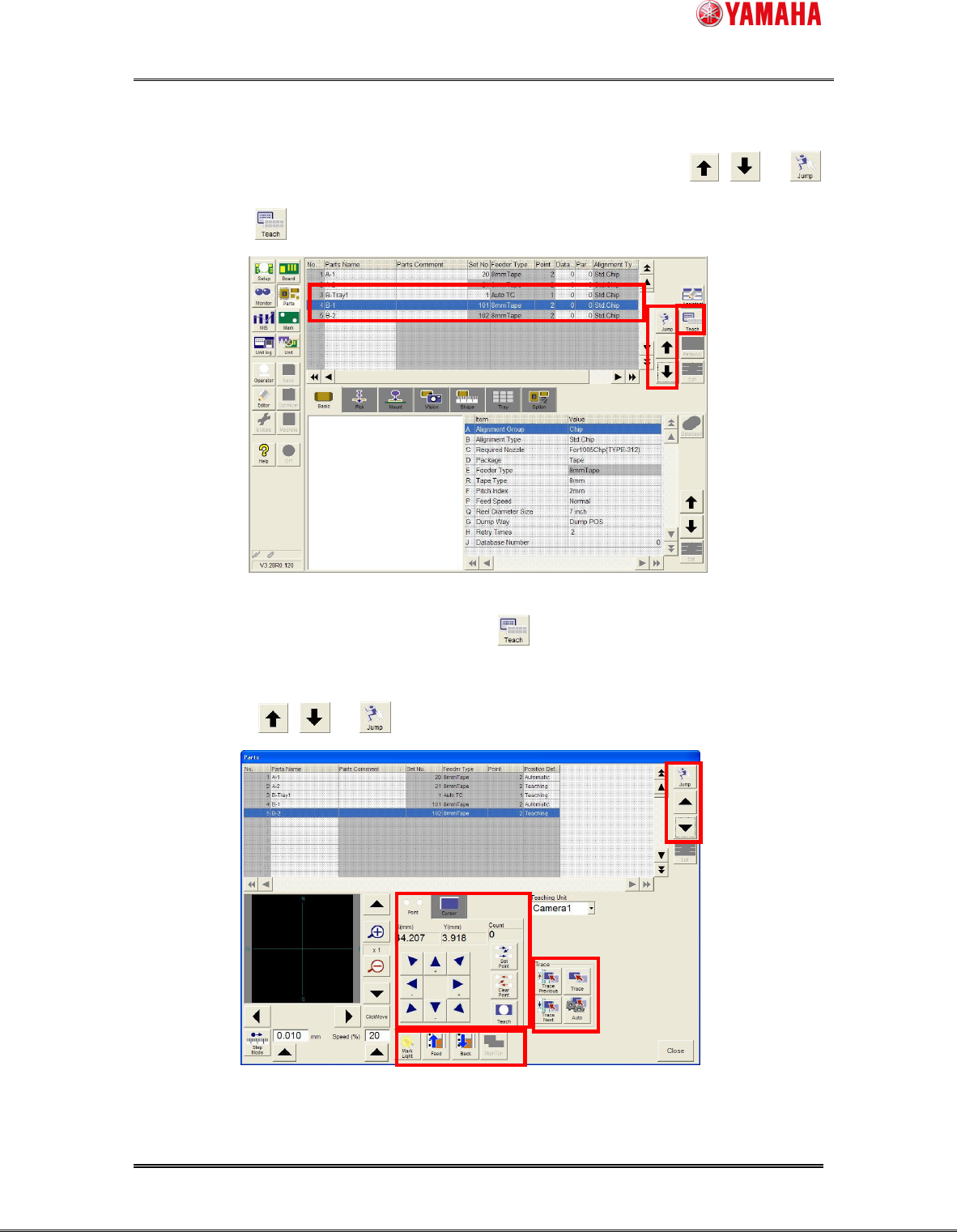
1) On the [parts] window, select parts on a lane in a STOP or RESET state by , or
button, then the button can be clicked.
Fig. 3.2.1 Parts window
2) The [parts Teach] window opens by clicking the button. (See Fig. 3.2.2)
Axis moving, Teach or Trace can be operated on this window.
Please push the , or button if you want to select parts.
Fig. 3.2.1 Parts teach window (Feeder parts)