Printer 710_810 v8 Squeegee Module.pdf - 第6页
SQUEEGEE M ODULE REP LAC EMEN T PR OCE DURE S 9.6 Technical Reference Manual Chapter Issue 8 Oct 06 6. Open the lock ing clip sec uring the t ransfer head to the pressure mec hanism and caref ully sli de the tr ansfer he…
SQUEEGEE MODULE
REPLACEMENT PROCEDURES
Chapter Issue 8 Oct 06 Technical Reference Manual 9.5
REPLACEMENT PROCEDURES
ProFlow to
Squeegees
Instances may occur when the machine is required to print using the squeegee
module configuration. The following procedure details how to revert the
machine from ProFlow use to the squeegee configuration:
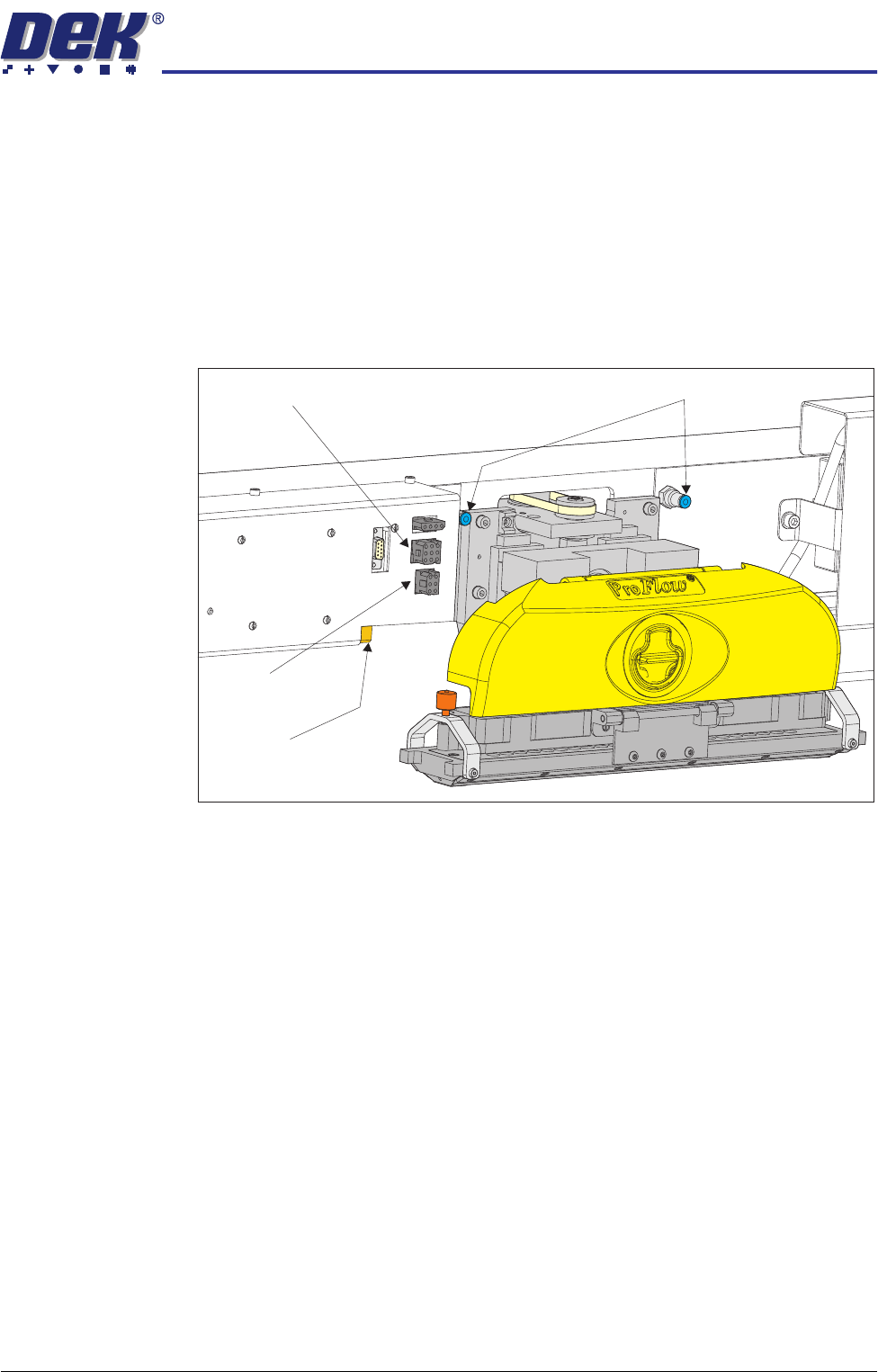
Removing ProFlow 1. In Diagnostics ensure that the ProFlow unit is homed. Position the print
carriage so that unit removal and fitting is carried out within easy reach.
2. Close the DEK program and switch the mains isolator to OFF.
3. Disconnect both curly air lines from the self-seal pneumatic connectors
situated either side of the ProFlow printhead mechanism.
4. Disconnect the three ProFlow mechanism connectors from the print car-
riage, left hand side:
• ProFlow Motor
• Home Sensor
• ProFlow Paste Level Sensor (if Time to Go is enabled, an amplifier is
connected to 9PL61 and the connection is made to 9PL62 on the ampli-
fier).
5. Manually raise the ProFlow pressure mechanism by pulling the latch on the
front of the unit and lifting the mechanism to the fixed raised position.
Pneumatic Connectors
ProFlow Motor
(9SK17)
Home Sensor
(9SK08)
ProFlow Paste Level
Sensor (9PL61)
SQUEEGEE MODULE
REPLACEMENT PROCEDURES
9.6 Technical Reference Manual Chapter Issue 8 Oct 06
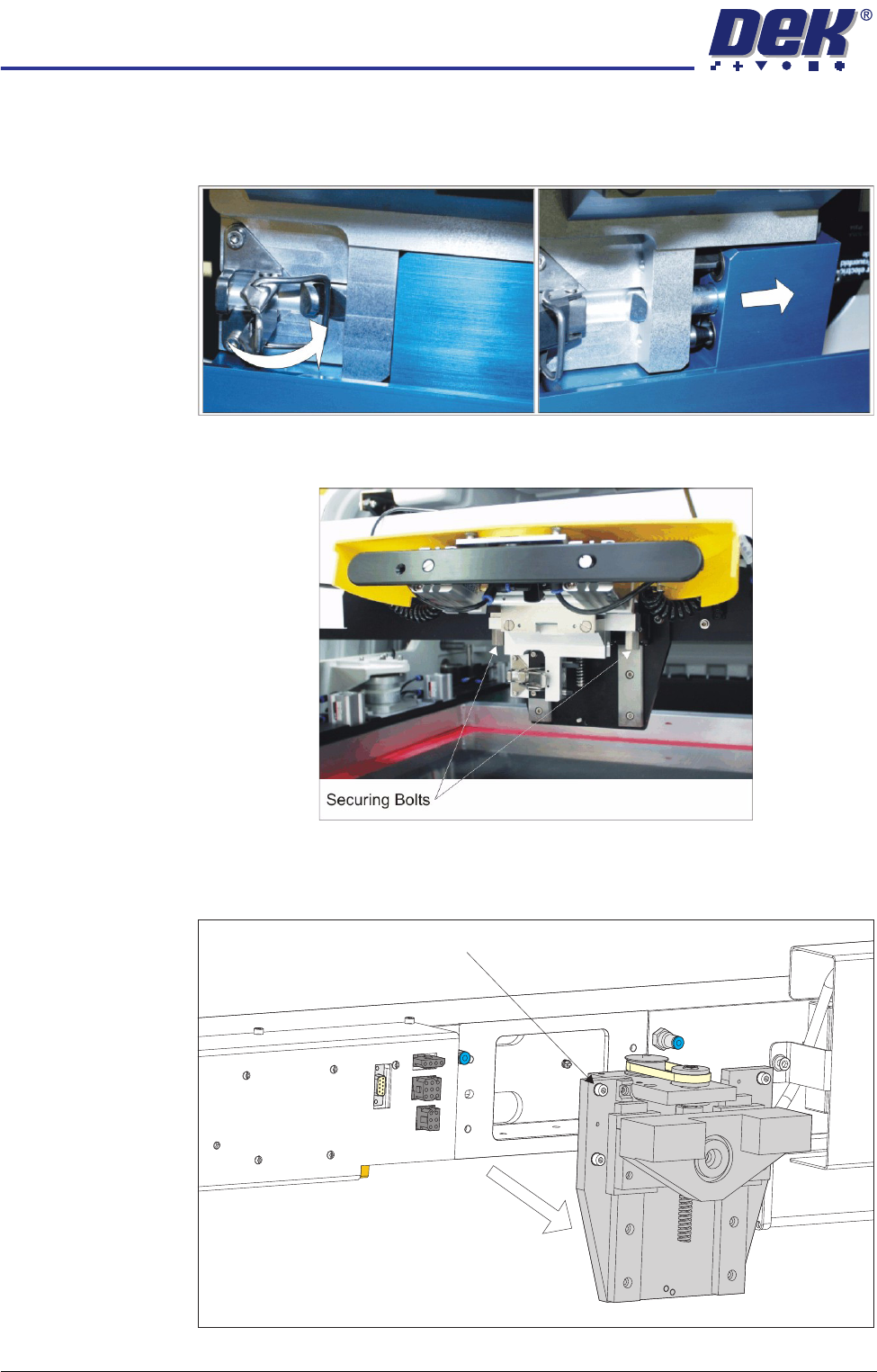
6. Open the locking clip securing the transfer head to the pressure mechanism
and carefully slide the transfer head out and away from the pressure
mechanism as indicated in the figure below.
7. Release the pressure mechanism from the printhead mechanism by
unscrewing the two securing bolts, using a 5mm Allen key.
8. Loosen the four captive screws securing the ProFlow printhead mechanism
to the print carriage using a 4mm Allen key. Carefully remove the mecha-
nism from the print carriage.
Captive Screw (in 4 positions)
SQUEEGEE MODULE
REPLACEMENT PROCEDURES
Chapter Issue 8 Oct 06 Technical Reference Manual 9.7
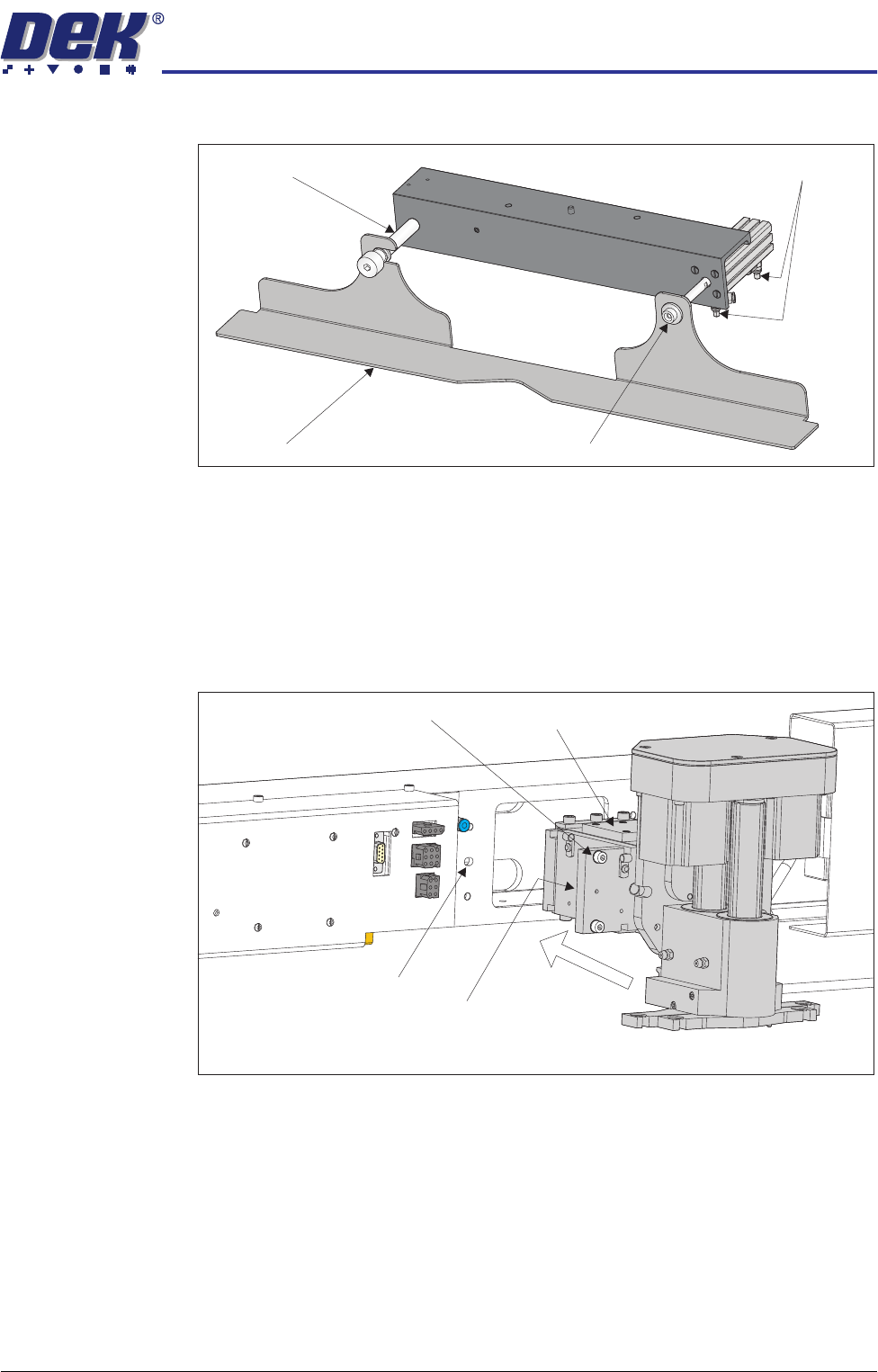
Fitting Drip Tray 1. Slide the slot in the drip tray onto the bearing on the drip tray guide shaft.
2. Secure the drip tray to the actuator piston using the securing screw.
3. Open the speed control valves on the drip tray actuator.
Fitting Squeegee 1. Carefully position the rear of the printhead mechanism (spring beam
assembly) into the print carriage so that both printhead mechanism dowels
locate into the print carriage locating holes. Secure the unit to the print
carriage by means of the four captive screws, ensuring the pneumatic pipe
is not trapped.
Drip Tray
Drip Tray Guide Shaft
Securing Screw
Speed Control Valves
Captive Screw (in 4 positions) Spring Beam Assembly
Locating Dowel
(in 2 positions)
Print Carriage Locating
Hole (in 2 positions)