Printer 710_810 v8 Safety Features.pdf - 第5页
SAFETY FE ATURES GENE RAL Chapter Issue 6 Oct 06 Technical Reference Manual 2.5 GENERAL DEK printi ng machines incorpor ate safety feat ures that provide a safe oper ating environment f or the operator and the machi ne. …
SAFETY FEATURES
MACHINE SAFETY FEATURES
2.4 Technical Reference Manual Chapter Issue 6 Oct 06
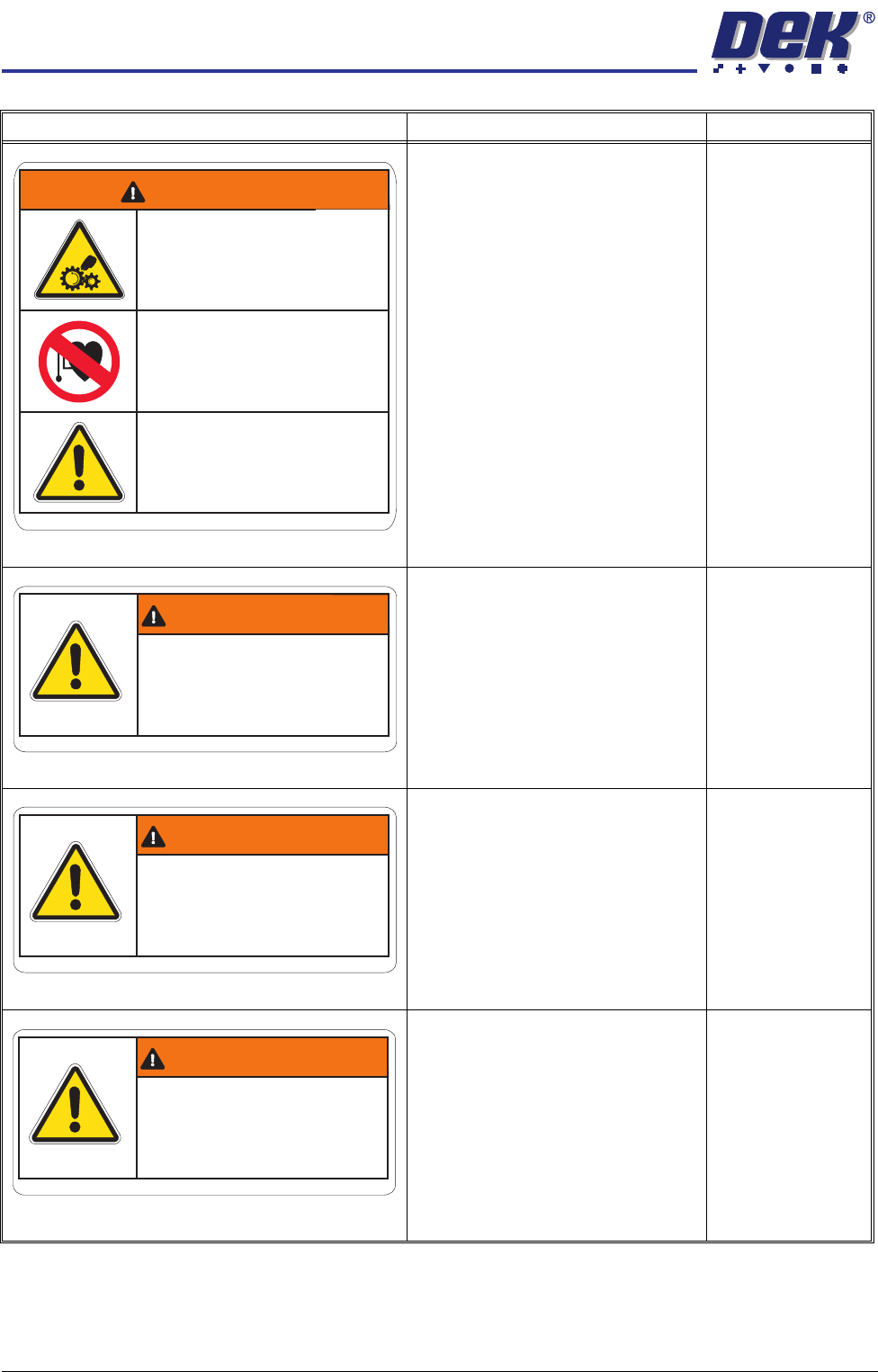
MOVING MECHANICAL PARTS
Removing this cover exposes moving
mechanical parts that have the potential
to cause serious injury. Disconnect and
lock out the system power before remov-
ing this cover. Refer to the Lockout
procedure at the end of this chapter.
STRONG MAGNETIC FIELD
A strong magnetic field exists in the
vicinity of the camera linear motors.
These may represent a serious hazard
to people fitted with a pacemaker.
GENERAL WARNING
Refer to the Operator manual or the front
of this chapter for a list of all warnings
and their definitions.
Right Hand Upper
Side Panel
POTENTIAL HAZARDS
Removing this cover may expose oper-
ators to parts that have the potential to
cause minor injury.
GENERAL WARNING
Refer to the Operator manual or the front
of this chapter for a list of all warnings
and their definitions.
Left Hand & Right
Hand Safety Covers
ELECTRO MECHANICAL HAZARDS
Removing this cover exposes electro-
mechanical parts that have the potential
to cause serious injury. This cover is
only to be removed by trained person-
nel.
GENERAL WARNING
Refer to the Operator manual or the front
of this chapter for a list of all warnings
and their definitions.
Front Cover
ELECTRO MECHANICAL HAZARDS
Removing this cover exposes electro-
mechanical parts that have the potential
to cause serious injury. Disconnect and
lock out the system power before remov-
ing this cover. Refer to the Lockout
procedure at the end of this chapter.
GENERAL WARNING
Refer to the Operator manual or the front
of this chapter for a list of all warnings
and their definitions.
Rear Cover
Warning Definition Location
WARNING
Moving Mechanical PartsMoving Mechanical Parts
Removing covers could result
in serious injury
Removing
covers could result
in
serious injury
Disconnect and lock out system power
before servicing
Disconnect
and lock out system power
before
servicing
Part No. 185499Part
No. 185499
Refer to the Operator and
Technical Reference manuals
Refer
to the Operator and
Technical
Reference manuals
A strong magnetic field exists in the
vicinity of the linear motors
A strong
magnetic field exists in the
vicinity
of the linear motors
Electro Mechanical HazardsElectro
Mechanical Hazards
This may represent a serious hazard
to people fitted with a pacemaker
This
may represent a serious hazard
to
people fitted with a pacemaker
Potential HazardsPotential Hazards
Removing cover may expose
operators to minor injury
Removing
cover may expose
operators
to minor injury
Refer to the Operator manualRefer
to the Operator manual
CAUTION
Part No. 185499Part No. 185499
Electro Mechanical HazardsElectro Mechanical Hazards
Removing cover could result
in serious injury
Removing
cover could result
in
serious injury
Only to be removed by
trained personnel
Only
to be removed by
trained
personnel
WARNING
Part No. 185499Part No. 185499
WARNING
Part No. 185499Part No. 185499
Electro Mechanical HazardsElectro Mechanical Hazards
Removing cover could result
in serious injury
Removing
cover could result
in
serious injury
Disconnect and lock out system
power before servicing refer to
the Technical Reference manual
Disconnect
and lock out system
power
before servicing refer to
the Technical
Reference manual
SAFETY FEATURES
GENERAL
Chapter Issue 6 Oct 06 Technical Reference Manual 2.5
GENERAL DEK printing machines incorporate safety features that provide a safe operating
environment for the operator and the machine.
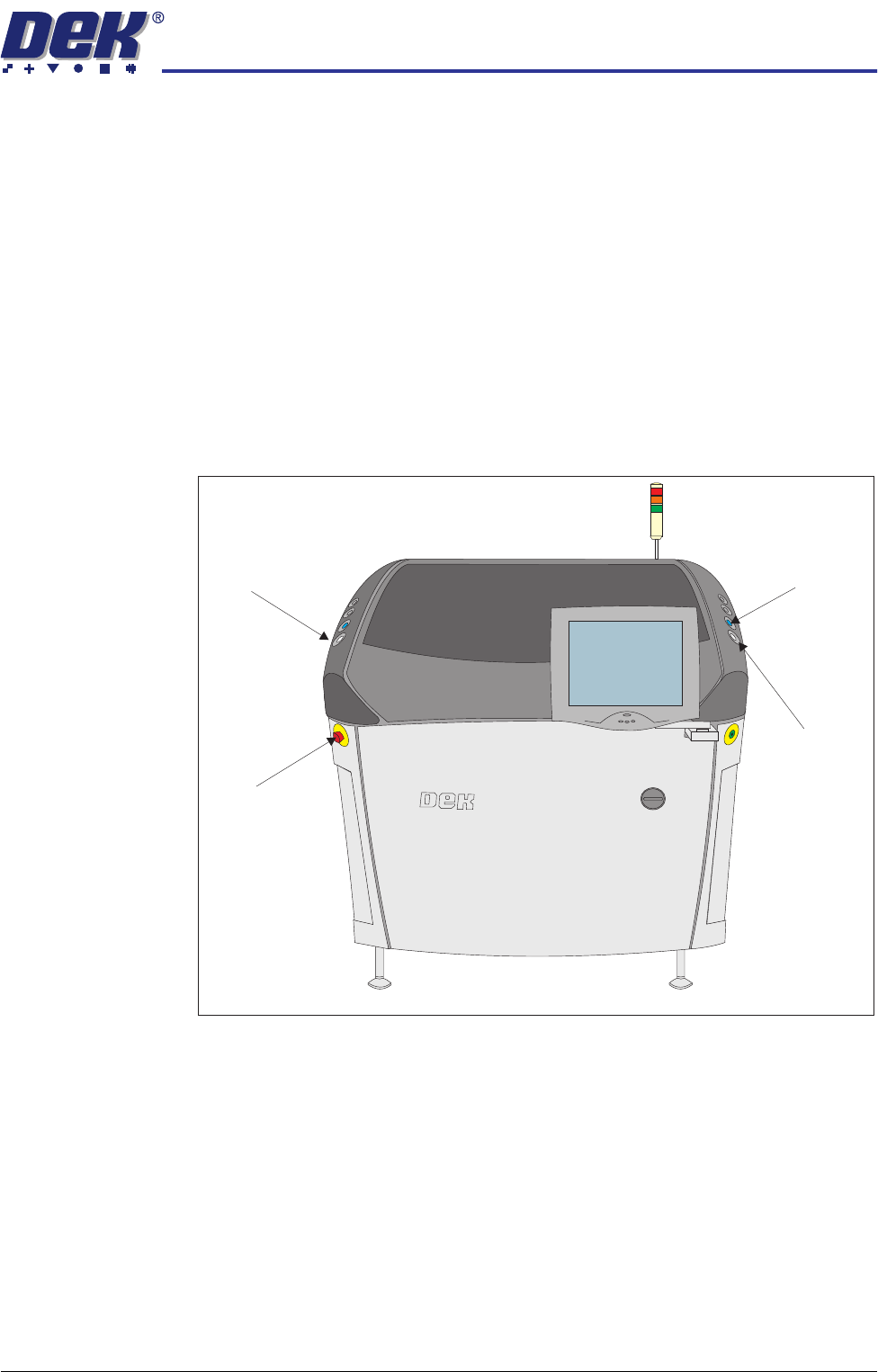
E Stop The machine is fitted with an emergency stop push button control switch (E
Stop) located within easy reach of the operator. Operation of the E Stop initiates
suspension of machine operation.
Covers The printhead cover(s)/shutter is fitted with a cam interlock switch to protect
personnel from internal moving parts. There are four machine cover designs
as follows:
• Sliding Glass Cover
• Gull Wing Covers
• Shutter Cover
• Metal Covers
Figure 2-1 Sliding Glass Cover Design
Left Jog Button System Button
E Stop
Right Jog Button
View on Front of Machine
SAFETY FEATURES
GENERAL
2.6 Technical Reference Manual Chapter Issue 6 Oct 06
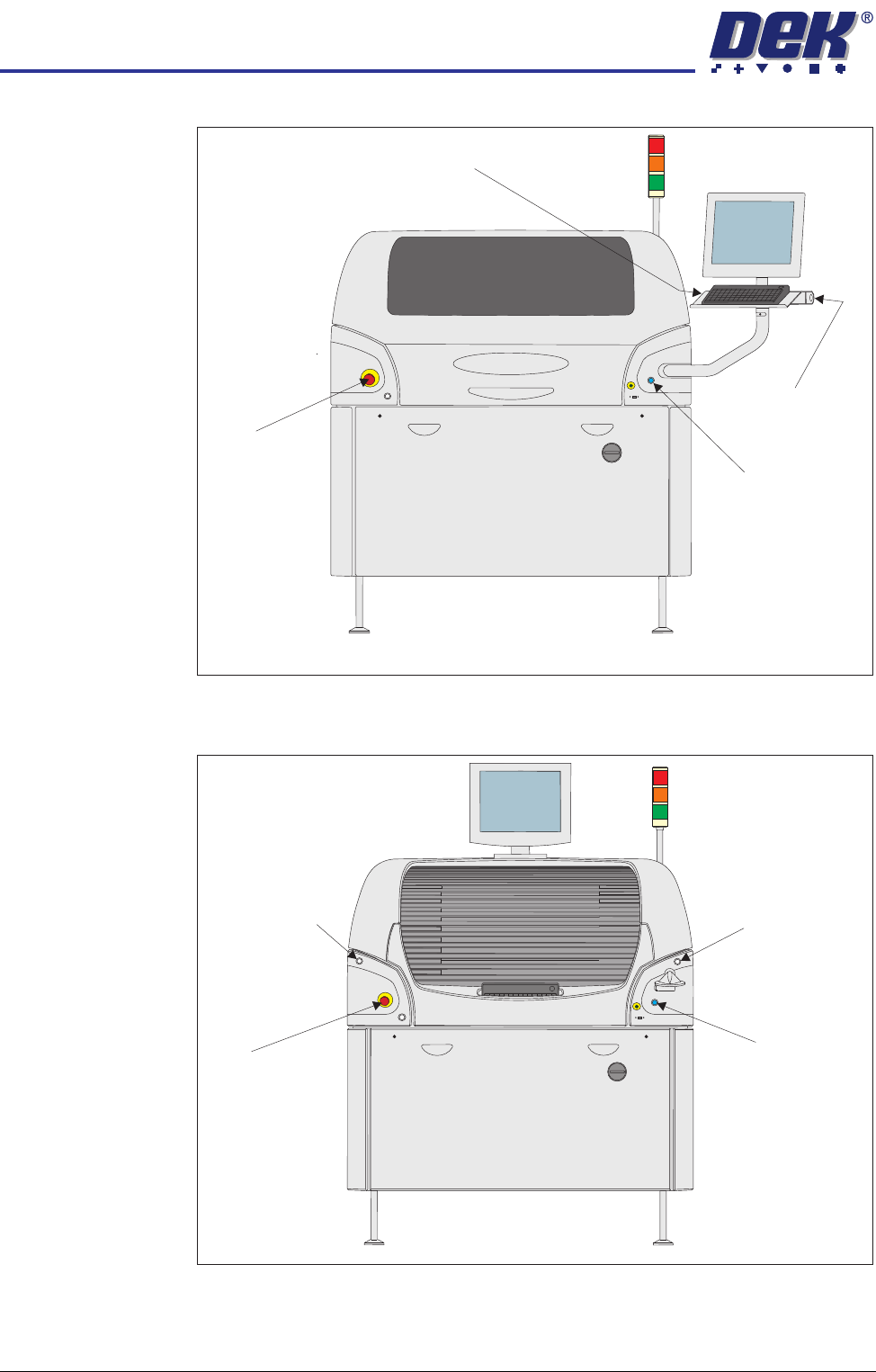
Figure 2-2 Gull Wing Covers Design
Figure 2-3 Shutter Cover Design
Left Jog Button
E Stop
Right Jog Button
System Button
View on Front of Machine
Left Jog Button
E Stop
Right Jog Button
System Button
View on Front of Machine