Printer 710_810 v8 Safety Features.pdf - 第6页
SAFETY FEA TURES GENER AL 2.6 Technical Reference Manual Chapter Issue 6 Oct 06 Figure 2-2 Gull Wi ng Covers Design Figure 2-3 Shutter Cover Desig n Left Jog Button E S top Right Jog Button System Button View on Front of…
SAFETY FEATURES
GENERAL
Chapter Issue 6 Oct 06 Technical Reference Manual 2.5
GENERAL DEK printing machines incorporate safety features that provide a safe operating
environment for the operator and the machine.
E Stop The machine is fitted with an emergency stop push button control switch (E
Stop) located within easy reach of the operator. Operation of the E Stop initiates
suspension of machine operation.
Covers The printhead cover(s)/shutter is fitted with a cam interlock switch to protect
personnel from internal moving parts. There are four machine cover designs
as follows:
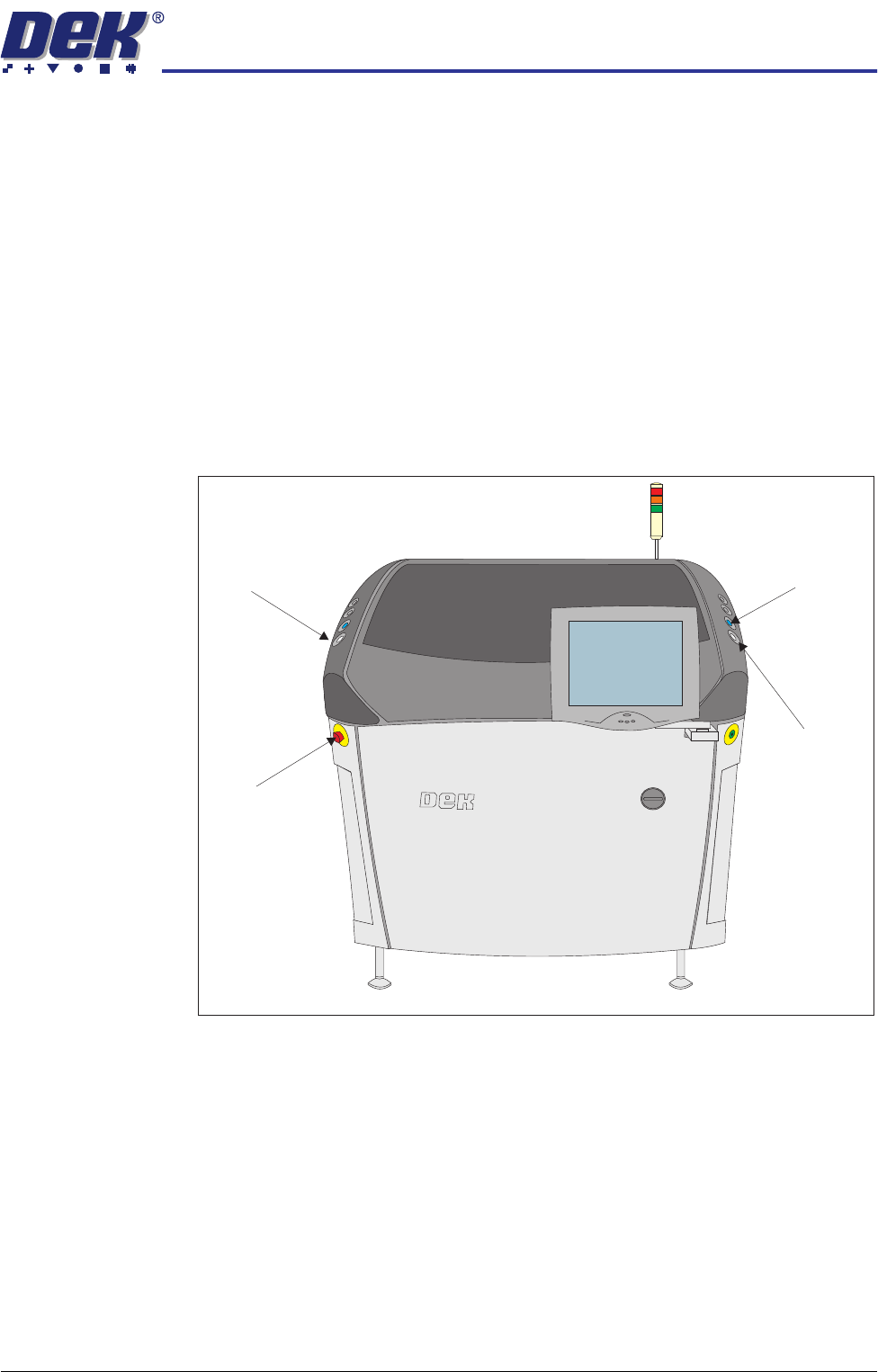
• Sliding Glass Cover
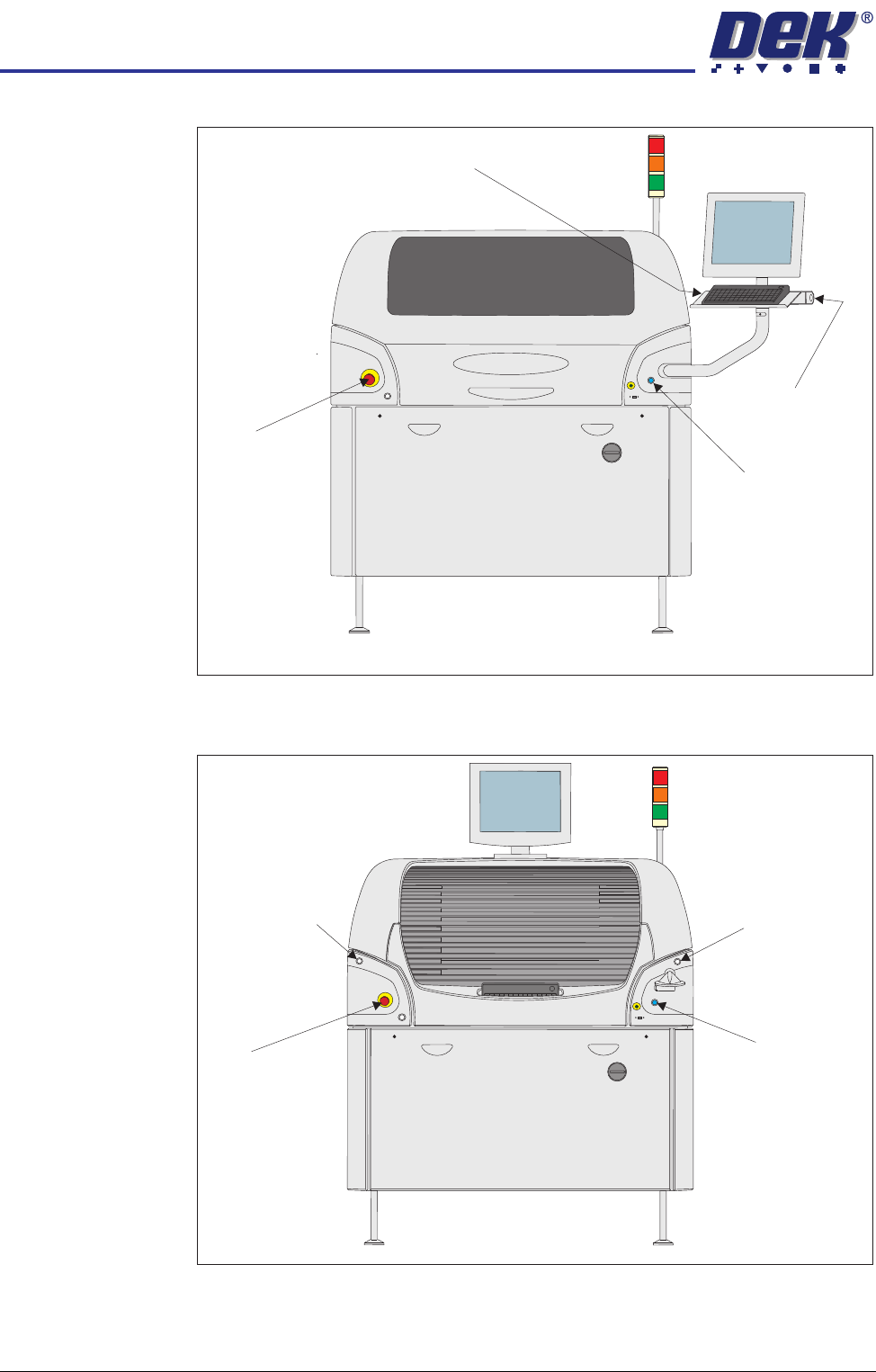
• Gull Wing Covers
• Shutter Cover
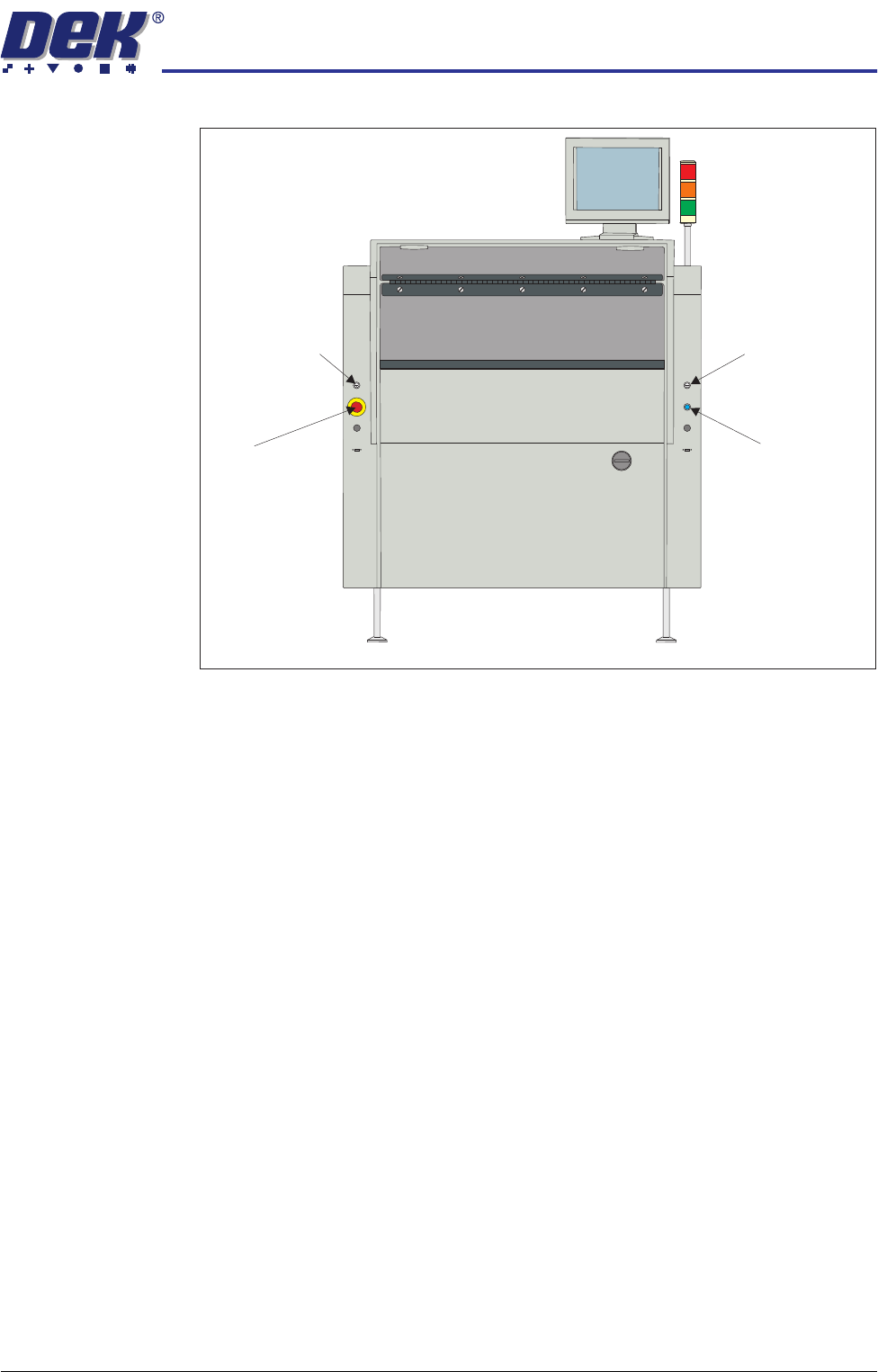
• Metal Covers
Figure 2-1 Sliding Glass Cover Design
Left Jog Button System Button
E Stop
Right Jog Button
View on Front of Machine
SAFETY FEATURES
GENERAL
2.6 Technical Reference Manual Chapter Issue 6 Oct 06
Figure 2-2 Gull Wing Covers Design
Figure 2-3 Shutter Cover Design
Left Jog Button
E Stop
Right Jog Button
System Button
View on Front of Machine
Left Jog Button
E Stop
Right Jog Button
System Button
View on Front of Machine
SAFETY FEATURES
GENERAL
Chapter Issue 6 Oct 06 Technical Reference Manual 2.7
Figure 2-4 Metal Covers Design
Lid Bolt A lid bolt is fitted to all machines to prevent the front printhead cover/shutter
from being raised during the print cycle. The gull wing cover machine has an
extra lid bolt fitted to prevent the rear printhead cover from being raised.
The lid bolt is withdrawn and the printhead cover/shutter may be raised:
• When Open Cover is requested by software
• On completion of a cycle in single step mode
• When pause or stop is selected in auto mode
• When the E Stop is pressed
Left Jog Button
E Stop
Right Jog Button
System Button
View on Front of Machine