TM4754.TM5102.PickupMACS.pdf - 第25页
SMT Software Engineering Group IM Ope ration s Y A MAHA MOTOR CO ., L TD. MDOC-SOFT50 177 25 /25 Check po in ts of each para m eter are as foll ows. 1. [Available] is [Use]. 2. [Max Sa mple N um.] is [20]. 3. [Ignore L…
SMT Software Engineering Group
IM Operations YAMAHA MOTOR CO., LTD.
MDOC-SOFT50177
23/25
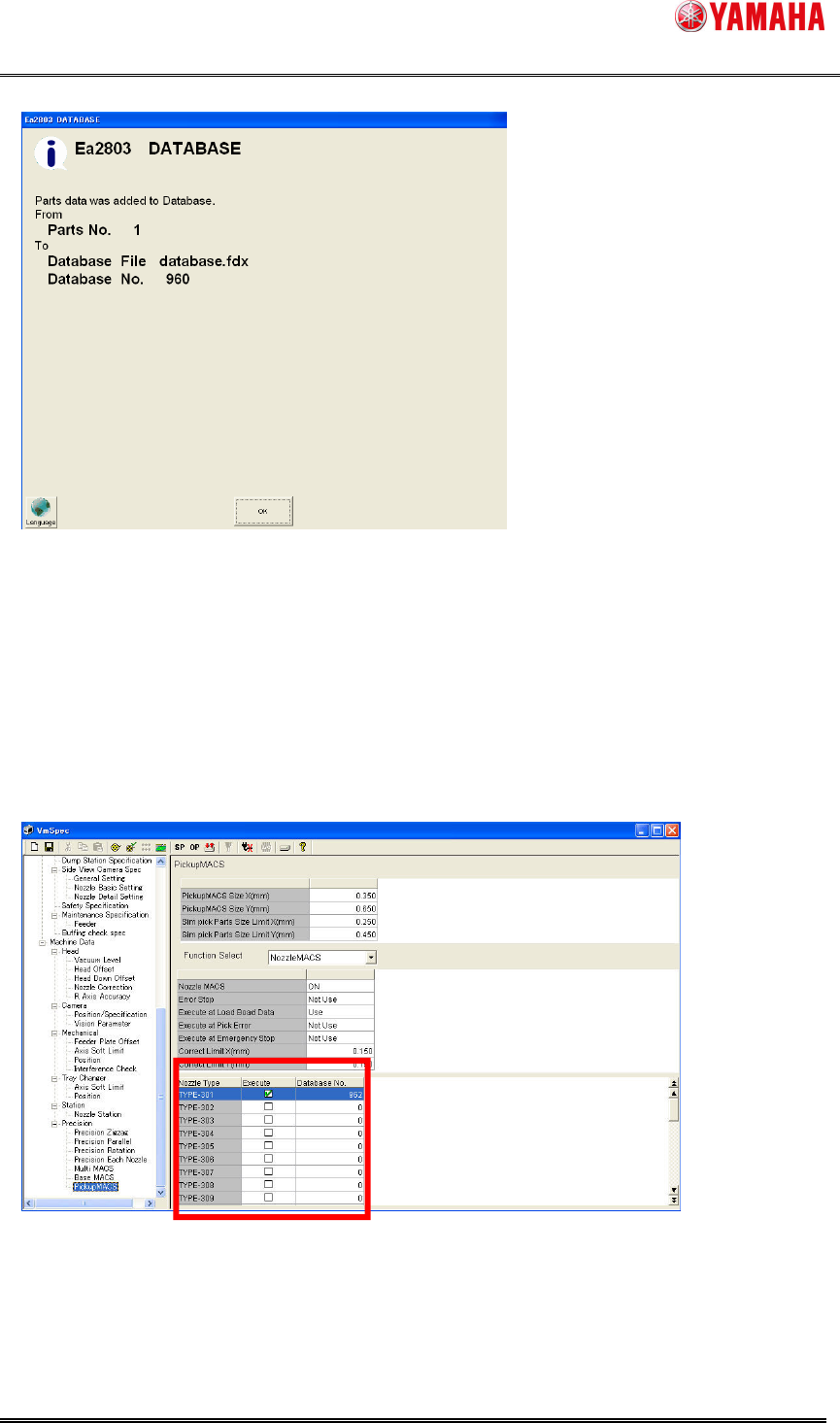
(7) Dialog showing the data registration completed. Press the [OK] button.
(8) Check that part data exists on [Part database overview]. Repeat (3) to (7) to register all
target nozzles into the database.
(9) Next, reflect the registered parts database to the setting of Nozzle MACS. Press the
[Machine] button to open the machine setup dialog.
(10) Select [Machine] - [Setting] - [Machine Data] - [Precision] - [Pickup MACS]. Select
“Nozzle MACS” from the combo box.
(11) Check [Execute] of the target nozzle type. Input the registered database number into
[Database No.]. Do this for all target nozzles.
(12) Save and read the board data again.
How to setting of Feeder MACS mark data and setting of Nozzle MACS mark data is end.
SMT Software Engineering Group
IM Operations YAMAHA MOTOR CO., LTD.
MDOC-SOFT50177
24/25
6.3. Using with Pick Position Correct (*1)
This function is recommended with [Pick Position Correct] function. It is more effective to use
these functions together.
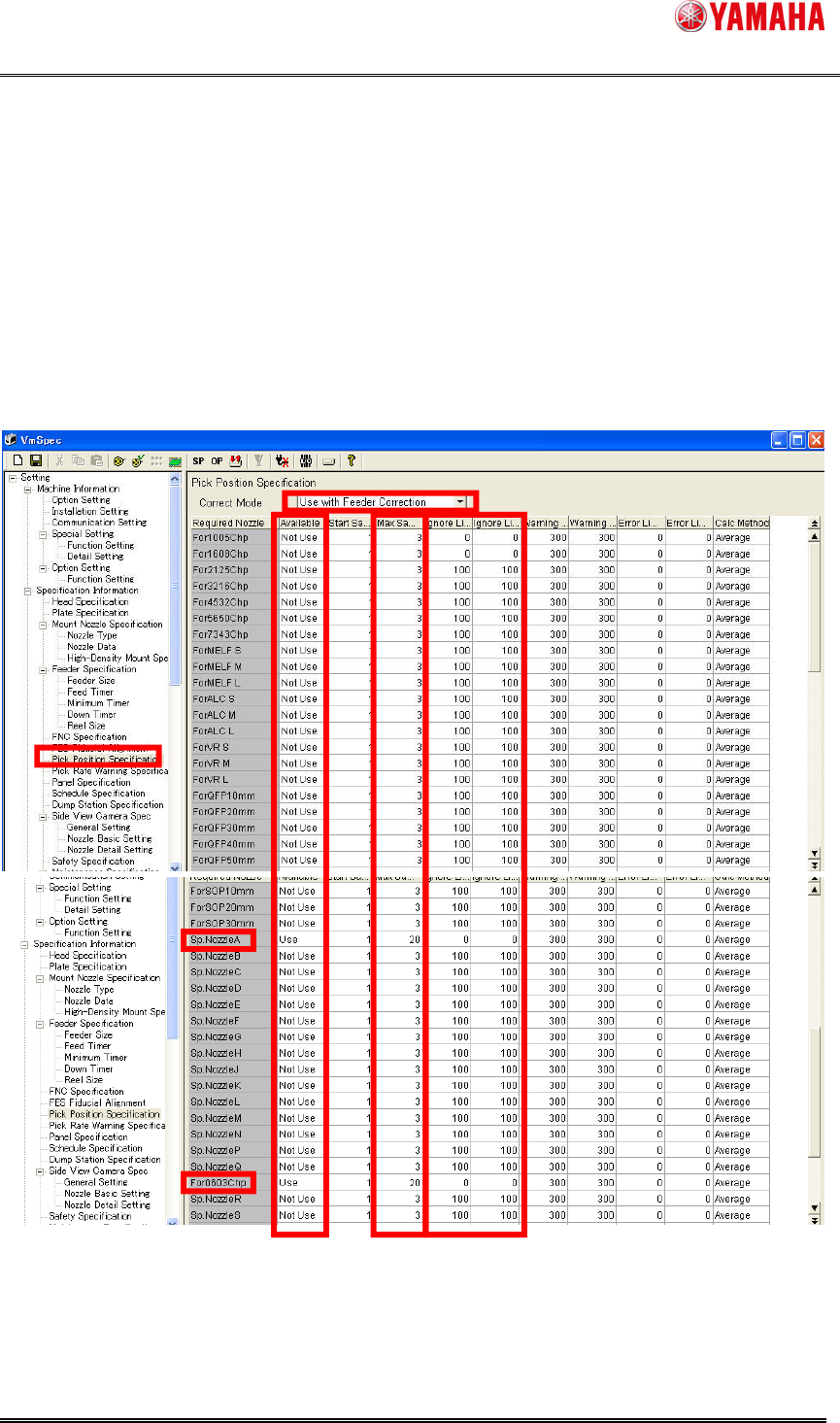
Recommended settings to use [Pick Position Correct] function are as follows.
(1) Open the [VmSpec].
(2) Select [Pick Position Specification].
(3) Select [Use with Feeder Correction] on [Correct Mode].
(4) Input the each parameter of using nozzle type. Recommended parameters are as follows.
In above figure, for 0402 chip nozzle is assumed setting as [Sp. Nozzle A]. And, Pickup MACS
setting is assumed default setting (Target chip size is less than 0603). Therefore,
recommended setting is applied [Sp. Nozzle A] and [For 0603 Chip] in above figure.

SMT Software Engineering Group
IM Operations YAMAHA MOTOR CO., LTD.
MDOC-SOFT50177
25/25
Check points of each parameter are as follows.
1. [Available] is [Use].
2. [Max Sample Num.] is [20].
3. [Ignore Limit X(um)] and [Ignore Limit Y(um)] are [0].
In case of the nozzle type which does not use Pickup MACS function, [Available] is [Not Use].