03253524-01 KPO 2 Closed Loop.pdf - 第11页
2 INSTALLATION 2.6 NETWORK SETUP Standalone Manual Interface To Koh Young KPO 2 08/2021 11 ► Right click on the network adaptor and select Properties . Local Area Connection 8 Network Intel(R) I210 Gigabit Network Conne.…
2 INSTALLATION
2.6 NETWORK SETUP
10 Standalone Manual Interface To Koh Young KPO 2 08/2021
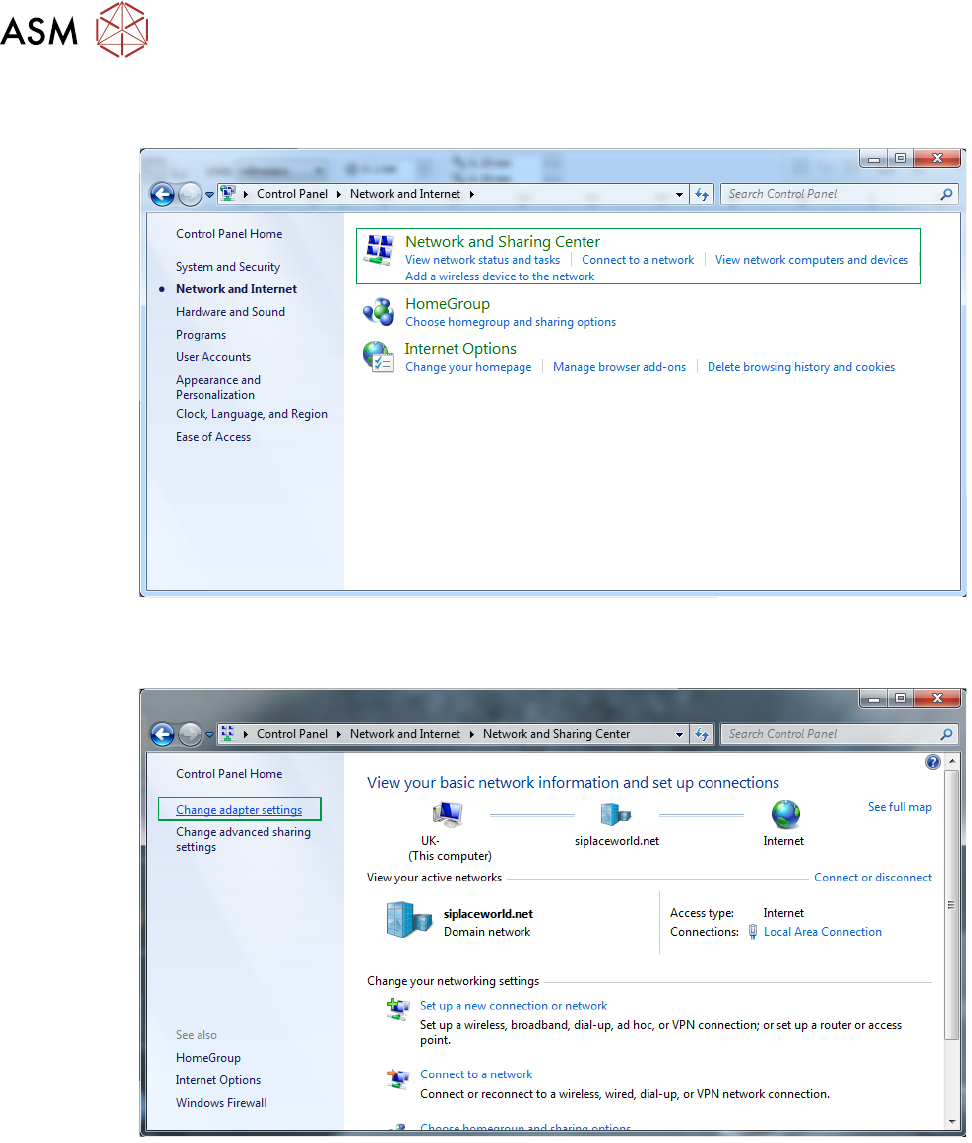
► Select Network and Sharing Center.
► Select Change Adaptor Settings.
DEK Printer
2 INSTALLATION
2.6 NETWORK SETUP
Standalone Manual Interface To Koh Young KPO 2 08/2021 11
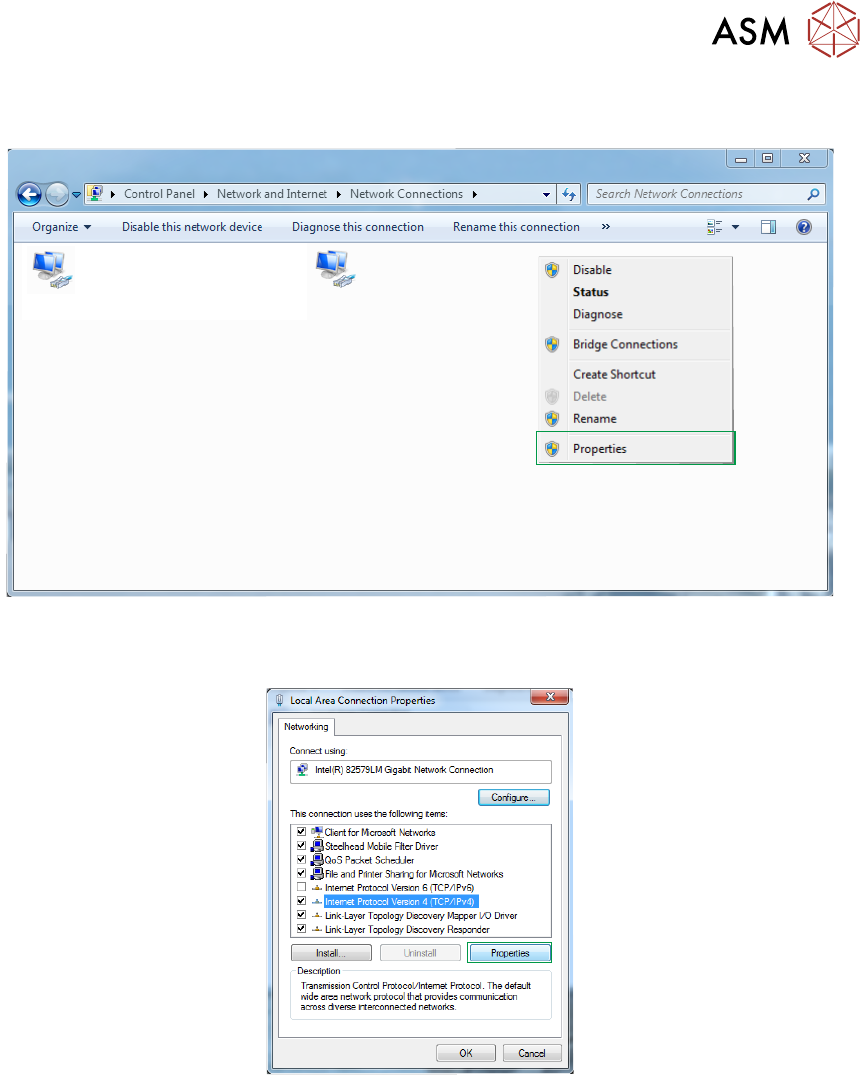
► Right click on the network adaptor and select Properties.
Local Area Connection 8
Network
Intel(R) I210 Gigabit Network Conne...
Local Area Connection 2
Network cable unplugged
Intel(R) Ethernet Connection I217-LM
X
► Scroll down to TCP/IP V4 and select Properties.
2 INSTALLATION
2.6 NETWORK SETUP
12 Standalone Manual Interface To Koh Young KPO 2 08/2021
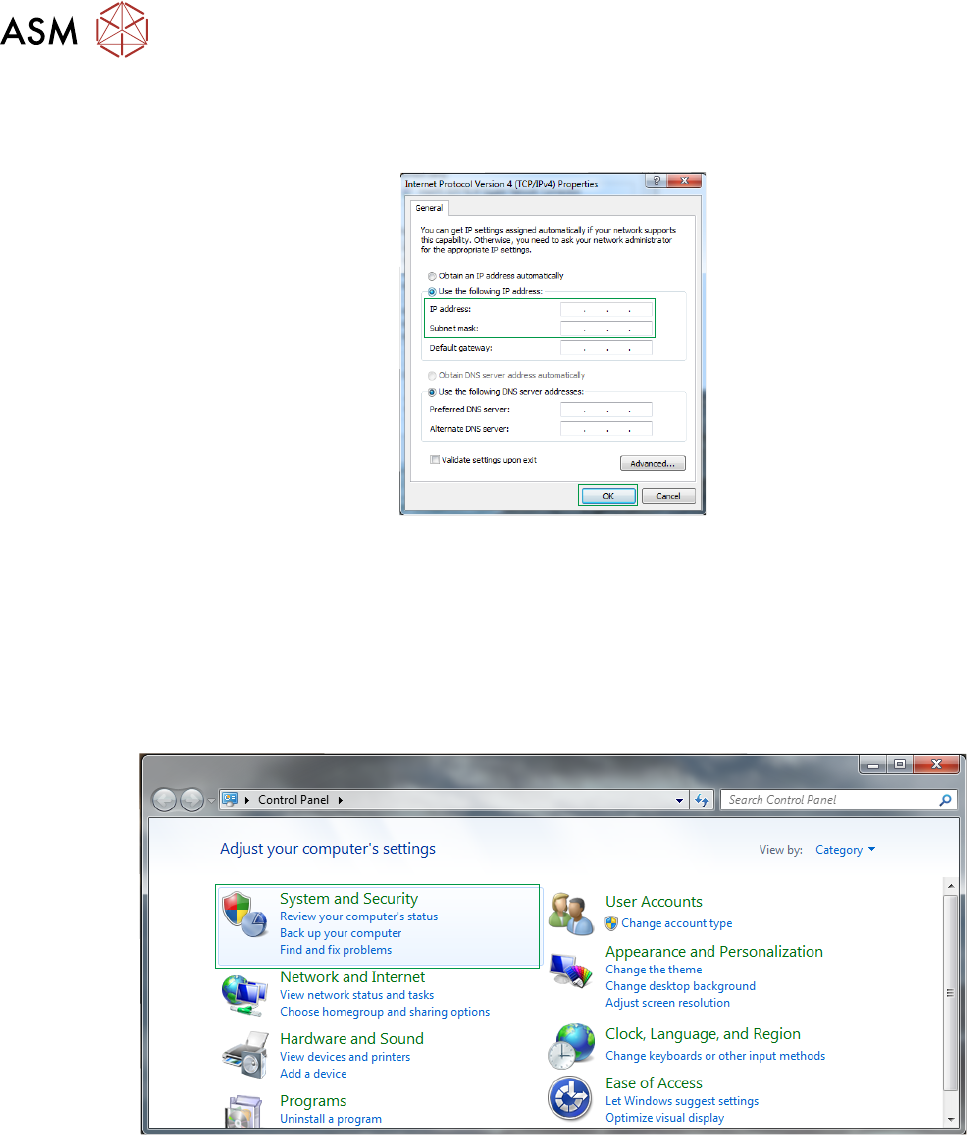
► Select Use the following IP address radio button and enter the IP address and subnet mask
for the printer provided by the customer.
► Select OK.
2.6.2 Disable Printer Firewall
To disable the printer firewall carry out the following procedure:
► Using the Windows Start button, select Control Panel.
► Select System and Security.