Printer 710-810 v9 Covers.pdf - 第22页
COVERS PRINTER COVERS 3.22 Technical Reference Manual Chapter Issue 1 0, Jul 16 Styl e 3 Covers In order to protect personnel and prevent damage to the machine, eight panels are fitted around the base o f the machine. • …
COVERS
PRINTER COVERS
Chapter Issue 10, Jul 16 Technical Reference Manual 3.21
8. Remove the panel.
Sliding Cover The sliding cover is heavy and requires a minimum of two people to lift it away
from its mountings. If the cover needs to be removed; contact ASM Customer
Support Group for further information and the special tools required.
Rear Printhead
Cover
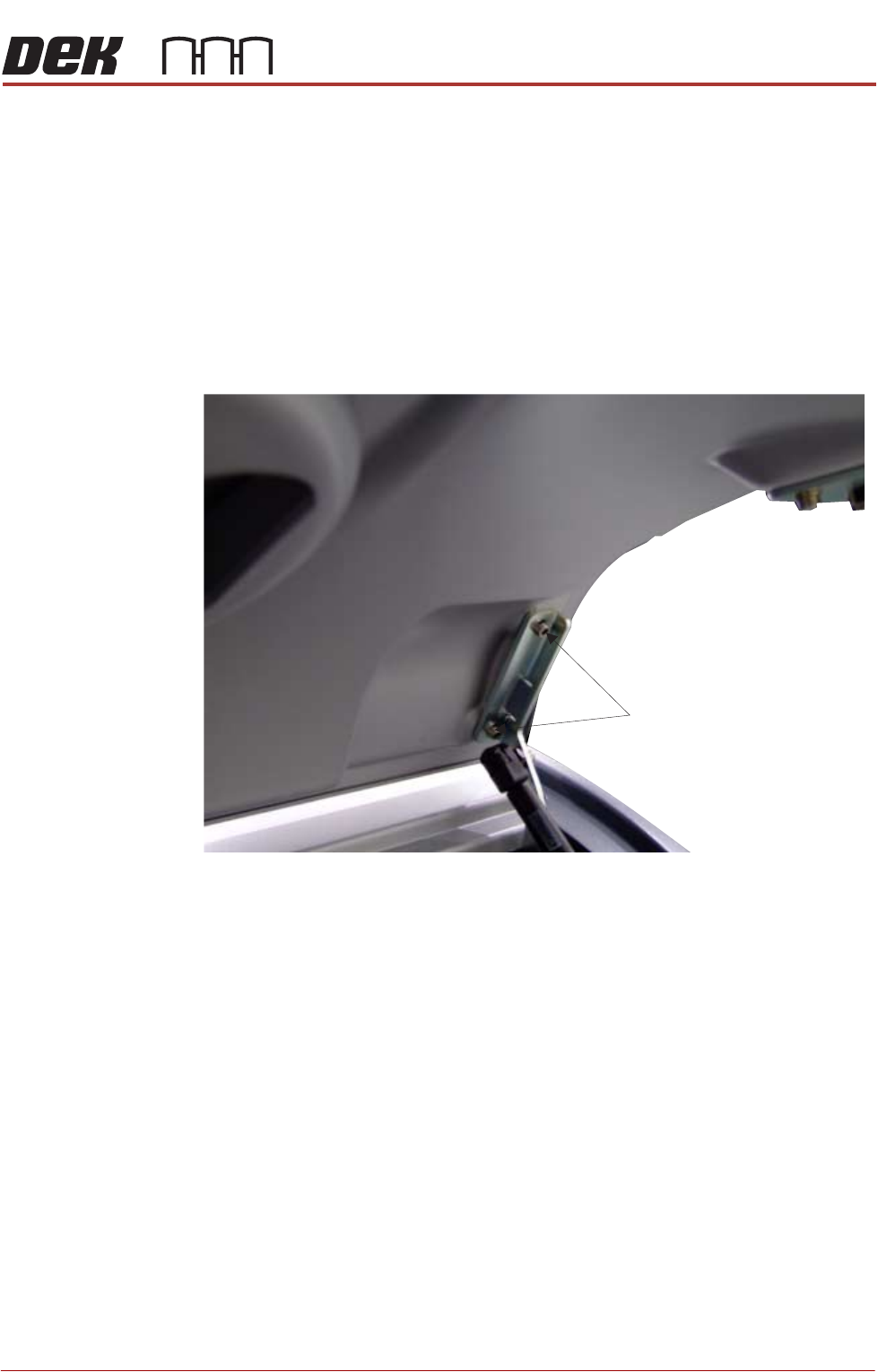
To remove the rear printhead cover:
1. Lift the rear printhead cover.
2. Locate the cover open mechanism.
3. Remove the bracket securing screws from both sides of the lid.
4. Lift the cover away from the printer.
Refitting the Covers NOTE
Before fastening latches ensure that all panels are located on the pins and the
location tabs are fully engaged.
Bracket Securing Screws
View on Right Hand Side of the Cover Assembly
(Cover in the Open Position)
COVERS
PRINTER COVERS
3.22 Technical Reference Manual Chapter Issue 10, Jul 16
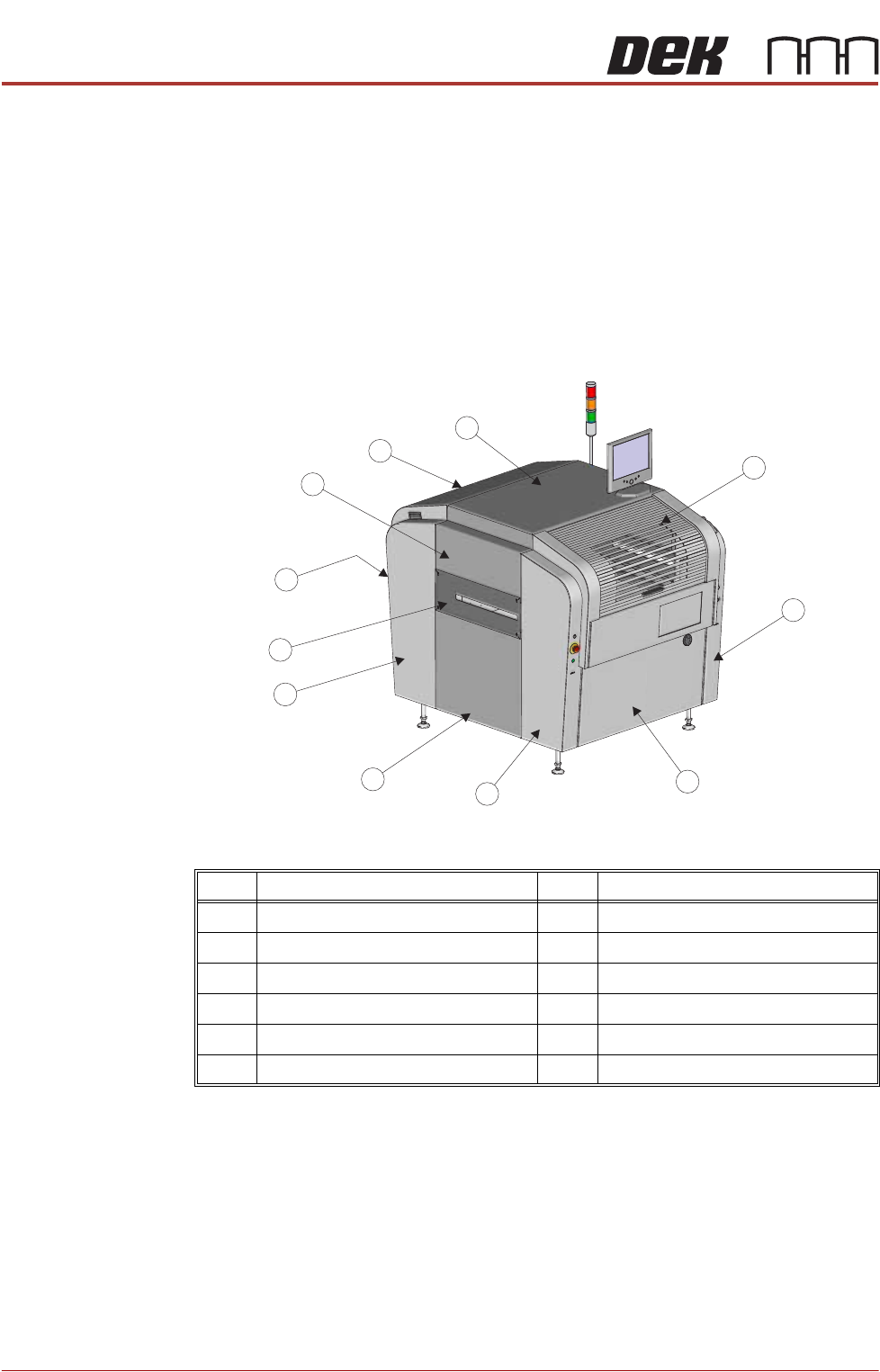
Style 3 Covers In order to protect personnel and prevent damage to the machine, eight panels
are fitted around the base of the machine.
• Front Panel
• Rear Panel
• Corner Panels (4 positions)
• Lower Side Panels (2 positions)
The upper part of the printer is protected by the front printhead cover, the rear
fixed printhead cover, the top panel and two upper side panels.
NOTE
Some of the covers can only be removed in a specific order due to the covers
interlocking with each other.
Item Description Item Description
1 Front Printhead Cover 7 Safety Cover (2 positions)
2 Front Right Hand Corner Panel 8 Rear Panel
3 Front Panel 9 Upper Side Panel (2 positions)
4 Front Left Hand Corner Panel 10 Rear Fixed Printhead Cover
5 Lower Side Panel (2 positions) 11 Top Panel
6 Rear Corner Panel (2 positions)
1
2
3
4
5
6
7
8
9
10
11
Front Left Quarter View
COVERS
PRINTER COVERS
Chapter Issue 10, Jul 16 Technical Reference Manual 3.23
Cover Removal Before removing covers ensure that the supplies (air and electrical) have been
isolated from the printer.
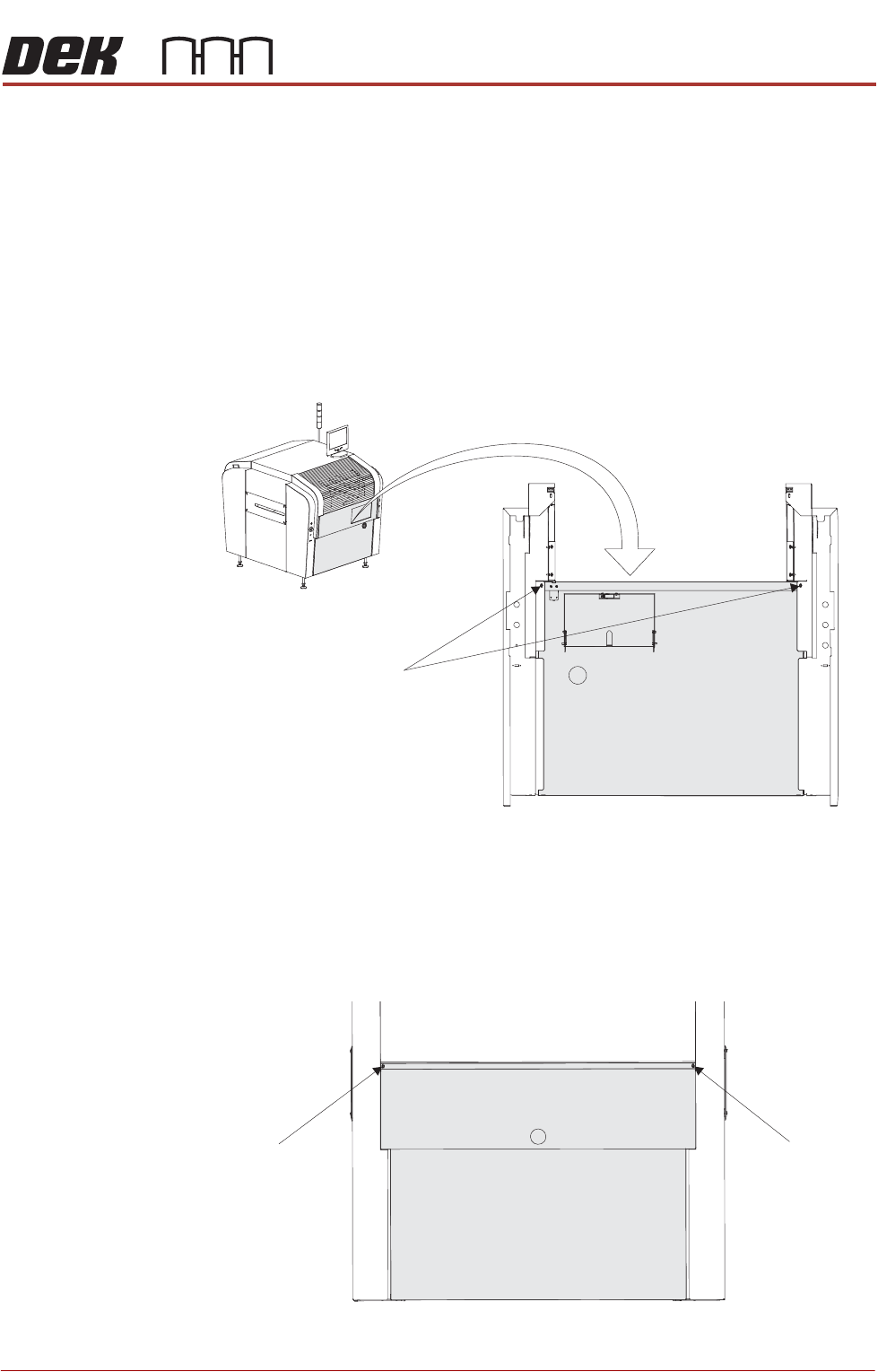
Front Panel To remove the front panel, carry out the following:
1. Open the front printhead cover.
2. Open the keyboard stowage door.
3. Disconnect the keyboard from the 4 port USB hub.
4. Remove the keyboard from its stowage.
5. Using a 4mm Allen key, undo the two captive screws on the rear side of the
panel.
6. Tilt the top of the panel away from the machine and lift the panel clear, taking
care not to damage the earth cable.
Rear Panel To remove the rear panel, carry out the following:
1. Using a 4mm Allen key, undo the two captive screws.
M5 Captive Screws
View on Rear of Front Panel
M5 Captive Screw
M5 Captive Screw
View on Rear of Machine