Infinity Machine Performance.pdf - 第3页
INFINITY 0$&+,1 (3(5)250$1 &( 0$&+,1 (&$3$%,/,7< Chapter Issue 5 May 03 Instal lation M anual 8.3 6. Highlight sqy1.qcf file and se lect Ope n . 7. In the Record Filter s Box, select sqy1 fi le and s…
INFINITY
0$&+,1(3(5)250$1&(
0$&+,1(&$3$%,/,7<
8.2 Installation Manual Chapter Issue 5 May 03
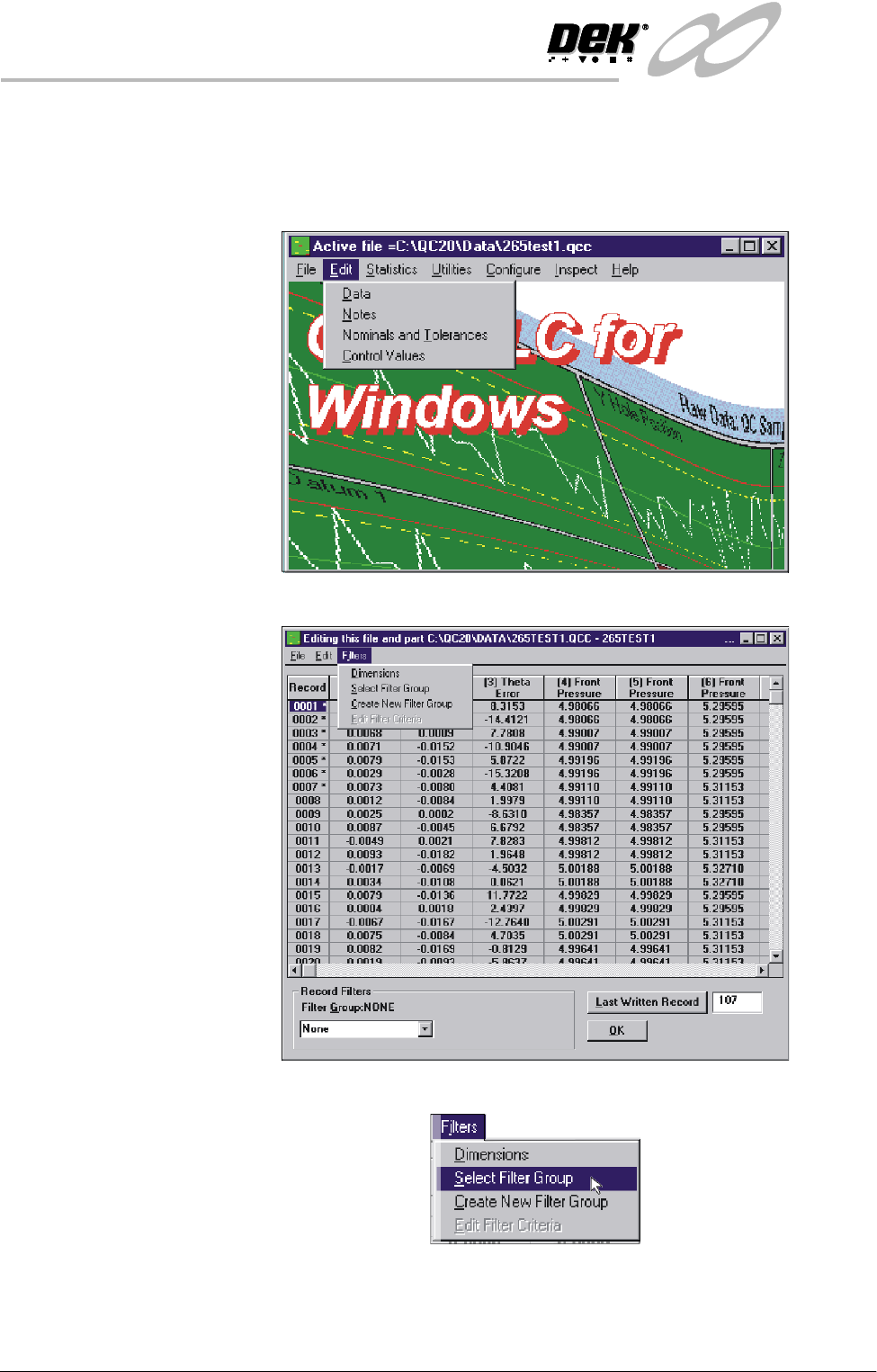
1. Ensure the filter files sqy1.qcf and sqy2.qcf are present in the directory
structure C:\Prolink\QcCalc\Filters.
2. Start the QC-Cal program.
3. Select Edit, Data.
4. Select Filters.
5. Select Select Filter Group.
INFINITY
0$&+,1(3(5)250$1&(
0$&+,1(&$3$%,/,7<
Chapter Issue 5 May 03 Installation Manual 8.3
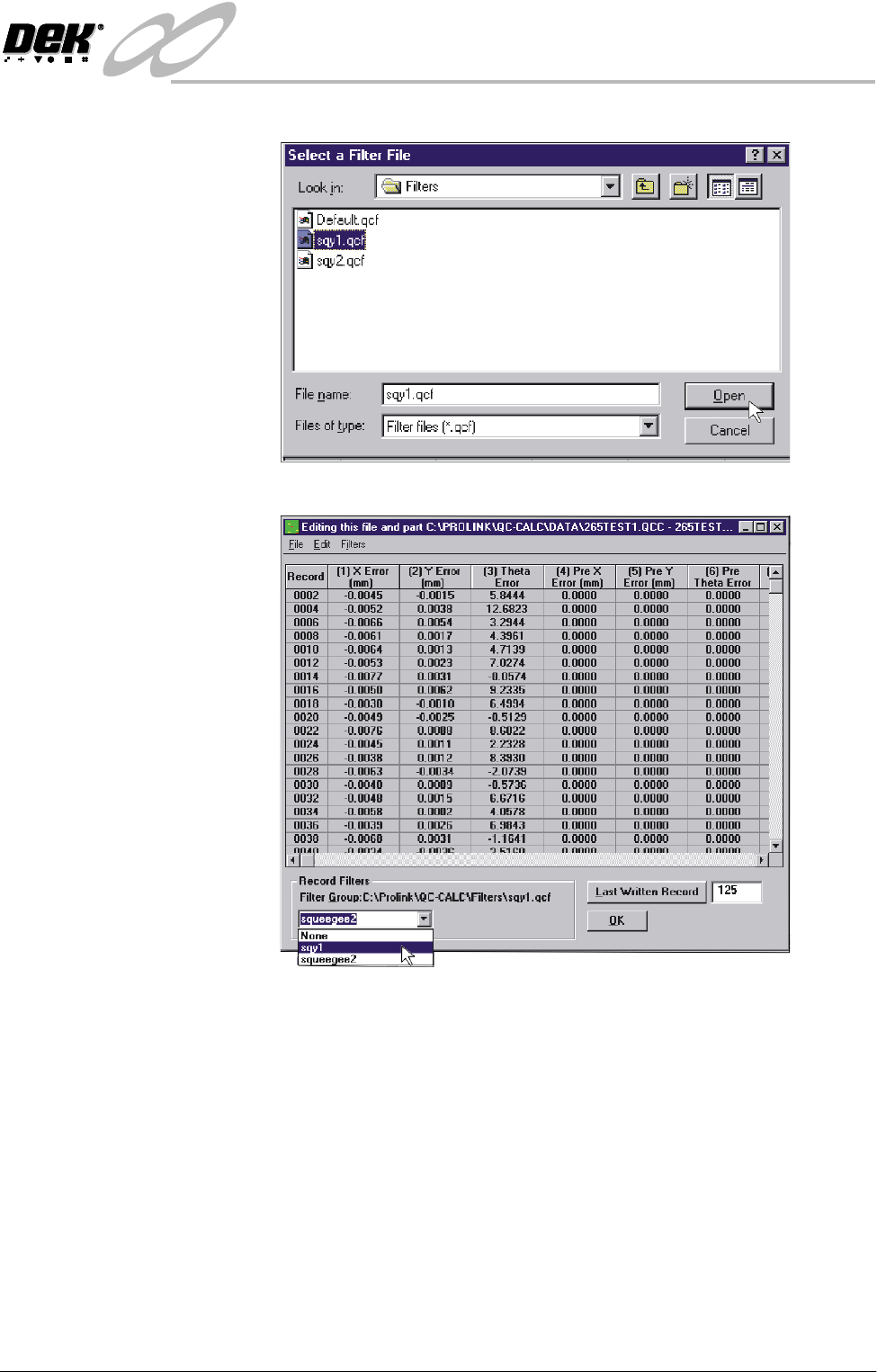
6. Highlight sqy1.qcf file and select Open.
7. In the Record Filters Box, select sqy1 file and select O.K.
INFINITY
0$&+,1(3(5)250$1&(
0$&+,1(&$3$%,/,7<
8.4 Installation Manual Chapter Issue 5 May 03
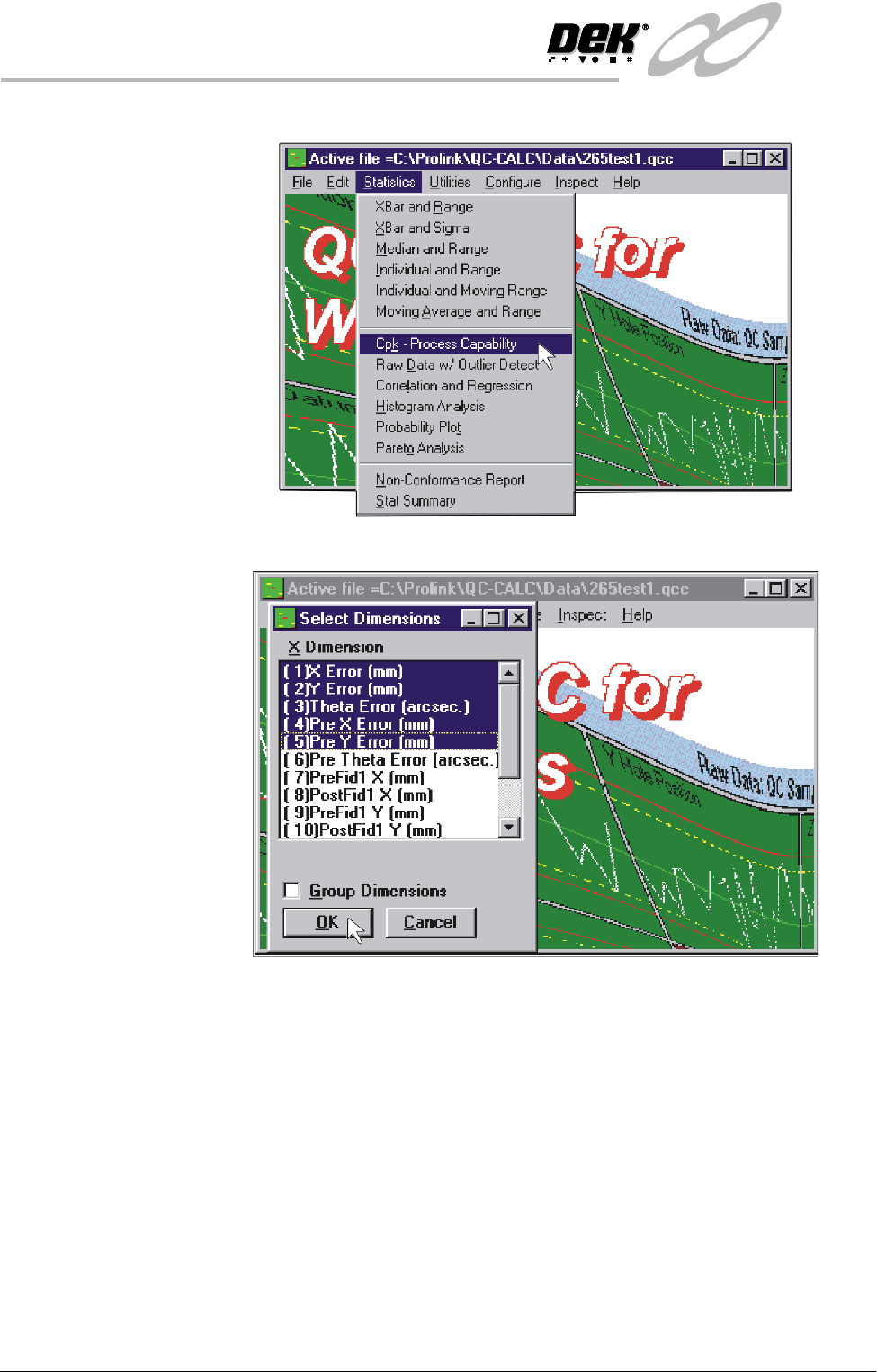
8. Select Statistics, Cpk - Process Capability.
9. Highlight the required dimensions to output and select O.K.