TM1794_Auto Cleaning Detail Setting.pdf - 第7页
SMT Software Engineering Group IM Operations YAMAHA MOTOR CO. , LTD MDOC-SOFT5007 1 7 Fig.3.3 [Print] – [Cleaner] t ab Fig.3.4 [Contro l led in the Time] t ab on [Cle aning Deta il Setting] wind ow
SMT Software Engineering Group
IM Operations
YAMAHA MOTOR CO., LTD
MDOC-SOFT50071
6
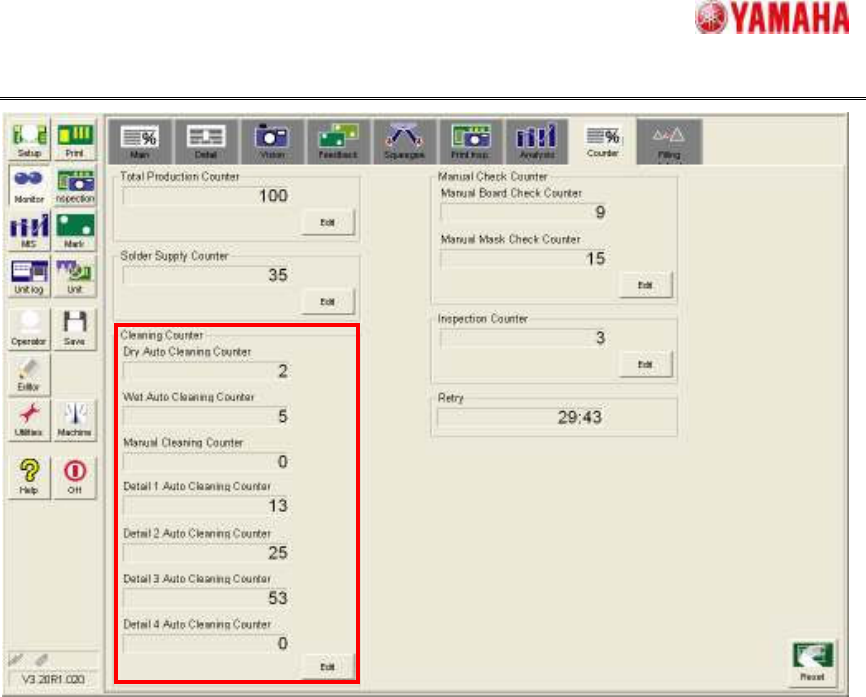
Fig.3.2 [Monitor] - [Counter] tab
3.2. In the case of “Controlled in the Time”
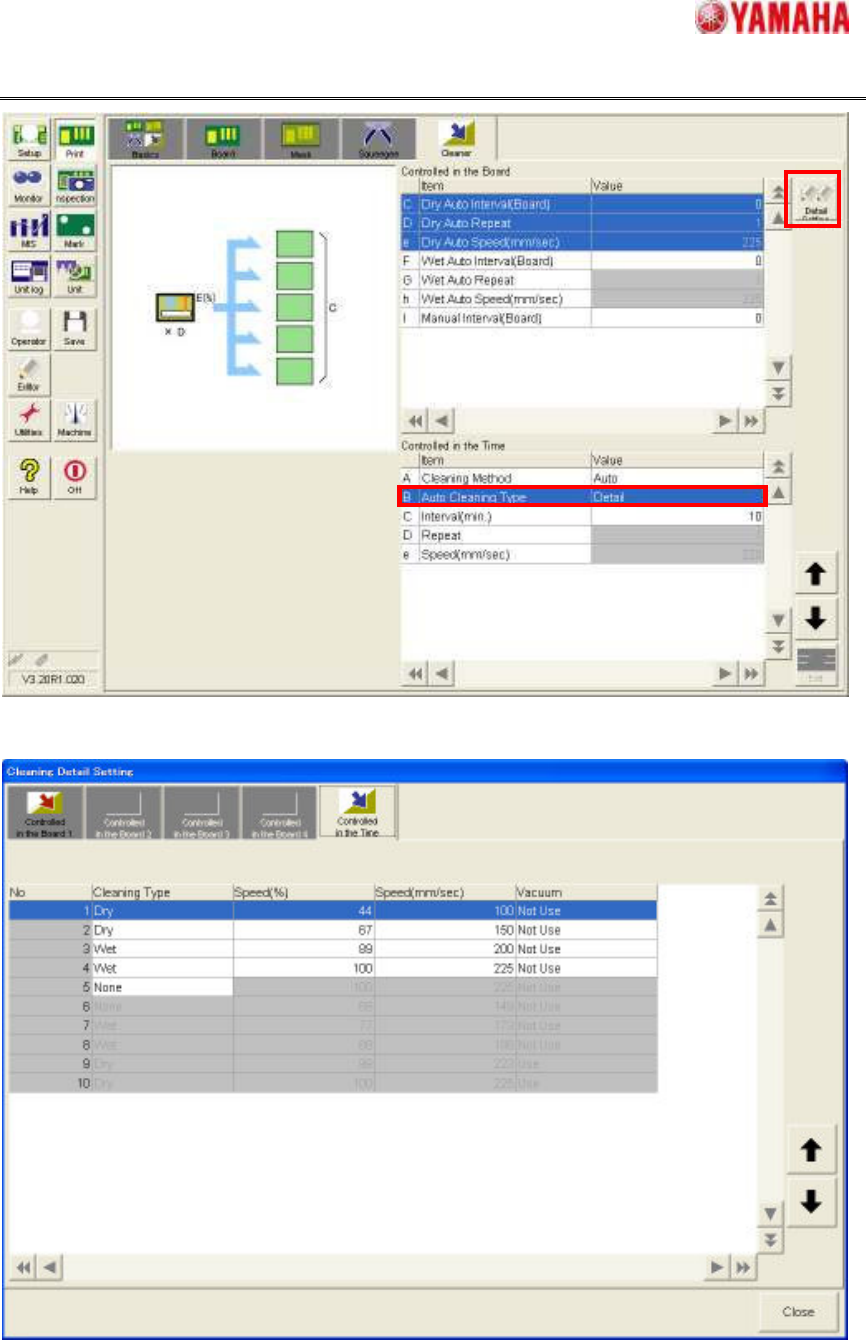
In [Print] – [Cleaner] – [Controlled in the Time], set “Cleaning Method” to “Auto” and “Auto
Cleaning Type” to “Detail”, and enter the interval time of cleaning execution in “Interval
(min)”. (Fig.3.3) Then, tap “Detail Setting” button and open “Cleaning Detail Setting” window,
and set “Cleaning Type”, “Speed” and “Vacuum” of each sequence in [Controlled in the
Time] tab. (Fig3.4)
There is not “Detail Auto Interval” in this setting, so only one kind of setting can be
registered.
SMT Software Engineering Group
IM Operations
YAMAHA MOTOR CO., LTD
MDOC-SOFT50071
7
Fig.3.3 [Print] – [Cleaner] tab
Fig.3.4 [Controlled in the Time] tab on [Cleaning Detail Setting] window
SMT Software Engineering Group
IM Operations
YAMAHA MOTOR CO., LTD
MDOC-SOFT50071
8
4. Utility
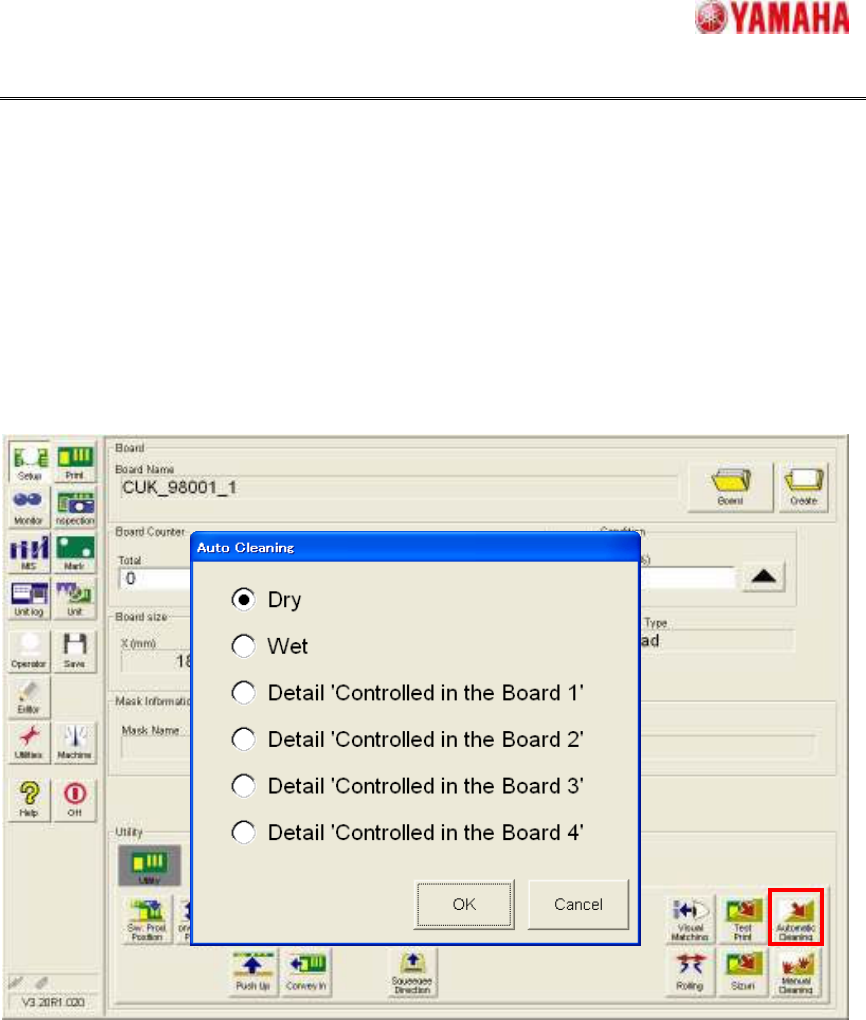
The cleaning with detail setting can be also executed by tapping [Setup] – [Setup] –
[Automatic Cleaning] button (Fig4.1).
Please select either of “Detail ‘Controlled in the Board 1’” – “Detail ‘Controlled in the
Board 4’” in [Auto cleaning] window and tap “OK” button. Then, cleaning is executed
according to the setting of “Controlled in the Board 1” - “Controlled in the Board 4” tabs in
[Print] – [Cleaner] – [Detail Setting].
However, when “0” is set on “Detail Auto Interval”, the selection item is not displayed.
Fig.4.1 “Auto Cleaning” window
5. Remarks
Following functions depends on “Cleaning Type” of the detail settings. When “Wet”
condition is included more than once, cleaning of wet auto is executed. When all of the
“Cleaning Type” is set to “Dry”, cleaning of dry auto is executed.
1. Filling adjust function (It is set in [Print] – [Squeegee] – [Detail Setting] - [Filling(Dry)]
tab and [Filling(Wet)] tab)
2. Inspection after auto cleaning function (It is set in [Inspection] – [Inspection] – [After
Dry Auto Cleaning] and [After Wet Auto Cleaning])