TR7500_Hardware_ch.pdf - 第26页
25 L E D D e s c r i p ti o n R UN ( g r e e n ) T h i s l i gh t s i n t h e R U N m o d e , t o i n d i ca t e t h a t t h e p r o g r a m i s b e g i n e x ec u t e d . I t f l a s h e s d u r i ng f o r c e d i n p u…
24
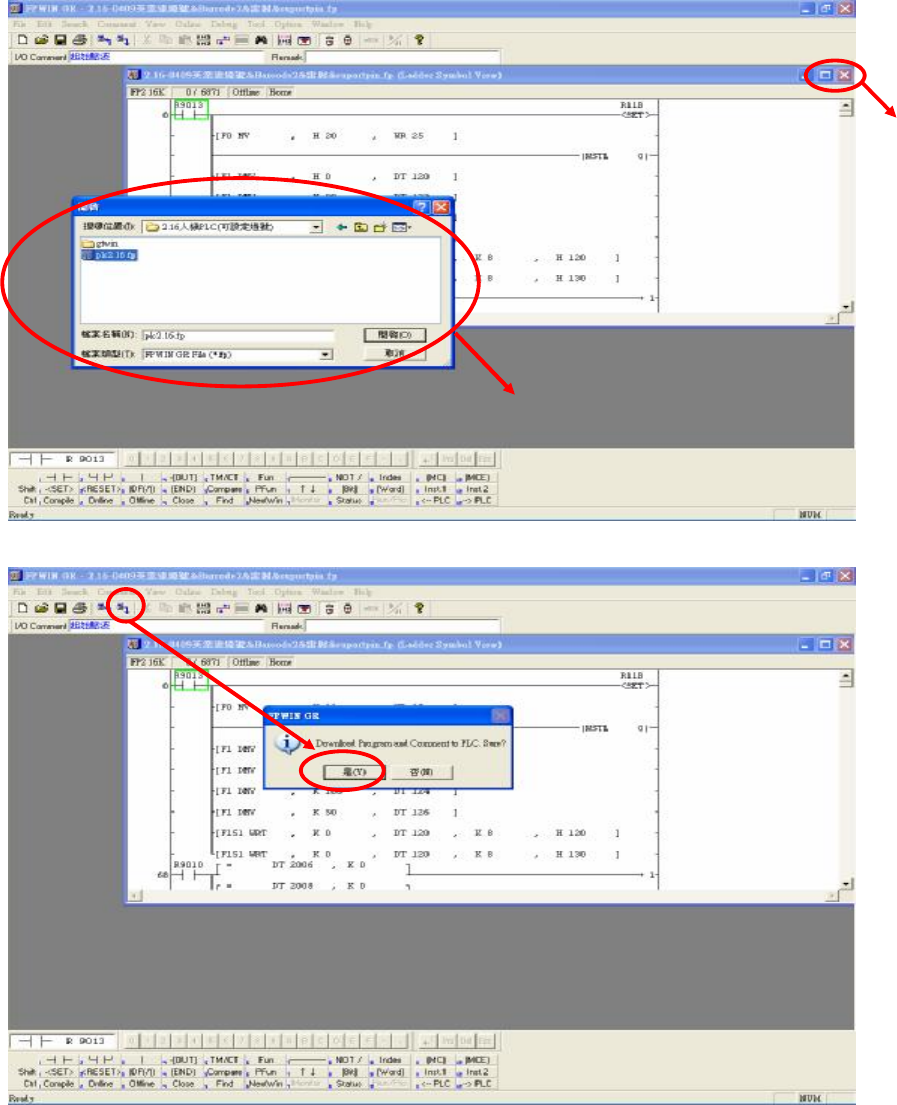
步驟6:點擊選單中的圖示 (Download to PLC),點選是,確認覆蓋現有的程式,如下圖所示:
步驟7:等候 PC 傳輸資料至 PLC 後,程式即可更新完成。
1.6 PLC 硬體簡介
1.6.1 CPU(FP2-C1)單元
1.6.1.1 Status indicator LEDs
CLOSE
選擇欲更新的程式檔案( *.fp)

25
LED Description
RUN (green) This lights in the RUN mode, to indicate that the program is begin
executed. It flashes during forced input/output.
PROG. (green) This lights in the PROG. mode. Operation stops while this LED is
lighted. It flashes when waiting for connection of slave station on
remote I/O system. If the memory is initialized, the brightness dims,
indicating that initialization is being executed.
TEST (green) This lights in the test operation mode.
BREAK (green)
This lights in the operation halts at a break during a test run or halts
during the step operation mode for the test run.
ERROR (red) This lights if an error is detected during the self-diagnostic function.
BATT. (red) This lights when the voltage of the backup battery drops below a
specific value.
ALARM (red) This lights if a hardware error occurs, or if operation slows because
of the program, and the watchdog timer is activated.
1.6.1.2 Initialize/Test Switch
Switch position
Operation mode
INITIALIZE
(upward)
In the PROG. mode:
The contents of the operation memory are initialized. However, the
system register (including the I/O map) and the program are not
initialized. If the error of self-diagnostic error code 42 or lower is
occurred, the special internal relays R9000 to R9008 and the special
data register DT90000 are not cleared.
In the RUN mode:
Operation errors, remote I/O system errors, and battery errors are
cleared.
(center) The switch should normally be left in this position.
TEST
(downward)
Setting this switch to the downward position in the PROG. mode,
accesses the test mode. Switching to the RUN mode in this status,
initiates test operation.
To return from the test mode to the normal operation, return this
switch to the center position in the PROG. mode.
1.6.1.3 Mode Selector
Selector position Operation mode
RUN
(upward)
This sets the RUN mode. The program is executed, and operation
begins.
26
REMOTE
(center)
This enables operation to be started and stopped from a
programming tool. At the stage where the selector is changed,
when switching from the PROG. to the REMOTE mode, the
system remains in the PROG. mode and when switching from
RUN mode to the REMOTE mode, it remains in the RUN mode.
PROG.
(downward)
This sets the PROG. mode. In this mode, programming can be done
using tools, the test operation mode can be accessed and the
operation memory can be initialized using the initialize/test switch.
1.6.2 四軸控制器(FP2-PP4)單元
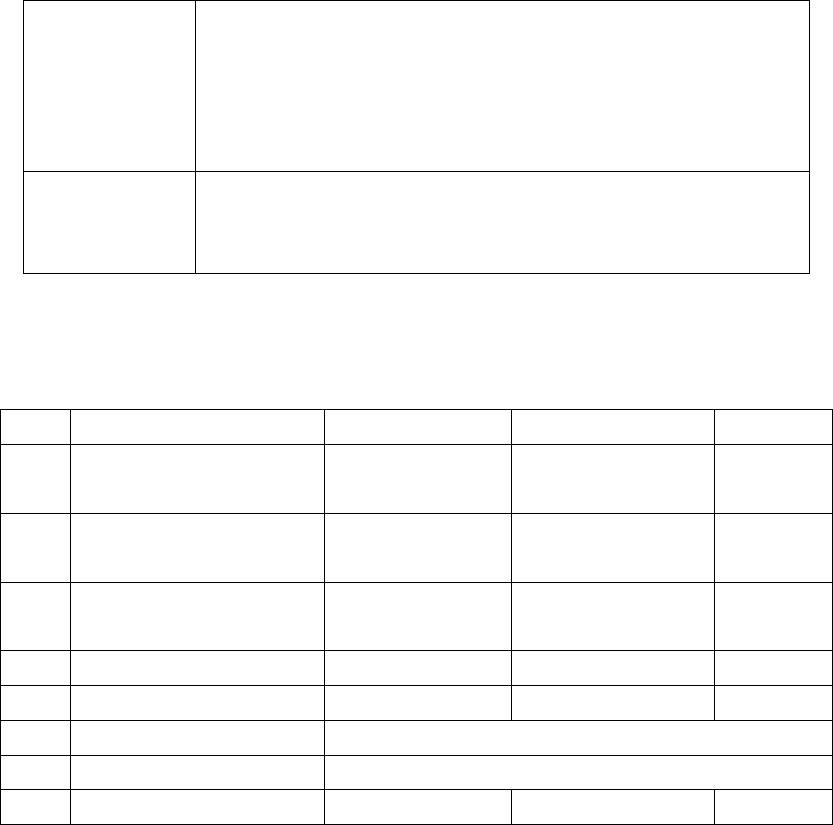
1.6.2.1 Operation Status Display LEDs
LED Description LED on LED off LED blinks
A Pulse output signal A
display
------
During stop During
pulse output
B Pulse output signal B
display
Reverse direction
command
Forward direction
command
-----
CL Counter clear signal output
display
Output:on Output:off
-----
D Near home status display On Off
-----
Z Home input status display
On Off
-----
PA Pulser signal input display
Display input status of pulser input signal A
PB Pulser signal input display
Display input status of pulser input signal B
ERR Setting value error display
Setting value:error
Setting value:normal
-----
1.6.3 I/O (FP2-XY64D2T & FP2-Y16P)單元
請參考表
2.1 I/O(PF2-XY64D2T&PF2-Y16P)