cp45头部故障判断.pdf - 第27页
1. Head Module Ver. Date CP45 CP45NEO 00 2004/11 O O 1-1 1-13. Nozzle Check / N ozzle Holder Check *T o o l s a)Tri-f low, Toothpick *P a r t a) Nozzle Holder Ass'y : J9055046A => f or CP45F(V) b) Common Nozzle N…
1. Head Module
Ver. Date CP45
CP45NEO
00 2004/11 O O
1-1
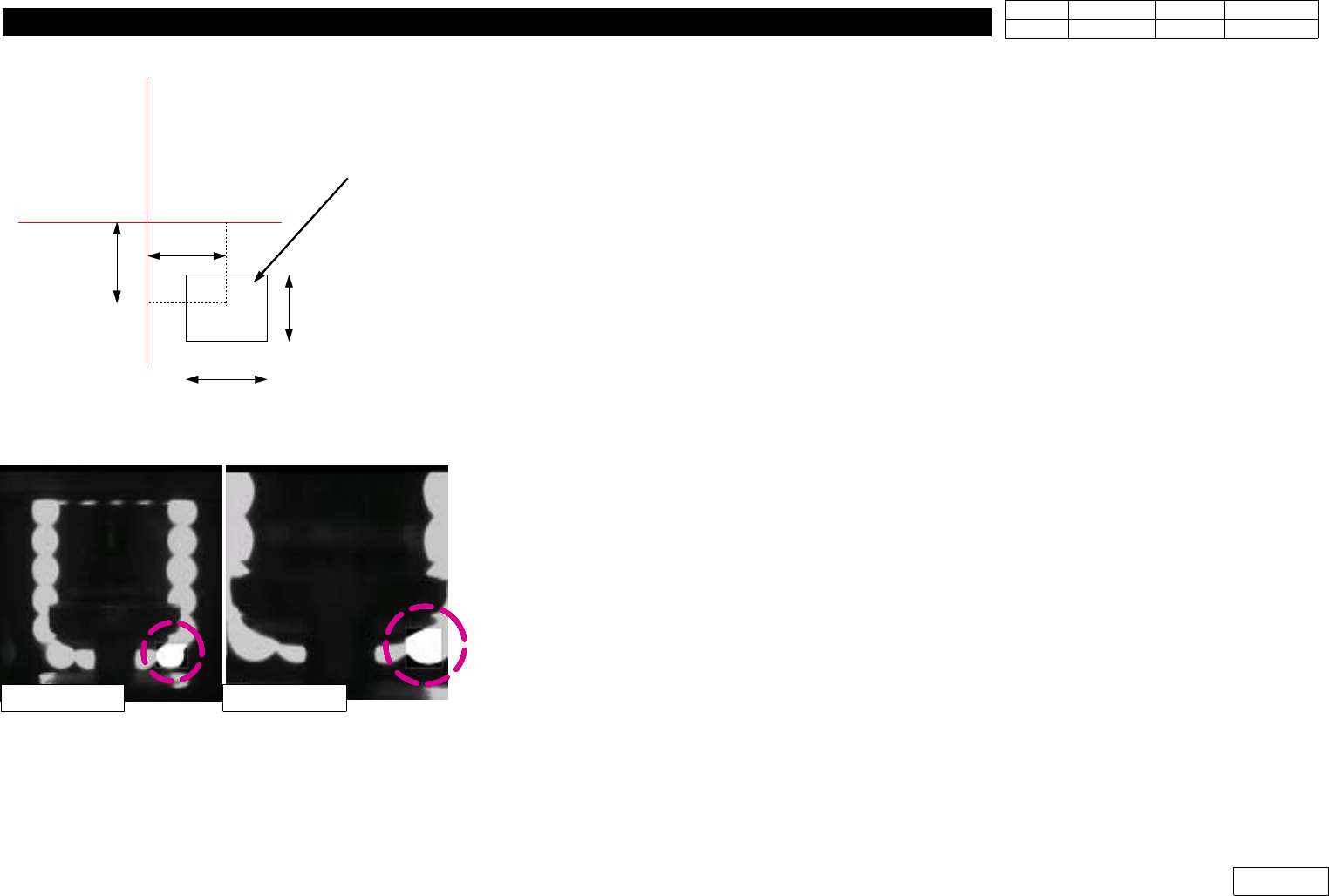
1-12-2-6) Nozzle( OffsetX, OffsetY, CountX, CountY )
Set Check Range(mm) to Check the Existence of Nozzle
OffsetX, OffsetY are Offset from Vision Center to the Center of Check Range
CountX, CountY are Width and Height of Check Range (Fig 1-12-2-4)
1-12-2-7) Light( OffsetX, OffsetY, CountX, CountY )
Set Check Range(mm) to Check the Existence of Light.
Check this Range with the Biggest Nozzle Connected.
The Light is ON if the Value of this Range is over 30%, and OFF if under 30%. (Fig 1-12-2-5)
1-12-2-8) Threshold
The Value is btw. Standard 0 and 255 to Distinguish White Pixel from Black Pixel when Calculating
Binary Pixel Count.
Default is 100.
1-12-2-9) Outer, Inner
SetLightConditiontobeUsedtoChecktheExistenceofNozzleandLight
Set Outer Light for the Mostly Used One and
Default to be Outer:3, Inner:0.
1-12-2-10) Nozzle Exist Value
Standard Value of Binary Pixel Count to Check the Existence of Nozzle and Light
OffsetX
OffsetY
CountX
CountY
Search Area
Vision Monitor
Fig.1-12-2-4
OffsetX, OffsetY, CountX, CountY
Fig.1-12-2-4
Light Check Area
FOB 25mm FOB 15mm
1. Head Module
Ver. Date CP45
CP45NEO
00 2004/11 O O
1-1
1-13. Nozzle Check / Nozzle Holder Check
*Tools
a)Tri-flow, Toothpick
*Part
a) Nozzle Holder Ass'y : J9055046A => for CP45F(V)
b) Common Nozzle Nolder Ass'y:J9055209A => for CP45F(V)NEO
1) Part Code of Nozzle and Property
CP45F(V)
CP45F(V)NEO Diameter(mm)
Name Code Name Code Outer Inner
TN030 J7055180F CN030 J9055133C 0.70 0.28
TN040 J7055246C CN040 J9055134C 0.75 0.38
TN065 J7055267C CN065 J9055136C 1.20 0.65
TN140 J7055131E CN140 J9055159C 2.20 1.40
TN220 J7055132D CN220 J9055139C 3.60 2.20
TN400 J7055133D CN400N J9055218A 6.20 4.00
TN750 J7055135D CN750 J9055142B 9.00 7.50
TN1100 J7055137D CN1100 J9055143C 12.70 11.00
2) Nozzle Cleaning Procedure
2-1) Clean with Remove Spray as Foreign Substance Stuck at Tip Section or Reflection Plate
Causes Sensing Error. Especially, Put the Same Solder for Cleaning if Stain like Solder would
not Come Off by Remove Spray.
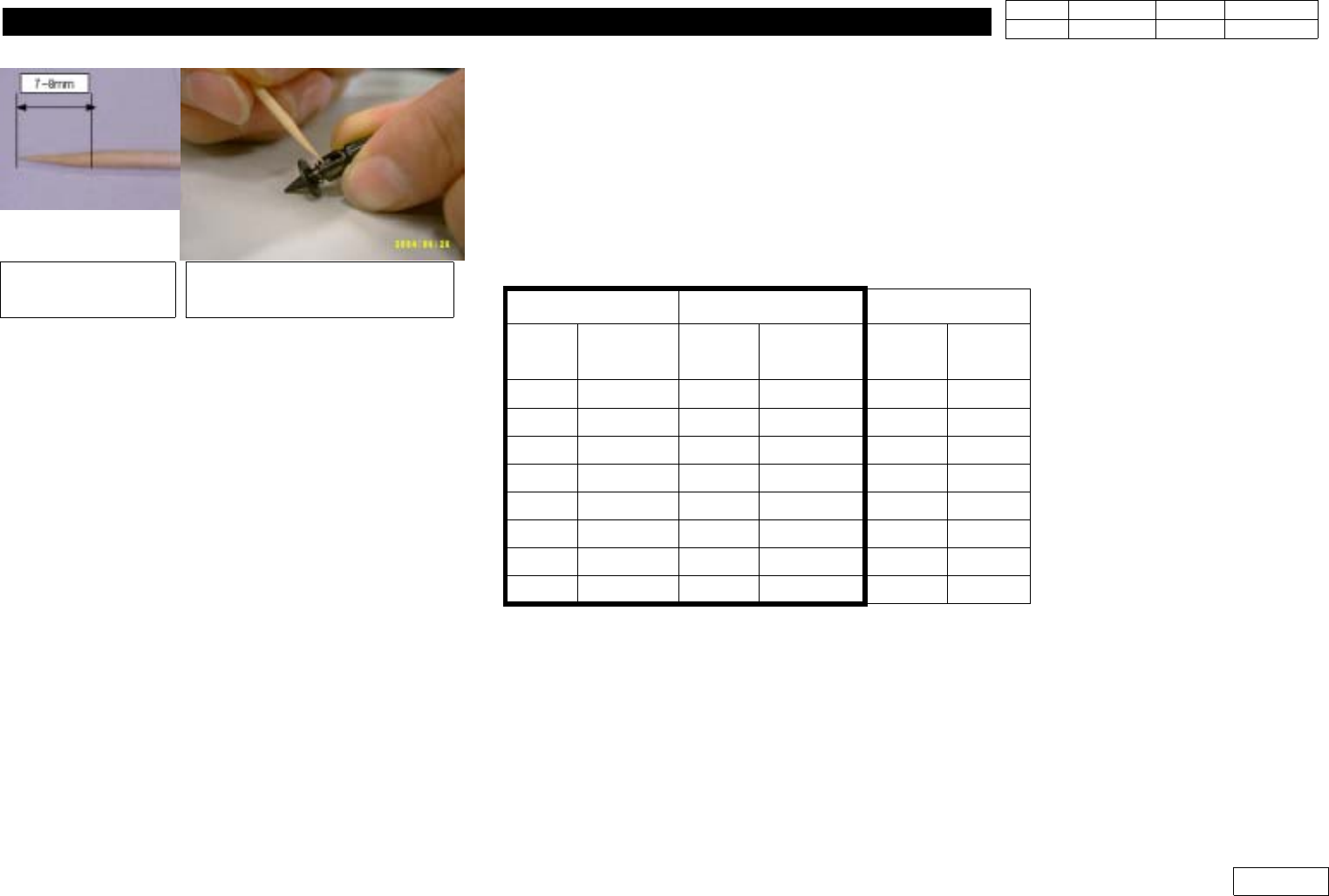
2-2) Lubricate and Clean Nozzle Compliance for CP45NEO or Nozzle Holder Compliance for CP45
like Fig. 1-13-1
- Refuel 0.05ml of 'Tri-flow'(The Amount 7-8mm of Toothpick is Dipped) into Pin
Dip toothpick into
Tri-Flow(Lification)
Apply Tri-Flow(Lification) to
Nozzle or Nozzle holder
Fig.1-13-14
Nozzle/Nozzle holder Lubrication
1. Head Module
Ver. Date CP45
CP45NEO
00 2004/11 O O
1-1
1-14. Blow pressure Check
*Tools
a) Blow Setting Jig
*Part
a)
1) Blow Setting Specification : 0.13 (+,-)0.02 Mpa
2) Setting Procedure
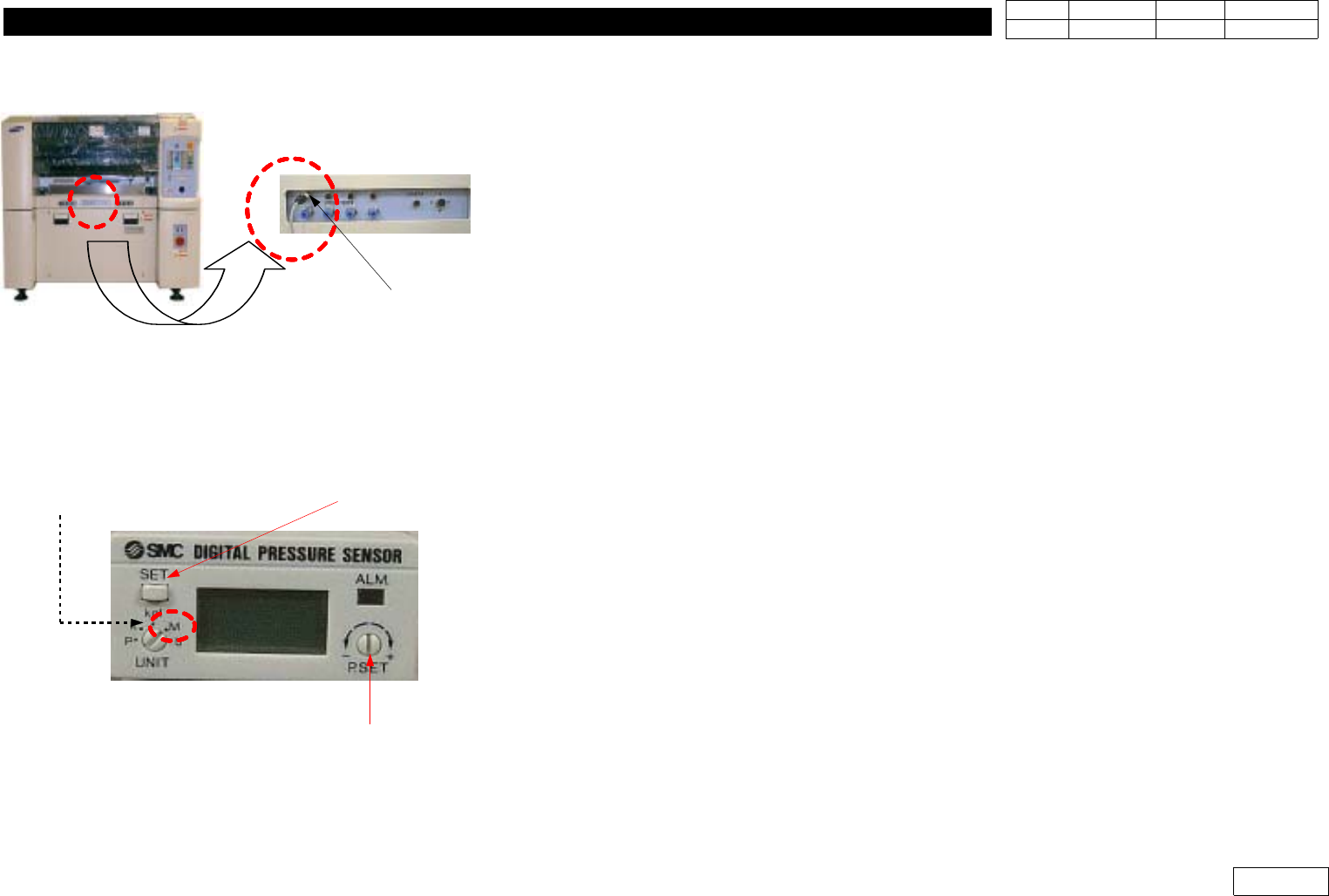
2-1) Connect Power Connector of Fixture to Stick Feeder Connector of the Front of Equipment
(Fig 1-14-1)
Be Sure to Connect to Power Connector for Stick Feeder(Do not Use Connector for Camera)
2-2) Check the Initial Condition of Fixture (Fig 1-14-2)
- Select UNIT => 'M' (Mpa Unit)
- Press SET Button to Check if the Output of Initial Condition is '0'
- At this Time, Turn 'SET' Dial to '0' if the Output is not '0'
2-3) Separate Hose(Outside Diameter 4mm) Connected to Blow Adjustment Valve of Air
Distributor Module (Fig 1-14-3)
2-4) Connect the Separated Hose to the Output of Fixture and Connect the Hose Attached at
Fixture to the Back of Blow Adjustment Valve (Fig 1-14-3)
2-5) Adjust Blow Adjustment Valve to Set Fixture Output to be 0.13Mpa
2-6) After Adjustment, Fasten the Fixing Nut of Blow Adjustment Valve to Maintain the Set Value
2-7) The Blow Value Set when Equipment was Shipped is Generally Applied Optimal Value, but
Blow Value can be Adjusted to be Used Depending on User's Condition
POWER CONNECTOR
for STICK FEEDER
Power for jig
Select "
M
"inUNIT
(Mega Pascal)
Button for Origin
Adjust dial for origin (Zero setting)
Fig.1-14-1 Power connector for jig
Fig.1-14-2 Initailizing for Jig