192277 - Micron Technical Reference Volume 3.pdf - 第251页
MAN MACHINE INTERFACE OVERVIEW Chapter Issue 11, Jan 17 Technical Reference Manual 34.7 Control of the printer is also achieved using: • Keyboard/mouse/trackball • E Stop button • Jog buttons • System button
MAN MACHINE INTERFACE
OVERVIEW
34.6 Technical Reference Manual Chapter Issue 11, Jan 17
The Man Machine Interface (MMI) serves the operator with display and control
functions. The MMI LCD colour monitor screen is the main area for display and
control. The monitor allows the operator full control of the printer functions and
is operated by the keyboard. (The Type 1 printer can also be operated by the
touchscreen or with the stylus provided.)
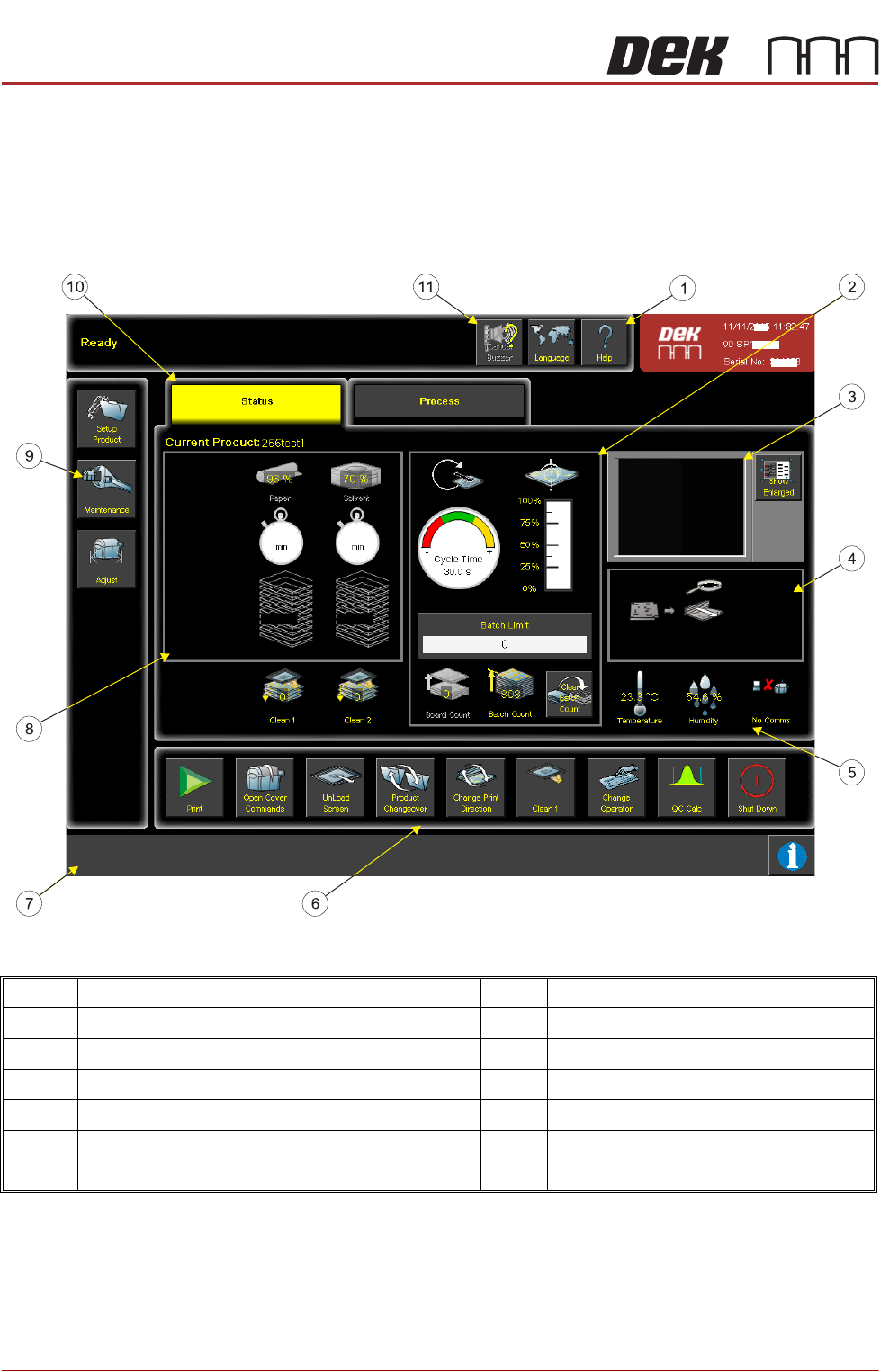
Figure 34-6 User Interface
The MMI monitor also displays:
• Consumable low warning messages
• Error messages
Display is also achieved using the tricolour beacon which indicates the printer
status.
Item Description Item Description
1 Help Menu Button 7 Prompt Bar
2 Productivity Panel 8 Consumable Replenishment Panel
3 Vision Window 9 Navigation Panel
4 Printer Mimic Window 10 Printer Status Page
5 Environmental Panel 11 Language Selection Button
6 Printer Commands Panel

MAN MACHINE INTERFACE
OVERVIEW
Chapter Issue 11, Jan 17 Technical Reference Manual 34.7
Control of the printer is also achieved using:
• Keyboard/mouse/trackball
• E Stop button
• Jog buttons
• System button
MAN MACHINE INTERFACE
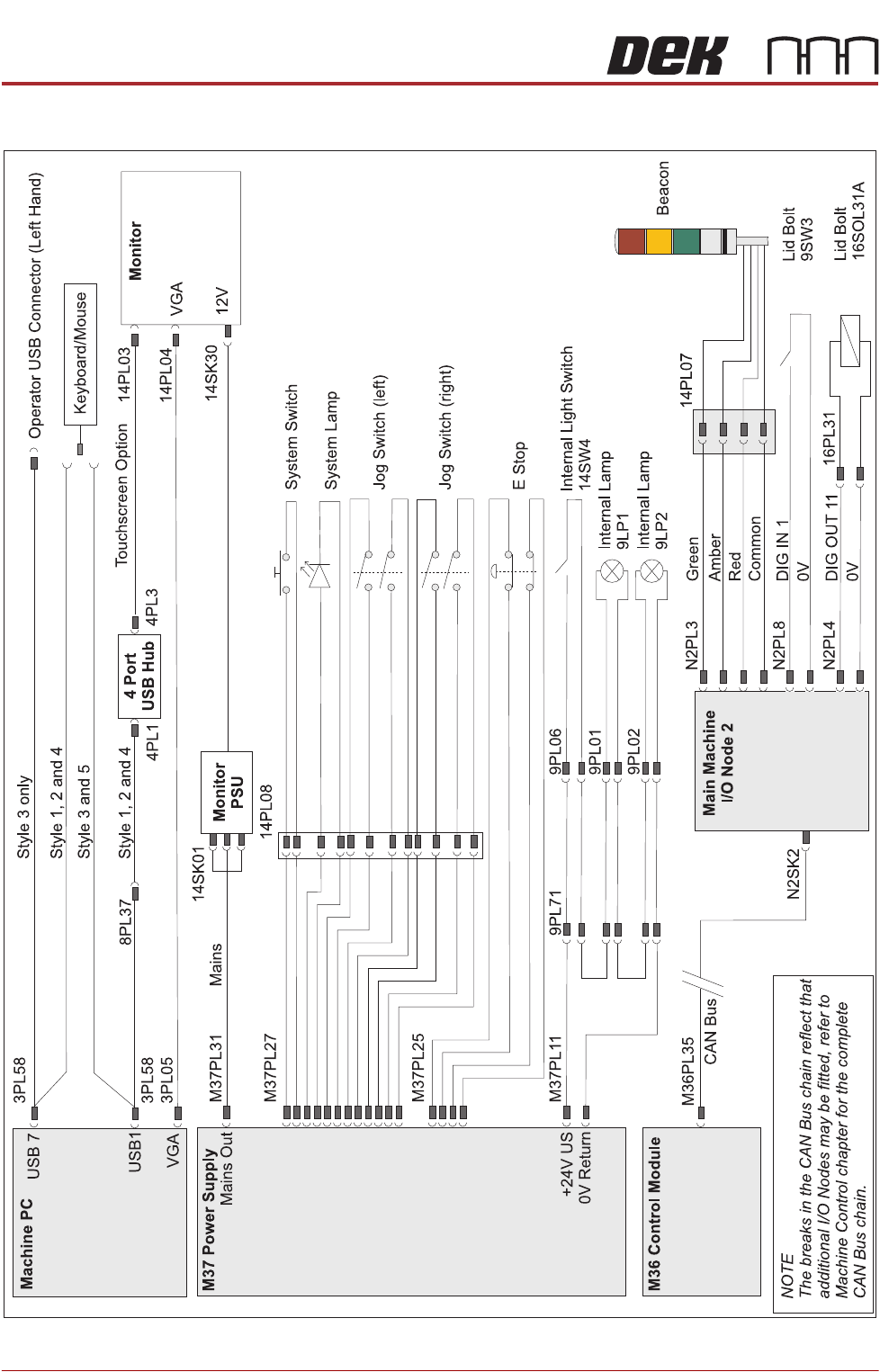
ELECTRICAL SCHEMATIC
34.8 Technical Reference Manual Chapter Issue 11, Jan 17
ELECTRICAL SCHEMATIC