192277 - Micron Technical Reference Volume 3.pdf - 第260页
MAN MACHINE I NTERFACE PROGRAMMABLE BEACON 34.16 Technical Reference Manual Chapter Issue 11, Jan 17 Housekeeping Data files are stored in an. xml format; access to the files for viewing is via the housekeeping functiona…
MAN MACHINE INTERFACE
PROGRAMMABLE BEACON
Chapter Issue 11, Jan 17 Technical Reference Manual 34.15
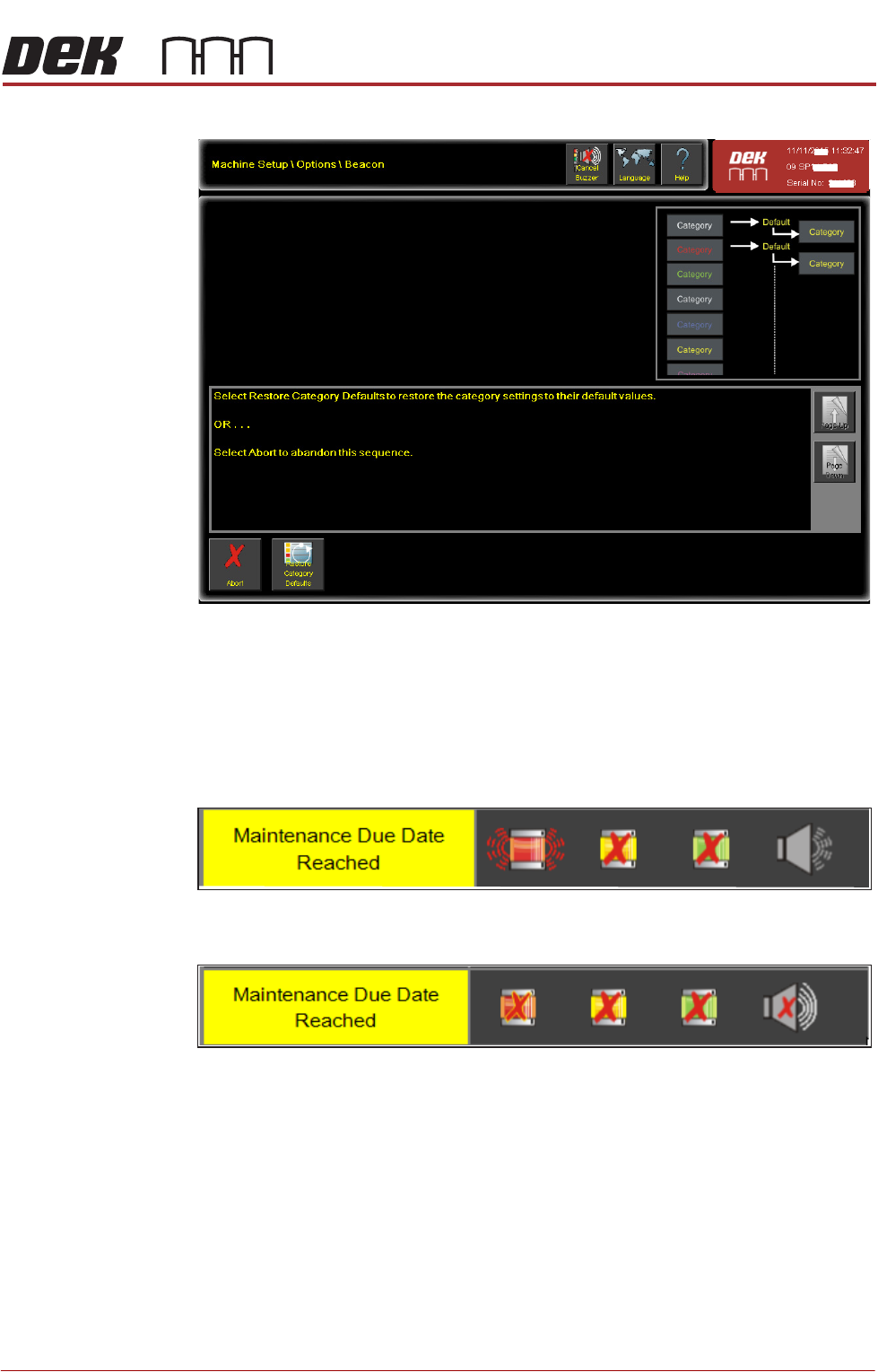
action selection page below.
This action restores the default conditions to any category that is highlighted as
being selected on the Beacon page.
NOTE
The restore default for categories which have been created is as shown below;
all indicators are OFF. The default condition for categories which have not been
created by the user are reset to the factory default condition for the category.
Figure 34-9 Category as Created
Figure 34-10 Category Restored

MAN MACHINE INTERFACE
PROGRAMMABLE BEACON
34.16 Technical Reference Manual Chapter Issue 11, Jan 17
Housekeeping Data files are stored in an.xml format; access to the files for viewing is via the
housekeeping functionality. Select the E:\Config folder.
Cancelling the
Buzzer
When the buzzer is active it can be de-activated by selecting the Cancel Buzzer
button on the top menu panel.
MAN MACHINE INTERFACE
ADJUSTMENTS AND SETTINGS
Chapter Issue 11, Jan 17 Technical Reference Manual 34.17
ADJUSTMENTS AND SETTINGS
Monitor Bracket
Adjustments (Type
1 Cover)
NOTE
The monitor may sustain damage if any of the adjustment locking mechanisms
are released without supporting the monitor.
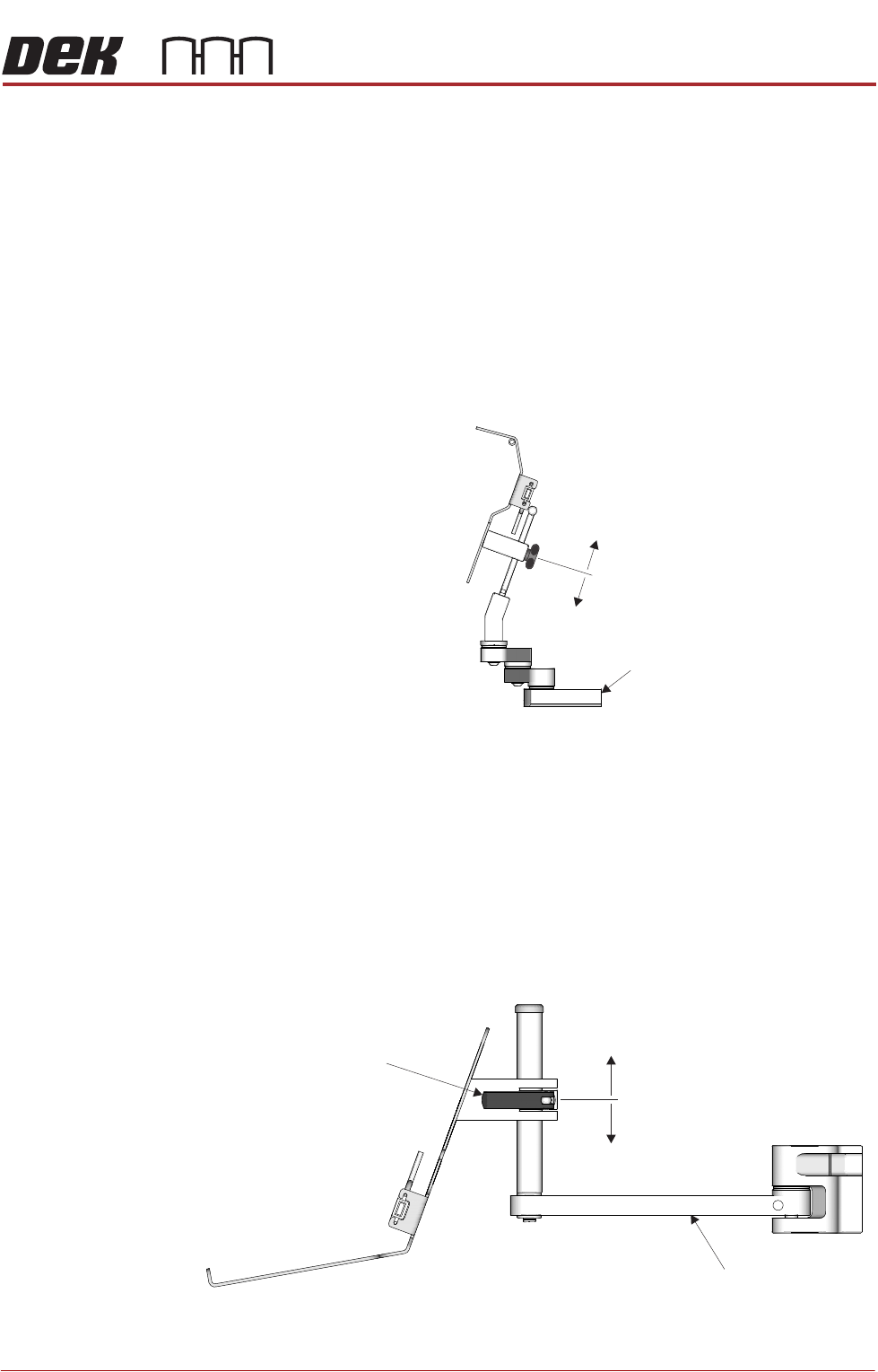
The monitor bracket has the following adjustments to optimise the viewing angle
of the monitor:
• The monitor arm has three swivel joints allowing the monitor to be swiv-
elled to any position and extended or retracted in relation to the printer.
• The monitor bracket has a sliding height adjustment which is secured by a
thumb screw. The height variation is ±48mm from the central position.
Monitor Bracket
Adjustments (Type
2 and 4 Covers)
NOTE
The monitor may sustain damage if the adjustment locking mechanism is
released without supporting the monitor.
The monitor bracket has the following adjustments to optimise the viewing angle
of the monitor:
• The monitor arm has two swivel joints allowing the monitor to be swivelled
to any position.
• The monitor arm has a sliding height adjustment which is secured by a
release catch. The height variation is ±70mm from the central position.
±48mm
Monitor Arm
±70mm
Release Catch
Monitor Arm