00193431-03.pdf - 第31页
HS-50 Modification Long Board Option 2 Assembly instructions Long Board Option SIPLACE HS-50 03/2007 Edition 31 : Place the spiral hose around th e ca bles to prevent them hanging out. : Place the spiral hose in the cabl…
2 Assembly instructions Long Board Option SIPLACE HS-50 HS-50 Modification Long Board Option
03/2007 Edition
30
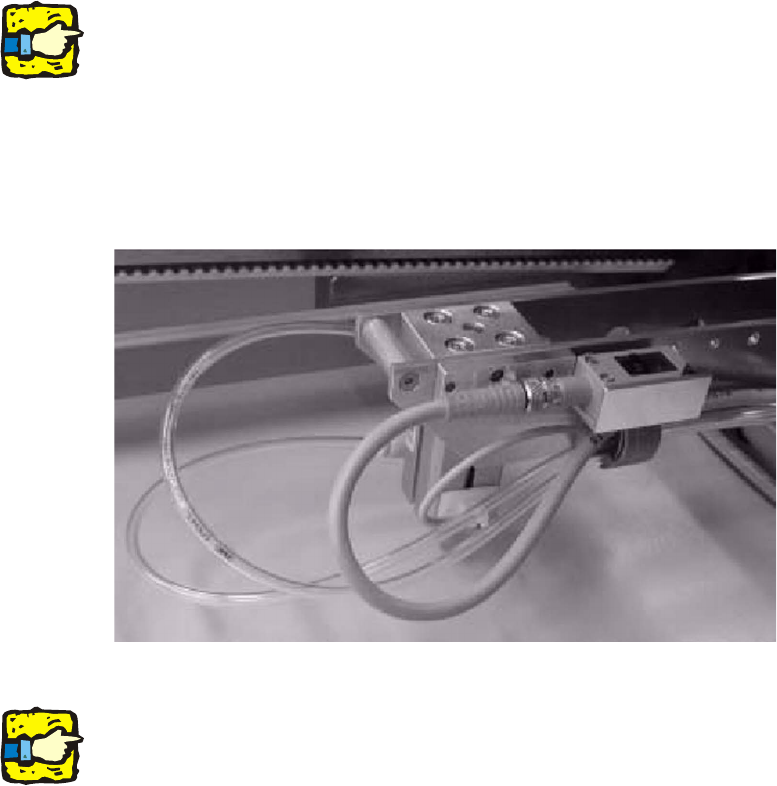
: Thread the connecting cable and compressed air hose through the power chain.
2
Do not attach the plugs to the connecting cables until they have been laid, otherwise they will not
fit through the power chain. 2
The BERO can be fitted in different positions, so it is sensible to use the foremost position in the
transport direction (with the longest cables) when laying the cables. 2
2
: Fit the BERO in the foremost position.
2
2
2
Run the cables and lines in a gentle arc to prevent kinks. 2
2
2
2
2
2
2
2
2
2
2
2
2
HS-50 Modification Long Board Option 2 Assembly instructions Long Board Option SIPLACE HS-50
03/2007 Edition
31
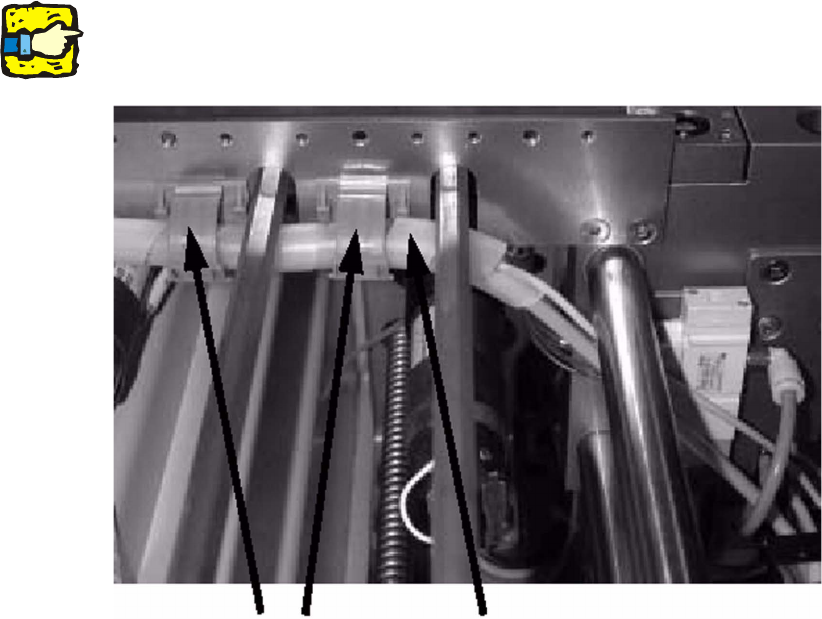
: Place the spiral hose around the cables to prevent them hanging out.
: Place the spiral hose in the cable clips.
2
Make sure that none of the cables sag in the PCB conveyor travelling range or touch moving parts.2
2
2
2
2
2
2
2
2
2
2
2
2
2
Cable clips
Spiral hose
2 Assembly instructions Long Board Option SIPLACE HS-50 HS-50 Modification Long Board Option
03/2007 Edition
32
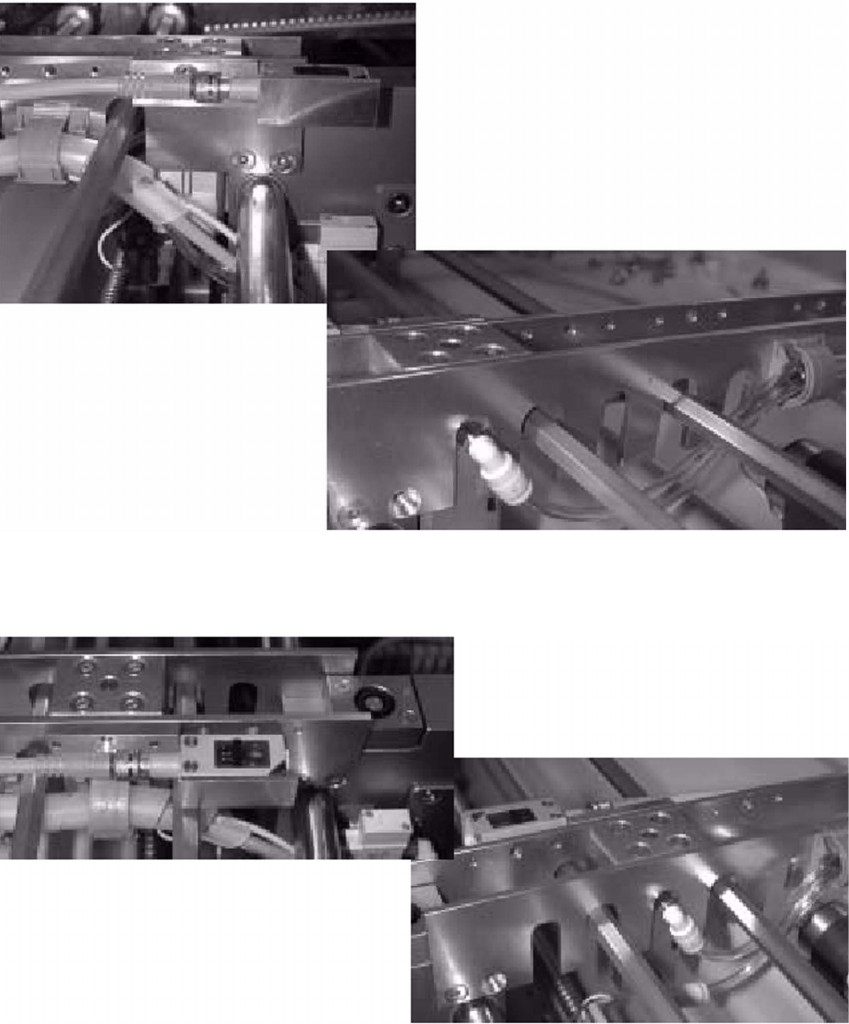
: Test all the possible positions for the BERO. Make sure that the cables and lines do not hang
loose in any of the positions.
In position 1, the left-hand plate for positioning the scanning unit must be released.
2
Item 1: 2
2
Item 2: 2
2