46230811.pdf - 第31页
Page 29 DH P ositioning System Assembly , Non P/T T46230811 Rev . J This Document Supports Assembly 46230811 Rev J SOCKET SOCKET HEAD CAP SWITCH Rotary Disk Lock SOCKET 29. Replace the switch and bracket on the lock asse…
Page 28
T46230811 Rev. J DH Positioning System Assembly, Non P/T
This Document Supports Assembly 46230811 Rev J
CAUTION
To avoid stripping the aluminum tapped holes, do not over tighten the
screws securing the adapter bushings.
17. Check the locator pin assemblies. If the locator pins do not slide into
and out of the locator holes, the bushing adapter has been adjusted too
tightly against the rotary disc.
NOTE
Due to the tolerance build up, interference may be felt when inserting and
removing the pins. This is normal and in no way means the table is not
square. If the pins can not be inserted into the holes, the disc is not
square. Some resistance may be encountered when fitting the pins into
the holes, but the resistance should never require the assistance of a
tool to remove the pins from the X axis frame.
18. Remove the locator pins and rotate the rotary disc one full revolution
to settle in the guide wheels.
19. Reinsert the locator pins into the locator holes and check that the
locator pins slide into and out of the holes. If they do not, repeat steps
9 through 18 until the locator pins fit properly.
20. Install the four stop blocks on the rotary disc assembly.
21. Remove the screws that secure the switch bracket on the lock assembly
and remove the switch bracket.
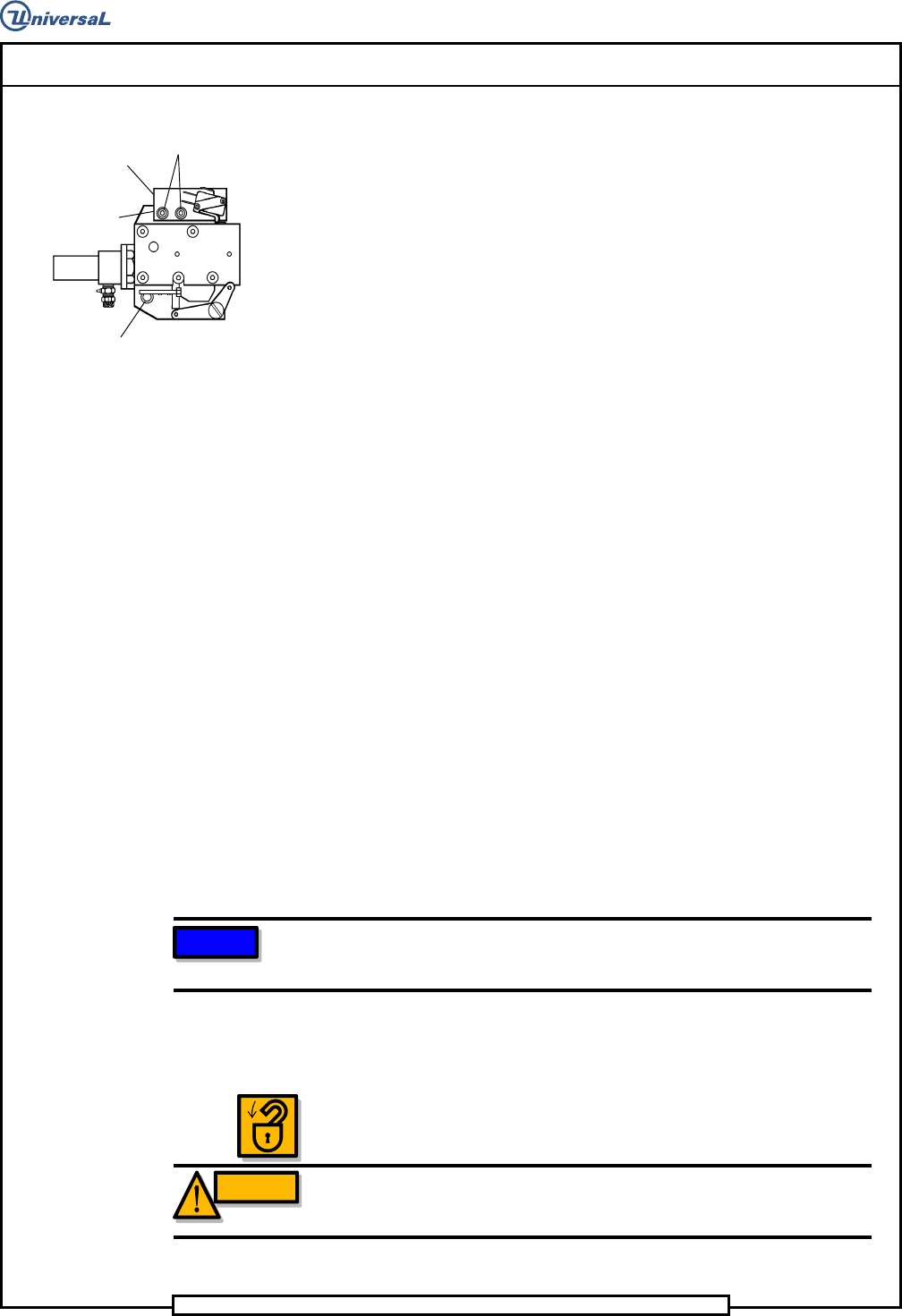
22. Loosen the socket head cap screws shown that secure the lock
assembly to allow adjustment of the lock assembly.
23. Insert the locator pins into the locator holes.
24. Manually move the lock assembly until the locator pins slide with
even force into the alignment holes.
25. In a diagonal pattern, tighten the socket head cap screws which secure
the lock assembly, 1/8 of one revolution per screw until the screws are
fully tightened.
26. With the locator pins removed, disengage the stop block from the lock
assembly then turn the rotary disc to securely engage the rotary disc
stop block into the lock assembly.
27. Check the locator pins to ensure they slide into and out of the locator
holes.
28. If the locator pins do not slide into and out of the locator holes, repeat
steps 22 through 27 until they fit properly.
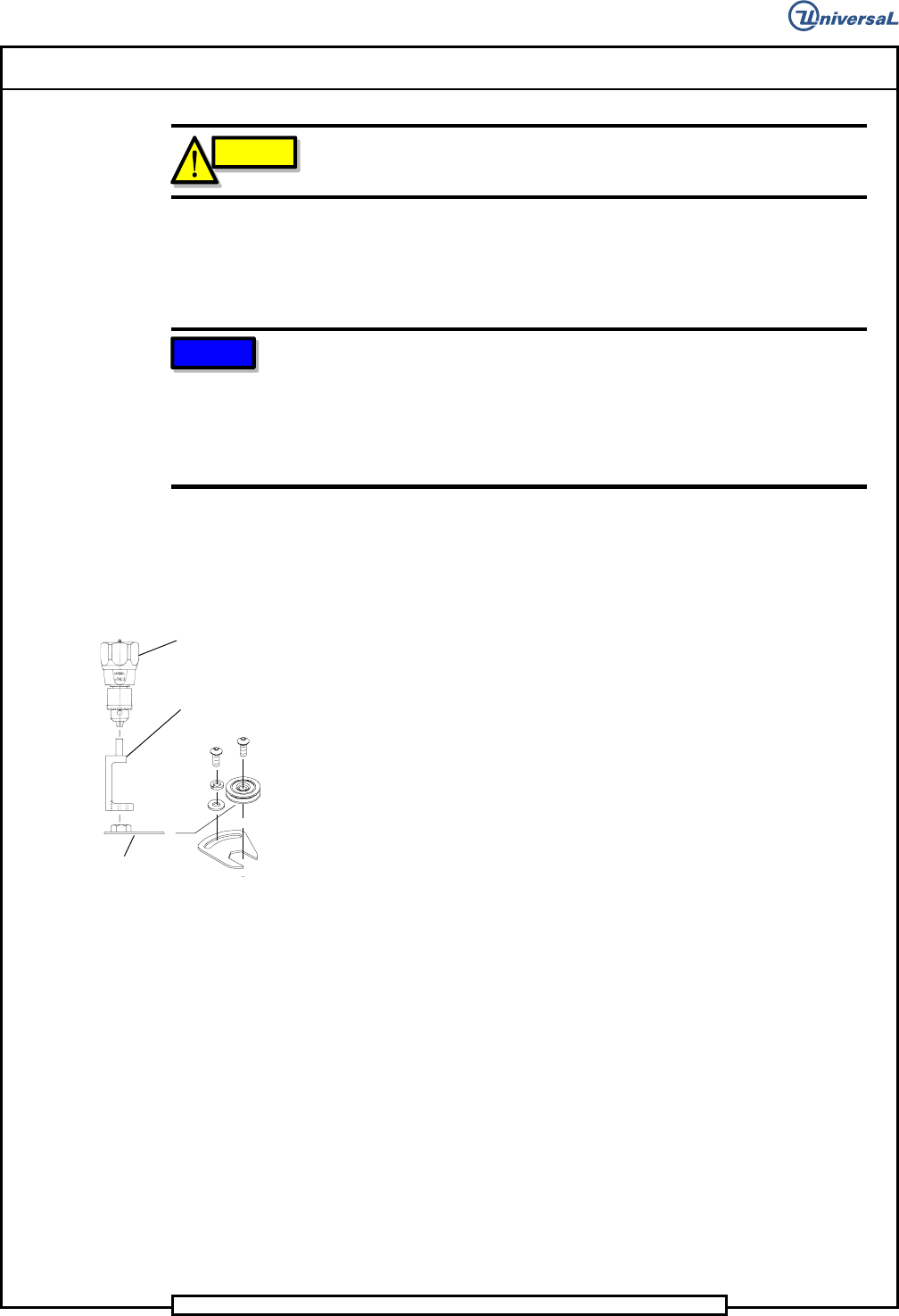
LOW PROFILE
WRENCH
TORQUE
ADAPTER
TORQUE
GAGE
Page 29
DH Positioning System Assembly, Non P/T T46230811 Rev. J
This Document Supports Assembly 46230811 Rev J
SOCKET
SOCKET
HEAD
CAP
SWITCH
Rotary Disk Lock
SOCKET
29. Replace the switch and bracket on the lock assembly and secure it in
position with the socket head cap screws.
30. Adjust the switch on the lock assembly so the switch actuator is
depressed.
31. Reposition the rotary disc drive assembly stop plate and secure it in
place with the socket head cap screws. Ensure the rotary disc is
centered in the V-groove of the rotary disc drive assembly drive wheel.
32. Check the locator pins to ensure they slide into and out of the locator
holes.
33. Remove the locator pins from the rotary table locator holes.
34. Ensure the locking brackets do not extend over the rotary disc then
tighten the button head cap screws securing each locking bracket in
position.
35. Replace any covers and/or assembly components that were removed to
allow access to the guide wheel assemblies.
X and Y Axes Gear Belt Tension Adjustment
Procedure
X - Y Axes gear belts transfer motion from the motor assembly to the ball
screw unit which in turn moves the X or Y axis table positioning the printed
circuit board for component insertion. Due to the high degree of accuracy
required for component insertion and the speed between insertions, gear
belts must be kept at optimum tension. If the gear belt tension is too loose,
table over travel and therefore component misinsertion results. If the gear
belt tension is to tight, excessive gear belt and bearing wear results.
This procedure is applicable to gear belt replacement and gear belt stretch
resulting from machine operation.
NOTE
Reset gear belt tension after 150 hours of machine operation. New belts
stretch due to machine operation.
Gear Belt Tension Adjustment
1. Power down the machine and perform Lockout/Tagout according to
local procedures.
WARNING
The machine must be powered down and the local Lockout/Tagout
procedure performed to ensure personal safety during this procedure.
Page 30
T46230811 Rev. J DH Positioning System Assembly, Non P/T
This Document Supports Assembly 46230811 Rev J
2. Ensure the belt is correctly seated into both pulleys by rotating the
pulleys several rotations. This can be accomplished by moving the
appropriate axis by hand.
3. Loosen the three motor mounting bracket screws and allow the spring
mechanism in the encoder mounting plate to apply a force against the
side of the motor. The force is applied away from the lead screw pulley
and along the line between the centers of the pulleys.
4. With the force applied, again ensure the belt is correctly seated into
both pulleys by rotating the pulleys several rotations. This can be
accomplished by moving the appropriate axis by hand.
5. While the spring mechanism maintains the required force against the
side of the motor, tighten the three motor mounting bracket screws.
Gear Belt Replacement
1. Power down the machine and perform Lockout/Tagout according to
local procedures.
WARNING
The machine must be powered down and the local Lockout/Tagout
procedure performed to ensure personal safety during this procedure.
2. Loosen the screws at the edge of the encoder mounting plate. This
action unloads the springs that apply pressure to the dowel pins.
3. Remove the three mounting screws that secure the motor mounting
bracket to the motor mount and carefully remove the motor and motor
mounting bracket assembly.
4. Loosen the two encoder coupling screws on the ball screw end of the
coupling, but do not remove.
5. Remove the screws on the encoder cover assembly and remove the
cover assembly.
6. Replace the gear belt.
7. Replace the encoder cover assembly, ensuring that the attached
coupling is mated to the ball screw shaft, then tighten the screws in the
encoder cover assembly.
8. Tighten the two screws in the ball screw end of the encoder coupling.
9. Install the motor and motor mounting plate assembly using the three
screws. Leave the screws loose enough to allow the dowel pins to
supply the correct tension.