Galaxy EX ProFlow Module.pdf - 第12页
PROFLOW M ODULE REPLACEMENT PRO CEDURES 11. 12 Tech nical Ref erenc e Ma nual Ch apte r Issu e 4, Ju n 18 REPLACEMENT PROCEDURES Squ eeg e es to ProFlow Inst ance s ma y oc cur whe n t he m a chin e is re qui red to p ri…

PROFLOW MODULE
ADJUSTMENTS AND SETTINGS
Chapter Issue 4, Jun 18 Technical Reference Manual 11.11
28. Recheck the gap between the stencil support and the carrier top face,
ensure the gap is less than 0.05mm.
a. If further adjustment is required repeat Steps 24 to 27.
b. Or, if no further adjustment is required, go to Step 29.
29. Repeat Steps 22 to 28 for the other three corners of the carrier.
30. Close the front printhead cover.
31. Press the System button.
32. Select Back.
33. Select Transport Height.
34. Select Unload Board.
35. Remove the carrier from the output conveyor.
36. Select Back.
37. Select Back to return to the Ready page.
The ProFlow HVM tooling is now setup to the machine. Ensure the tooling
base is annotated with the machine ID.
PROFLOW MODULE
REPLACEMENT PROCEDURES
11.12 Technical Reference Manual Chapter Issue 4, Jun 18
REPLACEMENT PROCEDURES
Squeegees to
ProFlow
Instances may occur when the machine is required to print using the ProFlow
module configuration. The following procedure details how to revert the
machine from squeegee use to the ProFlow configuration:
Removing
Squeegees
1. Select Open Cover Commands.
2. Select Carriage To Front.
3. Select Back.
4. Select Shut Down.
5. Select Continue.
6. Switch the mains isolator to OFF.
7. Remove the squeegees, if fitted.
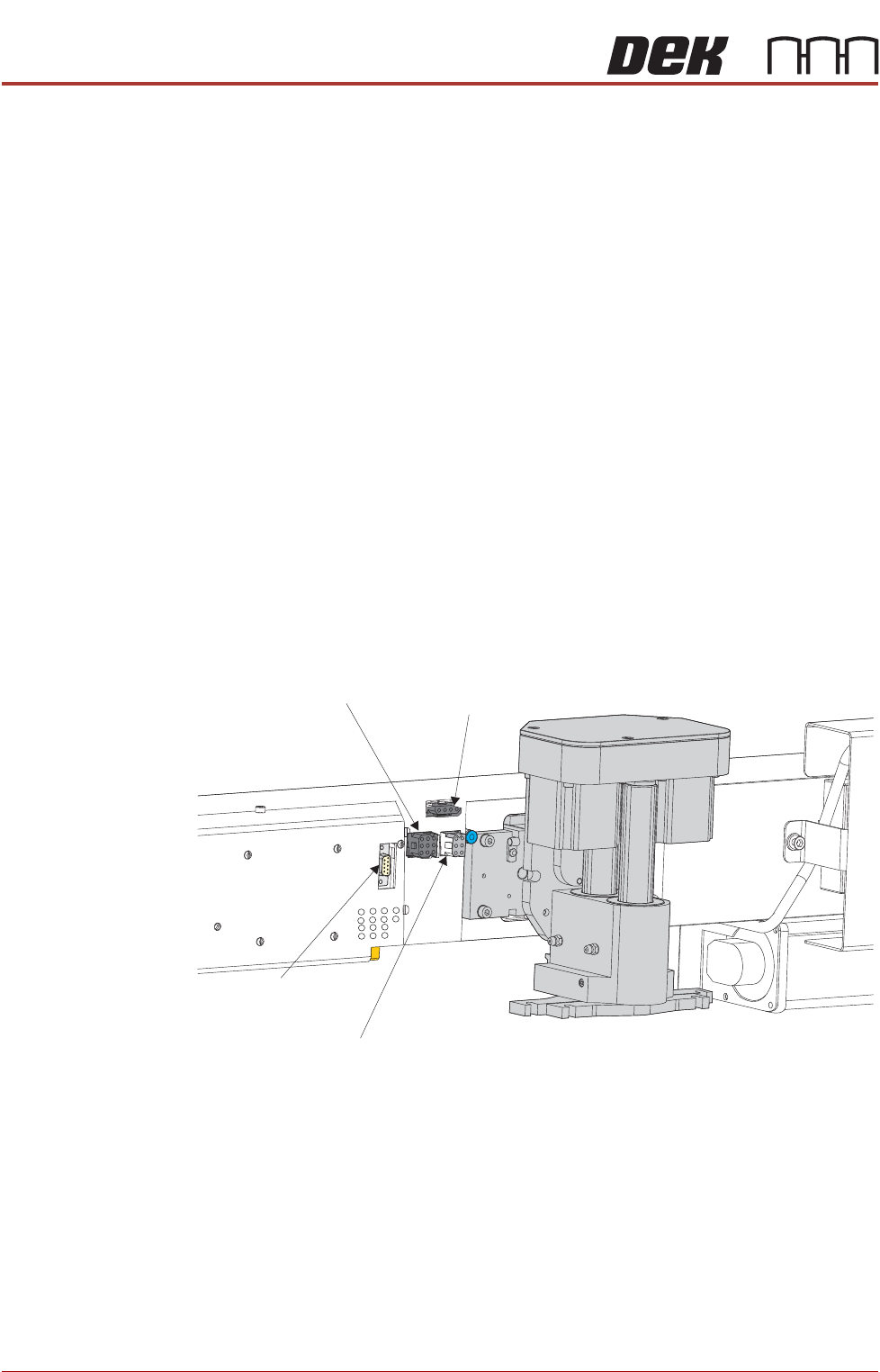
8. Disconnect the four squeegee mechanism connectors from the print car-
riage, left hand side:
• Rear Squeegee Motor
• Front Squeegee Motor
• Home Sensors
• Squeegee Pressure Amplifier
! "#
PROFLOW MODULE
REPLACEMENT PROCEDURES
Chapter Issue 4, Jun 18 Technical Reference Manual 11.13
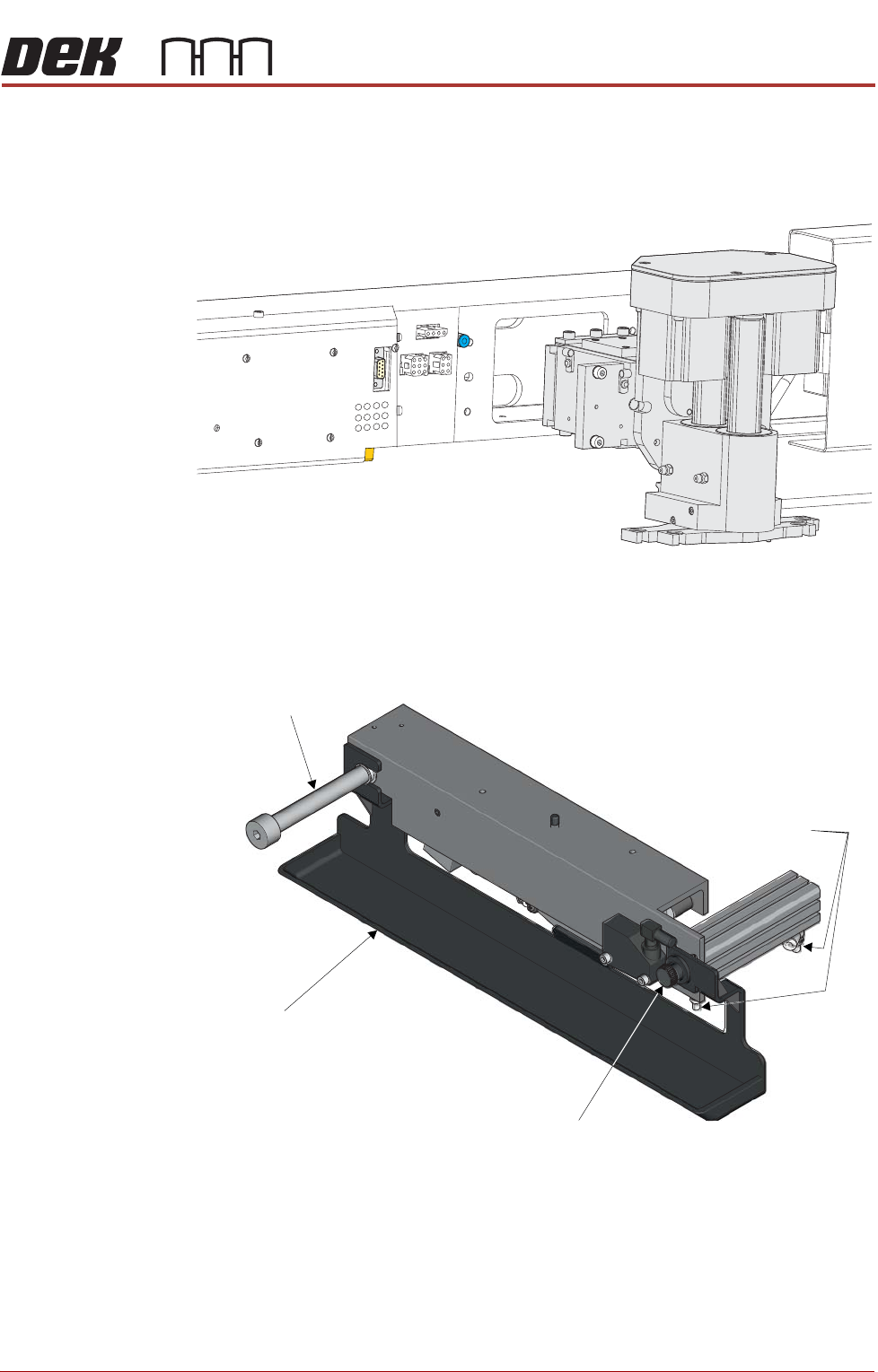
9. Loosen the four captive screws securing the squeegee printhead mecha-
nism to the print carriage using a 4mm Allen key. Carefully remove the
mechanism from the print carriage.
Removing Drip Tray If a screen change mechanism is fitted, carry out the following:
1. Close the speed control valves on the drip tray actuator.
2. Remove the thumbscrew attaching the drip tray to the actuator piston.
3. Slide the drip tray off the bearing on the drip tray guide shaft.