20121120111955_KY8030_2_Maintenance_Manual_Eng_ver1.pdf - 第81页
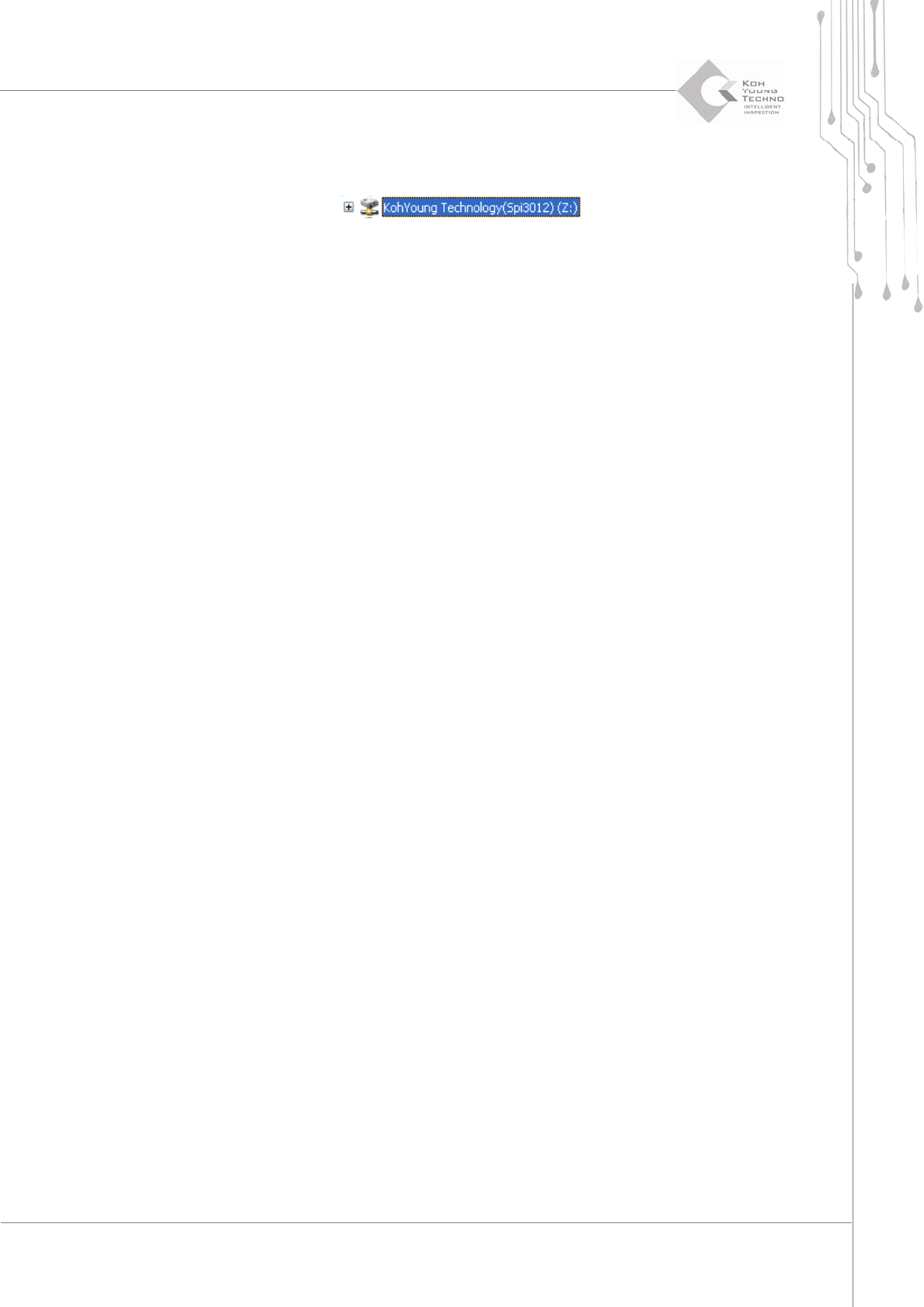
Maintenance Manual | 81 6. The network Drive “KohY oung Te c h n o l o g y (Spi3012)” ha s been created in the Wi n d ow search list.
80 | KY-8030 2
3DSolderPasteInspectionSystem
Version 1.0
KOH YOUNG TECHNOLOGY INC.
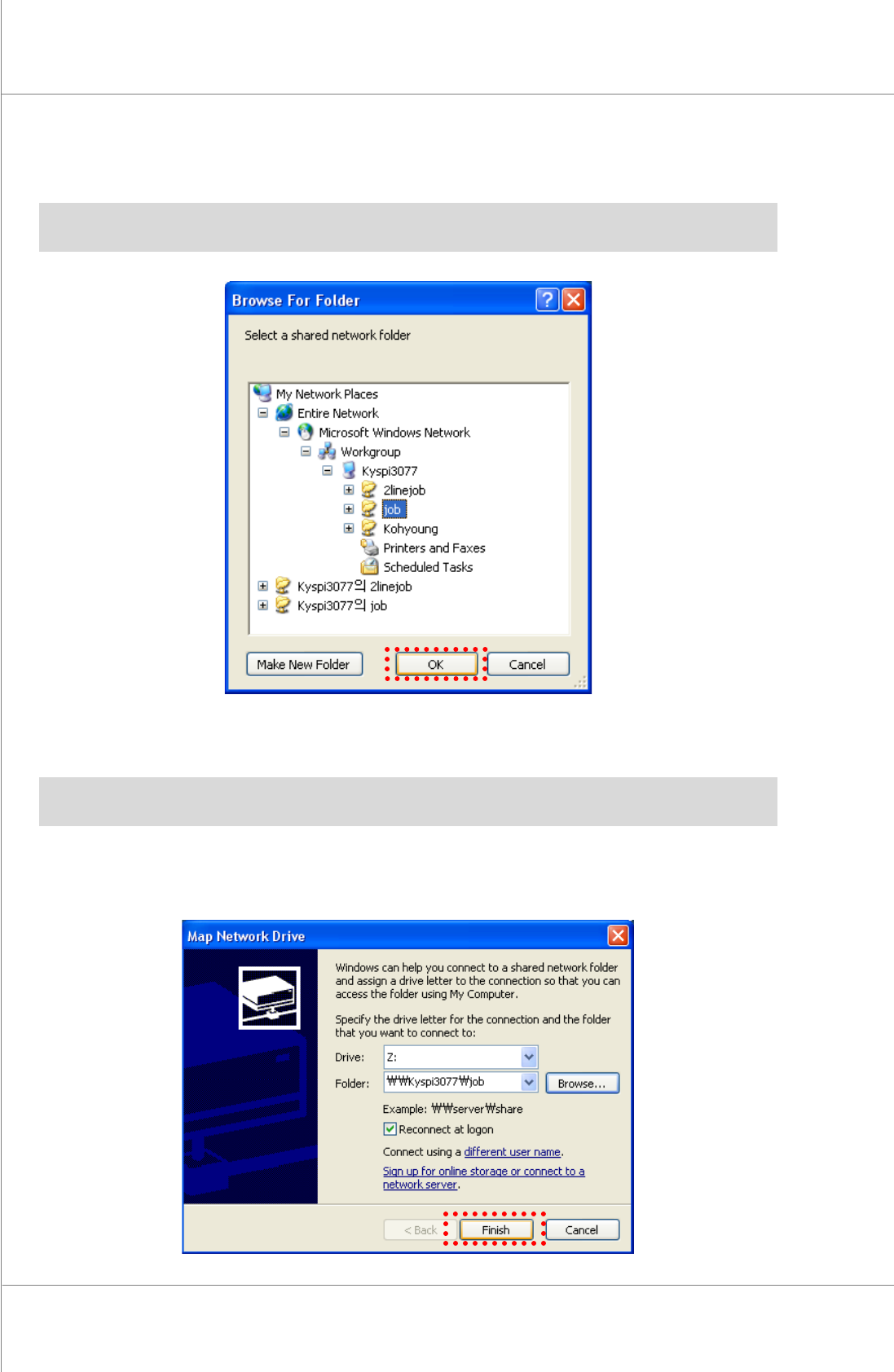
3. Click the [OK] button after selecting “Entire Network\Microsoft Windows
Network\machinename\Sharedfolder”.
※Note:Themachinenamemayvarydependingonthecompaniesbecauseitisanameofcomputer
thatcontrolsthemachine.
4. ChangeDrive.
※Note: Set other Drives except Z Drive because the Z Drive is the shared folder of the machine
remoteserver.
5. Clickthe[Finish]button.ThenetworkDrivesettingisnowcompleted.
Maintenance Manual | 81
6. ThenetworkDrive“KohYoung Technology(Spi3012)”hasbeen createdinthe Window
searchlist.
82 | KY-8030 2
3DSolderPasteInspectionSystem
Version 1.0
KOH YOUNG TECHNOLOGY INC.
3.5.5. VNC PROGRAM EXECUTION
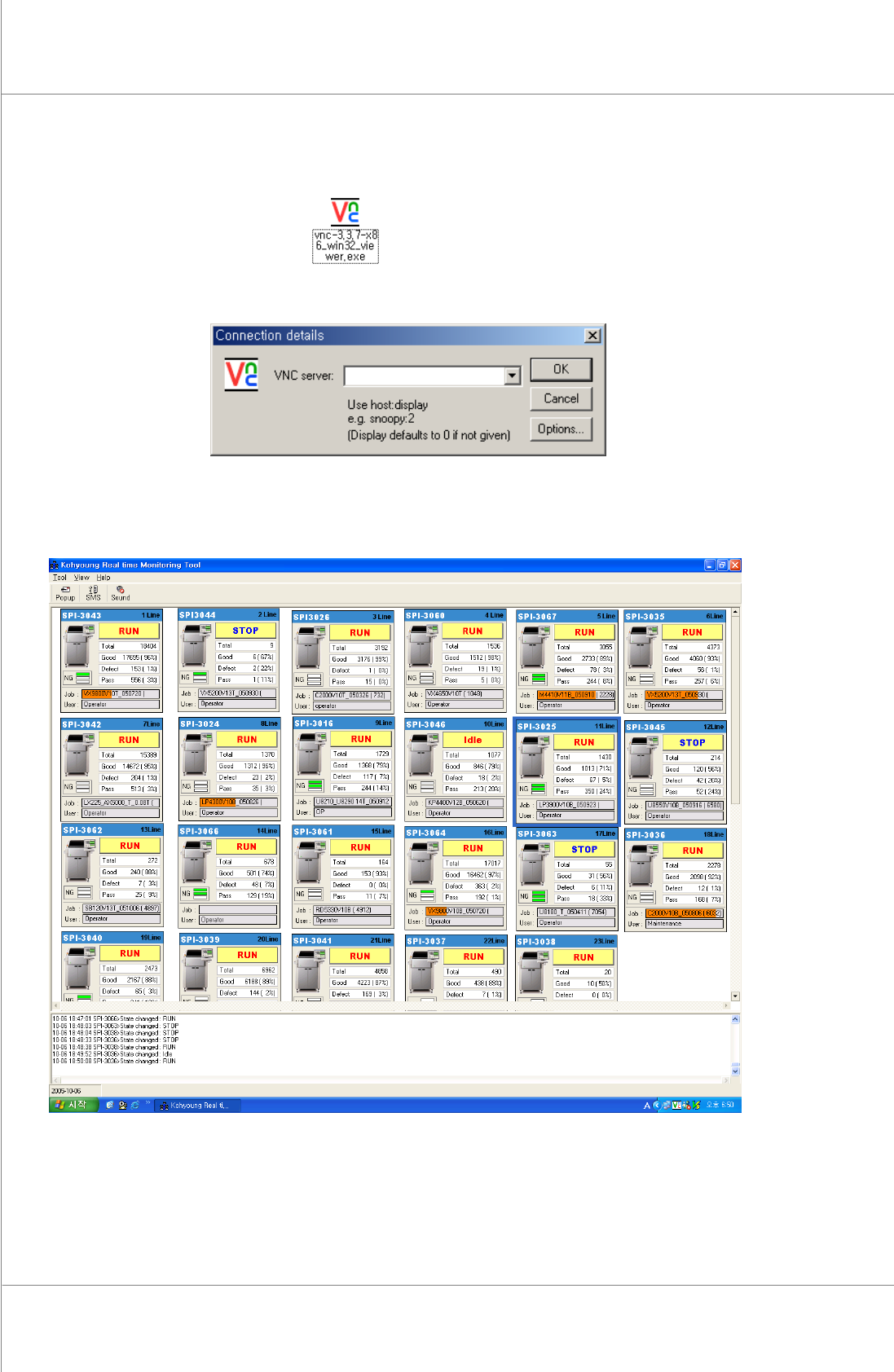
1. Doubleclickthe[P1]icon.
2. Clickthe[Ok]buttonafterinputtingtheIPofthemachine.
3. The inspection process appearson theremote screen. Up to 100machines can connect
withremotefeature.
Figure 3-8. 24 machines monitoring in Main PC