20121120111955_KY8030_2_Maintenance_Manual_Eng_ver1.pdf - 第95页
Maintenance Manual | 95 3.6.4. N ETWORK D RIVE S ETTING 1. Select the [M ap Network Drive] by clicking the right button of the mouse at the [My Computer]. 2. Click the [Browse] but…
94 | KY-8030 2
3DSolderPasteInspectionSystem
Version 1.0
KOH YOUNG TECHNOLOGY INC.
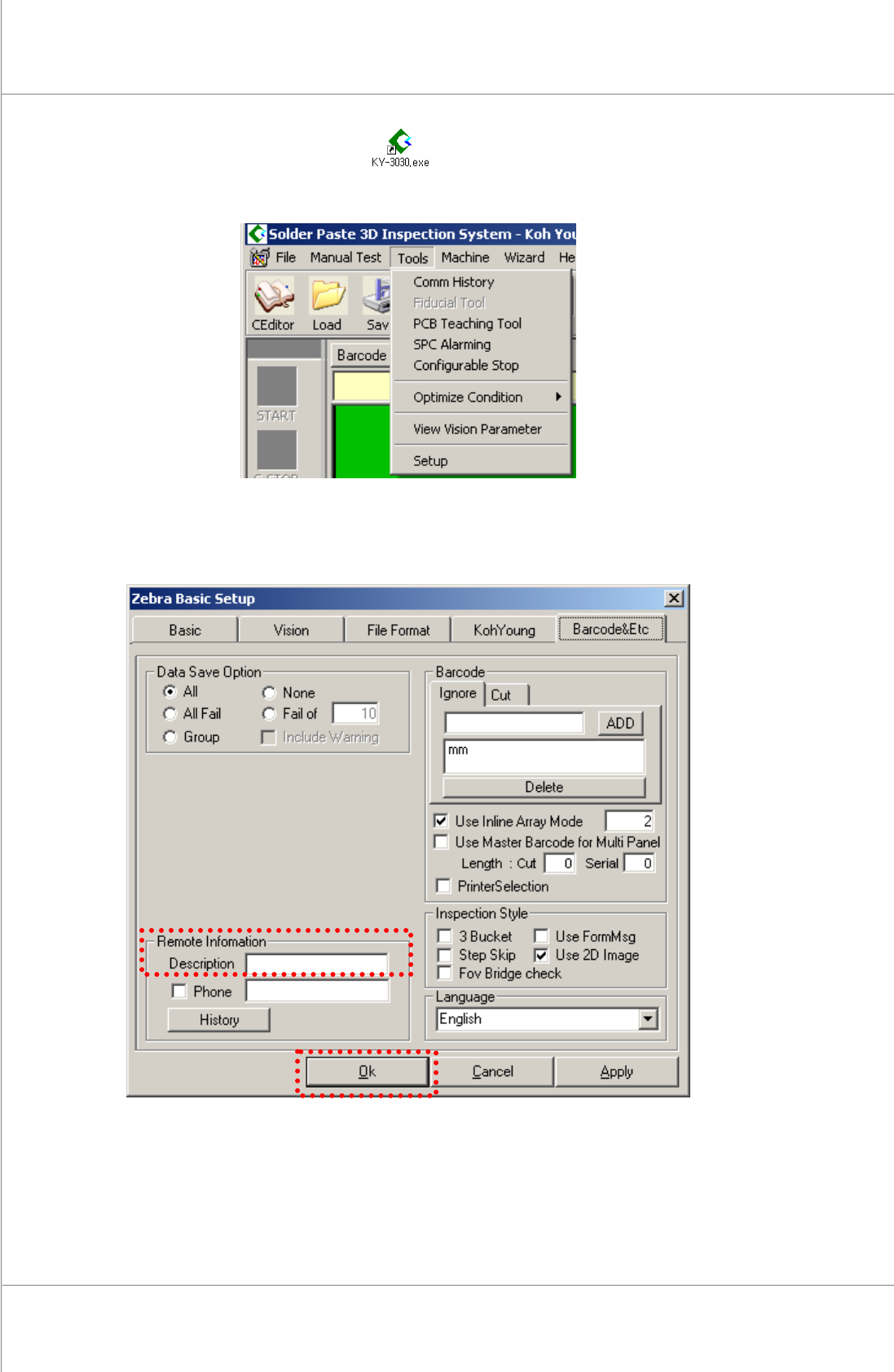
5. DoubleclicktheKY‐3030.exeicon.
6. SelectTool ▶ SetupfromtheMenubar.
7. Input the network name of the machine (e.g. Line_01) to the Remote Information
Description.Clickthe[OK]button.
Maintenance Manual | 95
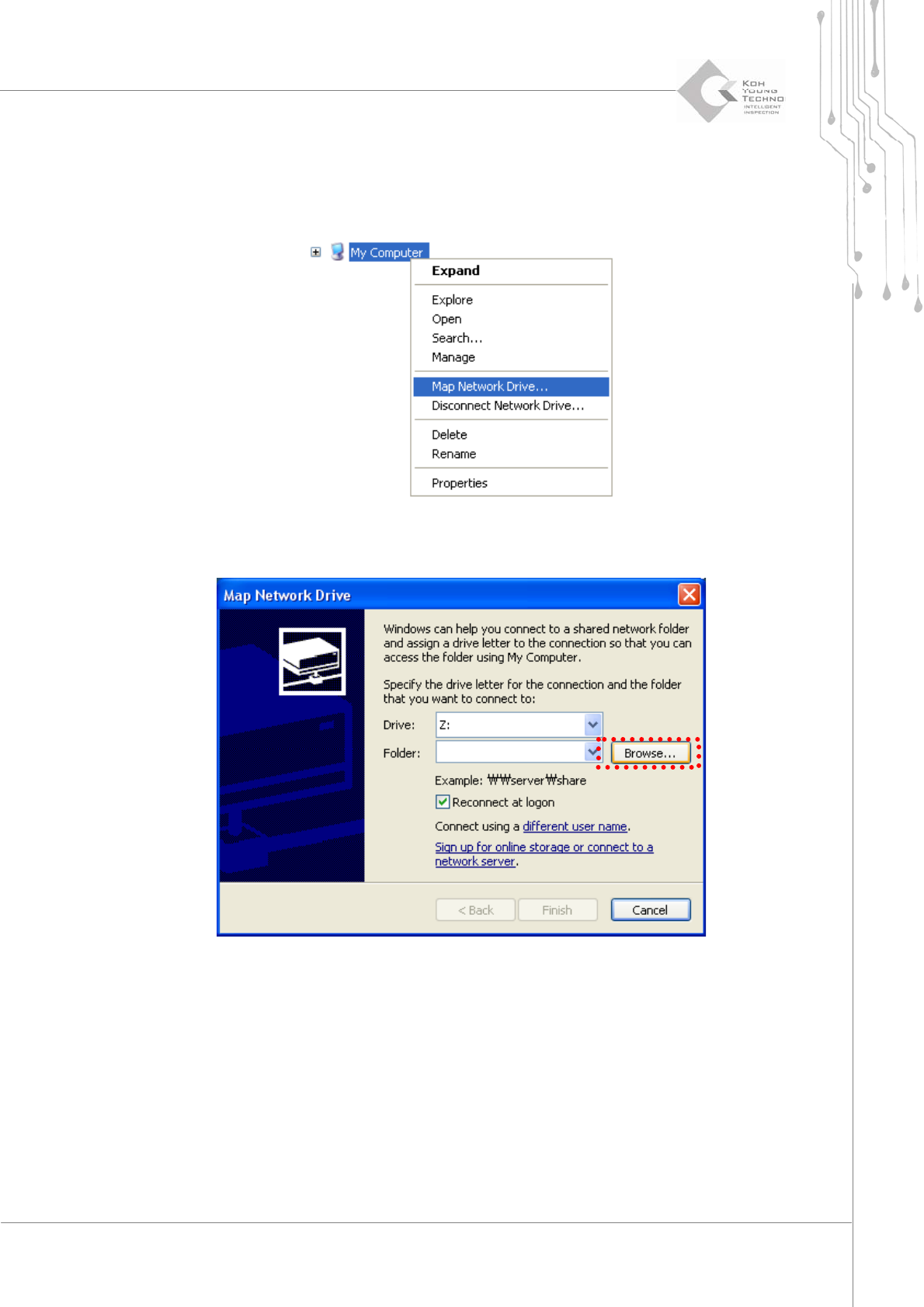
3.6.4. NETWORK DRIVE SETTING
1. Select the [Map Network Drive] by clicking the right button of the mouse at the [My
Computer].
2. Clickthe[Browse]button.
96 | KY-8030 2
3DSolderPasteInspectionSystem
Version 1.0
KOH YOUNG TECHNOLOGY INC.
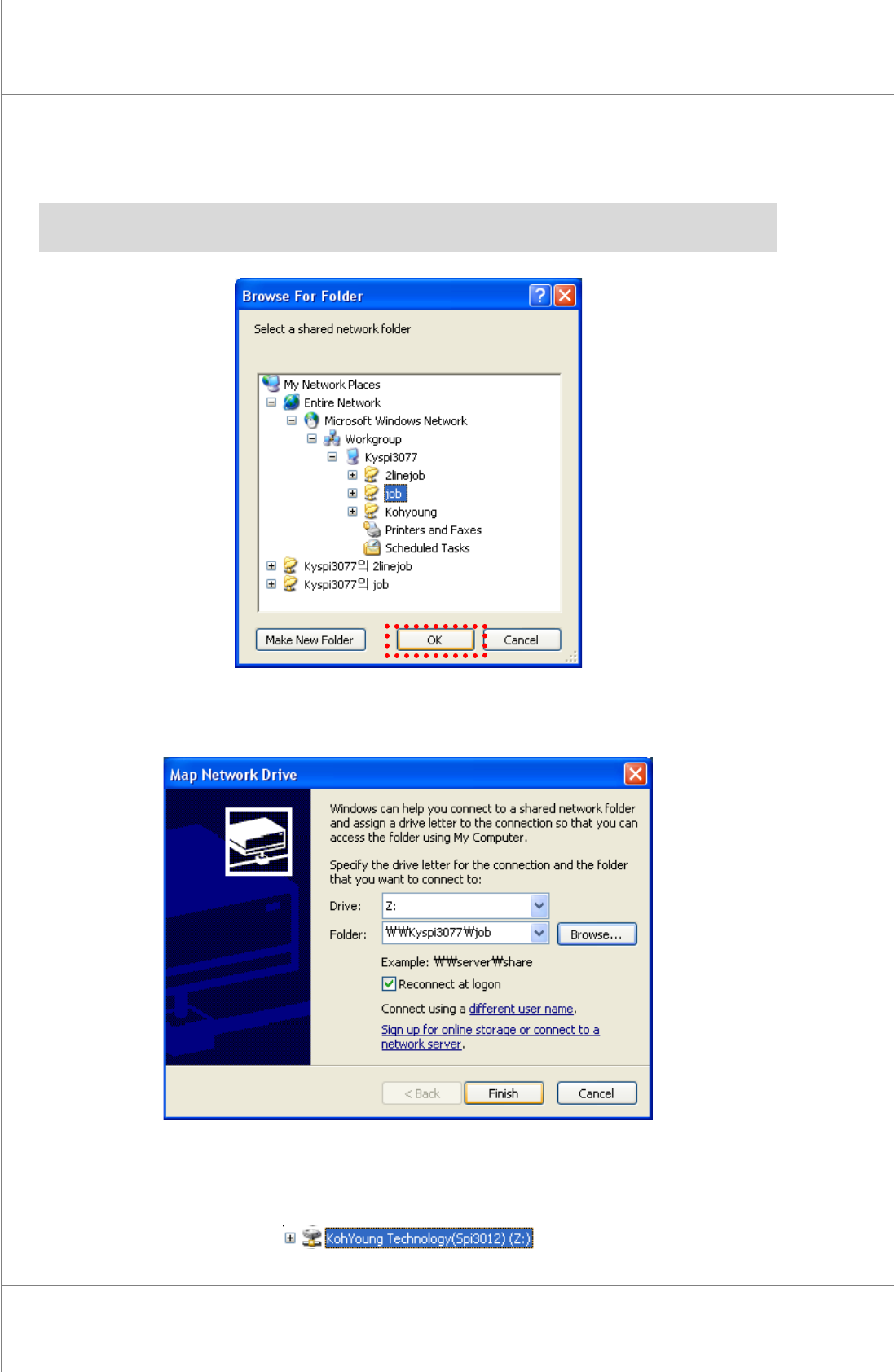
3. Click the [OK] button after selecting “Entire Network\Microsoft Windows
Network\machinename\Sharedfolder”.
※ Note:ThenameoftheRemoteServermayvarydependingonthecompaniesbecauseitisaname
ofcomputerthatremotecontrolsthemachine.
4. Clickthe[Finish]button.
5. The network Drive setting is now completed. The network Drive “KohYoung
Technology(Spi3012)”hasbeencreatedintheWindowsearchlist.