CM88Maintenace2x.PDF.pdf - 第86页
Page 4-4 4-2 System Updating 4-2-1 Installing the System (later than V er . 2.20) T o use the system updated, carry out the sections, “4-2-2 Installing the Screen T ransfer System” and “4-2-3 Installing the System Disk” …
Page 4-3
UPDATING
4
3Y3C-E-MMD04-A01-00
Updating the Recognition Device
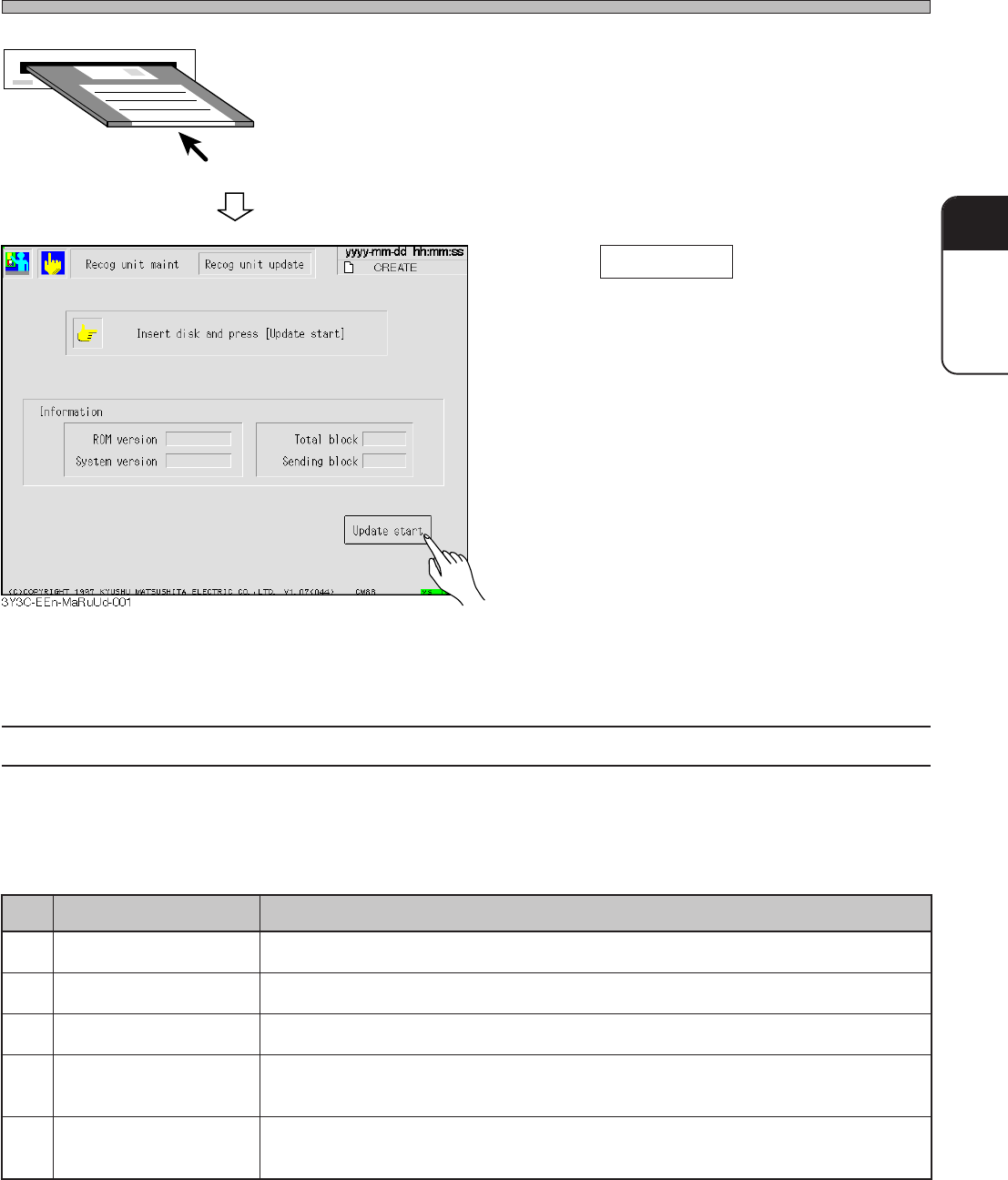
4. Insert the recognition system disk
into the drive.
5. Press Update start .
6. After the update, pull out the recogni-
tion system disk and return to the
main menu, then turn off the power.
Recognition system
floppy disk
(for update)
4-1-2 Error Massages in Updating
When an error happens in updating, the operation stops and the message appears. Take the
solutions referring to followings.
3Y3C-121TE
.oN segasseM snoituloS
.1ksidyppolftresnI .evirdehtotniksidyppolfmetsysnoitingocerehttresnI•
.2dnuoftonelifgoceR .ksidyppolfmetsysnoitingocerreporpehttresnI•
.3hctamsimnoisreV .noisrevMORehtotgnidnopserrocksidyppolfmetsysnoitingocerreporpehttresnI•
.4tluafecivedgoceR
.selbacehtfonoitcennocehtkcehC.tnemevomfororrenasahecivednoitingocerehT•
.suhtiwtcatnocekaM•
.5)srehtO(
.reporpsiksidyppolfmetsysnoitingocerehttahtenimaxE•
.suhtiwtcatnocekaM•
Page 4-4
4-2 System Updating
4-2-1 Installing the System (later than Ver. 2.20)
To use the system updated, carry out the sections, “4-2-2 Installing the Screen Transfer System”
and “4-2-3 Installing the System Disk” at first. Incomplete operation of these causes the fault
movement of the machine.
4-2-2 Installing the Screen Transfer System
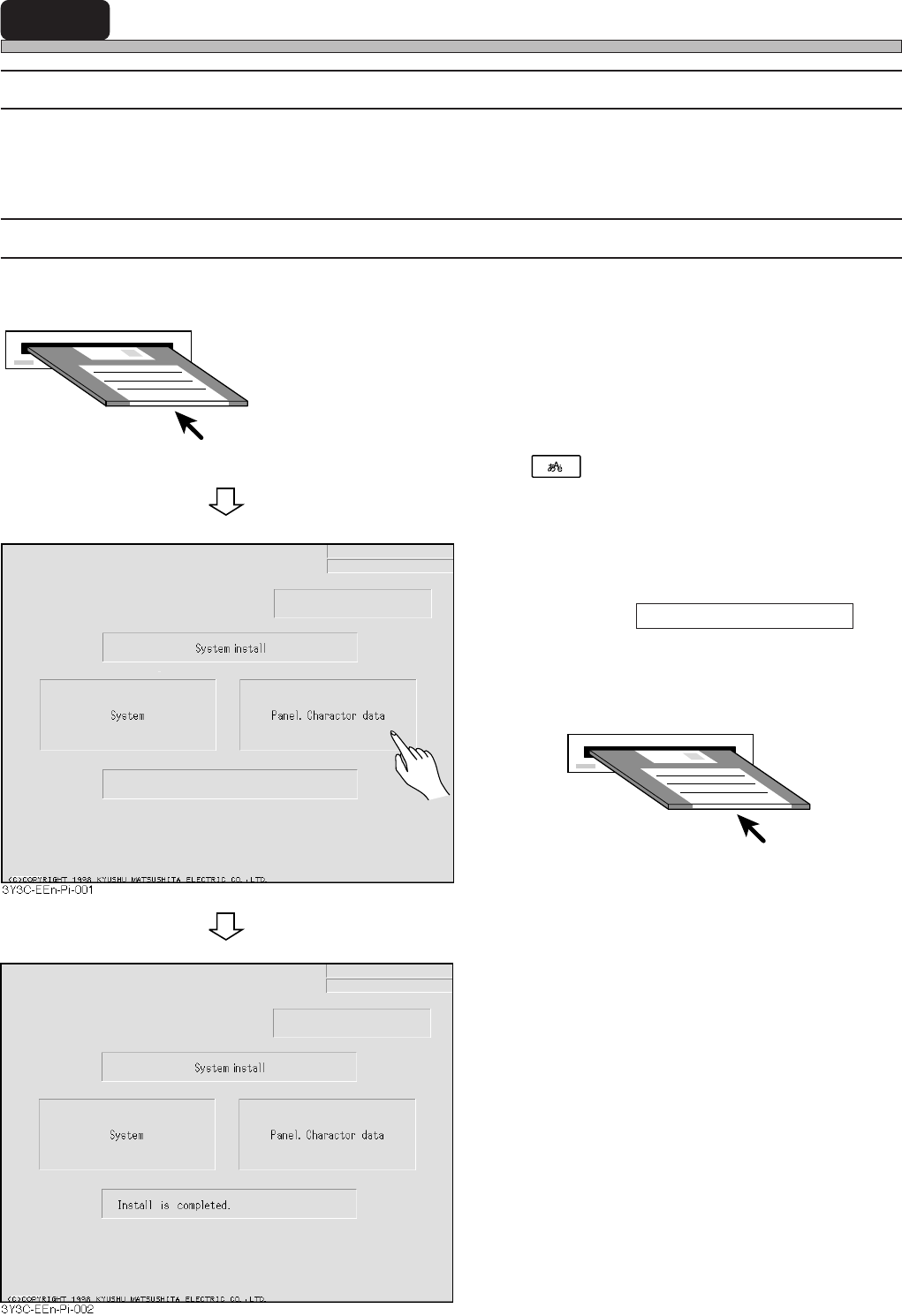
Prepare the installation disk and the screen transfer system disk.
1. Turn on the power of the machine,
and insert the installation disk into
the drive at once.
∗ The initial screen is displayed in English. Press
of the lower function keys to change
Japanese and English.
2. Pull out the installation disk, and
enter the screen transfer system disk.
Then press Panel. Character data on
the operation panel.
• Transferring the screen data starts.
3. After completing the installation, pull
out the screen transfer system disk,
and turn OFF the power.
∗ To continue the installation of the system disk,
you do not have to turn off the power.
• When the installation is finished, “Install is
completed.” appears.
Installation disk
Screen transfer system disk
3Y3C-E-MMD04-A01-00
Page 4-5
UPDATING
4
System Updating
4-2-3 Installing the System Disk
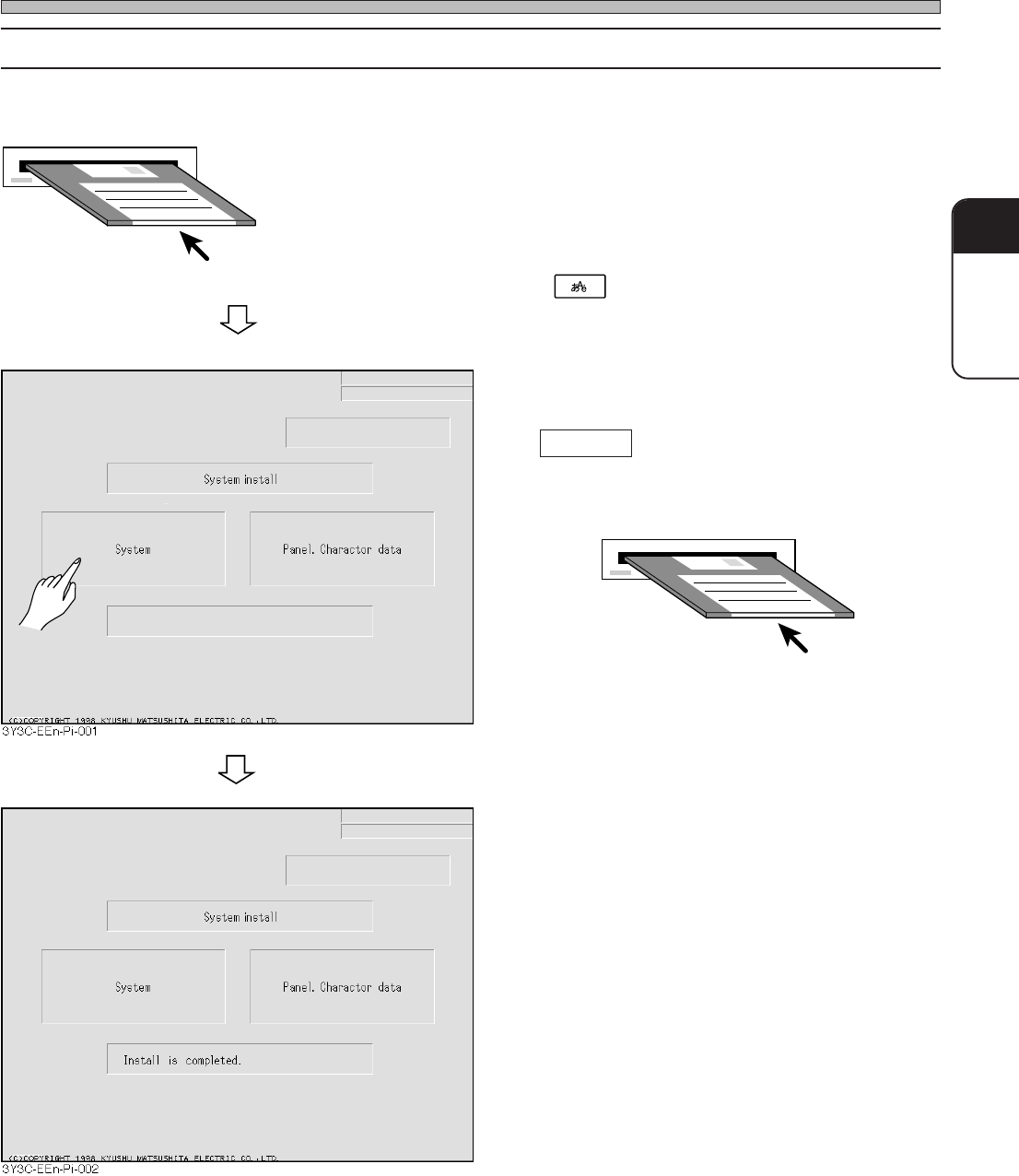
Prepare the installation disk and the system disk.
1. Turn on the power of the machine,
and insert the installation disk into
the drive.
∗ The initial screen is displayed in English. Press
of the lower function keys to change
Japanese and English.
2. Pull out the installation disk, and
enter the system disk. Then press
System .
• The system is started to transfer.
3. After completing the installation, pull
out the system disk snd turn OFF the
power.
• When the installation is finished, “Install is
completed.” appears.
Installation disk
3Y3C-E-MMD04-A01-00
System disk