COU2000 PRO计数器英文说明书 Operaton Manual-en(1).pdf - 第16页
VERSION: .1.01 E 16 / 52 pull the tape through the upper guiding po le and the lower guidin g pole 4.1.6 According to item 4.1 .3 mentioned above, please pr ess the PITC H key to set the corresponding pitch value. 4.1.7 …
VERSION: .1.01 E
15 / 52
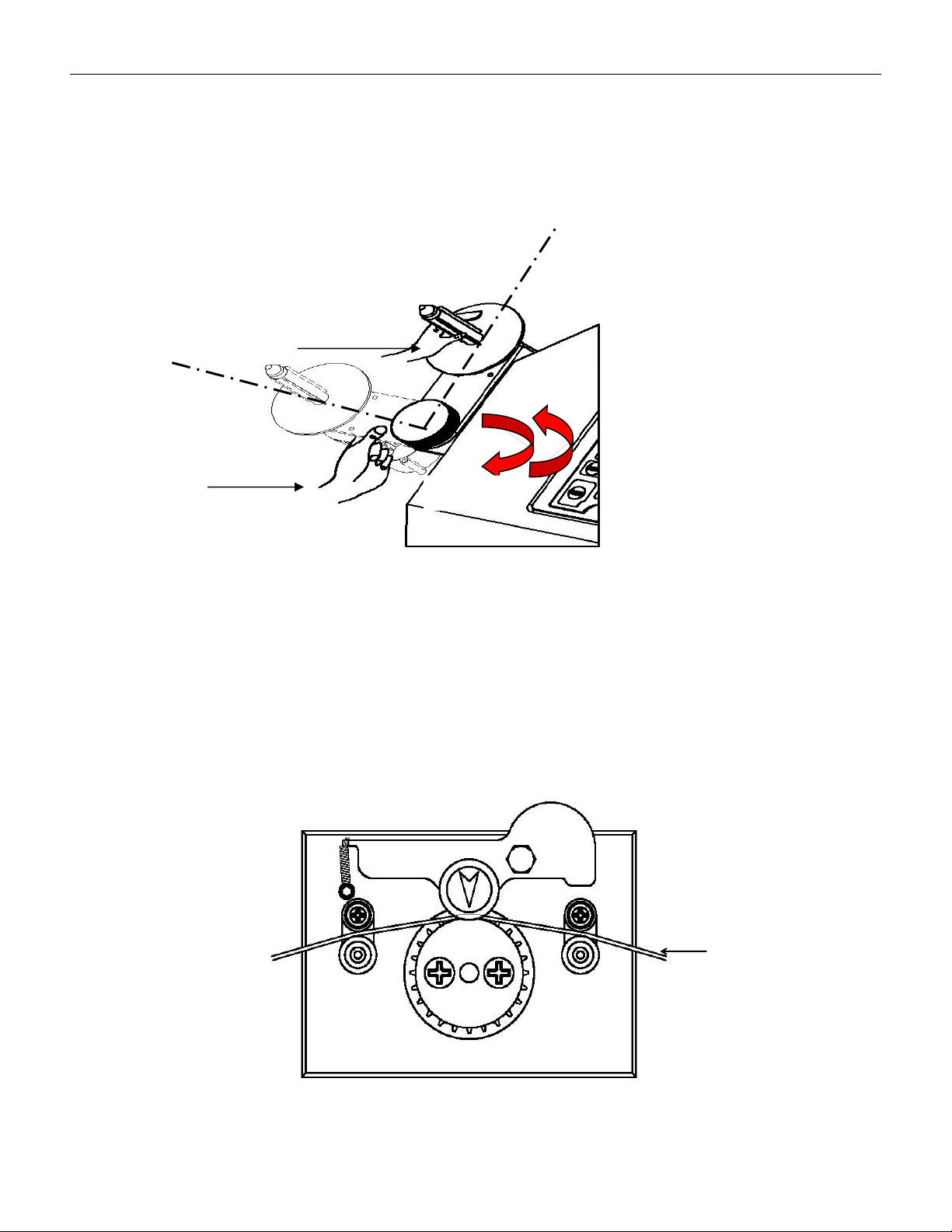
When adjusting the arm, first rotate the locking handle counterclockwise to make the arm
in a relaxed state, then gently rotate the arm to the desired angle by hand, and rotate the
locking handle clockwise to make the arm in a locked state; Please note that when rotating
the arm, do not use your hands to pull or push the belt shaft, as this may damage the
transmission. You can use your hands to gently apply force at the arm as shown in the
following diagram。
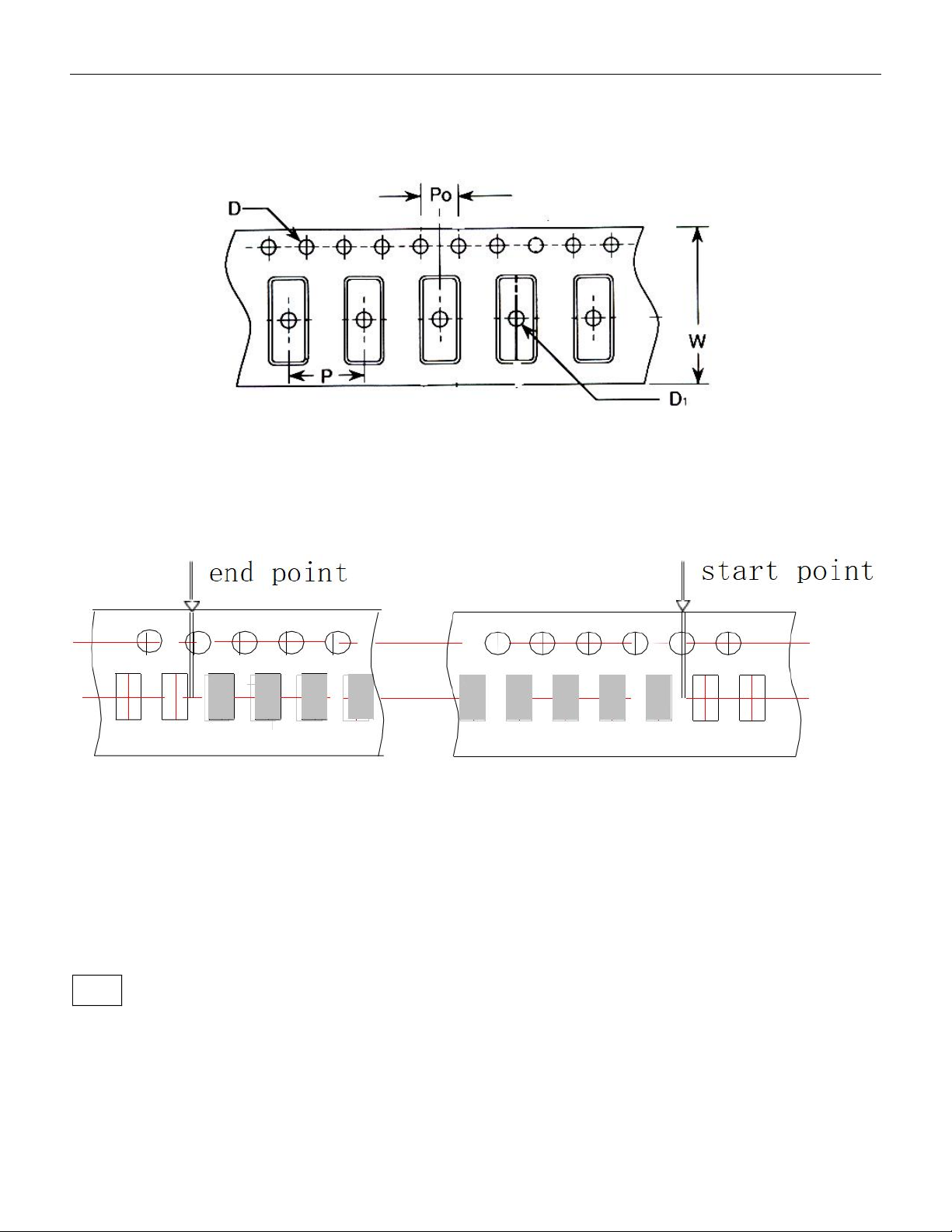
4.1.5 Set the reel onto the counter
Install the part reel to be counted onto reeling shaft on the left, so that the blades on
reeling shaft are locked to the reel; install temporary reels of corresponding widths on
the right; guide the starting part of the tape through the space between upper
guide pole and lower guide pole, press the guide pulley, and hang the tractive hole, namely,
D as below, of the reel onto counting gear.
Ree
l
Wrong
Correct
Tighten
Loose
VERSION: .1.01 E
16 / 52
pull the tape through the upper guiding pole and the lower guiding pole
4.1.6 According to item 4.1.3 mentioned above, please press the PITCH key to set the
corresponding pitch value.
4.1.7 Drag the tape by hands, align the first component with the arrow indicated on guide
pulley; press the CLEAR key to clear.
About the first and last component
4.1.8 Drag the tape and lead the tape into the temporary reel on the right and hang it to the
hub of reel. Now, the value is increasing.
4.1.9 Press START key, and the motor will drag the tape in the forward direction, and the
counting value will increase.
Note: whether in cases of manual or motor dragging of the tape, the counting value will be
increased in the forward direction, and decreased in the reverse direction. The counting will
be accurate only if the tape does not fall down from the counting gear.
4.1.10. If there is the preset value, the device will stop at the corresponding location, drag
VERSION: .1.01 E
17 / 52
the tape manually, until the last component is aligned withthe arrow indicated on the guide
pulley。 .
Note: because of the inertia of the motor and the different tensile forces of the pocket, the
counting value where the device stops is often greater than the preset value.
4.1.11 If no value is preset, please press the STOP key to stop running. When the tape is to
come to an end, and drag the tape manually, until the last component is aligned with the
arrow indicated on guide pulley.
4.112. At the time, the data displayed on the device is the quantity for the
components in the tape. Please record it onto the original reel.
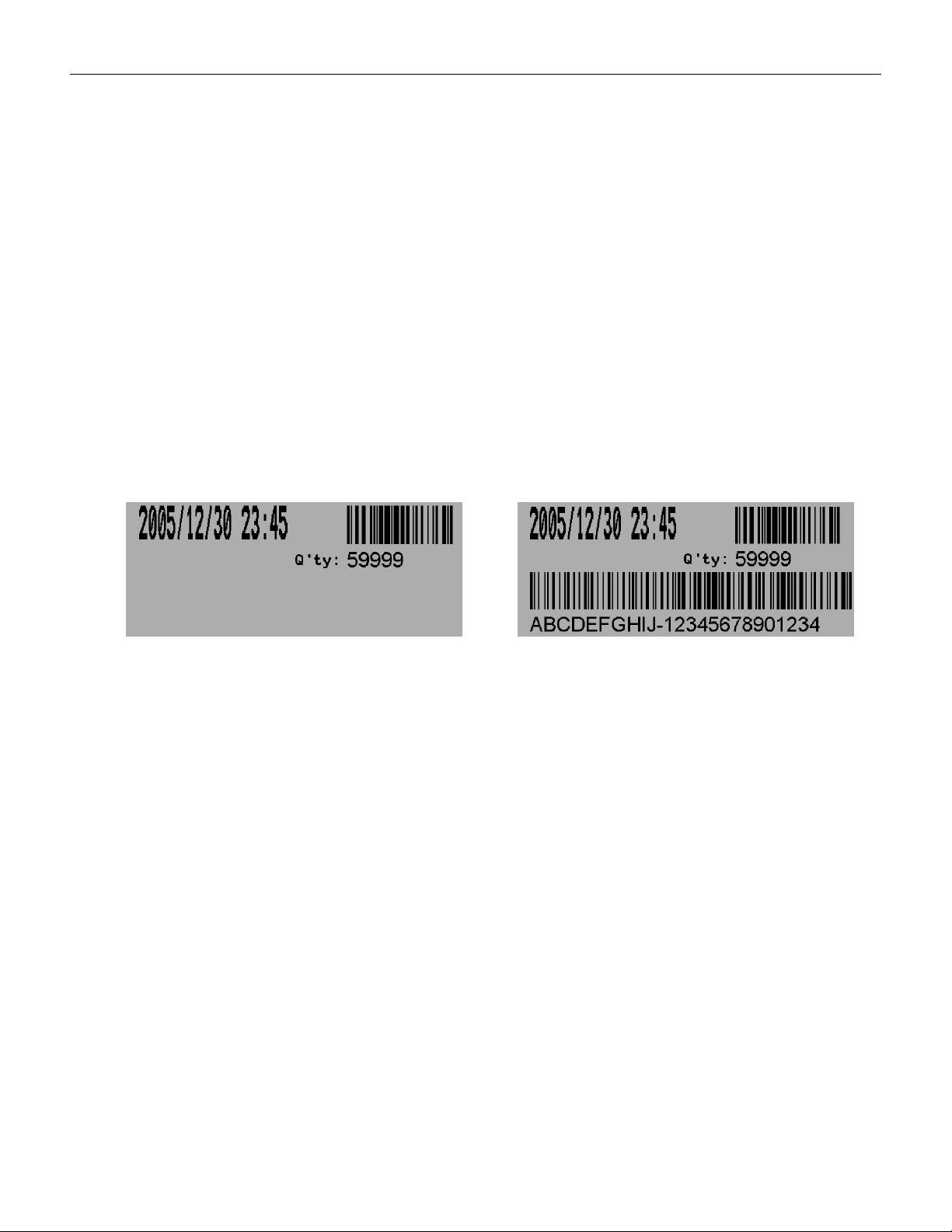
4.1.13 If a label printer is equipped, press the PRINT key to print the label,if a bar-code
reader is equipped, scan the barcode on the original reel into the device, then the printed
label will cover information such as time, quantity and bar-code, as shown in the following
figure:
without bar-code of component with bar-code of component
4.1.14 Press the REWIND key, and the tape will roll back from the temporary reel to the
original reel. When the counting is decreased to zero, the device will stop automatically;
drag the tape manually, and check whether the corresponding location zero at this time is
consistent with location zero at start. This is called double check.
4.1.15. Press the REWIND key again, and all the tape will return back to the
original reel
4.2 Operation guide for Pocket Check
4.2.1 Overview of Pocket Check
The Pocket Check function can be used to automatically detect whether there are missing
parts in the material belt, stop and prompt when there are missing parts.