COU2000 PRO计数器英文说明书 Operaton Manual-en(1).pdf - 第41页
VERSION: .1.01 E 41 / 52 5.4.1.6 Set PRESET value 5.4.1.7 Se t the data savi ng in formation 5.4.1.7.1 Se t the correct target di recto r y, file prefix and su ffix. 5.4.1.7.2 Cl ick on "PRINT" or press th e &q…
VERSION: .1.01 E
40 / 52
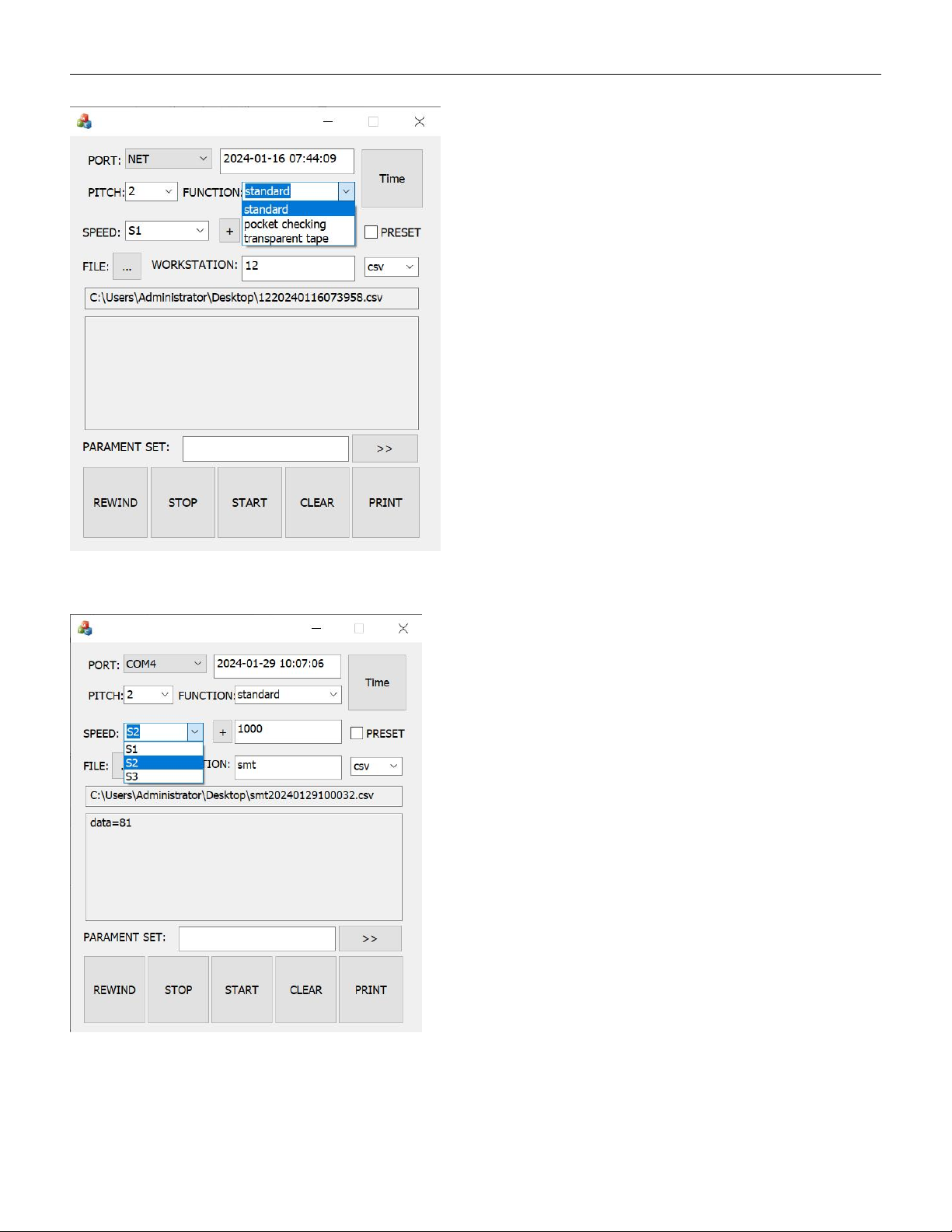
5.4.1.4 Select counting mode(Standard, PC,TT)
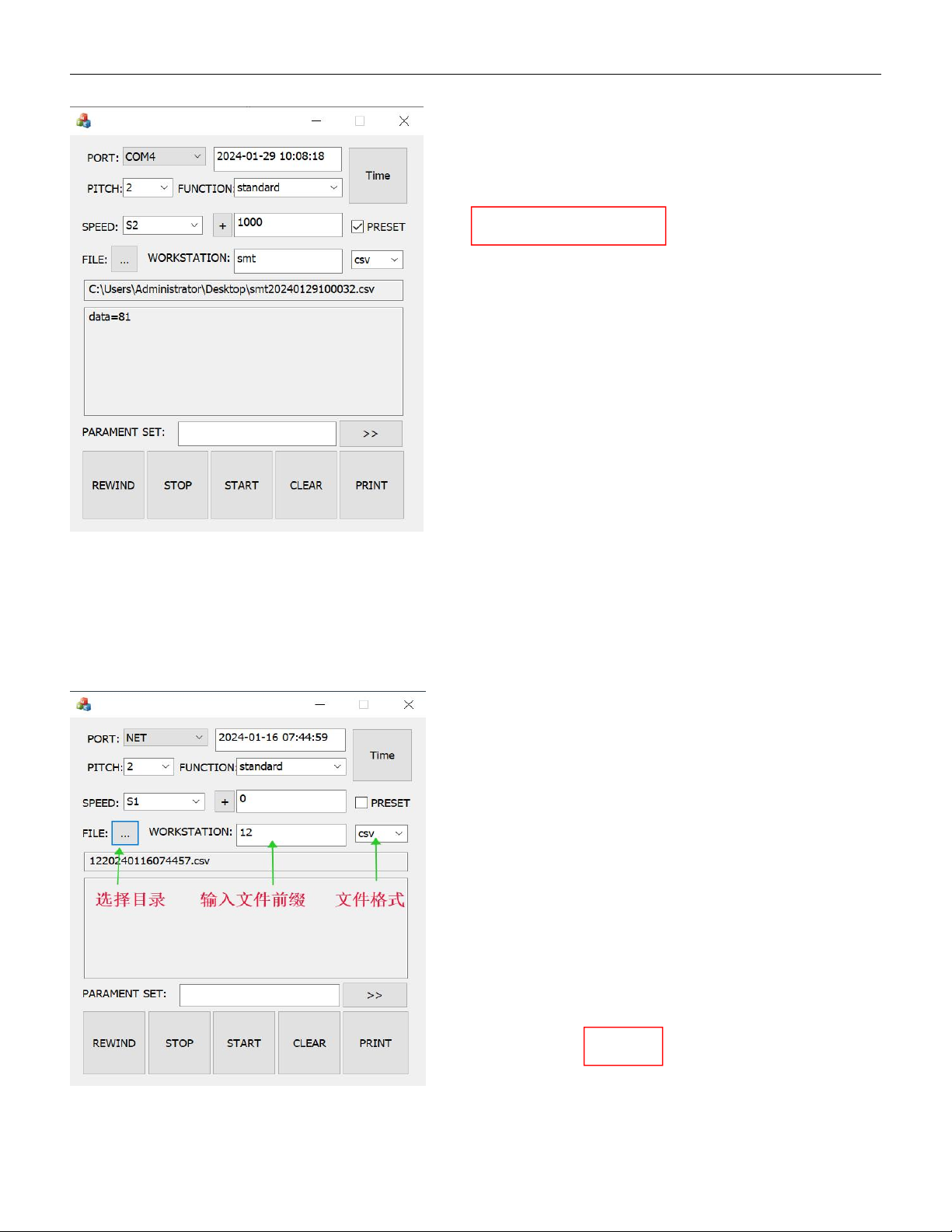
5.4.1.5 Select counting speed
VERSION: .1.01 E
41 / 52
5.4.1.6 Set PRESET value
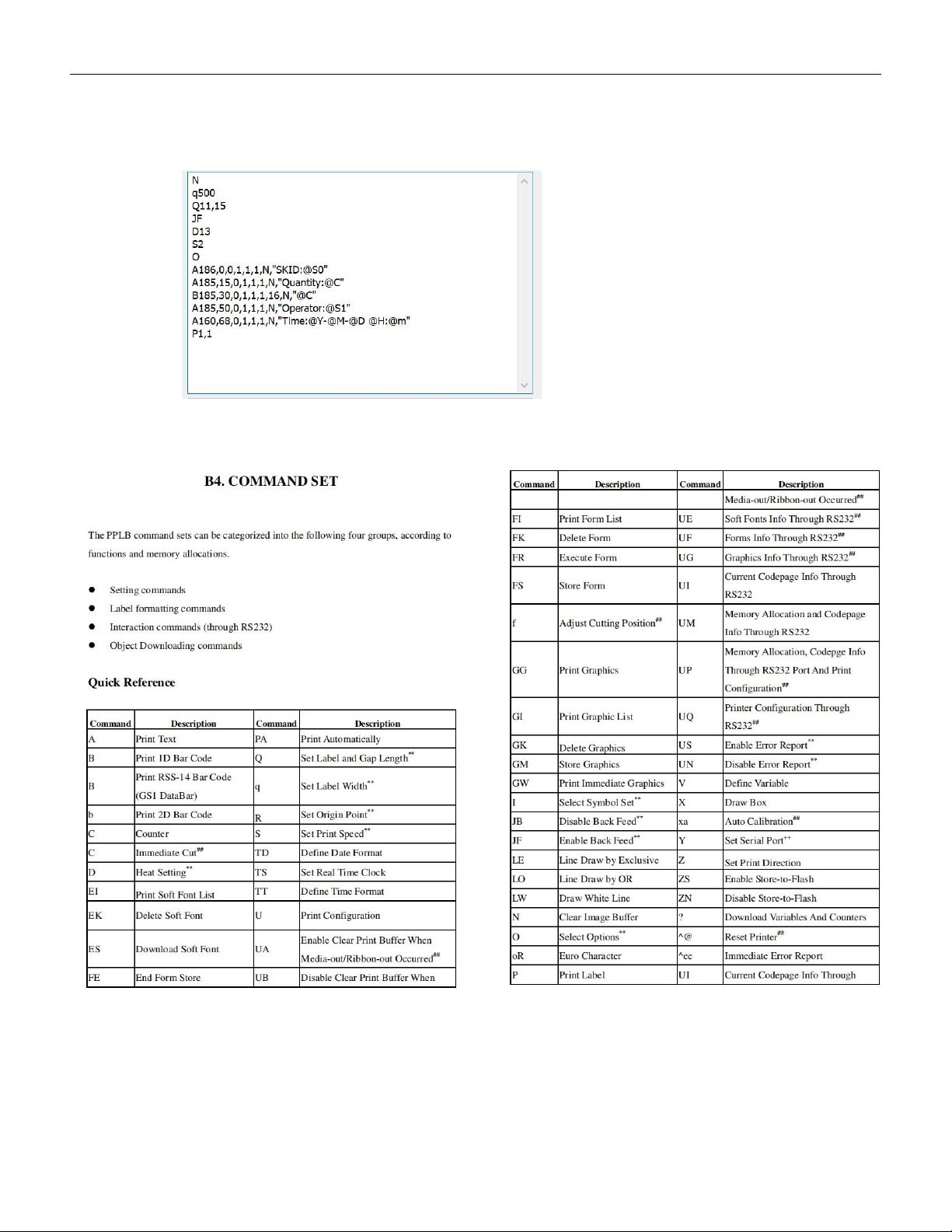
5.4.1.7 Set the data saving information
5.4.1.7.1 Set the correct target directory, file prefix and suffix.
5.4.1.7.2 Click on "PRINT" or press the "PRINT" button on the control panel to automatically
save the file to the target folder.
VERSION: .1.01 E
42 / 52
5.4.2 Label font settings
In the font setting area for printing, we can follow the PPLB programming
Instructions to set the label content, as shown below:
The printer supports PPLA/B programming instructions, and the meaning of
main program code are shown as below:
Taking the Zebra printer ZD888 printer as an example, we describe the code as below:
N (N:Clear cache)
q500 (q: Print width )