COU2000 PRO计数器英文说明书 Operaton Manual-en(1).pdf - 第42页
VERSION: .1.01 E 42 / 52 5.4.2 Label font settin gs In the font setting area for pri nting, we can follow the PPLB programming Instructions to set the l abel content, as shown below: The prin ter suppor ts PPL A/B progra…
VERSION: .1.01 E
41 / 52
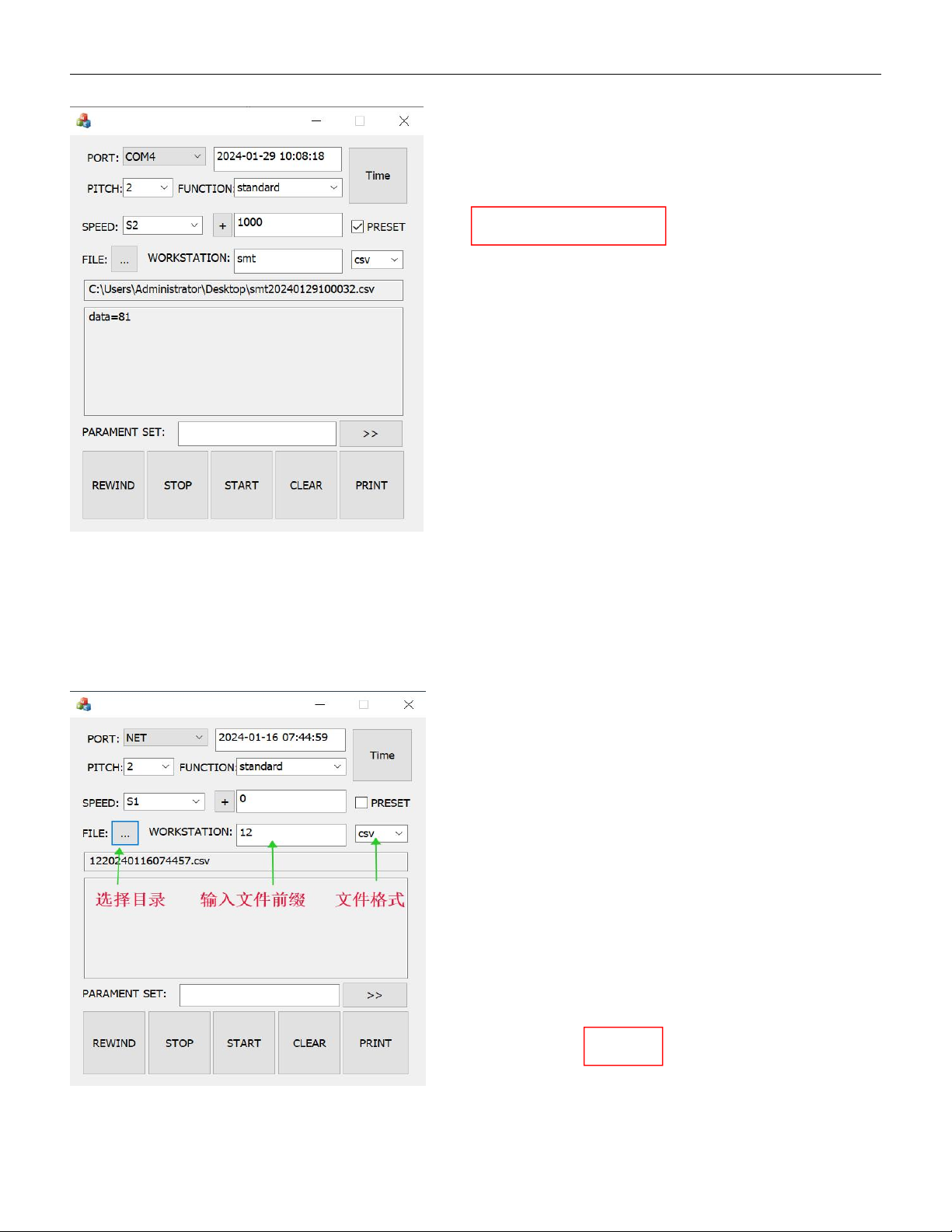
5.4.1.6 Set PRESET value
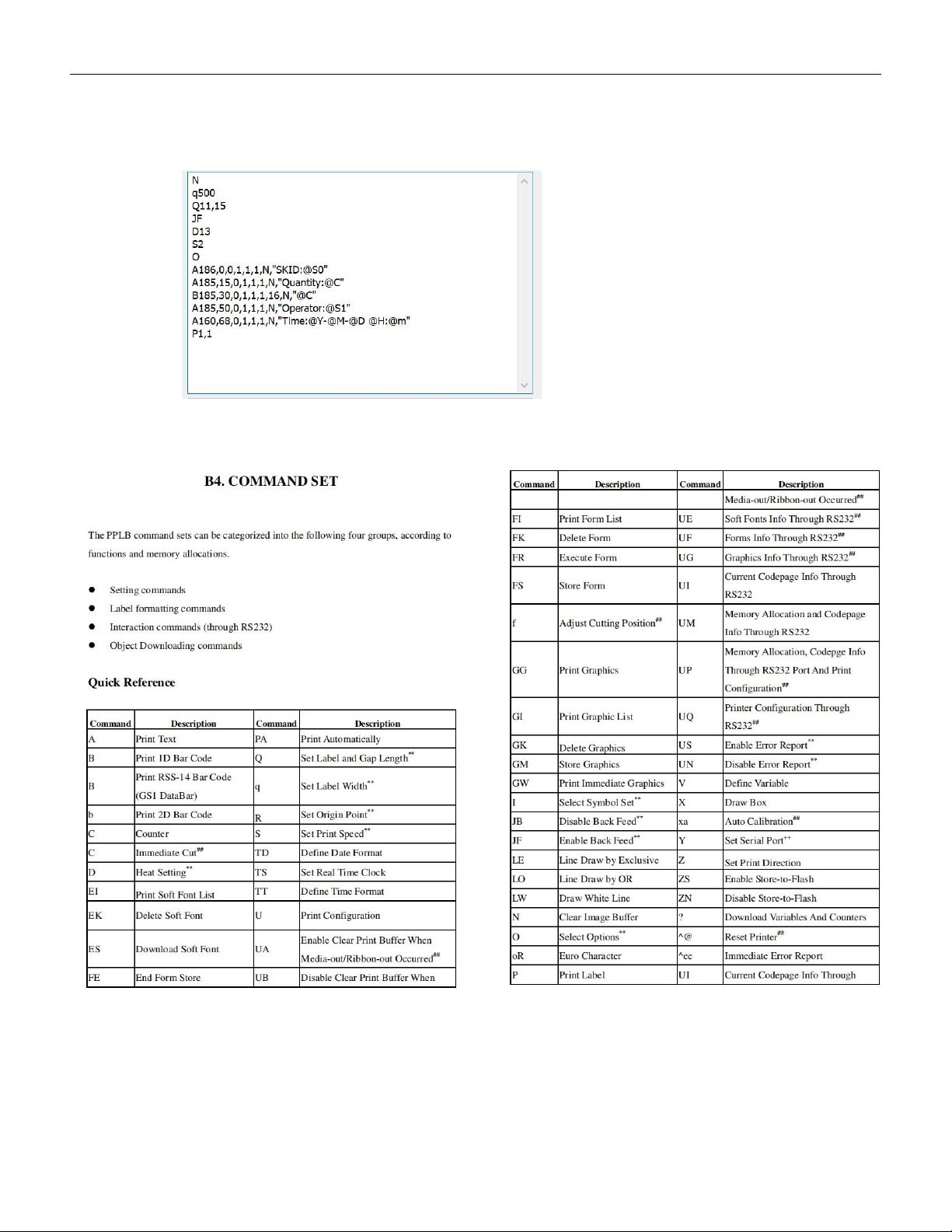
5.4.1.7 Set the data saving information
5.4.1.7.1 Set the correct target directory, file prefix and suffix.
5.4.1.7.2 Click on "PRINT" or press the "PRINT" button on the control panel to automatically
save the file to the target folder.
VERSION: .1.01 E
42 / 52
5.4.2 Label font settings
In the font setting area for printing, we can follow the PPLB programming
Instructions to set the label content, as shown below:
The printer supports PPLA/B programming instructions, and the meaning of
main program code are shown as below:
Taking the Zebra printer ZD888 printer as an example, we describe the code as below:
N (N:Clear cache)
q500 (q: Print width )
VERSION: .1.01 E
43 / 52
Q11,15 (Q: Label length,gap between 2 labels)
JF (JF:Enable label return)
D13 (D: Print definition)
S2 (S: Print speed)
O (O:Option)
A186,0,0,1,1,1,N,"SKID:@S0"
A185,15,0,1,1,1,N,"Quantity:@C"
B185,30,0,1,1,1,16,N,"@C"
A185,50,0,1,1,1,N,"Operator:@S1"
A160,68,0,1,1,1,N,"Time:@Y-@M-@D @H:@m"
P1,1 (P:Label number,number of copies)
Please see below for more information about the long sentence:
A:Print text
B:Print 1D barcode
N:Do not print barcode text (change the 8th digit 'N' to 'B' to print barcode
with text)
The six digit numbers represent: horizontal coordinate, vertical coordinate,
text rotation direction, barcode width, barcode height, and font style
(default is Style 1)
“”:The content to be printed is enclosed in double quotation marks.
@S0 : The content when scan at the first time.
@S1 : The content when scan at the second time.
@C :Quantity after counting.
@Y-@M-@D @H:@m :Date&Time.
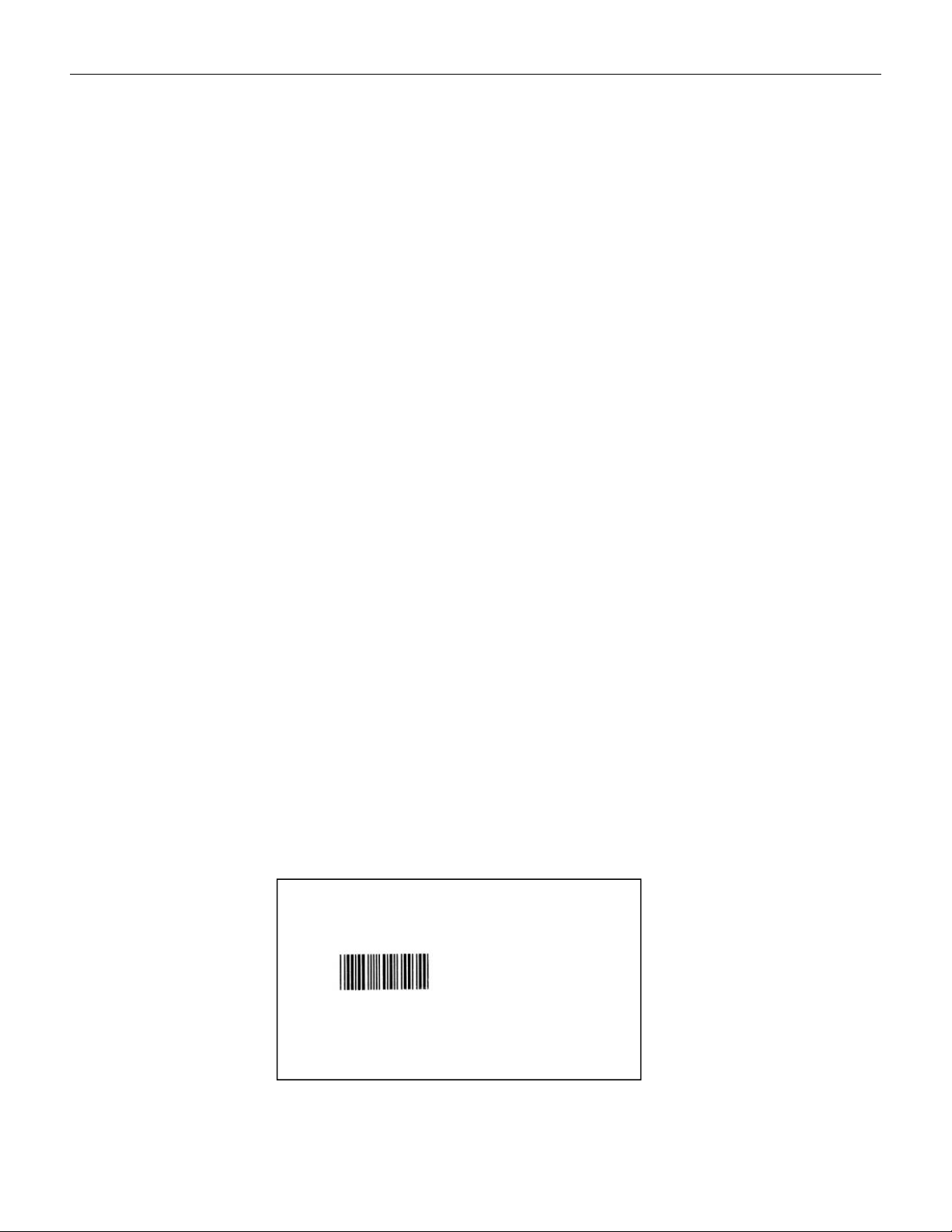
The printing effect of the above code content is as below:
SKID:C0805ZKY5V6BB
Quantity:347
Operator:ZHANG SAN
Time:2024-01-01 12:00