Mr. JF Sun ALL syringe_IPS.pdf - 第170页
Edition 4.0 H08M(Q) Head Repair T raining T ext FK-9F98-86-0E 5-6 FUJI MACHINE MFG . CO., L TD. 4. Press the upper button to se lect “IPS TYPE” an d “HARD TYPE”, and then press the lower button to sa ve the settings. The…
Edition 4.0 H08M(Q) Head Repair Training Text
FK-9F98-86-0E 5-5 FUJI MACHINE MFG. CO., LTD.
5.4 Configuration settings
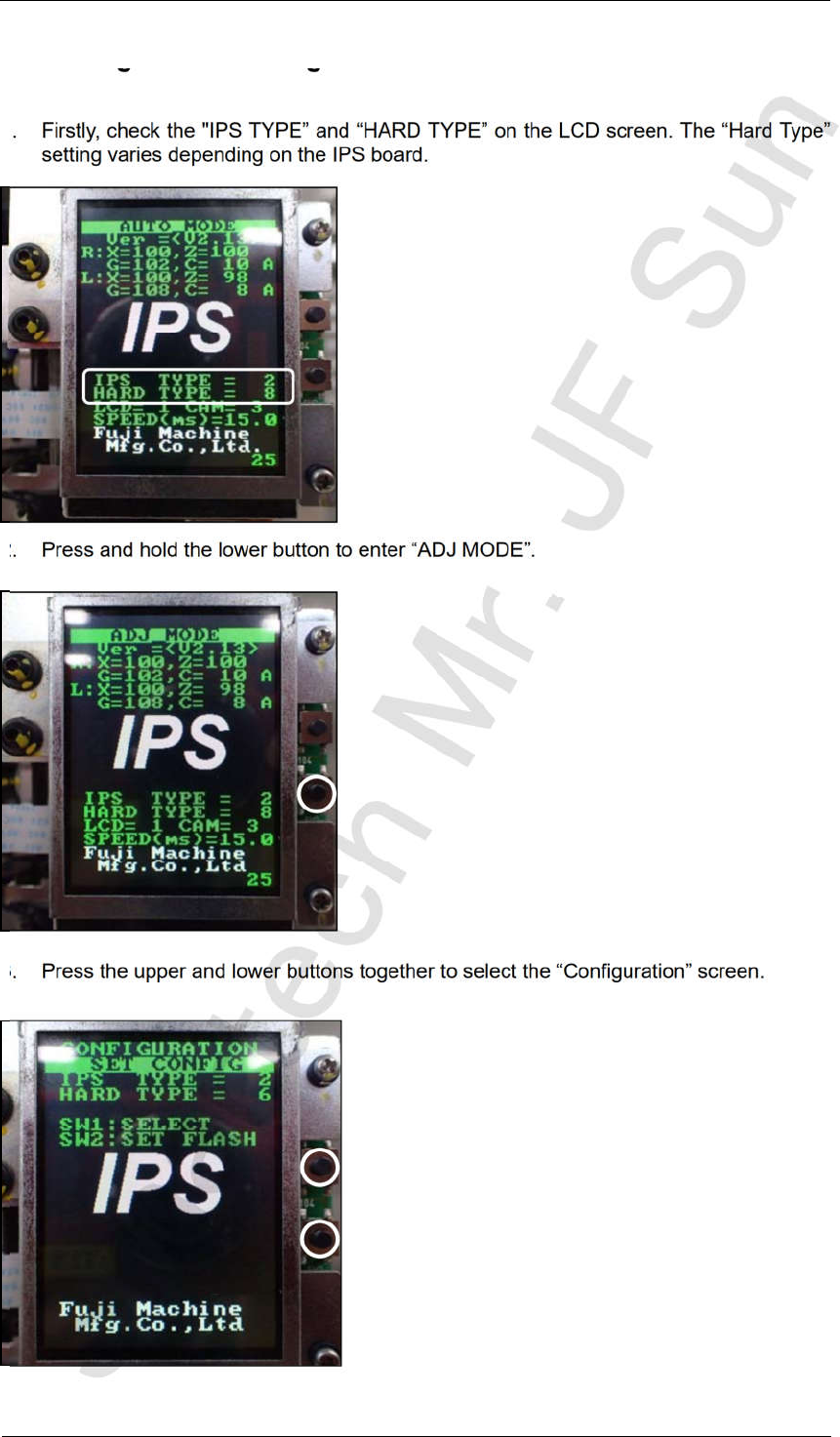
1. Firstly, check the "IPS TYPE” and “HARD TYPE” on the LCD screen. The “Hard Type”
setting varies depending on the IPS board.
2. Press and hold the lower button to enter “ADJ MODE”.
3. Press the upper and lower buttons together to select the “Configuration” screen.
CONFIDENTIAL
Edition 4.0 H08M(Q) Head Repair Training Text
FK-9F98-86-0E 5-6 FUJI MACHINE MFG. CO., LTD.
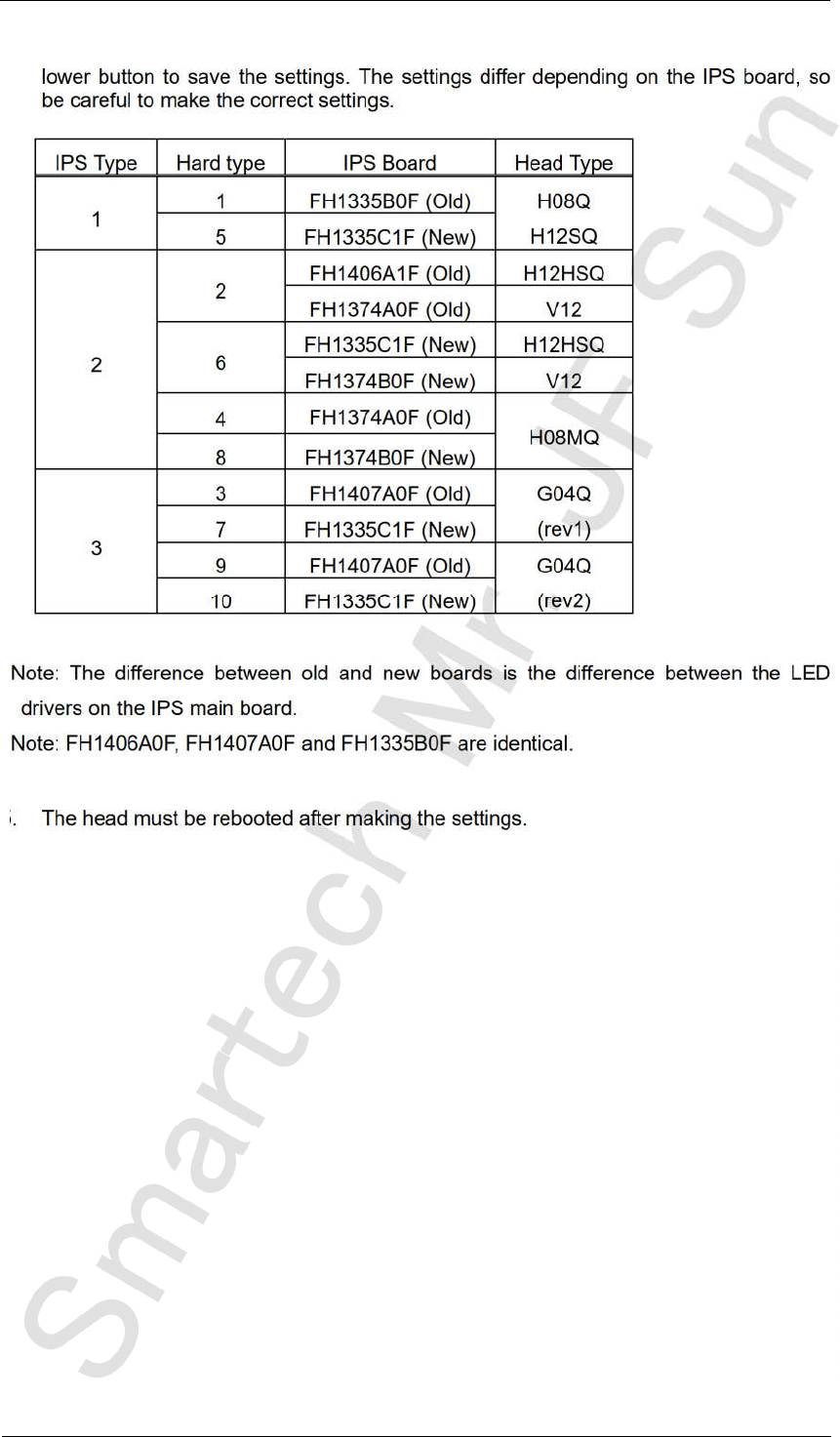
4. Press the upper button to select “IPS TYPE” and “HARD TYPE”, and then press the
lower button to save the settings. The settings differ depending on the IPS board, so
be careful to make the correct settings.
IPS Type Hard type IPS Board Head Type
1
1 FH1335B0F (Old) H08Q
H12SQ
5 FH1335C1F (New)
2
2
FH1406A1F (Old) H12HSQ
FH1374A0F (Old) V12
6
FH1335C1F (New) H12HSQ
FH1374B0F (New) V12
4
FH1374A0F (Old)
H08MQ
8 FH1374B0F (New)
3
3 FH1407A0F (Old) G04Q
(rev1)
7 FH1335C1F (New)
9 FH1407A0F (Old) G04Q
(rev2)
10 FH1335C1F (New)
Note: The difference between old and new boards is the difference between the LED
drivers on the IPS main board.
Note: FH1406A0F, FH1407A0F and FH1335B0F are identical.
5. The head must be rebooted after making the settings.
CONFIDENTIAL
Edition 4.0 H08M(Q) Head Repair Training Text
FK-9F98-86-0E 5-7 FUJI MACHINE MFG. CO., LTD.
5.5 Adjusting the camera installation position
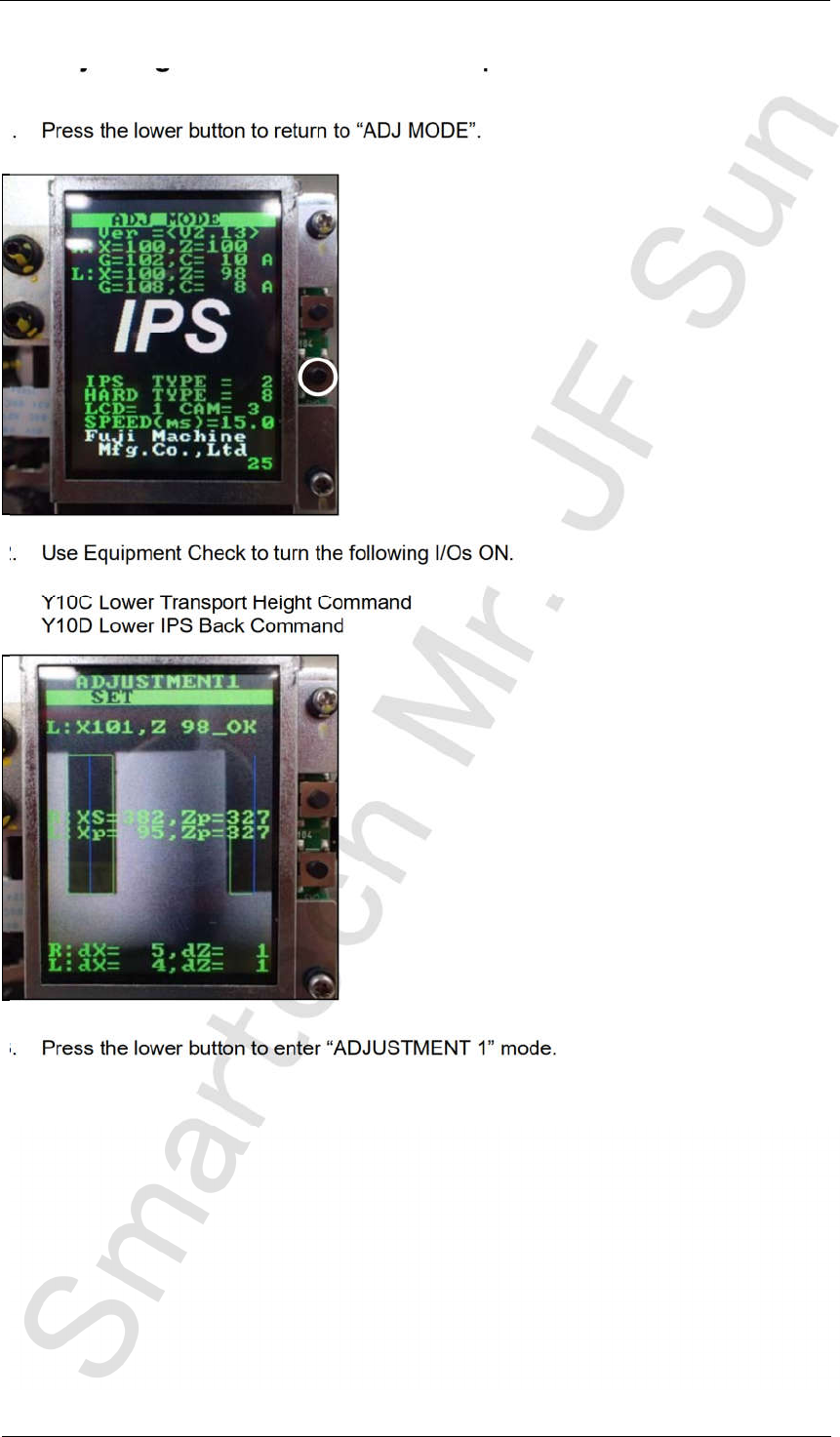
1. Press the lower button to return to “ADJ MODE”.
2. Use Equipment Check to turn the following I/Os ON.
Y10C Lower Transport Height Command
Y10D Lower IPS Back Command
3. Press the lower button to enter “ADJUSTMENT 1” mode.
CONFIDENTIAL