Mr. JF Sun ALL syringe_IPS.pdf - 第179页
Edition 4.0 H08M(Q) Head Repair T raining T ext FK-9F98-86-0E 5-15 FUJI M ACHINE MFG . CO., L TD . 7. Press the upper button to display “ADJUSTMENT 3, BACK”. 8. Press the lower button to display “ADJUSTMENT 2 CURRENT”. 9…
Edition 4.0 H08M(Q) Head Repair Training Text
FK-9F98-86-0E 5-14 FUJI MACHINE MFG. CO., LTD.
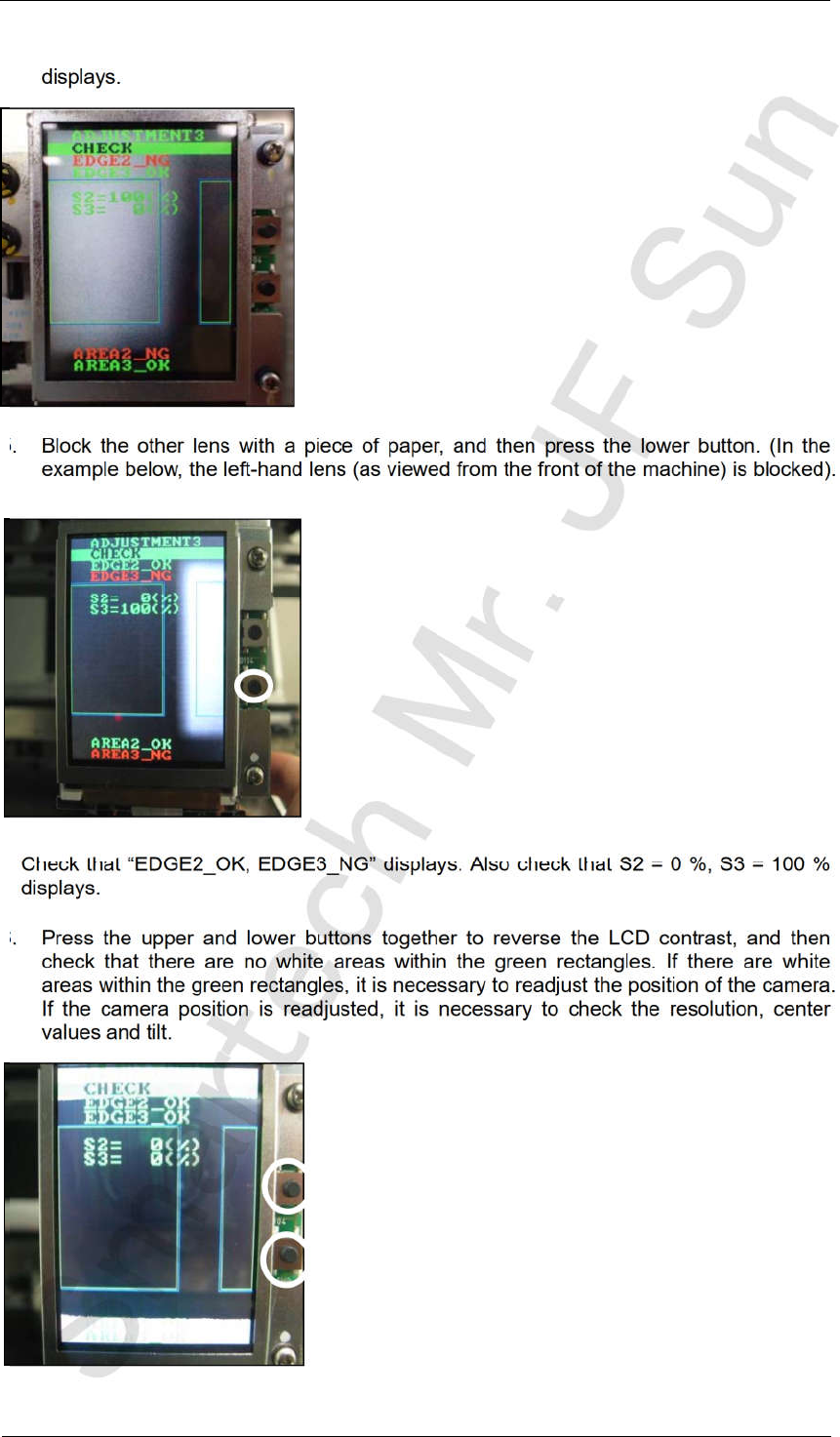
4. Check that “EDGE2_NG, EDGE3_OK” displays. Also check that S2 = 100 %, S3 = 0 %
displays.
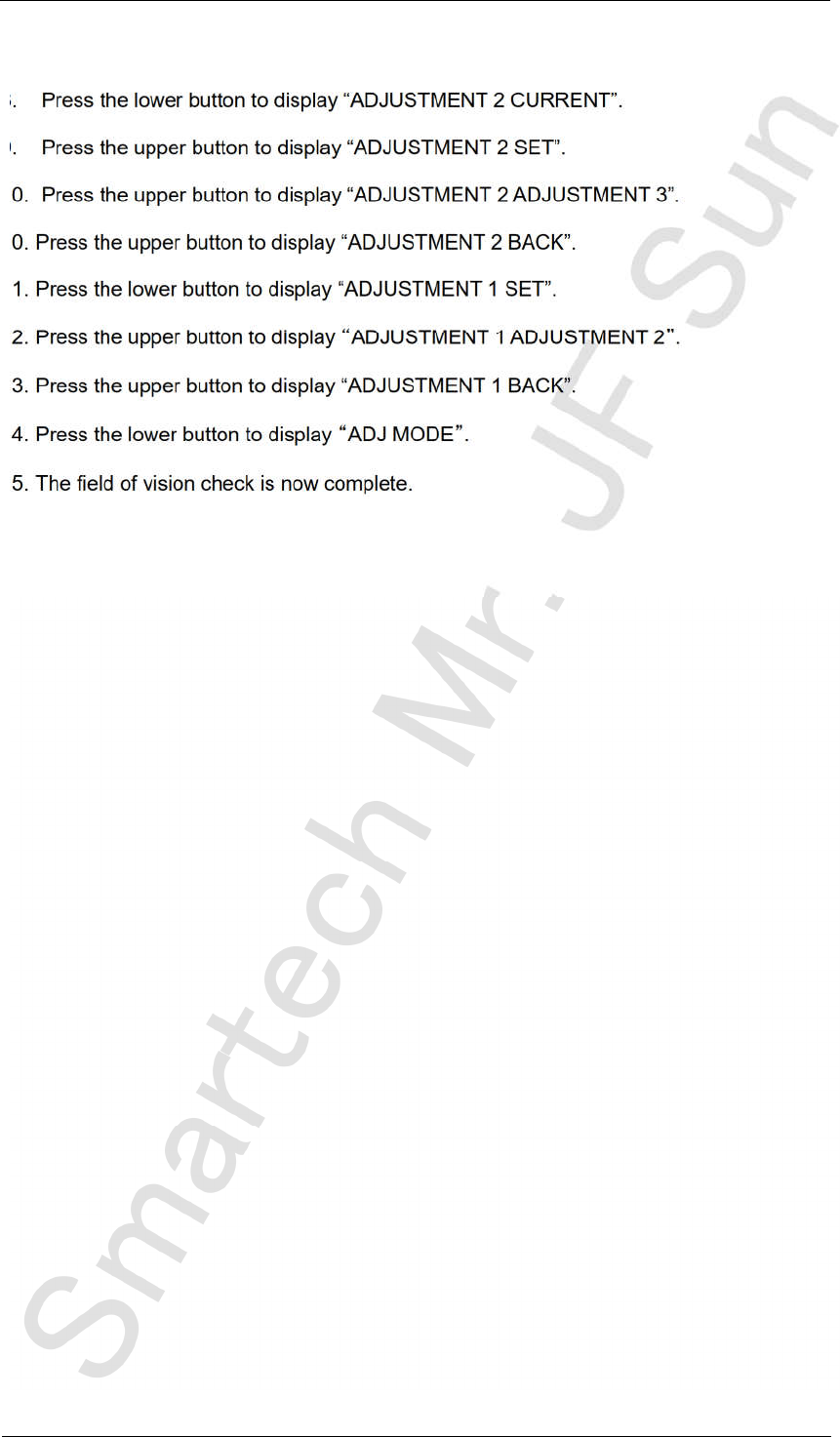
5. Block the other lens with a piece of paper, and then press the lower button. (In the
example below, the left-hand lens (as viewed from the front of the machine) is blocked).
Check that “EDGE2_OK, EDGE3_NG” displays. Also check that S2 = 0 %, S3 = 100 %
displays.
6. Press the upper and lower buttons together to reverse the LCD contrast, and then
check that there are no white areas within the green rectangles. If there are white
areas within the green rectangles, it is necessary to readjust the position of the camera.
If the camera position is readjusted, it is necessary to check the resolution, center
values and tilt.
CONFIDENTIAL
Edition 4.0 H08M(Q) Head Repair Training Text
FK-9F98-86-0E 5-15 FUJI MACHINE MFG. CO., LTD.
7. Press the upper button to display “ADJUSTMENT 3, BACK”.
8. Press the lower button to display “ADJUSTMENT 2 CURRENT”.
9. Press the upper button to display “ADJUSTMENT 2 SET”.
10. Press the upper button to display “ADJUSTMENT 2 ADJUSTMENT 3”.
10. Press the upper button to display “ADJUSTMENT 2 BACK”.
11. Press the lower button to display “ADJUSTMENT 1 SET”.
12. Press the upper button to display ADJUSTMENT 1 ADJUSTMENT 2 .
13. Press the upper button to display “ADJUSTMENT 1 BACK”.
14. Press the lower button to display ADJ MODE .
15. The field of vision check is now complete.
CONFIDENTIAL
Edition 4.0 H08M(Q) Head Repair Training Text
FK-9F98-86-0E 5-16 FUJI MACHINE MFG. CO., LTD.
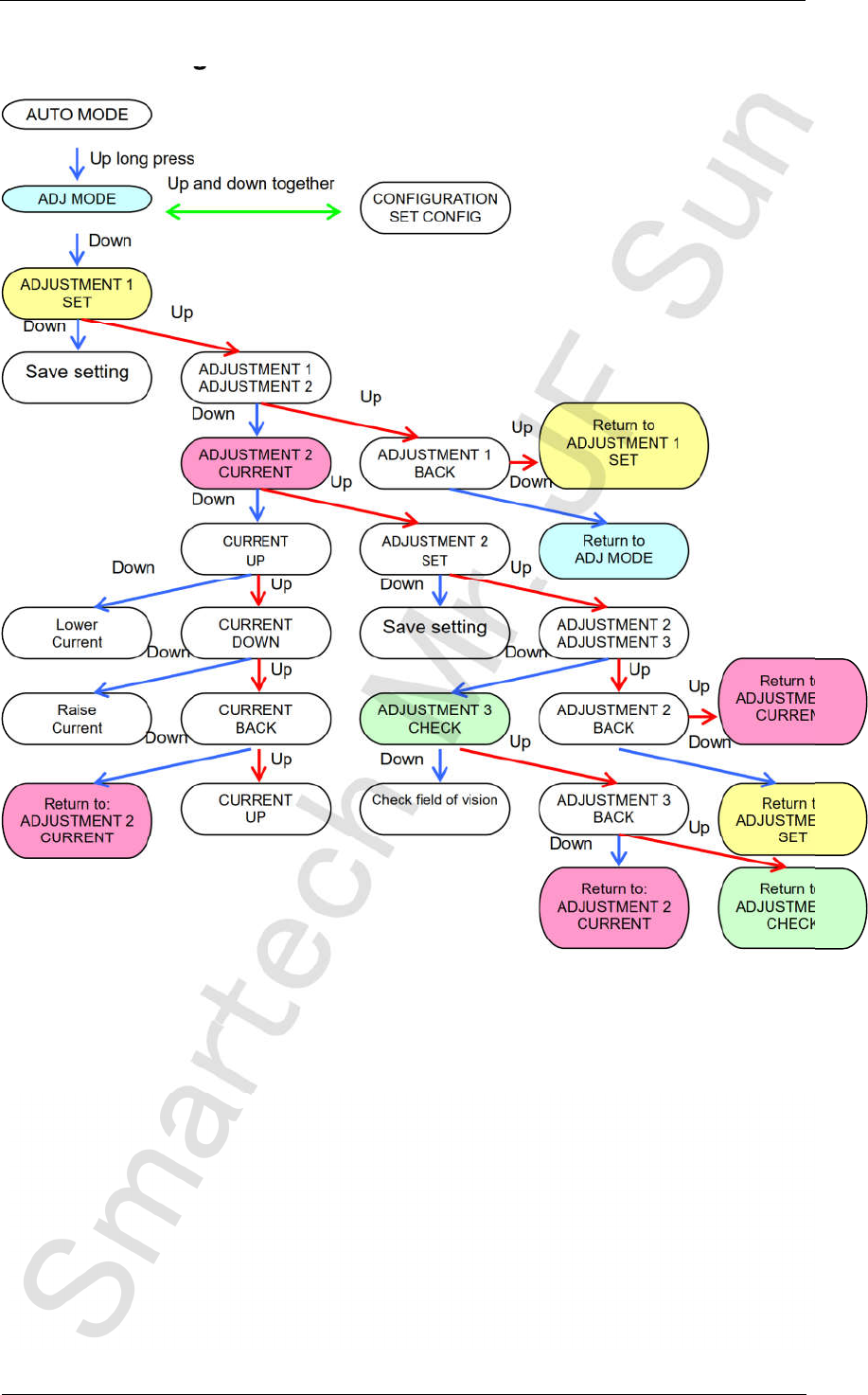
5.8 Mode setting chart
ADJUSTMENT 1
ADJUSTMENT 2
ADJUSTMENT 1
BACK
ADJUSTMENT 2
CURRENT
CURRENT
DOWN
Lower
Current
Save setting
ADJUSTMENT 2
ADJUSTMENT 3
Raise
Current
CURRENT
BACK
ADJUSTMENT 3
CHECK
ADJUSTMENT 2
BACK
Return to:
ADJUSTMENT 2
CURRENT
CURRENT
UP
ADJUSTMENT 3
BACK
Return to:
ADJUSTMENT 2
CURRENT
Return to:
ADJUSTMENT 3
CHECK
AUTO MODE
ADJ MODE
ADJUSTMENT 1
SET
Save setting
Check field of vision
Return to
ADJUSTMENT 1
SET
Return to:
ADJUSTMENT 2
CURRENT
Up
Up long press
Down
Down
Down
Up
Up and down together
Up
Up
Up
Up
Up
Up
Up
Up
Up
Down
Down
Down
Down
Down
Down
Down
Down
Down
CONFIGURATION
SET CONFIG
Return to
ADJ MODE
Return to
ADJUSTMENT 1
SET
Up
Down
CONFIDENTIAL