00195051-01.pdf - 第35页
Installation manual SIPLACE Pro 4 Installati on of SIPLACE Pro and possible Setup Types Edition 06/2006 US 33 Ste p 2 – Y ou are prompted to enter the names of the co mputer s which are running Line Control Server and SI…
4 Installation of SIPLACE Pro and possible Setup Types Installation manual SIPLACE Pro
Edition 06/2006 US
32
4.2.4 Setup Type – SIPLACE Pro Line Control GUI
This setup type is used for computers dedicated to perform download of production data to the
line. Computers with the "SIPLACE Pro Line Control GUI" setup should be located close to the
line. 4
4
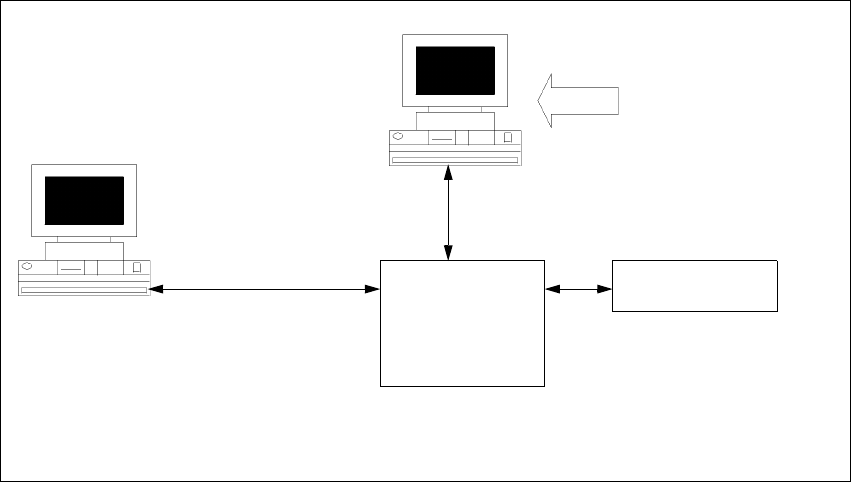
Fig. 4 - 19 Components – SIPLACE Line Control GUI
Step 1
Æ Run through the steps in ”Starting installation – first steps” from page 13.
Æ Select the SIPLACE Pro Line Control GUI setup type.
Æ Click Next.
Line Control
GUI
SIPLACE Pro
Interface
MS SQL Server with
SIPLACE Pro Server,
Line Control Server, and
Database pre-installed
Setup
COM
MSMQ
Resource
Manager
Installation manual SIPLACE Pro 4 Installation of SIPLACE Pro and possible Setup Types
Edition 06/2006 US
33
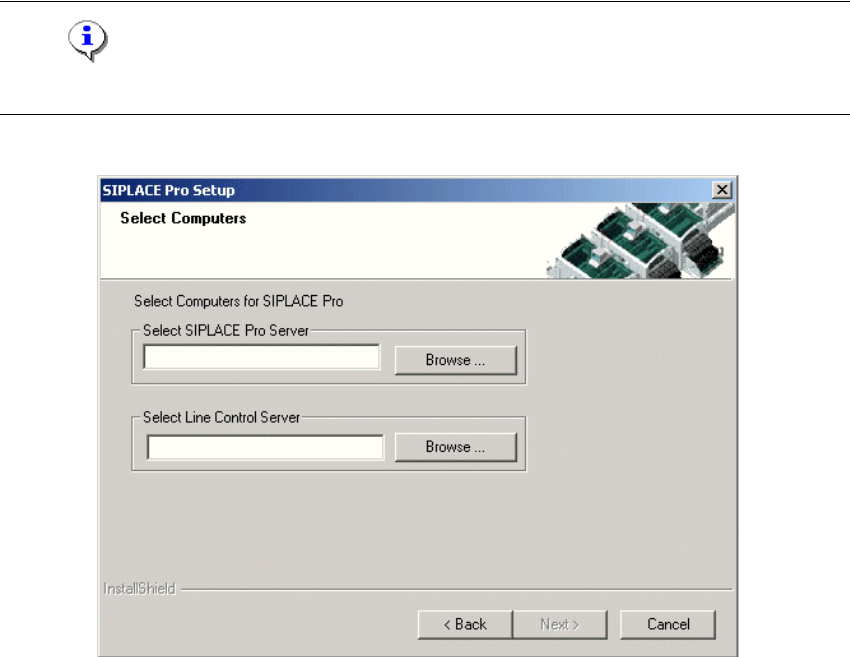
Step 2
– You are prompted to enter the names of the computers which are running Line Control Server
and SIPLACE Pro Server.
Æ You can type in the names or click the Browse button to open a dialog box in which you can
select another computer name.
Note
SIPLACE Pro Server and Line Control Server must already be installed on the computer! 4
4
Fig. 4 - 20 "Select Computers" dialog box
4 Installation of SIPLACE Pro and possible Setup Types Installation manual SIPLACE Pro
Edition 06/2006 US
34
Step 3
The "Start Copying Files" dialog box gives you a last chance to check the information you have
entered during the previous steps. 4
Æ Click Next if you accept all the information entered so far.
Æ If you want to alter one or more details, click the Back button until you get to the dialog box in
question.
Æ There, input your changes and click Next to continue as usual.
– The installation routine is now started.
– The "Setup Complete" window confirms that the installation has been completed successfully.