吸嘴交换站ANCsensorAdjustStep.pdf - 第4页
Service Engineer Service Informati on No: SI120 5003E - 000 = ANC con trol board n ozzle sensor adjustmen t procedure 4/ 12 1.2 Check the threshold of the sensor by the CalibSm Check the threshold by using the CalibSm ad…
Service Engineer
Service Information
No: SI1205003E-000= ANC control board nozzle sensor adjustment procedure
3/12
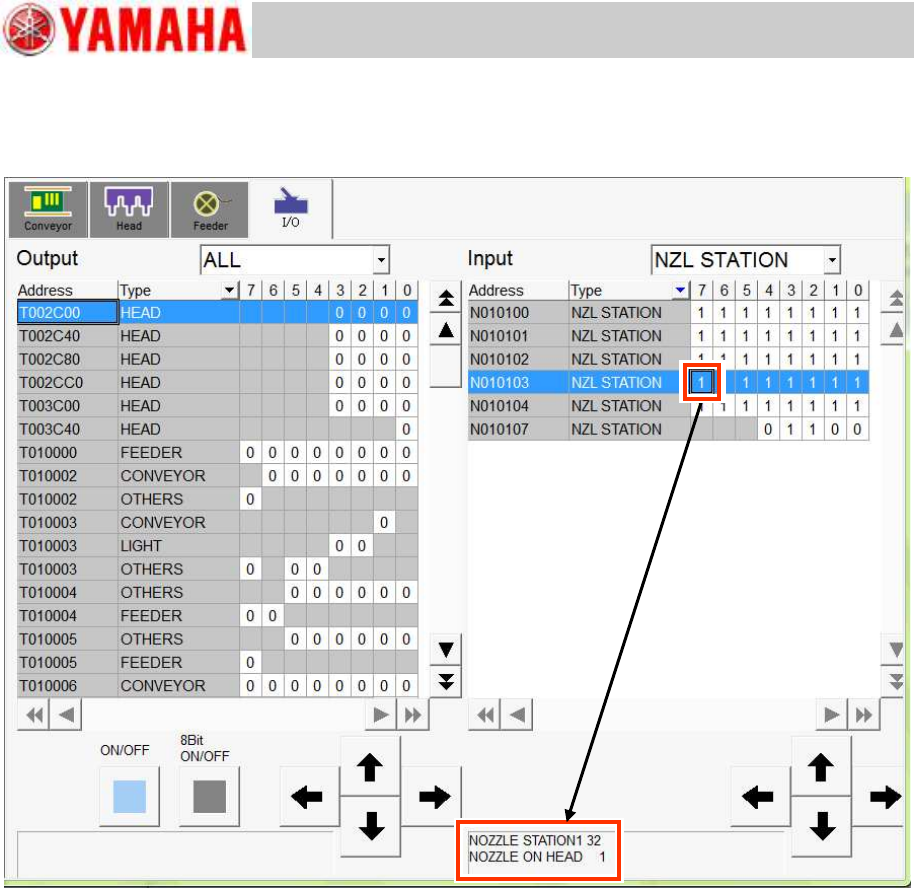
3. Select the nozzle number of the nozzle station to be checked.
The nozzle number and the condition of the sensor are displayed at the lower part of the window.
Check if the indication of “0/1” switches properly by taking a nozzle in and out the nozzle station.
Figure 3
Service Engineer
Service Information
No: SI1205003E-000= ANC control board nozzle sensor adjustment procedure
4/12
1.2 Check the threshold of the sensor by the CalibSm
Check the threshold by using the CalibSm adjustment utility.
The adjustment procedure varies depending on whether the nozzle change can be performed
automatically or not.
1.2.1 Start up CalibSm adjustment utility
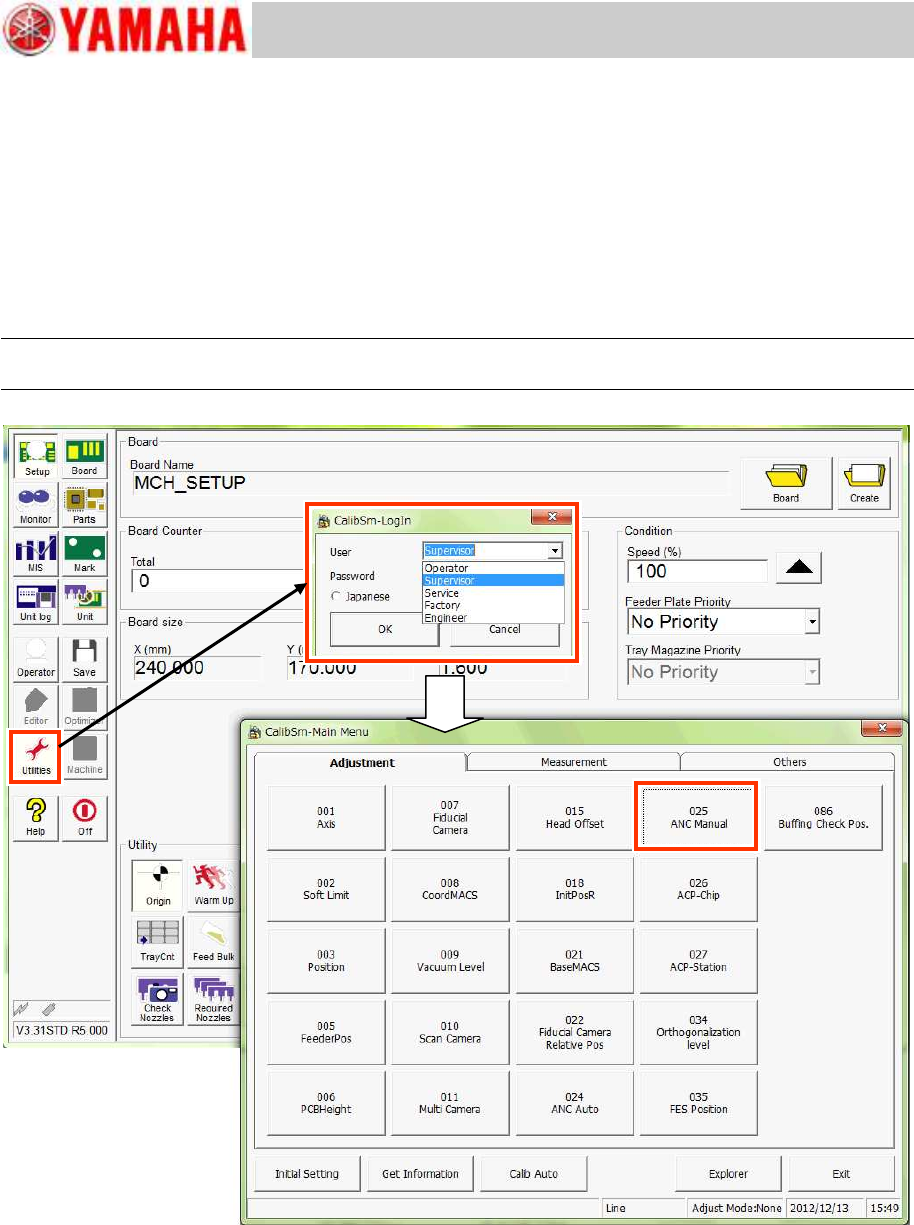
Click the [Utilities] button to start up the CalibSm adjustment utility.
Note:
Log in as “Supervisor”. Please contact YAMAHA for the password.
Figure 4
Service Engineer
Service Information
No: SI1205003E-000= ANC control board nozzle sensor adjustment procedure
5/12
1.2.2 When “Nozzle change” can be performed
When the automatic nozzle change can be performed properly, the threshold is measured
automatically.
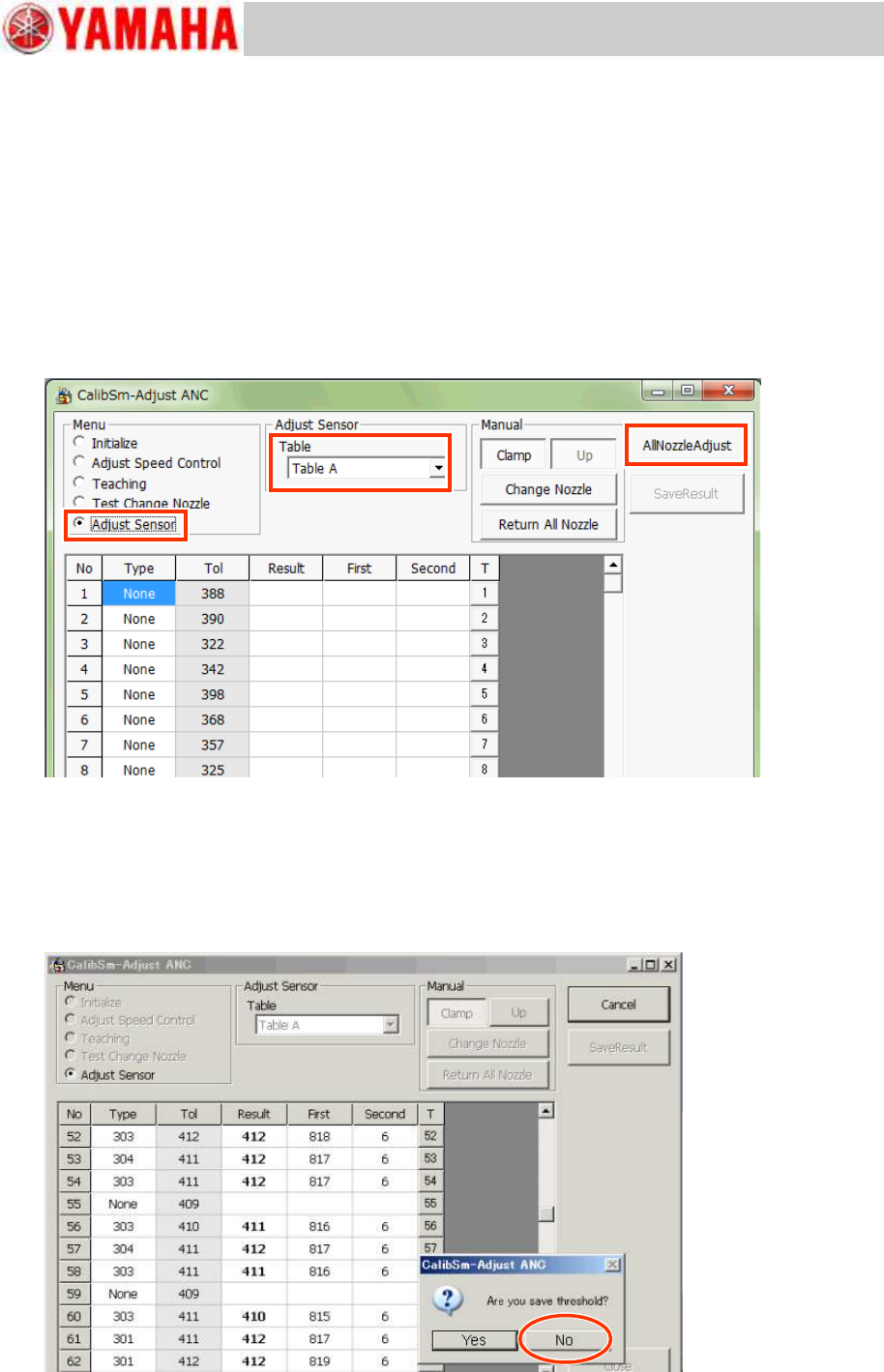
1. Start up the CalibSm and click the [025 ANC Manual] button on the main menu.
2. Select the table from the “Table” pull-down menu. (*When the machine is equipped with
more than one tables.)
Select the table whose threshold is to be adjusted.
3. Select “Adjust Sensor” from “Menu”, and click the [All Nozzle Adjust] button.
Nozzles are changed automatically and the detection level when a nozzle is in the station and
when it is out of the station is measured.
Figure 5
4. When the dialog box appears asking you to save the measured value as the threshold,
click the [No] button.
As this is to check the sensitivity difference when a nozzle is stored in the station and when it is
out of the station, do not save the data here.
If you need to save the measured result, click the [Save Result] button after checking the
difference.
Figure 6