TM3011.Simultaneous switching operator setting both of the front and rear.pdf
SMT Software En gineering Group IMOperations YAMAHAMOTORCO.,LTD. 1/8 Do cum ent f or the f unction “ Simul t an eous sw itc hi ng oper ator se tting b oth of t he fron t and rear” This is for t…

SMT Software Engineering Group
IMOperationsYAMAHAMOTORCO.,LTD.
1/8
Document for the function “Simultaneous switching
operator setting both of the front and rear”
This is for the addition of "IT-System User's Manual" to "Chapter2 Setting System Config".
Chapter
Document for the function “Simultaneous switching operator setting both of the front and rear” .1
1. The target model and the target version ................................................................................2
2. Outline ....................................................................................................................................3
3. Detail ......................................................................................................................................3
3.1. Operator switch by operator selection.............................................................................3
3.2. Operator switch by operator ID scanning........................................................................5
4. Setting ....................................................................................................................................7
Revision
Content Date
1 New 2011/3/18
SMT Software Engineering Group
IMOperationsYAMAHAMOTORCO.,LTD.
2/8
1. The target model and the target version
The target model and the target version of this specification are as follows.
Table1 Target Machine and Software
Machine, Software Version Remarks
IT-System Server Utility V1.26STD R1.000 or later
VGOSV3 Mounter Application Software V3.26STD R1.000 or later
SMT Software Engineering Group
IMOperationsYAMAHAMOTORCO.,LTD.
3/8
2. Outline
This document describes about the function "Simultaneous switching operator setting both of
the front and rear” (hereafter “This function”), which is added to "Setup Verification" of IT
option.
In this function, when an operator is selected on one side of the machine as follows, it works
on the other side as well.
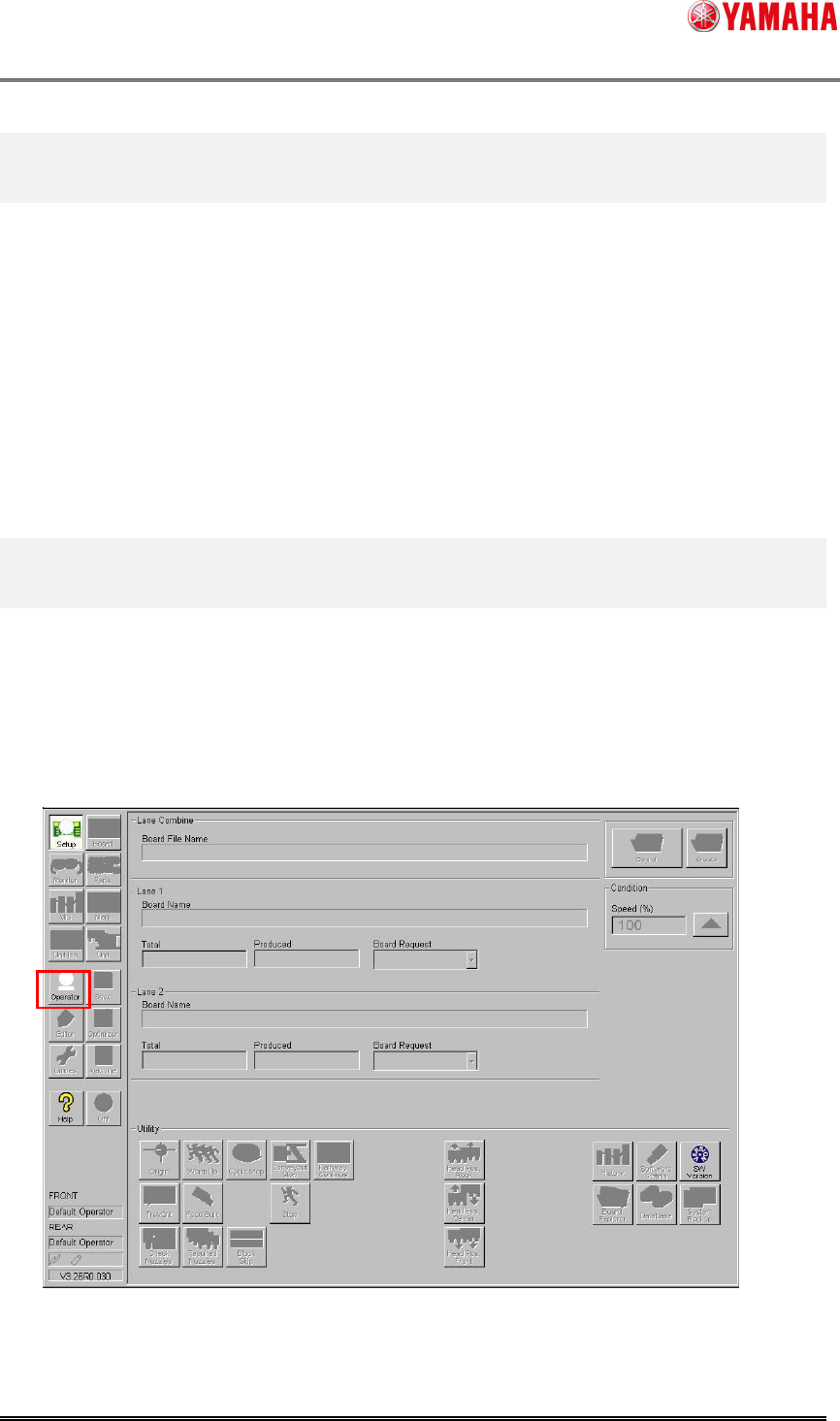
- Press [Operator] button to select an operator on the front or rear side of the machine.
- Scan the operator ID barcode with a barcode reader on the front or rear side of the
machine.
3. Detail
3.1. Operator switch by operator selection
When an operator is selected on the front or rear side of the machine, it works on the other
side as well.
1. Press "Operator" button.